Smart Home for Multi-Dwelling Units: Condos, Townhomes, and Rentals
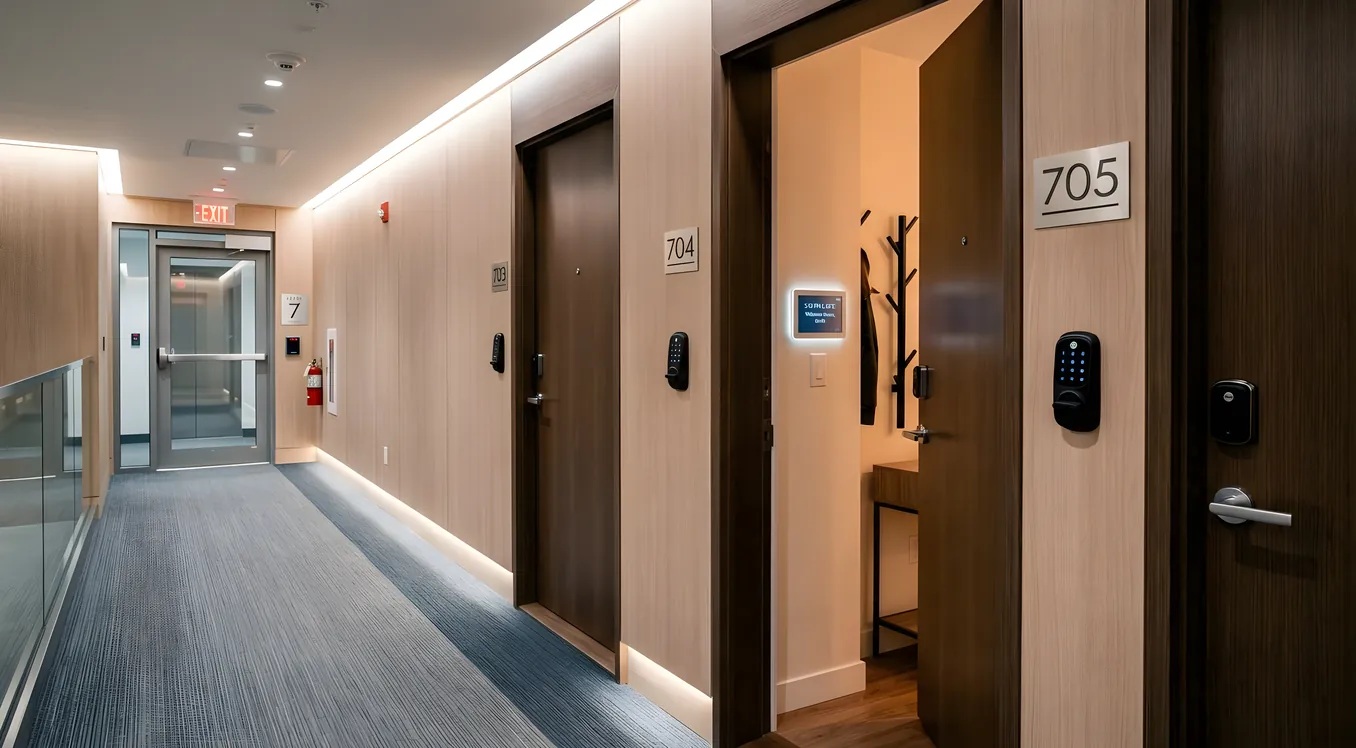
Living in a condo, townhome, or rental does not mean you are locked out of smart home technology. It means you are working inside constraints that a single-family homeowner does not have. HOA rules, landlord restrictions, shared walls, limited electrical access, and lease clauses all shape what you can realistically install. The good news: a thoughtful approach gets you 80 percent of the experience for a fraction of the complexity, and most of it follows you when you move.
This guide is for people who want honest answers, not a product roundup. It covers what actually works in multi-dwelling units, where you will run into walls (sometimes literally), and how to build a system that makes sense given your specific situation.
The Core Problem: You Do Not Own the Infrastructure
In a single-family home, you can run wire through walls, swap electrical panels, add outdoor lighting circuits, and make structural decisions without asking anyone. In a condo or rental, the unit boundary matters enormously. Typically you own (or have exclusive use of) the interior space and the surfaces you see. The walls themselves, the electrical infrastructure behind them, the exterior, and the common areas belong to someone else.
That has two practical consequences.
First, anything that requires opening walls or modifying the building’s electrical wiring is off the table unless you get explicit written permission, and in a condo, that often means an HOA architectural committee review. Most people do not go through that process for a smart home install, and most integrators will not do it without paperwork in hand.
Second, the devices you install need to be cleanly removable. A landlord who discovers you have run new wire through their walls and installed permanent hardware has a legitimate grievance, and you may lose your security deposit plus repair costs. The standard for rental installs is: if you are moving out in two hours, can you restore the unit to its original condition?
These constraints push multi-dwelling installs firmly toward wireless systems, plug-in devices, and adapter-style replacements.
What HOAs Actually Control (and What They Do Not)
HOAs have rules about the exterior appearance and common areas of the building, but their authority over the interior of your unit is usually much more limited. That said, the specifics vary widely, and you need to read your CC&Rs (the covenants, conditions, and restrictions that come with your purchase).
Common HOA restrictions that affect smart home installs:
Exterior modifications. Security cameras pointed toward common areas, video doorbells (especially wired ones that require drilling through the exterior), satellite dishes, and anything visible from outside the unit are almost always regulated. Some HOAs have approved models or mounting positions for video doorbells. Others prohibit them entirely.
Window treatments. Interior motorized shades are almost never restricted. Exterior shading systems that change the building’s appearance are another matter.
Locks and access. Smart locks on your unit door are usually fine because you own the door hardware. The door itself and any exterior-facing hardware may fall under HOA purview, so check before installing anything that changes the exterior appearance of the door.
Noise and vibration. Less common, but some HOAs have rules about drilling into shared walls. If you are mounting speakers, TV arms, or any other hardware that requires anchoring into a wall shared with a neighbor, confirm what the rules say.
When in doubt, email the HOA management company and get a written answer before you buy anything. This protects you and forces clarity.
The Right Platform Choice for Non-Owners
Before buying any device, you need to decide on an ecosystem. For condo and rental situations, the calculus is different than in a single-family home.
Google Home, Amazon Alexa, and Apple HomeKit are the right starting point for almost everyone in this situation. All three are wireless, self-installed, and entirely portable. You can take every device with you when you move. They work with hundreds of device manufacturers and do not require a dealer or programming fees. The limitation is complexity ceiling: these platforms work beautifully for lighting, thermostats, cameras, and locks, but struggle when you want deep integration across many subsystems.
Matter and Thread are increasingly relevant here. Matter is an interoperability standard that lets devices from different manufacturers talk to each other without a proprietary bridge. Thread is the low-power mesh networking protocol that many Matter devices use. If you are buying new devices in 2026, look for the Matter logo. It means the device will work with your platform today and remain compatible if you switch ecosystems later. For a non-owner who may move, this portability matters.
Control4, Savant, and Crestron are the professional platforms, and they are generally the wrong choice for condos and rentals. These systems require a dealer for purchase and programming, cost significantly more, and involve hardware that is either installed permanently or awkward to move. The value proposition for those platforms is whole-home integration and long-term support, which makes sense in a home you own and plan to stay in. The Smart Home Cost Breakdown: What Systems Actually Cost in 2026 covers the full pricing picture if you want to understand where the professional tier begins to make financial sense.
Lutron Caseta is worth calling out specifically for condo owners (not renters) who want professional-grade reliability without a full integrator engagement. Caseta’s clear-connect radio frequency is more reliable than Zigbee or Z-Wave in dense multi-unit buildings where you have dozens of competing wireless signals. A Caseta bridge plus six dimmers runs roughly $350 to $450 and can control lighting in a two-bedroom condo without any wire runs. It integrates with all three major voice platforms.
Smart Lighting in a Condo or Rental: Two Approaches
Lighting is usually the first smart home upgrade people make, and the approach depends entirely on whether you own or rent.
If you own: Smart switches and dimmers are the right answer. You replace the existing wall switch with a smart switch (Lutron Caseta, Leviton Decora Smart, or Legrand Radiant are the most reliable options), connect it to your hub or ecosystem, and your existing light fixtures become smart. Lutron Caseta switches run $60 to $80 per switch at retail. Leviton’s Wi-Fi dimmers are slightly less expensive at $45 to $65 and do not require a separate hub. This approach means every bulb in the fixture becomes controllable, including inexpensive non-smart bulbs. You take the switches when you sell.
One caution for condos specifically: if your unit has older wiring without a neutral wire at the switch box, you need switches that work in no-neutral configurations. Lutron Caseta is specifically designed for this and handles it without modification.
If you rent: Smart bulbs are the more practical option because they require no wiring changes. Philips Hue is the dominant choice at the premium end. A Hue White and Color Ambiance bulb runs $45 to $55 each. The Hue Bridge ($60) handles up to 50 bulbs per bridge and integrates with Google Home, Alexa, HomeKit, and Matter. LIFX and Sengled are cheaper alternatives at $20 to $35 per bulb with no hub required, trading slightly less reliable connections for lower cost. You take every bulb when you move out, replace them with the original bulbs, and restore the unit completely.
The tradeoff with smart bulbs is that the wall switch must stay on for the bulb to receive power. Train household members to use voice commands or app controls rather than the switch, or add a Hue Dimmer Switch ($25) that sticks to the wall with 3M tape and sends wireless commands to the bulbs without being wired to anything.
Thermostats: The Easiest Win
Smart thermostats are the easiest retrofit in nearly any situation. Ecobee and Nest (now Google Nest) both install in about 30 minutes, require no structural work, and are fully removable. When you move out of a rental, you put the original thermostat back and take the smart one with you.
The Google Nest Learning Thermostat (4th generation, released 2024) runs $280 at retail. The Ecobee Smart Thermostat Premium is $250 and includes a built-in Alexa voice assistant plus room sensors that measure temperature in multiple rooms. Both units qualify for utility rebates in many states, often $50 to $100 back, which closes the price gap with basic programmable thermostats.
One situation to check before buying: some condos and apartments use fan coil units rather than traditional forced-air HVAC. Fan coil systems often use a 3-wire or 4-wire control scheme that is not compatible with most smart thermostats. The Ecobee and Nest compatibility checkers will tell you based on your current wiring, but if you are in an older high-rise, verify before purchasing. Mysa makes thermostats specifically designed for electric baseboard heat, which is common in condo units.
Landlords vary on whether they allow thermostat swaps. Some have no opinion; others consider the HVAC equipment part of the unit and do not want it touched. A quick email before you buy saves headaches later.
Smart Security in Shared-Entry Buildings
Security in multi-dwelling units has a layer that single-family homes do not: the shared building entrance. Most condo and apartment buildings handle this with either a buzzer intercom system, a key fob, or a managed access system. Your unit door is yours to control; the building entry is not.
Smart locks for unit doors: The Yale Assure Lock 2 (starting at $180), Schlage Encode Plus ($250), and August Wi-Fi Smart Lock ($200) all install without modifying the door or frame, using your existing deadbolt cylinder and replacing only the interior thumb-turn with the smart unit. The August is notable for retrofit situations because it leaves your existing key cylinder completely intact and mounts over it, meaning any key that works now still works, and the door appearance does not change from the outside.
Z-Wave locks like the Schlage Connect integrate well with SmartThings or Home Assistant hubs if you are building a more integrated system. Bluetooth and Wi-Fi locks work with Google Home and Alexa directly without a hub.
Video doorbells: Wired video doorbells (Ring Video Doorbell Pro 2 at $250, Nest Doorbell Wired at $180) require access to existing doorbell wiring and may require approval if your unit’s doorbell is visible from a common area or the building exterior. Battery video doorbells (Ring Video Doorbell 4 at $200, Eufy Video Doorbell Battery at $160) are more installation-friendly, but in a condo your doorbell is often in a hallway shared with neighbors, and a camera pointing down that hallway raises privacy considerations that you should think through carefully. Check with your HOA before installing any camera that captures common-area footage.
Interior cameras: No restrictions apply to cameras inside your own unit. Wyze Cam v4 ($40) and Arlo Pro 5 ($200 per camera) are both solid options at very different price points. The Wyze is adequate for basic monitoring; the Arlo gives you 2K resolution, color night vision, and a 180-day warranty on the integrated battery for truly wireless operation.
Multi-Room Audio Without Running Wire
Distributed audio is the one category where single-family homes have a genuine structural advantage: the ability to run speaker wire through walls and ceilings to in-wall and in-ceiling speakers. In a condo or rental, that is rarely an option.
The modern solution is wireless multi-room audio, and Sonos is the clear leader. A Sonos Era 100 stereo speaker ($250) on a bookshelf gives you one room of high-quality audio. Add an Era 300 ($450) with spatial audio in a second room. Connect them to the Sonos app, and both rooms play synchronized audio from Spotify, Apple Music, Tidal, or any other streaming service. Sonos integrates with Alexa, Google Assistant, and Apple AirPlay 2. It works in a rental apartment and moves with you completely.
Denon HEOS and Bluesound are Sonos alternatives with stronger audiophile credibility. A Bluesound Pulse Flex 2i portable speaker runs $350 and has the same wireless multi-room capabilities with higher measured frequency response than the Era 100. For people who care about audio quality specifically, it is worth a side-by-side comparison.
For renters who want something even simpler, a pair of Sonos Era 100 speakers on either side of a living room works well enough that most people do not miss dedicated left-right stereo separation.
Building a Coherent System: Integration and Control
The limitation of buying individual smart devices is that you end up with multiple apps. The thermostat has one app, the bulbs have another, the lock has a third, the camera has a fourth. For some people this is fine. For others it is the thing that makes smart home feel like more trouble than it is worth.
Three approaches to unification in a condo-scale install:
Apple HomeKit works particularly well if your household is all iPhone. Every device that supports HomeKit appears in the Home app on your phone and is controllable with Siri. Automations work without any separate hub (though an Apple TV 4K or HomePod mini serves as a local hub for remote access and automations). The limitation is that HomeKit certification is selective, so not every device you want will support it.
Amazon Echo + Alexa Routines gives you the widest device compatibility and the most mature routine system. An Echo Show 15 ($250) wall-mounted in the kitchen becomes a control panel for your entire unit. The limitation is privacy: Alexa listens, and Amazon’s data policies are more expansive than Apple’s.
Home Assistant is the open-source platform that runs locally on a Raspberry Pi 5 ($80 for the board) or a Home Assistant Green hub ($100). It integrates with virtually every device and platform through community add-ons, stores all data locally, and costs nothing after the hardware purchase. The tradeoff is setup complexity. If you are comfortable with basic configuration files and are willing to spend a weekend getting it right, it is the most capable option at any price. If you want to open a box and have it work in an afternoon, stick with one of the commercial ecosystems.
For a condo or townhome owner who wants professional integration without a full Control4 or Savant install, there is a middle tier: a professionally configured Home Assistant or a simple dealer-installed Lutron Caseta system with an Integration Pro hub. Some Bay Area integrators work in this tier specifically for attached homes and multi-family situations. If that is your situation, How to Choose a Smart Home Integrator: Questions, Red Flags, References covers how to vet someone before writing a check.
Renter-Specific Strategy: The Portable System
If you are renting, your entire strategy should be built around portability. Every device you buy should be either plug-in or completely removable without damage.
The portable rental system worth building:
- Lighting: Philips Hue bulbs in existing fixtures (take them when you leave, replace with standard bulbs). Budget $150 to $300 for a one-bedroom.
- Thermostat: Nest Learning or Ecobee (swap back to original when you move). $250 to $280.
- Lock: August Wi-Fi Smart Lock (mounts over your existing cylinder, no exterior change). $200.
- Voice control: Amazon Echo Dot (4th or 5th gen, $50 each) in kitchen and bedroom.
- Plug-in smart plugs: TP-Link Kasa EP25 ($20 each) for floor lamps and appliances.
- Camera: Wyze Cam v4 in living area if you want interior security.
Total investment: approximately $700 to $900 for a one-bedroom, $1,000 to $1,500 for a two-bedroom. Everything fits in a medium moving box. None of it requires a screwdriver, permission, or any modification to the unit beyond changing thermostat wiring (which you restore when you leave). This is also roughly consistent with what the Budget Smart Home: The Best System Under $5,000 covers for entry-tier systems generally.
Townhome Specifics: You Have More Options Than You Think
Townhomes are an interesting middle ground. You typically own the structure (unlike a condo where you own the airspace inside), which means you have more flexibility to run wire, modify switches, and install exterior devices. At the same time, you may have an HOA with rules about exterior appearances.
The practical difference from a condo: in most townhomes, you can install wired smart switches, run new wire if needed, and add exterior lighting and cameras with less restriction. The Retrofitting a Smart Home: What Works Without Rewiring covers your options for existing construction in detail, but the short version is that even in existing construction, smart switches, wired ethernet runs through existing conduit paths, and professional-grade wireless systems are all viable.
Townhome owners looking at a more serious installation should get a pre-wire assessment even if the home is already built. An integrator can identify where wire can be run cost-effectively versus where wireless is the better answer. In a 2,000-square-foot townhome, a focused pre-wire for networking, a couple of in-ceiling speaker locations, and a few switch legs can run $2,000 to $5,000 and dramatically expands what you can do.
Making Smart Home Work When You Share Walls
One thing multi-dwelling residents do not think about enough: wireless interference. In a condo building with 50 units, you may have 200 or more wireless networks competing on the 2.4GHz band that most smart home devices use. This makes cheap Zigbee devices and Wi-Fi bulbs less reliable than they would be in a house.
Solutions that hold up better in dense wireless environments:
- Lutron’s Clear Connect radio (used in Caseta and RA3 systems) operates on a dedicated frequency that does not compete with Wi-Fi or Bluetooth. Noticeably more reliable in high-density buildings.
- Thread is a mesh protocol specifically designed for smart home devices in congested environments. Matter over Thread devices handle interference better than pure Wi-Fi devices.
- 5GHz Wi-Fi devices are less common but less congested. Check your router’s band before buying anything that only supports 2.4GHz.
- A dedicated 2.4GHz access point with SSID specifically for IoT devices, configured with QoS to deprioritize IoT traffic, helps in buildings where your neighbor’s Ring camera is competing with your Hue bridge.
A mesh network system (Eero Pro 6E, Google Nest Wi-Fi Pro, or TP-Link Deco XE75 Pro) handles the networking side well in a condo where you cannot run ethernet through walls to access points.
What to Do Before You Buy Anything
Three steps before spending money on a smart home condo setup:
-
Read your CC&Rs if you are a condo owner. Flag anything that might affect cameras, door hardware, or exterior modifications. Email the HOA if you have questions.
-
If you rent, email your landlord with a specific list of what you want to install. Most landlords who understand the scope (wireless thermostats, smart bulbs, a removable lock) have no objection. Getting it in writing protects you.
-
Decide whether you are building a portable system or a permanent one. Portable means wireless, removable, and ecosystem-based (Google Home, HomeKit, Alexa). Permanent means switches, wired network drops, and potentially a professional-tier platform.
The answer to those questions shapes every device choice that follows.
Living With a Multi-Dwelling Smart Home
The people who are happiest with their smart home condo setups are the ones who had realistic expectations going in. They did not expect wall-to-wall integration on the level of a custom Savant installation. They built a system that solved real problems: lights that come on when they get home, a thermostat that adjusts on a schedule, a lock that lets them let in a dog walker without cutting a key.
That is a genuinely useful setup. It takes a weekend to put together, costs under $1,000 for most units, and makes day-to-day life noticeably better. It is also a foundation. If you buy a house later, you take most of it with you, and you already understand the ecosystem.
The smart home is not a product. It is a set of decisions. Make them in the right order, and the result is a living space that works for you.