Retrofitting a Smart Home: What Works Without Rewiring
Most smart home content assumes you’re starting from bare studs. It talks about conduit runs, low-voltage rough-in, and pre-wire schedules as though every reader is three months from move-in. The reality for most homeowners is the opposite: you’re living in a finished house, the walls are closed, and you want smarter technology without a gut renovation.
The good news is that wireless technology has reached a point where a retrofit smart home can deliver most of what a purpose-built system offers. The honest news is that “most” still has limits, and knowing where those limits are before you spend money matters more than any product comparison.
This guide covers what actually works in a retrofit, what doesn’t translate well from wired to wireless, and how to sequence the work so you’re building a real system rather than a collection of disconnected gadgets.
Why Retrofitting Is More Feasible Than It Was Five Years Ago
The biggest shift in retrofit smart home capability came from protocol standardization. For years, the wireless smart home market was a mess of competing radio frequencies, closed ecosystems, and devices that refused to talk to each other. Z-Wave, Zigbee, Wi-Fi, Bluetooth, and proprietary radio bands all coexisted without coordination.
Matter, the interoperability standard launched in late 2022 and now supported by Apple, Google, Amazon, and most major manufacturers, changed the underlying architecture. Matter-compatible devices from different manufacturers can now communicate through a shared local network without cloud dependencies. Thread, the mesh radio protocol that Matter often runs on, has better range and lower power consumption than standard Wi-Fi, which matters in larger homes where signal reach used to be a retrofit headache.
The practical result: in 2026, a homeowner can build a genuinely integrated retrofit smart home using products from multiple manufacturers, controlled through a single app or voice assistant, without relying on manufacturer-specific hubs for every product category. That wasn’t reliably true before 2023.
Wireless lighting controls, wireless thermostats, wireless security sensors, wireless audio, and wireless motorized shades are all mature enough to be primary-spec solutions, not workarounds. The category where wired still wins is high-bandwidth video, which we’ll cover when we get to surveillance.
Lighting: The First Thing Most Retrofit Homeowners Get Right
Lighting control is where most retrofit projects start, and for good reason. The impact is immediate and visible, the installation is DIY-accessible in most cases, and the products have become reliable enough that professional integrators now specify wireless lighting for retrofit projects without hesitation.
The key retrofit decision in lighting is whether you’re replacing switches or bulbs. Both approaches work, and each has a use case.
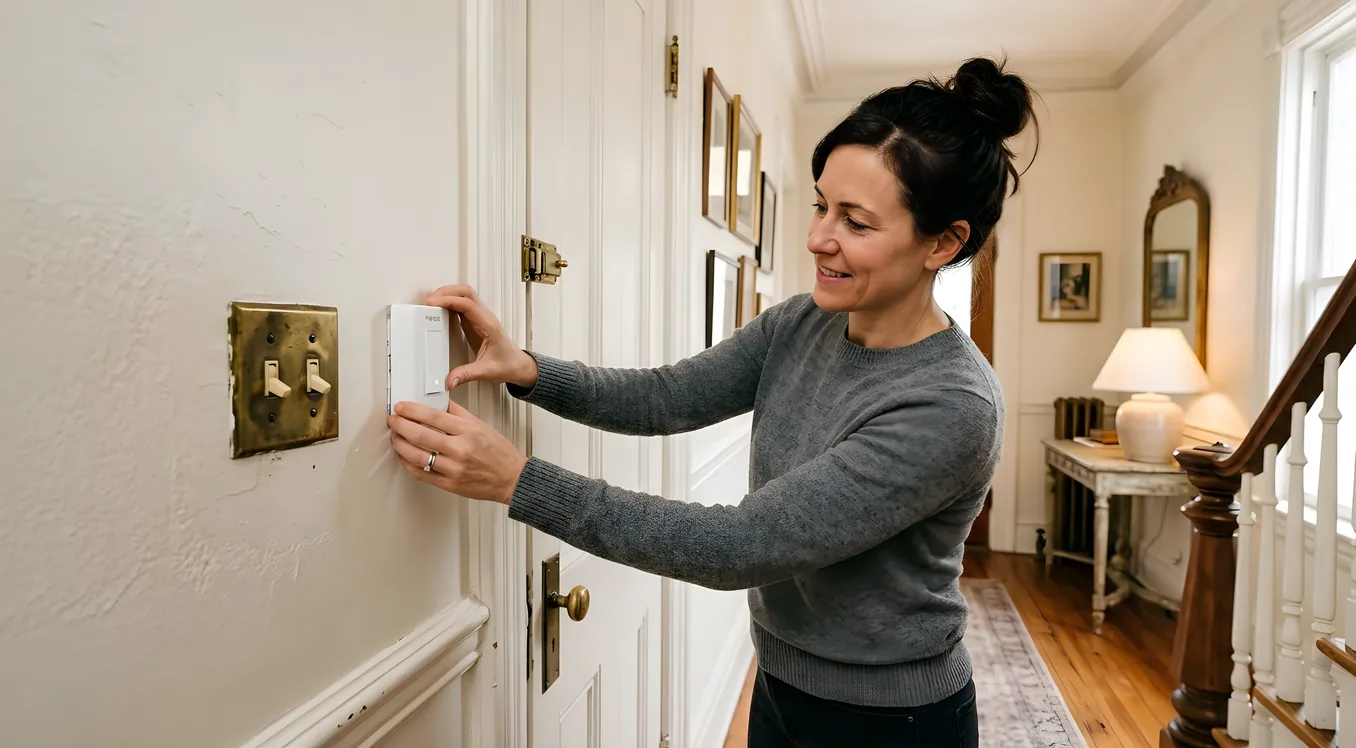
Smart switches replace your existing wall switches and control whatever bulbs are already installed. Lutron Caseta is the standard recommendation for retrofit projects, and for good reason: the Pico remote system allows you to add virtual three-way and four-way switching without running new wire between switch locations. A standard wired three-way circuit requires a traveler wire between switch boxes; Caseta does this over radio. A Caseta in-wall dimmer runs $65 to $75 depending on the model (PD-6WCL and PD-10NXD are the current residential workhorses), and the Pico battery-powered remotes that mount in any secondary location cost around $25 each. If you have multi-switch lighting circuits and no easy way to run new wire, this approach solves a real problem.
Lutron’s RA3 (RadioRA 3) system moves upmarket from Caseta, supporting larger homes with more zones, better integration with professional control systems like Control4 and Savant, and higher-powered loads for commercial-grade fixtures. RA3 dimmers start around $120 per device and are typically installed through integrators rather than sold retail.
Smart bulbs (Philips Hue being the most widely known) work in any socket and require no electrical work at all. The tradeoff is that they need the switch to stay on, which creates friction with household members who reach for switches out of habit. Hue bulbs also require the Hue Bridge hub, which adds $60 to the system, though that bridge supports up to 50 bulbs and integrates cleanly with Matter. A Hue White and Color Ambiance A19 bulb runs around $20 to $25 individually, or about $15 per bulb in multi-packs.
For most retrofit projects, switches beat bulbs unless you’re working with a lamp, a fixture with no wall switch, or a rental situation where you can’t modify wiring. Smart switches give you control at the wall, which matters for guests and family members who won’t use an app.
Thermostats: High ROI, Low Installation Complexity
A smart thermostat is typically a 30-minute retrofit with a screwdriver and a phone. The existing low-voltage wiring that runs to your old thermostat (typically 18 to 24 gauge wire, 4 to 8 conductors) is all that a smart thermostat needs. No new wiring required in the overwhelming majority of residential systems.
The main question is whether your system has a C-wire (common wire), which provides continuous 24V power. Most thermostats installed after 2010 have this; older homes often don’t. Both Nest (Google’s Learning Thermostat 4th gen, $280 retail) and ecobee (SmartThermostat Premium, $250 retail) include adapter solutions for C-wire-absent systems. Ecobee’s Power Extender Kit reroutes an existing wire to deliver common power. Nest’s older models used battery with brief Wi-Fi connection bursts, though current models prefer a C-wire.
Ecobee’s SmartSensor system is worth calling out for larger homes. The SmartSensor ($79 per unit) is a remote temperature and occupancy sensor that clips to any shelf or sits on any surface, no wiring, and feeds data back to the thermostat over the ecobee proprietary radio. The thermostat uses sensor data from whichever rooms are occupied to drive temperature decisions, which is a meaningful efficiency improvement in two-story homes where HVAC performance tends to be uneven.
For homes with multiple zones or more complex HVAC setups, the Ecobee SmartThermostat Enhanced ($189) or Nest Learning Thermostat serve as zone controllers, but truly multi-zone hydronic systems and variable refrigerant flow systems require HVAC-specific controllers that your installer specifies separately.
Security: Where Wireless Has Genuinely Closed the Gap
Security is one area where the retrofit case has become strongest in recent years. Ring, Abode, SimpliSafe, and Cove all offer professional-grade wireless security systems that install without wiring, use cellular backup so they function even if your internet is cut, and integrate with broader smart home ecosystems.
Door and window sensors, motion detectors, glass break sensors, and smoke/CO detectors are all battery-powered in these systems and communicate over encrypted radio. Battery life on current sensors is typically three to five years. The SimpliSafe system uses 433 MHz with rolling encryption codes; Ring Alarm uses Z-Wave; Abode uses a combination that includes Zigbee and Z-Wave for third-party sensor compatibility.
Video surveillance is where the wired-versus-wireless conversation gets more nuanced. For entry points and high-value zones, wireless cameras like the Ring Spotlight Cam Plus ($200) and Arlo Pro 5S ($250) deliver 2K video with local storage options and reliable performance. The constraint is bandwidth: continuous recording from multiple wireless cameras taxes your home network, and the motion-triggered clip model means you may miss the seconds before an event begins.
For perimeter coverage with four or more cameras, or any installation requiring true 24/7 continuous recording, a Power over Ethernet (PoE) system is still superior. PoE cameras like the Reolink RLK8-800D8 8-camera kit ($600) transmit video and receive power through a single Ethernet cable, which means you need at least one cable run per camera location. In a retrofit that means attic or crawlspace routing, which is often feasible without opening finished walls. For an existing home that already has Cat5e or Cat6 runs to various locations, this is a non-issue.
The broader point: wireless is excellent for retrofit security, and capable enough for most homes, but it’s worth understanding the tradeoff on continuous recording before deciding a fully wireless approach is adequate for your use case.
Wireless Audio: Whole-Home Sound Without Opening Walls
Whole-home audio was one of the harder retrofit categories for years because traditional distributed audio required in-wall speaker wire runs to every room. A Sonos or similar wireless speaker system has fundamentally changed this.
Sonos Era 100 ($249 per unit) and Era 300 ($449 per unit, with Dolby Atmos spatial audio support) connect to your Wi-Fi network and to each other, enabling synchronized playback across any room combination you specify. They don’t require any new wiring and install anywhere a power outlet exists. The tradeoff versus in-wall/in-ceiling speakers is acoustics: a freestanding speaker in a room corner doesn’t deliver the same even sound coverage as speakers placed in architectural locations, and it adds a physical object to the room.
For homeowners who want in-ceiling speakers in a retrofit, the question is whether speaker wire can be routed through existing attic or crawlspace access. In homes with attic access above the target rooms, this is often feasible. An integrator running two-conductor 16 AWG or 14 AWG speaker wire from a central amplifier location through an attic to ceiling medallion locations in multiple rooms can deliver architectural audio without opening walls. The job is labor-intensive, but the wire is inexpensive ($0.10 to $0.20 per foot for 16 AWG CL3), and the result sounds substantially better than freestanding wireless speakers.
The Sonos Amp ($699) can power passive in-ceiling or in-wall speakers while still functioning as a Sonos streaming endpoint. This lets you run a hybrid: Sonos streaming architecture with passive speakers in locations where you could route wire, and Sonos Era speakers in locations where you couldn’t. Everything plays together through the same app.
Smart Shades and Window Treatments
Motorized shades are one of the highest-value retrofit additions that most homeowners don’t think about early enough. Battery-operated motorized shade tubes from companies like Lutron, Hunter Douglas, and IKEA (Fyrtur) allow window treatment automation without any wiring.
Lutron’s Serena shades integrate with the same Caseta bridge that controls your lighting, meaning shade scenes and lighting scenes can trigger together. The shades use Lutron’s proprietary radio, not Wi-Fi, which keeps battery life reasonable (six to twelve months depending on use frequency). Serena roller shades start around $250 per window.
Hunter Douglas PowerView motorization (Gen 3) uses a combination of battery-operated motors and a PowerView Hub that speaks to the broader smart home ecosystem via Matter. A hunter Douglas dealer can retrofit motorization onto existing headrails in some cases, which reduces cost compared to replacing entire window treatments.
For budget-conscious retrofits, IKEA’s Fyrtur blackout roller blind at $130 per window is battery-operated, integrates with the IKEA Dirigera hub, and supports Matter as of the Dirigera 2.0 update. The aesthetics are basic compared to higher-end options, but the functionality is there.
The Control Layer: Tying It Together
Individual smart devices are not a smart home. A retrofit smart home becomes genuinely useful when the devices talk to each other and respond to unified rules, not when each product has its own app.
For homeowners doing a DIY retrofit, the control layer options in 2026 are Apple Home (if you’re deeply in the Apple ecosystem), Google Home, Amazon Alexa, or a combination. All three platforms now support Matter, which means a single Matter-compatible device can appear in multiple control apps simultaneously.
For homeowners who want more sophisticated programming, scenes that don’t depend on any cloud service, or integration that goes beyond what consumer apps offer, the step up is a dedicated controller. Control4 and Savant are the premium choices, typically installed by a certified dealer. A basic Control4 system with a single touchpanel, Alexa integration, and whole-home programming starts around $8,000 to $12,000 installed, covering labor, hardware, and programming. You can read more about what drives those numbers in the Smart Home Cost Breakdown: What Systems Actually Cost in 2026 on this site.
If you’re in the $3,000 to $5,000 budget range and want a step up from consumer apps without going to a professional control platform, Budget Smart Home: The Best System Under $5,000 covers the approaches that deliver the most integration for that spend.
What Doesn’t Translate Well to Retrofit
Being honest about retrofit limits saves money and prevents frustration.
In-wall lighting from scratch is genuinely difficult without wiring. If you want a new ceiling light where no fixture exists, or new switches where no electrical box exists, you need to run wire. Wireless solutions like battery-powered puck lights exist but aren’t a substitute for real fixtures in main living spaces.
Intercom and video door stations that integrate with an access control system are hard to retrofit cleanly. A Ring Video Doorbell (wired version, $180) is an excellent retrofit doorbell, but it’s not an intercom in the traditional sense. A true video intercom with call-out to multiple interior panels, or a gate intercom that integrates with access control, typically requires wiring runs that are only practical in new construction or major renovation. The Smart Home Pre-Wire: What to Run Before the Drywall Goes Up guide covers what you’d spec if you had the chance.
In-ceiling speakers in finished rooms require either attic access or wall opening. In homes with two-story living rooms, vaulted ceilings, or finished ceilings with no attic access above, wireless freestanding speakers are the practical answer.
Structured wiring for networking is something many older homes simply don’t have. Smart devices are network devices, and a home with outdated 2.4 GHz-only access points, thick plaster walls that kill Wi-Fi, or no Ethernet runs to entertainment locations will have reliability problems regardless of how good the smart home devices are. A networking upgrade, which may mean installing new access points and running Ethernet to them, is often the right retrofit step before spending on devices. A mesh Wi-Fi system like Eero Pro 6E ($230 per unit) can be placed without wiring but performs better when the backhaul between units is wired, which means at least one Ethernet run.
Sequencing Your Retrofit
How you sequence a retrofit project matters more than which products you pick. The wrong order creates rework.
Start with networking. If your home’s Wi-Fi isn’t reliable in every room, smart devices will be unreliable. This is the foundation.
Add thermostats and lighting switches next. These have the broadest daily impact and establish the control platform you’ll build around.
Add security and cameras after the network is solid. Cameras especially are network-dependent, and troubleshooting a camera problem on a shaky network is harder than it needs to be.
Add audio, shades, and scene programming last. These are the refinements that make the system feel polished, but they depend on everything below them working correctly.
For homeowners considering a more comprehensive approach with professional integration, reading through How to Choose a Smart Home Integrator: Questions, Red Flags, References before talking to any dealer is worth the time. Integrators vary widely in how they approach retrofit projects, and the right questions to ask up front are not obvious.
Setting Realistic Expectations for a Retrofit
A retrofit smart home can deliver lighting scenes, automated thermostats, wireless security, whole-home audio, and motorized shades without opening a single wall, in most homes. That covers the vast majority of what people want from a smart home.
What it doesn’t always deliver is the clean installation aesthetics of a purpose-built system: visible speaker grilles replaced by in-ceiling speakers, visible Sonos units replaced by in-wall amplifiers, wireless sensors replaced by hardwired ones. If you care about that visual outcome, some strategic wiring is worth the investment.
The most productive framing for a retrofit project is this: start with what wireless does well, do it correctly, and note where the limits matter to your specific situation. A wireless Caseta lighting system in every room, a pair of Ecobee thermostats with remote sensors, a Ring Alarm with professional monitoring, and four Sonos speakers can be fully installed and integrated for $3,000 to $5,000 in hardware, with another $1,000 to $3,000 in professional programming if you want unified scenes and rules instead of separate apps.
That’s a real smart home, not a compromise.