Smart Home Cost Breakdown: What Systems Actually Cost in 2026
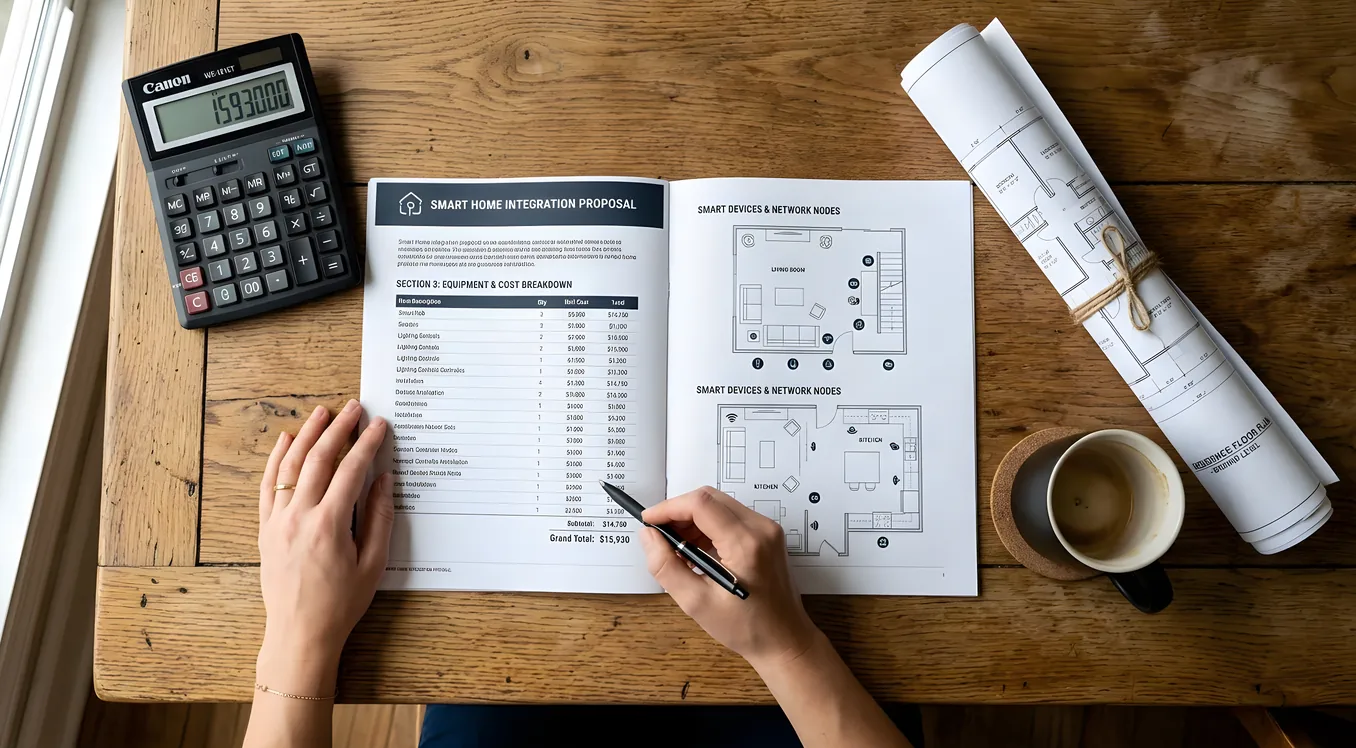
If you have spent any time pricing smart home systems, you have probably noticed that getting a straight answer is unusually difficult. Vendors want a site visit before they quote anything. Integrators are cagey about labor rates. Manufacturer websites show product specs but rarely list MSRP. That opacity is partly by design (high-end audio-visual and automation companies sell bespoke systems, not commodity boxes), but it also means homeowners doing honest research often give up before they find useful numbers.
This breakdown covers the actual cost ranges across every tier of smart home investment, from a sub-$1,000 starter kit to a seven-figure whole-estate installation. The goal is to give you a realistic map before you start talking to vendors.
Why Smart Home Costs Vary So Wildly
Before getting into numbers, it helps to understand what actually drives cost in a smart home installation. Four variables explain most of the range.
Labor versus hardware. In a professionally installed system, labor typically runs 40 to 60 percent of the total project cost. A $30,000 installation might include $14,000 in equipment and $16,000 in engineering, programming, commissioning, and training. That ratio surprises homeowners who assume they are buying devices with some setup on the side.
Wired versus wireless. Running low-voltage wire for lighting, audio, video, and network (what the industry calls pre-wiring) adds cost during new construction but dramatically improves reliability and performance. A retrofit in an existing home either skips the wire entirely (more limitations) or involves opening walls (more expense). If you are building new, read Smart Home Pre-Wire: What to Run Before the Drywall Goes Up before your framing inspection.
Proprietary platforms versus open ecosystems. Control4, Savant, and Crestron are dealer-only platforms. You cannot buy the hardware on Amazon, you cannot program them yourself, and you pay for support contracts and programming changes. That lock-in is frustrating for some owners and worth it for others. Google Home, Amazon Alexa, and Apple HomeKit are self-installed ecosystems with no dealer requirement and no programming fees, but they have real limitations in large or complex systems.
Integration complexity. A system that controls lighting, thermostat, and locks with three separate apps costs almost nothing beyond the devices. A system where a single touch screen controls motorized shades, multi-zone audio, distributed video, HVAC, security, pool equipment, and gate access from one unified interface requires thousands of hours of engineering. The complexity is the cost.
Tier 1: DIY Starter Systems ($500 to $3,000)
This is the Google Home / Amazon Echo / Apple HomeKit universe. You buy devices at retail, set them up with an app, and connect them through a free cloud platform.
Common entry points:
- Smart speakers: Amazon Echo (4th gen, $99) or Google Nest Audio ($99) as the hub
- Smart thermostat: ecobee SmartThermostat Premium ($249) or Nest Learning Thermostat (4th gen, $279)
- Smart lighting: Lutron Caseta starter kit (bridge + 2 dimmers, $89) or Philips Hue starter kit (bridge + 4 bulbs, $109)
- Smart lock: Schlage Encode Plus ($299) or Yale Assure Lock 2 ($249)
- Security cameras: Ring Stick Up Cam ($99 each) or Google Nest Cam with floodlight ($279)
A typical “starter home” setup at this tier, covering thermostat, 10 to 15 light switches, 2 exterior cameras, and a front door lock, runs $800 to $2,500 in hardware. Add roughly $100 to $200 per year for cloud subscriptions (Ring Protect, Google Home Aware, ecobee Premium) to unlock local storage and advanced features.
What you get: convenience and some energy savings. What you give up: reliability (cloud dependency means outages affect functionality), polish (multiple apps, no single coherent interface), and integration depth.
The Budget Smart Home guide covers how to build the best DIY system under $5,000, including which platforms play best together and where the gotchas are.
Tier 2: Semi-Pro and Hybrid Systems ($5,000 to $20,000)
This range covers homeowners who want more than DIY convenience but are not ready for a full dealer-installed system. Common approaches include:
- A professionally installed Lutron RadioRA 3 lighting system with a DIY thermostat and security setup
- A Sonos whole-home audio installation with installer-run speaker wire
- A Control4 Essentials starter package from a dealer
- A custom Hubitat or Home Assistant setup built by a skilled enthusiast or independent technician
Lutron RadioRA 3: The RadioRA 3 platform is Lutron’s mid-range dealer product, sitting between DIY Caseta and the flagship HomeWorks QS. It supports up to 200 devices per system, handles both wireless and wired control, and programs through Lutron’s dealer software. A professionally installed RadioRA 3 system for a 2,500 square foot home typically runs $6,000 to $14,000 installed, depending on device count and programming complexity. That includes all dimmers, keypads, wire, and labor. Hardware alone accounts for roughly $3,500 to $7,000.
Sonos whole-home audio: A whole-home audio system using Sonos components and in-wall or in-ceiling speakers from Polk, Klipsch, or Sonance costs roughly $600 to $1,200 per room installed (including speakers, Sonos amplifier, and labor). A 5-zone system runs $3,000 to $6,000 total. Sonos pairs with most smart home platforms including Apple HomeKit, Amazon Alexa, and Google Home.
Control4 Essentials: Control4 (now part of SnapAV) has expanded dealer offerings for smaller projects. A basic single-room or limited-device installation using the Control4 CA-1 controller ($399 MSRP) with a handful of devices can start around $3,000 to $5,000 installed. Expect to pay $150 to $250 per hour for programming changes after the initial installation, plus annual support contract options from the dealer.
Tier 3: Full Professional Systems ($20,000 to $100,000)
This is where dedicated smart home integrators live. The platforms change, the process changes, and the outcome is qualitatively different from anything in the DIY or semi-pro categories.
Control4: The most widely installed dealer-only platform in North America. A Control4 system for a 3,000 to 5,000 square foot home with lighting, audio, video distribution, HVAC, security integration, and a few touch screens or keypads typically runs $30,000 to $70,000 installed. Hardware on a mid-range project runs $15,000 to $35,000; labor and programming make up the rest. Ongoing costs include annual service agreements (typically $1,500 to $3,000 per year) and programming fees for changes ($150 to $250 per hour, dealer-dependent).
Savant: Savant competes with Control4 at the high end but skews toward the luxury residential segment. The Savant Pro Remote ($999 MSRP) is one of the most refined control interfaces available. A full Savant installation for a large home runs $50,000 to $150,000 or more. Savant has invested heavily in HVAC control and energy management, making it a strong choice for homeowners who care about those subsystems alongside the AV.
Crestron: Crestron is the enterprise and large-scale residential standard. You will find it in boardrooms, hotels, and serious custom homes. A Crestron system requires a certified Crestron dealer and significantly more programming expertise than Control4 or Savant. Projects typically start around $50,000 and commonly run $100,000 to $300,000 for a full estate installation. The APAD-4 (a Crestron Android touchpad) runs $1,495 MSRP; in-wall touch screens like the TSW-770 run $2,490 MSRP each. These numbers add up quickly.
What drives cost in this tier:
- Number of AV zones (every room that gets distributed video adds wiring, switching, and programming)
- Motorized shades (Lutron Palladiom or Sivoia QS shades run $500 to $3,000 per window installed)
- Custom programming (a complex “good morning” scene that adjusts shades, HVAC, and audio in sequence takes real engineering time)
- Rack equipment (a well-organized equipment rack with proper power conditioning and patch panels can itself cost $5,000 to $15,000)
- Networking infrastructure (enterprise-grade Cisco or Araknis networking is often required as a foundation)
If you are considering a professional installation, the single most important early decision is choosing the right integrator. The guide to choosing a smart home integrator covers what questions to ask, how to evaluate proposals, and the red flags that indicate an under-resourced or inexperienced shop.
Tier 4: Ultra-Premium and Estate Systems ($100,000 and up)
At the high end of the market, cost is less bounded by technology and more bounded by scope, custom fabrication, and time.
An 8,000 to 12,000 square foot home with full Crestron or Savant control over every subsystem, in-wall touch screens in every room, distributed 4K video to 15 or more TVs, Lutron HomeWorks QS lighting throughout (Ketra tunable lighting adds $300 to $800 per fixture), a multi-zone outdoor audio system, motorized solar and blackout shades at every window, full smart lock and access control, a video surveillance system with NVR, and a properly designed low-voltage infrastructure will commonly run $200,000 to $500,000.
In this category, the AV rack itself deserves attention. A rack built for a large estate might include:
- A Crestron DM-NVX 4K video distribution system ($1,200 to $2,500 per encoder/decoder pair)
- A Tripp Lite or SurgeX power conditioning unit ($1,500 to $4,000)
- A 48-port managed network switch (Cisco SG350-48, ~$800 MSRP)
- Leviton or Legrand structured media panels for audio distribution
- An Eaton or APC UPS for critical equipment
The rack equipment alone on a large estate can represent $30,000 to $80,000 before any labor.
The Costs Nobody Mentions Up Front
A few line items routinely surprise homeowners who get to the invoice stage.
Network infrastructure. A capable smart home requires a capable network. If your current router is a $79 box from Best Buy, it is probably not adequate for a professional system. Budget $1,500 to $5,000 for a properly designed network with managed switches, enterprise access points (Ubiquiti UniFi AP-Pro or similar), and a dedicated VLAN for smart home devices.
Electrical panel and wiring updates. Adding smart lighting throughout a home sometimes reveals that the existing electrical panel is undersized or that some circuits need upgrading. In older homes, this can add $2,000 to $8,000 in electrician costs before a single smart switch goes in.
Structural rough-in for retrofits. If you want in-wall speakers, motorized shades with hardwired controls, or wired ethernet to every room in an existing home, walls come open. A typical retrofit wiring project for a 2,500 square foot home runs $3,000 to $8,000 in labor alone, plus patching and painting. For homeowners in existing homes considering any significant wiring work, Retrofitting a Smart Home: What Works Without Rewiring is worth reading before signing any contracts.
Programming changes. On dealer-installed systems, any change to how the system behaves after initial commissioning typically requires a service call. Dealers charge $150 to $250 per hour, and even a simple scene adjustment can take 30 to 60 minutes of remote or on-site programming time. Over five years, expect to spend $2,000 to $8,000 in change orders depending on how much you modify the system.
Annual service agreements. Most integration firms offer (and strongly encourage) annual service agreements covering remote monitoring, software updates, and priority service calls. These run $1,200 to $4,800 per year depending on system size and coverage level. They are worth it when something breaks at 5 PM on a Friday before a dinner party.
Platform subscriptions. Cloud-dependent devices have ongoing subscription costs that accumulate. Ring Protect Plus runs $100 per year. Nest Aware with 60-day video history runs $120 per year. If you have six platforms with subscription tiers, budget $300 to $600 annually just for software access.
The Hidden Cost Multiplier: Quality of the Foundation
One pattern shows up consistently in smart home projects that end up over budget or unsatisfying: the foundation (network, wiring, rack design) was underinvested compared to the visible hardware. A Savant system programmed over a consumer Wi-Fi router with no network segmentation will malfunction constantly, and troubleshooting is expensive.
The integrators who produce the best long-term outcomes treat the infrastructure as seriously as the user-facing devices. That usually means:
- Dedicated IT infrastructure discussion before equipment selection
- Separate VLANs for IoT, AV, and general computing
- A network diagram delivered at project completion
- Rack documentation so a future technician (or even the homeowner) can understand what’s installed
If a proposed system budget does not include meaningful spend on networking and structured wiring, that is worth asking about directly.
How to Budget Your Own Project
A practical framework for estimating costs before you talk to an integrator:
-
Define the scope by room. For each room, list what you want to control: lights, temperature, audio, video, shades, security. Count switch/outlet locations for lighting. Count audio zones.
-
Identify platform requirements. If you need a single app for everything and the system should work without internet, you are in dealer-installed territory. If you are comfortable with 2 to 3 apps and occasional cloud dependency, DIY or semi-pro systems can work well.
-
Apply rough cost-per-room estimates:
- DIY lighting (one room): $150 to $400 in hardware
- Professional lighting (one room, all switches and keypads): $800 to $2,000 installed
- In-ceiling audio (one zone): $600 to $1,500 installed
- Motorized shade (one window): $800 to $2,500 installed
- AV system (one TV room with streaming and control integration): $2,000 to $8,000 installed
-
Add infrastructure. Budget 15 to 25 percent of your equipment total for network, rack, and wiring.
-
Add programming and commissioning. Budget 30 to 40 percent of equipment cost for labor on a professional installation.
-
Plan for ongoing costs. Annual maintenance, subscriptions, and programming changes typically run 5 to 10 percent of the original system cost per year.
Where the Money Is Well Spent
Not every dollar in a smart home system returns equal value. Based on consistent feedback from homeowners and integrators, the highest-value investments are:
Lighting control. Properly designed lighting control (not just smart bulbs, but full dimmer replacement with scene programming) changes how people experience their home more than any other subsystem. It is also the system used dozens of times per day, so reliability matters enormously.
Structured wiring infrastructure. Wire runs that happen during construction or a major renovation cost a fraction of what they cost retroactively. Running conduit, ethernet, and low-voltage wire to every room and TV location is one of the highest-ROI things you can do in a new build or major remodel.
Network investment. An enterprise-grade wireless network with proper coverage eliminates 80 percent of smart home reliability problems. This is not glamorous, but it works.
Motorized shades in west-facing rooms. The combination of lighting control and motorized shades in rooms with significant afternoon sun is genuinely transformative for comfort, and the energy savings in hot climates can offset some of the installation cost.
Getting Accurate Quotes
Smart home integrators vary enormously in scope, specialization, and quality. A dealer who is excellent at residential AV may have limited experience with commercial-grade networking or complex lighting programming. Before requesting proposals, get clear on what you want, define scope by room, and understand enough to ask meaningful questions.
Proposals that arrive without detailed line-item breakdowns for hardware, labor, and programming are not directly comparable. Push for itemized quotes, and compare both hardware quantities and labor rates.
The full integrator selection process, including what questions reveal the most about a firm’s capabilities, is covered in the choosing an integrator guide.