Phased Smart Home Installation: Start Small, Scale Smart
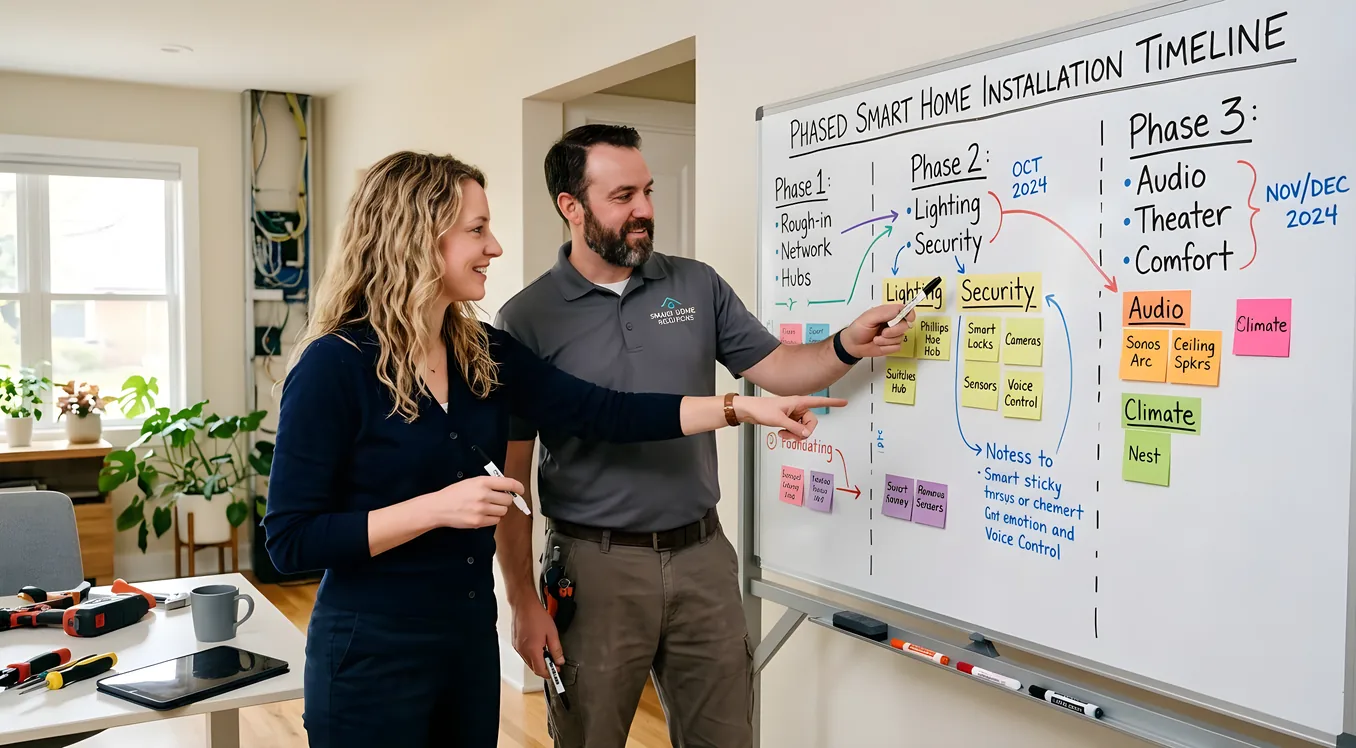
Phased Smart Home Installation: Start Small, Scale Smart
The biggest mistake in smart home planning is not budget. It is sequence. Homeowners buy a handful of smart plugs and a voice speaker, then decide two years later they want a real system, only to discover that nothing they bought talks to the processor they just installed. They end up ripping out switches, replacing hubs, and starting over.
A phased smart home installation, done right, avoids that reset entirely. Every phase builds on what came before. Nothing gets orphaned. By the time you reach the system you actually want, most of the foundation is already in place.
This is not about doing things cheaply at first and upgrading later. It is about doing things in the right order, so that later upgrades are additions rather than replacements.
Why Phasing Works (When It Is Planned from the Start)
The word “phased” gets misused. Some integrators use it to mean “we’ll start with lighting and add audio later.” That can work, but only if the infrastructure and platform decisions were made up front with the full system in mind.
Phasing that is not pre-planned tends to produce layered incompatibility. You put Philips Hue bulbs in the living room because they were convenient. Then you hire a Control4 integrator eighteen months later and learn that Hue bulbs do not mesh well with Control4’s native lighting architecture. The workaround exists, but it is clunky and the integrator charges extra for the integration overhead. You wish you had spent $8 more per switch on a Lutron RadioRA 3 dimmer from the beginning.
Planned phasing looks like this: the integrator maps the full system on paper before Phase 1 starts. You know which processor you will eventually use, which lighting ecosystem it will control natively, which audio system you will add in Phase 2, and where the equipment rack will live. Phase 1 gets installed with all of that in mind, even if 80 percent of it sits dormant until later phases.
The payoff is that Phase 1 to Phase 2 is a software commissioning job, not a rip-and-replace. That difference, spread across a whole house, is often $10,000 to $30,000 in avoided retrofit costs.
The Infrastructure Phase: What Runs Before Anything Else
If you are building new or doing a major renovation, the single highest-leverage move in a phased smart home installation is infrastructure. Run the wire before drywall goes up. All of it, even for systems you will not activate for three years.
This means:
Network drops in every room. Wi-Fi is reliable, but not for everything. A hardwired access point in the ceiling outperforms a plug-in model. Lutron’s RadioRA 3 and Clear Connect Type X systems communicate over their own RF protocol, but your IP-based processors, cameras, and audio endpoints all benefit from Cat6 to the location. Run it now. A 1,000-foot spool of Cat6 costs roughly $80. Running it post-drywall costs $75 to $150 per drop in labor. Do the math on 30 drops.
Speaker wire and in-ceiling speaker cutouts. If you suspect you will ever want distributed audio, rough in the speaker wire now. 16/2 or 14/2 in-wall rated wire, run from each speaker location back to the equipment closet. A pair of Sonance or Polk Audio in-ceiling speakers costs $150 to $400 per pair. The wire to support them costs $30. The labor to fish that wire after drywall costs $300 to $500 per run.
Conduit for future runs. In areas where you cannot predict exactly what you will need, 1-inch ENT conduit to strategic locations gives you a pull path later. Behind TVs. Between floors. Into the equipment room. This is cheap insurance.
Equipment room or closet. Every real system has an equipment rack somewhere. A dedicated 6- to 8-foot rack in a conditioned closet is ideal. At minimum, reserve a 24-inch wide, floor-to-ceiling space with power and network access. You will regret the hall closet with a 36-inch shelf.
For a full breakdown of pre-wire decisions, Smart Home Pre-Wire: What to Run Before the Drywall Goes Up covers the specifics by room and system type.
Phase 1: The Foundation Layer
Phase 1 establishes control. It does not have to do much, but it has to be done right.
Lighting control is typically the first real phase. This is where the platform decision matters most. Lutron is the dominant professional choice, and for good reason. Lutron Caseta works well for budget-conscious Phase 1 builds (around $60 to $90 per switch, no neutral wire required), and it integrates cleanly with Control4, Savant, Crestron, and most other platforms via API. Lutron RadioRA 3 is the professional tier, at $90 to $180 per device, and it runs on Lutron’s dedicated Clear Connect Type X mesh, which is independent of your Wi-Fi network. That independence matters: your lights will still work when your router reboots.
A typical Phase 1 might include:
- Lighting control in 8 to 12 rooms (roughly $3,000 to $8,000 for devices and programming)
- A processor to tie it together, even if underutilized at this stage
- Motorized shades in the primary living areas, if budget allows (Hunter Douglas PowerView or Lutron Palladiom, $300 to $900 per shade including installation)
- A baseline network upgrade: a dedicated router, a managed switch, and at least 2 ceiling-mounted access points (Araknis or Pakedge for a professionally managed setup, $800 to $2,000 installed)
What you do not add in Phase 1, even if you want it: audio, video distribution, security cameras, intercom. Those come later. Phase 1’s job is to make the lighting and network bulletproof, and to establish the processor and app that will eventually control everything.
Cost range for a moderate Phase 1: $8,000 to $20,000. Smaller homes on the low end, larger with more rooms and motorized shades on the high end.
Phase 2: Security and Access
Security is a natural second phase. It works somewhat independently of lighting control, and the integration points are well established in every major platform.
Video surveillance using Control4’s integration with Luma cameras, or Pakedge’s native camera ecosystem, pulls feeds directly into your existing control app. You are not managing a separate Arlo or Ring app. Cameras appear in the same interface you already use for lighting. A 6-camera exterior system with a 4K NVR and 60 days of onsite storage runs $2,500 to $6,000 installed, depending on camera quality and complexity of runs.
Ring Pro 2 and Ring Video Doorbell 4 both integrate with Control4, Savant, and Crestron via driver. So do Nest and Verkada systems for larger properties. The key is confirming your integrator has the driver and has integrated that specific model before you buy.
Access control adds electronic locks and, in more sophisticated builds, gate control and interlock logic. Yale Assure and Schlage Encode are the workhorses at the consumer tier. August Smart Lock Pro is popular for retrofits because it fits over the existing deadbolt and requires no re-keying. For a real access control system with schedules, user codes, and audit logging, Control4 SDDP-enabled locks or Allegion’s Schlage professional line integrate at the platform level.
Intrusion alarm integration varies. If you have an existing DSC, Honeywell, or 2GIG panel, many integrators can bridge it to Control4 or Savant using a serial or IP driver. If you are installing new, some integrators prefer to use a platform-native approach. Either way, Phase 2 is the right time to unify security under the same app as lighting.
Phase 2 cost range: $4,000 to $15,000, depending on camera count, whether a gate is involved, and how deep the alarm integration goes.
Phase 3: Audio and Video Distribution
Distributed audio is where the system starts to feel like a home, not an installation. Phase 3 is where that speaker wire you pre-ran in the infrastructure phase pays off.
Sonos is the accessible entry point. A Sonos Amp ($699) drives a pair of in-ceiling speakers in each zone. For a 4-zone system, that is roughly $2,800 in Sonos hardware plus speaker and installation costs. Sonos integrates cleanly with Control4, Savant, and Crestron. Volume adjusts from the same app as the lights. The limitation is that Sonos is not a real matrix system: each zone is its own streaming endpoint, not a shared source distributed to multiple rooms simultaneously.
Autonomic, Nuvo, and Russound are the professional distributed audio alternatives. Nuvo’s P3200 handles 16 zones with a mix of streaming and shared sources, and it integrates natively with most platforms. Pricing for a professional distributed audio system in a 6- to 8-zone home runs $4,000 to $12,000 installed.
Video distribution at the professional tier means HDMI matrix switching or an IP video distribution system like Black Box or Key Digital. A 4x4 HDMI matrix (4 sources, 4 TVs) runs $800 to $2,500 for the matrix itself. IP-based systems scale better but cost more per endpoint. A 4-TV distributed video system, fully installed and integrated, typically runs $3,000 to $8,000.
If you are not doing a full whole-home audio build, Phase 3 can still include a dedicated home theater room or a primary living room AV upgrade under unified control. Apple TV 4K, NVIDIA SHIELD Pro, and similar sources all integrate into Control4 and Savant with native two-way drivers, meaning the system knows what is playing and can set the right scene automatically.
Phase 4: Climate, Energy, and the Rest
Climate control is often underestimated as a smart home category. ecobee SmartThermostat Premium ($250) and Nest Learning Thermostat (4th generation, $280) both integrate with Control4 and Savant. They also both have native room sensors for better average-temperature control. At the single-thermostat level, integration is straightforward.
At the whole-home level, multi-zone HVAC with smart dampers (Keen Home, Ecovent) adds real complexity. Control4’s climate module can manage a multi-zone system, adjusting dampers based on occupancy sensing from the lighting system. This is Phase 4 territory precisely because it works better once the lighting sensors and schedules from Phase 1 are established.
Energy monitoring via Sense ($349 installed) or the integrator-preferred Neurio can give you whole-home and per-circuit visibility. Some integrators integrate this into the main control app. Others leave it as a standalone system.
Other Phase 4 additions that do not fit cleanly elsewhere: pool and spa control (Pentair and Jandy both have robust integrations), landscape lighting control, whole-home generator monitoring, garage door integration (Chamberlain myQ with Control4 driver, or Linear systems), and EV charger scheduling.
Platform Decisions That Affect Every Phase
You cannot phase intelligently without committing to a platform early. The platform determines which devices integrate cleanly, which integrators you can hire, and what the long-term support model looks like.
Control4 is the most widely deployed professional platform, with a large dealer network and drivers for most devices you will encounter. A Control4 EA-1 controller (entry level) starts around $500 for the hardware; an EA-5 (mid-range, handles 250+ devices) is roughly $1,200. Programming is sold by the integrator, not by Control4.
Savant runs on Apple hardware and has a more premium interface. It tends to appeal to homeowners who want a design-forward experience and are comfortable spending more per endpoint. Savant is strong in audio-video and AV switching.
Crestron is the enterprise choice. It scales to commercial deployments, integrates with building management systems, and handles edge cases that other platforms cannot. It is also the most expensive, with higher hardware costs and longer programming time. Residential Crestron builds typically start at $25,000 and scale upward.
Lutron is not a full control platform, but it is an integration partner for all three above. If you are going to run a phased installation and want to know one thing for certain before Phase 1: whatever processor you ultimately choose, Lutron lighting will integrate with it.
The Planning hub covers platform comparisons in more depth if you want to compare these side by side before committing.
What a Phased Timeline Actually Looks Like
Real phased installations take 18 to 36 months from Phase 1 to a complete system. That is not slow execution; that is intentional pacing that aligns with how people actually live in and learn their homes.
A common sequence:
Months 1 to 3: Infrastructure (if in renovation) and Phase 1 lighting. You live with the system, learn your habits, refine your scenes.
Months 6 to 12: Phase 2 security. You now have cameras, access control, and intrusion tied to the same app.
Months 12 to 24: Phase 3 audio and video. The speaker wire you ran in the infrastructure phase gets terminated and commissioned. You add Sonos Amps or a Nuvo system.
Months 24 and beyond: Phase 4 climate, energy, and specialty systems. The system is now close to complete.
At each stage, you spend real money but never double-spend. No equipment gets ripped out because Phase 1 was not compatible with Phase 3. No integrators are called to re-program because you changed platforms mid-project.
The Budget Reality of Phasing
Phasing is not cheap. It is cost-effective, which is different.
Phase 1 for a 2,500 square foot home: $12,000 to $22,000 (lighting, processor, network) Phase 2: $6,000 to $15,000 (security, cameras, access) Phase 3: $8,000 to $20,000 (distributed audio, AV) Phase 4: $3,000 to $10,000 (climate, energy, specialty)
Total across all four phases: $29,000 to $67,000 for a mid-to-high spec system in a single-family home.
That is not a small number. But it is spread over two to three years, and it is dramatically less than what a homeowner pays who buys consumer gear in Phase 1, then hires an integrator in Phase 3 and has to re-do the lighting.
If the total number is out of range, the Budget Smart Home: The Best System Under $5,000 guide covers what is achievable at a lower entry point, including which investments carry forward if you upgrade later. And if you are comparing this against a full-build from the start, the Smart Home Cost Breakdown: What Systems Actually Cost in 2026 gives line-item pricing across all the major categories.
Finding an Integrator Who Builds for the Long Term
Not every integrator is equipped for phased work. Some are project-focused, not relationship-focused. They want to close the Phase 1 job and move on. A phased build requires an integrator who will still be available and engaged when Phase 3 arrives two years from now.
Ask directly: how do you handle phased projects? What does your programming documentation look like at handoff between phases? Do you charge for Phase 2 programming differently than a new installation?
Good integrators will have answers. They will show you how they document the system, how they handle firmware updates between phases, and how they structure service agreements that cover the growing system over time. Poor answers, or blank looks, are your signal to look elsewhere.
The questions worth asking are covered in detail at How to Choose a Smart Home Integrator: Questions, Red Flags, References.
Building a System That Grows With You
The promise of a phased smart home installation is not “start small.” It is “build intelligently.” The homeowners who get this right are the ones who spent time upfront mapping the full system, even before Phase 1 started. They knew which processor they would eventually run, which lighting ecosystem would integrate with it, and where the wires needed to go before the drywall went up.
They did not buy the cheapest thing that worked today. They bought the right first piece of something larger.
Every phase they add is additive, not corrective. The system gets deeper and more useful. Nothing gets ripped out. The integrator who did Phase 1 shows up for Phase 3 because the relationship was built to last.
That is what a planned phased installation actually delivers. Not just a smart home, but one you will still want to live in five years from now.