Smart Home Warranties and Service Contracts: What's Worth Paying For
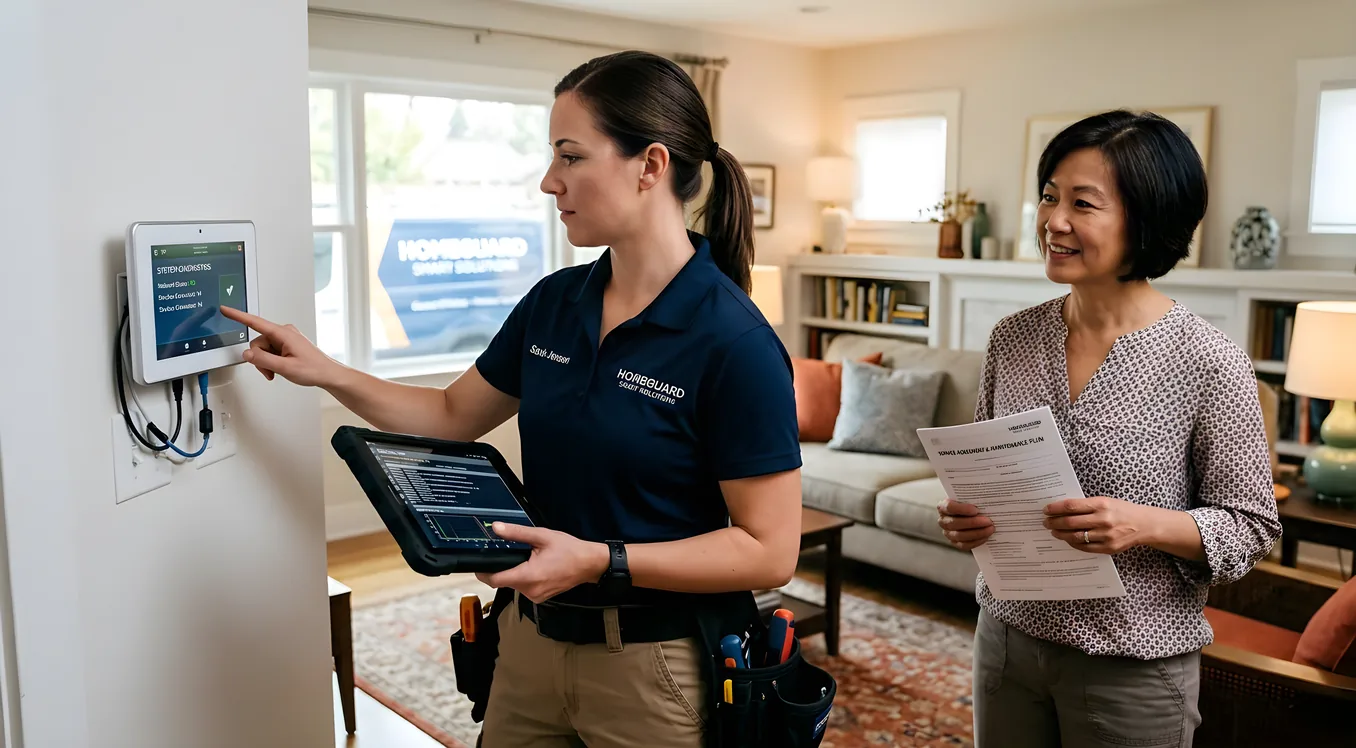
You’ve spent real money on your smart home. Maybe it’s a Lutron lighting system, a Sonos audio setup, a Control4 controller, and a Ring security package. That’s easily $15,000 to $40,000 installed before you count the labor. When something breaks three years from now, who fixes it, how fast, and who pays?
That’s the practical question a smart home warranty is supposed to answer. The honest answer is that some service agreements protect your investment well, and others are a cash grab with fine print designed to deny claims. Knowing the difference before you sign saves you money and frustration later.
This guide walks through what manufacturer warranties actually cover, what third-party contracts typically offer, when integrator service agreements make sense, and which components are genuinely worth insuring versus which you should just budget to replace.
What Manufacturer Warranties Actually Cover
Every major smart home brand ships a warranty with their hardware. The coverage varies dramatically by category.
Lighting and shading control: Lutron covers most of its Caseta and RadioRA products for 5 years against defects. Their Homeworks QS and QSX systems (used in higher-end residential installs) carry the same 5-year window. In practice, Lutron hardware fails at low rates, so this coverage rarely comes into play. Somfy motorized shades typically carry 2 to 3 years depending on the motor model.
Thermostats: Nest’s Learning Thermostat carries a 2-year limited warranty. Ecobee matches that with 3 years on most residential models. These cover manufacturer defects but not damage from improper wiring, power surges, or HVAC system compatibility issues. A thermostat that fries because your HVAC contractor wired it wrong is your problem, not Nest’s.
Speakers and audio: Sonos offers a 1-year limited warranty on all products. That’s shorter than you might expect for hardware that often runs $500 to $1,200 per unit. Sonos has historically handled warranty claims efficiently through their online portal, but you’re responsible for shipping costs. For whole-home audio amplifiers from brands like Anthem or NAD, warranties often extend to 3 years.
Automation controllers: Control4 covers their EA-1, EA-3, and EA-5 controllers for 1 year against defects. Savant covers their Host series for 1 year as well. Crestron’s commercial-grade hardware often carries 2-year coverage. For the controllers that orchestrate your entire home, one year of manufacturer coverage is thin, especially given that a Control4 EA-5 runs around $2,500.
Cameras and doorbells: Ring covers most devices for 1 year. Their Protect Plus subscription ($10 per month or $100 per year) includes extended warranty coverage, which replaces defective devices at no cost after the standard warranty expires. That’s actually a reasonable deal given Ring doorbell cameras cost $100 to $250 to replace.
The coverage gap most homeowners miss: Manufacturer warranties cover defective hardware. They don’t cover software failures, compatibility problems between systems, programming bugs, or the labor to diagnose and fix integration issues. A Sonos app update that breaks your Control4 integration is a real scenario, and no manufacturer warranty touches it.
The Integrator Service Agreement: What It Is and Why It Matters
If you’re working with a professional smart home integrator, they may offer an ongoing service agreement, sometimes called a Managed Services Plan or Annual Support Contract. These range from about $500 to $5,000 or more annually depending on system size and what’s included.
Before you sign, understand exactly what you’re buying. The gap between what sounds good and what’s actually covered is where most homeowners get surprised.
Remote monitoring and diagnostics is the most valuable component of a well-structured integrator agreement. A competent integrator runs software (OvrC from Snap One is common) that monitors your equipment 24/7, alerts them when something goes offline, and often resolves issues before you even notice. If your Control4 controller restarts at 2 a.m. and comes back cleanly, you’ll never know it happened. If it doesn’t come back, they get an alert and can often resolve it remotely.
Software updates and programming changes are where integrator agreements earn their keep. Control4 OS updates, Lutron firmware updates, and Sonos app changes all have the potential to break integrations. Without a service agreement, each update that breaks something is a new billable service call, typically $150 to $250 per hour with a 2-hour minimum. With an active agreement, these fixes are included.
On-site response time guarantees vary widely. Some integrators offer next-day response for covered clients. Others commit to 48 or 72 hours. Understand what you’re actually getting. “Priority service” with no specific time commitment is not a service level agreement. When you’re vetting an integrator, ask about their service agreement structure the same way you’d ask about their installation process. The answers tell you a lot about how they run their business.
What good agreements include:
- Remote monitoring and proactive alerts
- Software updates and minor programming tweaks
- Defined response times (specific hours, not vague “priority”)
- Coverage for third-party hardware coordination (when Sonos changes their API and it breaks your Control4 integration, someone has to fix the programming)
What suspicious agreements often include:
- Unlimited on-site visits with no per-visit time cap (this is only sustainable if they almost never come out)
- Coverage for hardware replacement (they’re not a manufacturer; they can’t actually cover this without partnership agreements)
- Vague language about “system support” without defining what triggers a service visit
A solid residential integrator agreement at a system worth $25,000 to $50,000 should run $1,500 to $3,000 per year and cover the remote monitoring, programming support, and a set number of on-site hours. If they’re quoting you $400 per year for all-inclusive everything, ask what that actually pays for.
Third-Party Extended Warranties: Read the Fine Print
Home warranty companies like Choice Home Warranty, American Home Shield, and others have started covering “smart home systems” as an add-on or as part of comprehensive plans. The typical cost is $50 to $150 per year added to a base home warranty.
The problem is what they’re actually covering. Most home warranty companies define covered smart home equipment narrowly, often limited to hardwired systems. A wireless Sonos setup or a mesh wifi network typically isn’t covered because it’s not hardwired infrastructure. A Control4 controller may or may not be covered depending on how the claim representative interprets the policy language.
When a claim is accepted, home warranty companies typically pay a fixed reimbursement rate, not the actual cost of replacement. If a $2,500 Control4 EA-5 fails and the policy caps smart home equipment replacement at $500, you’re still out $2,000 plus labor.
For truly complex systems, third-party home warranties add bureaucratic friction without meaningful coverage. You file a claim, a third-party technician who has probably never touched a Control4 system comes out, and then you wait for authorization on parts and labor. The technician working for the warranty company is not your integrator, and they’re not getting paid enough to spend three hours tracing a configuration issue.
Where third-party coverage makes more sense: For simpler, standalone devices like smart locks, video doorbells, or plug-in smart home products, a third-party warranty can be worthwhile. These are standardized enough that most technicians can diagnose them, and the replacement cost is capped enough that the math can work.
What’s Actually Worth Insuring vs. What to Budget for Replacement
Not every component of a smart home system deserves expensive extended coverage. The decision depends on failure rates, replacement cost, and how critical the component is to your daily use.
Worth protecting with a service agreement or extended coverage:
The automation controller is the brain of your system. A Control4 EA-3 ($1,200) or EA-5 ($2,500) failure doesn’t just affect one room, it potentially takes down everything. Similarly, a Crestron processor at $3,000 to $10,000 is a meaningful loss. These warrant either an integrator service agreement that covers programming restoration or, at minimum, keeping a spare controller on hand.
A properly configured system should have controller backups and project files stored offsite so that if the hardware fails, restoring to a new unit is hours of work rather than starting from scratch. Ask your integrator how they handle controller backups. If they don’t have a documented answer, that’s a flag worth noting. The cost implications of a failed controller versus a proactively supported system are significant when you factor in the programming time to restore from scratch.
Networking infrastructure sits under everything. If your router or mesh system fails, nothing in your smart home works. A Ubiquiti UniFi Dream Machine Pro runs around $380. A Luxul commercial-grade router is similar. These are worth replacing on failure, not worth insuring. Just buy a good spare and know where the config backup is.
Lighting switches and dimmers: A Lutron Caseta dimmer costs about $60. A RadioRA 2 or Ra3 dimmer runs $90 to $130. Individual switch failures are inexpensive enough that replacing them on failure makes more sense than insurance. An entire zone going out is different, but individual device failures are a normal cost of ownership.
Motorized shading: This is where extended coverage often makes sense. A Lutron Sivoia QS motorized shade with hardware can run $800 to $2,000 per window. Motors can fail after 7 to 10 years of daily cycling. Somfy and Lutron both offer extended coverage options for motorized shading systems, typically at 3 to 5 percent of the hardware cost annually. For a home with $20,000 in motorized shading, a $600 to $1,000 annual coverage program is worth evaluating.
Entry-level smart devices: A Ring Video Doorbell, a Schlage Encode smart lock, a Nest thermostat, an ecobee sensor. These are $100 to $300 items. Ring’s Protect subscription at $10 per month covers Ring devices specifically and is usually worth it if you have three or more Ring products. Standalone extended warranties on individual $150 devices rarely pencil out.
Service Contract Questions Worth Asking Before You Sign
Whether you’re evaluating an integrator agreement or a product warranty extension, these questions separate solid coverage from wishful thinking.
What’s the response time in writing? Verbal promises dissolve when your home theater goes dark on a Friday night. Ask for the specific response time commitment in the contract language, not in the salesperson’s pitch.
What’s excluded? Every service agreement has exclusions. Common ones include act-of-God damage (power surges, floods), third-party product failures caused by manufacturer changes outside your integrator’s control, and cosmetic damage. Know what you’re not covered for before you need to file a claim.
Who is doing the service work? For integrator agreements, ask if the technicians who would respond to service calls are employees or subcontractors. A company that brings in freelance technicians during busy periods may not send someone familiar with your specific programming.
What happens if the company closes? Integration companies do close. A 3-year service agreement with a company that won’t exist in 18 months is worthless. Ask about their business longevity, how long they’ve been operating, and what happens to your programming files and documentation if the relationship ends. This matters especially in retrofitted systems where your home’s configuration may only exist in one integrator’s system.
Is your equipment genuinely covered or just “supported”? Coverage means they pay for parts. Support means they help you diagnose problems. These are very different things, and some integrators blur the language intentionally.
Building a Practical Coverage Strategy
A sensible smart home warranty strategy isn’t about buying every available protection. It’s about matching coverage to risk and cost.
For a system that includes a professional controller, whole-home audio, lighting control, and networking, an integrator service agreement covering remote monitoring and programming support is usually the right foundation. The $1,500 to $3,000 annual cost buys you proactive monitoring, faster response when something breaks, and coverage for the software-layer problems that most warranties miss entirely.
For individual devices, rely on manufacturer warranties for the first one to three years, then budget for replacements rather than paying for extended coverage. Keep a small replacement fund, perhaps $500 to $1,000, rather than paying $200 per year for warranty extensions on items that cost $150 to replace.
For high-value mechanical components like motorized shading, evaluate manufacturer-extended coverage or integrator agreements that specifically include motor replacement. The per-unit cost is high enough that coverage makes the math work.
Networking infrastructure and smart speakers are replace-on-failure items. Buy quality hardware from reputable brands and swap it when it fails.
The homeowners who get burned on smart home warranties are usually the ones who paid for broad coverage without reading what it actually covers, or who skipped coverage entirely and then faced a $3,000 controller replacement plus 8 hours of reprogramming labor because they had no service relationship with any integrator. Neither extreme serves you well.
Making Coverage Work in Practice
Smart home systems that are well-documented and well-maintained have significantly better outcomes when failures occur, covered or not.
Ask your integrator to provide documentation of your system, including the equipment list with model numbers and serial numbers, the programming logic for your scenes and automations, and the network configuration. Store this in your own files, not just with the integrator.
Understand what a failure scenario looks like before it happens. If your Control4 controller fails tonight, who do you call, what’s the expected timeline, and what does it cost? If you can’t answer those questions, you don’t have a real plan, regardless of what warranty paperwork you’ve signed.
The planning decisions you make before installation also affect your long-term service costs. Systems built on standardized infrastructure with documented configurations are cheaper to maintain and repair than bespoke setups with custom everything. If you’re retrofitting smart home technology into an existing home, the serviceability of your choices matters even more because you’re working around existing constraints.
A smart home warranty is only as good as the company standing behind it and the documentation supporting your system. Get the coverage right, but don’t treat paper protection as a substitute for a real service relationship with people who know your home.