Smart HVAC Scheduling: Geofencing, Occupancy, and Time-Based Control
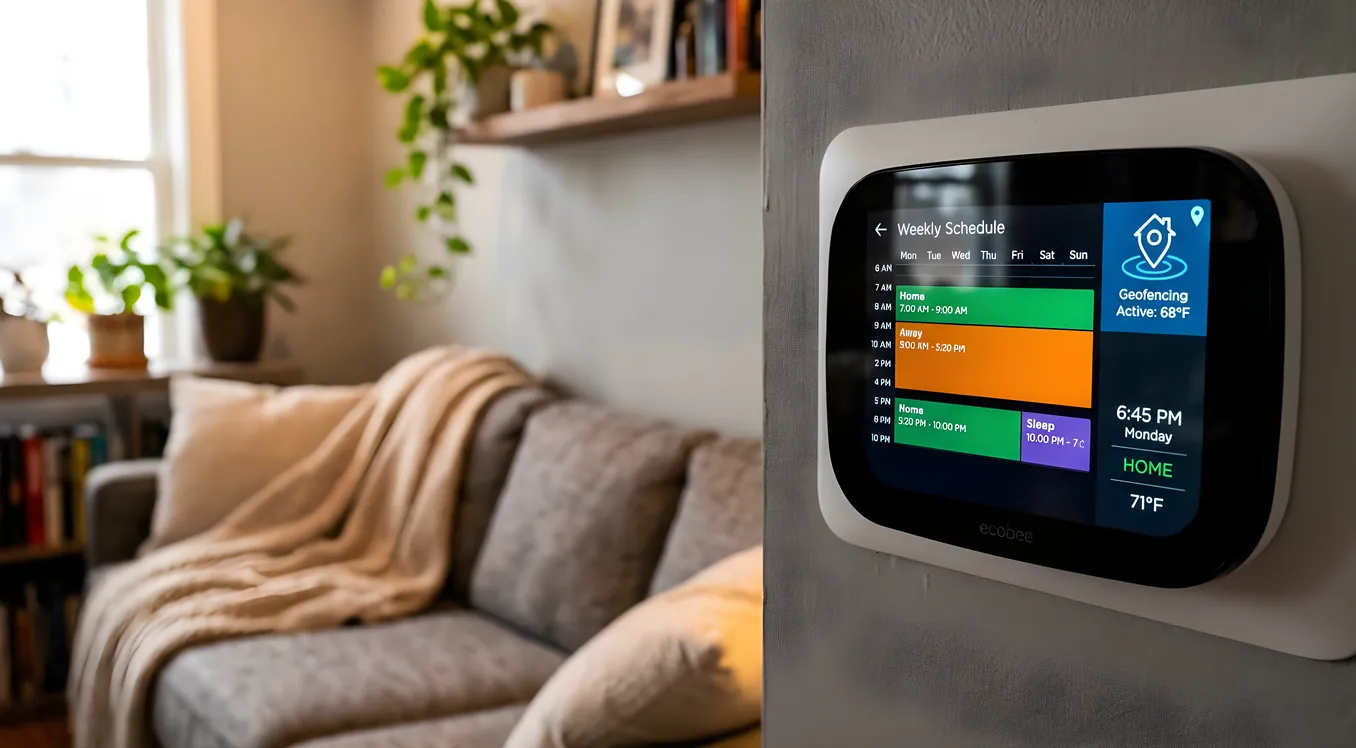
Most homeowners set their thermostat schedule once, sometime during the first week they own the thing, and then leave it alone for years. The problem is that life does not run on a fixed schedule. Kids have half-days. People work from home on Wednesdays. The house is empty during a vacation but the schedule still runs heat every morning at 6 AM because nobody changed it. That mismatch between a static program and a dynamic household is exactly where smart HVAC scheduling earns its keep.
This is not about gimmicks or voice control bragging rights. It is about the practical question of whether your heating and cooling system is running when and how much it needs to, rather than based on assumptions that were roughly accurate when you first set it up. The difference, in a typical 2,000 square foot home in a climate with real winters and summers, runs $300 to $600 per year. In larger homes or more extreme climates, it is higher.
The Three Scheduling Approaches (and What Each One Actually Does)
Smart HVAC scheduling comes in three distinct flavors, and most sophisticated systems layer all three on top of each other. Understanding what each one contributes helps you evaluate whether a given thermostat or control platform will actually deliver savings in your specific situation.
Time-based scheduling is the starting point. It is what traditional programmable thermostats have done since the 1980s. You define temperature setpoints for specific times of day on specific days: 68°F weekdays from 6 AM to 8 AM, setback to 58°F from 8 AM to 4 PM, back to 68°F from 4 PM to 10 PM, and so on. The Nest Learning Thermostat, ecobee SmartThermostat Premium, and Honeywell T9 Pro all support time-based scheduling as their baseline layer. The limitation is that the schedule cannot adapt. If your house is empty for a week, it heats anyway.
Geofencing solves the “nobody is home” problem by using your smartphone’s GPS to determine when household members are within a defined radius of the property. When the last person leaves the geofence (typically set between 0.5 and 2 miles from home), the thermostat shifts to an energy-saving setback mode automatically. When the first person approaches and enters the geofence, the system begins conditioning the home so it is comfortable by the time they arrive. Ecobee’s SmartThermostat integrates this natively through the ecobee app. Nest uses Google Home’s presence detection. Both work with Android and iOS, though Android’s background location permissions require an extra step in recent OS versions.
The practical catch with geofencing: it works well for adults with smartphones but fails with kids, elderly family members, and anyone who leaves their phone at home. Nest and ecobee both handle multi-user households by tracking multiple phones simultaneously, using the earliest arrival or latest departure logic depending on which direction makes more sense.
Occupancy sensing takes presence detection off the phone entirely and puts it in the physical space. This is where the approach diverges meaningfully from basic smart thermostats. Dedicated occupancy sensors like the ecobee SmartSensor (two included with the SmartThermostat Premium, $249 street price), the Nest Temperature Sensor ($39 per unit), and third-party PIR sensors integrated through platforms like Control4 or Home Assistant detect actual motion in rooms rather than inferred presence from a phone signal. A room that has been motionless for 20 minutes registers as unoccupied regardless of who the geofence thinks is home.
When you pair time-based scheduling with geofencing and occupancy sensing, you end up with a system that handles the edge cases that pure schedule or pure geofencing approaches miss: the person working from home who is stationary in one room all day, the teenager who leaves their phone charging upstairs while they are actually downstairs, the cat that keeps triggering motion sensors in a room that should setback.
Geofencing in Practice: Setup, Accuracy, and Limitations
Setting up geofencing through Nest or ecobee is genuinely straightforward. In the ecobee app, enable Smart Home/Away under the thermostat’s settings. The app will ask for location permission, set a default radius of about 1 mile, and begin tracking your phone’s position against that boundary. You can adjust the radius down to roughly 0.3 miles (useful in dense urban areas where “leaving” and “arriving” happen fast) or up to several miles (useful if your commute has a predictable endpoint like a highway exit).
Nest’s Home/Away Assist works similarly but also incorporates activity from other Nest and Google Home devices. If your Nest cameras detect motion, that counts as presence evidence even if your phone says you’re away. This multi-signal fusion tends to reduce false “away” triggers in complex households.
The latency question matters more than most thermostat marketing materials admit. When you enter the geofence and the system starts conditioning the house, how long until it reaches your setpoint depends on the home’s thermal mass and the HVAC capacity. A well-maintained 2-ton heat pump in a 1,500 square foot house might need 15 to 20 minutes to raise or lower temperature by 5°F. A larger home or a system running in extreme outside temperatures will need more time. Ecobee’s Smart Recovery feature accounts for this by learning how long your specific system takes to reach setpoint and working backwards from the target arrival time. In practice, after a week or two of regular commutes, it gets this right with impressive consistency.
One limitation worth naming directly: geofencing drains smartphone battery faster than most users expect, particularly on iOS. The continuous location polling required for accurate geofencing can consume 5 to 10 percent of battery per day compared to apps that only check location occasionally. This is manageable but worth knowing before you commit a household member’s phone to running the scheduling logic.
Occupancy Sensors: Where the Precision Comes From
For homeowners who want room-level control rather than whole-home presence detection, occupancy sensors are the critical upgrade. They work best as a complement to thermostat scheduling rather than a replacement: the schedule handles the broad strokes, occupancy sensors handle the fine-grained adjustments that actually match how your household moves through the house during the day.
The ecobee SmartSensor is the easiest entry point. It pairs directly with ecobee thermostats over 915 MHz (not Wi-Fi, which means it does not clog your network and has better range), detects occupancy using passive infrared, and measures local temperature. When used in Comfort Settings, the thermostat can average temperature readings across occupied rooms rather than just the hallway where the thermostat is mounted. For a two-story home where the upstairs reads 74°F and the downstairs reads 68°F, this makes a meaningful difference in comfort without requiring a fully zoned system.
The Nest Temperature Sensor ($39) handles temperature monitoring at multiple points but does not include PIR occupancy detection. It sends temperature data to the thermostat, which then uses that reading to determine which room’s temperature to prioritize during specific scheduled periods. Useful for correcting thermal imbalances but not for actual presence detection.
For full room-level occupancy-driven HVAC control, you need either a zoned system with smart dampers or a more sophisticated control platform. Zoned HVAC and smart dampers covers this territory in detail, but the short version: smart dampers in individual supply ducts, controlled by a zone controller and occupancy sensors, can redirect airflow to occupied rooms and restrict it to empty ones. Systems like Keen Home smart vents ($79 to $89 per vent) provide a DIY path; professional zone controllers from Daikin, Honeywell, or EWC Controls provide the more reliable and code-compliant path for permanent installation.
Time-Based Scheduling: Getting the Program Right
Even with geofencing and occupancy sensing active, time-based scheduling matters because it sets the framework the other systems operate within. A poorly built schedule wastes the sophistication of the sensors layered on top.
The fundamentals of an efficient schedule:
Setback depth: HVAC efficiency experts consistently recommend 7 to 10°F setback during away and sleeping periods for maximum savings without equipment stress. Deeper setbacks (15°F or more) can actually cost more to recover from than they save, because the system runs at maximum output for longer to recover. The Department of Energy’s guidance puts the sweet spot at 7 to 10°F for most climates and system types.
Pre-conditioning timing: Schedule the recovery period to start before you need the house at setpoint, not at the moment you want comfort. For a 7°F setback in a reasonably insulated 2,000 square foot home, budget 30 to 45 minutes. Ecobee and Nest both handle this automatically through Smart Recovery once they have learned your system’s thermal characteristics, but if you are using a simpler scheduling system, build that buffer in manually.
Weekend versus weekday differentiation: Most thermostats offer 7-day programming, but many homeowners set up a simple weekday/weekend split and call it done. The more granular you get, the more savings you capture. If Thursday afternoons are always empty because of recurring commitments, that is a slot worth programming a setback into.
Seasonal variation: A schedule optimized for January is not optimal for March. In shoulder seasons, the HVAC is running less aggressively regardless, but the setback thresholds may need adjustment. Some platforms handle this automatically by monitoring outdoor temperature and adjusting recovery timing accordingly.
Platform Integration: Beyond the Standalone Thermostat
The standalone smart thermostat handles HVAC scheduling effectively at the device level. Where smart HVAC scheduling becomes genuinely powerful is when it integrates with a broader smart home platform that has visibility into more home conditions.
When a Control4 or Crestron system is managing the home, HVAC scheduling can respond to events that a thermostat sitting on the wall cannot see. The security system arms away (everyone left), and the thermostat immediately shifts to setback without waiting for the geofence to trigger. A door contact shows the back door has been open for five minutes in July, and the system pauses cooling to avoid fighting against it. The vacation mode on the whole-home system (triggered once, from anywhere) puts HVAC into a multi-week away state rather than requiring a separate thermostat setting.
Platforms like Home Assistant, which runs on local hardware rather than the cloud, can layer additional logic on top of Nest or ecobee thermostats through their APIs. An automation rule might say: if all motion sensors have been inactive for 45 minutes AND no phones are on the home network AND the security system is armed, shift to deep setback. When any of those conditions reverses, start recovery. This kind of multi-condition logic is not available on a standalone thermostat but is achievable with modest technical skill in Home Assistant.
For professionally integrated homes, the thermostat selection itself becomes less important than the control system it connects to. Control4’s driver ecosystem supports Nest, ecobee, Honeywell, and many HVAC manufacturers’ proprietary controllers. Crestron similarly integrates with virtually any thermostat or HVAC control that has a network interface. The scheduling intelligence lives in the control system, not the thermostat. If you are evaluating thermostats at the device level, smart thermostats: Nest vs ecobee vs professional HVAC control walks through that comparison with specific hardware recommendations.
Energy Monitoring and Scheduling Feedback Loops
One of the underutilized aspects of smart HVAC scheduling is using energy monitoring data to validate and refine the schedule. Without consumption data, you are flying on assumptions about whether a setback change actually saved money or whether a schedule adjustment improved efficiency or just shifted when the system ran.
Whole-home energy monitors like the Emporia Vue 2 ($149), Sense ($349), or Span Smart Panel (installed cost $3,000 to $4,500 but includes full circuit-level visibility) give you the HVAC circuit-level data to see exactly when the system is running, for how long, and how that correlates with outdoor temperature, schedule changes, and occupancy patterns. Whole-home energy monitoring covers this in detail, including how to interpret the data and what patterns suggest equipment or scheduling problems worth addressing.
The practical use case: you implement geofencing and observe a month of data. The monitoring shows that Monday mornings have unusually long recovery runs compared to other weekdays. Looking at the data, you realize the home is emptying later on Mondays due to a recurring late-start at school, so the pre-conditioning starts too early and then the house warms more than expected before anyone gets home. You adjust the geofence radius for Mondays specifically (ecobee supports this level of customization in Comfort Settings), and the next month’s data shows shorter recovery runs and lower energy use. That feedback loop is not possible without the consumption data.
Real-World Savings: What to Expect
The headline numbers from Nest and ecobee’s own studies claim 10 to 15 percent savings on heating and cooling costs for the average home. Independent studies tend to be more conservative, typically in the 8 to 12 percent range for geofencing-enabled schedules compared to a traditional programmable thermostat with a good program. Against a non-programmed thermostat held at a constant comfortable temperature, the savings are more dramatic: 15 to 25 percent in climates with significant heating and cooling loads.
For a household spending $200 per month on combined heating and cooling (a reasonable mid-range estimate for a 2,500 square foot home in a climate like Dallas, Chicago, or Denver), that 10 to 12 percent savings is $20 to $24 per month, or roughly $240 to $290 per year. The ecobee SmartThermostat Premium retails for $249. The math on payback period is under two years even in the conservative case, and shorter if you count the smartphone app, the energy reports, and the diagnostic notifications that can flag an HVAC problem before it becomes an emergency service call.
The bigger savings case is for homes that have historically been poorly managed: constant temperature, no setback, expensive climate from a leaky envelope or undersized equipment. Geofencing and occupancy sensing do not fix those underlying problems, but they avoid compounding them by running the system aggressively when the house is empty.
Choosing the Right Approach for Your Home
The decision tree for smart HVAC scheduling is not complicated once you know the variables:
For a straightforward household where everyone leaves and returns on reasonably predictable schedules, a Nest Learning Thermostat ($129 to $249 depending on retailer) or ecobee SmartThermostat Premium ($249) with geofencing enabled is the right starting point. Both learn your patterns within the first week and handle the basics without ongoing configuration.
For a household with irregular schedules, multiple zones, or people who are home at unpredictable times (remote workers, variable school schedules, multiple occupants with different patterns), the ecobee platform with additional SmartSensors has the edge because room-level occupancy data makes the scheduling more precise than phone presence alone.
For homes with full smart home integration via Control4, Crestron, Savant, or a robust Home Assistant setup, the HVAC scheduling logic should live at the platform level and use the thermostat as a controlled endpoint rather than the scheduling brain. This approach unlocks multi-condition triggers, cross-device coordination, and the ability to adjust scheduling rules from a single interface rather than individually per device.
For homes considering the full energy picture, including solar production and battery storage, HVAC scheduling becomes one input into a larger demand management strategy. Solar and smart home integration covers how HVAC loads interact with solar production curves and how smart scheduling can shift conditioning loads to maximize self-consumption during peak production hours, which is a meaningful additional savings layer on top of basic occupancy optimization.
Getting the Most Out of What You Install
Smart HVAC scheduling is one of those categories where the hardware is mostly a solved problem. Nest and ecobee both work reliably, integrate widely, and have proven track records. The differentiation is in how thoughtfully the schedule is configured and how well the occupancy detection is set up.
The mistakes that undercut savings: setting the geofence radius too large (the system thinks you’re home when you’re still 20 minutes away), not adding household members’ phones to the geofence (the system thinks one person’s departure means everyone left), placing occupancy sensors in rooms that are always active (a kitchen or living room running all day makes the sensor useless for setback logic), and never reviewing the energy reports to see whether the system is behaving as expected.
The homeowners who get the best results from smart HVAC scheduling treat it as a system to tune rather than a device to install and forget. A half-hour of attention after the first month, looking at what the system logged versus what you expected, almost always reveals one or two adjustments that meaningfully improve performance. The schedule that works in October may need a modest revision for January. The geofence behavior that fits a summer work-from-home pattern may need adjustment when everyone returns to the office in the fall.
That attentiveness is not a burden. It is the actual point of having a system with data behind it.