Smart Thermostats: Nest vs Ecobee vs Professional HVAC Control
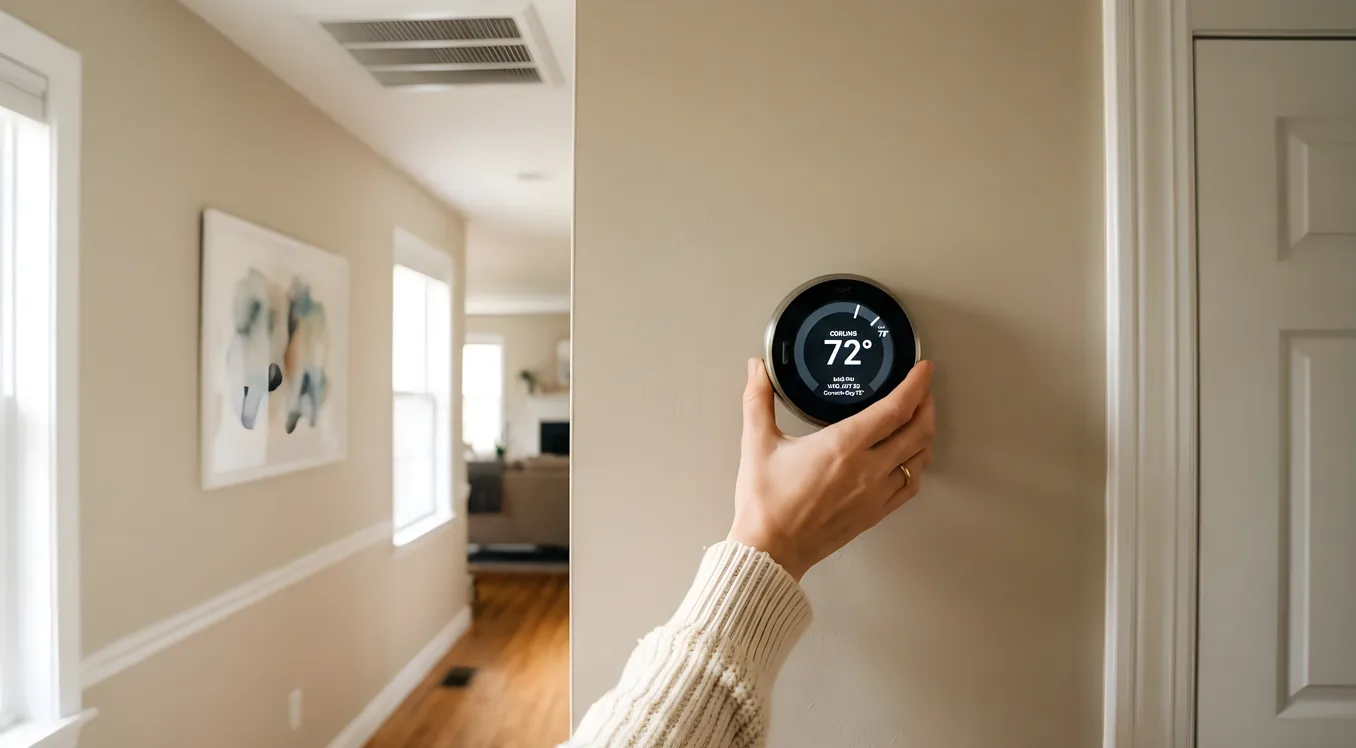
If you’ve done any research on smart thermostats, you’ve hit the same three names repeatedly: Nest, ecobee, and whatever your HVAC contractor is trying to sell you. The consumer devices cost under $300. The professional systems can run into thousands. And the gap between them is not just about features. It’s about what kind of home, what kind of HVAC system, and what kind of control you actually need.
This comparison covers what each category does well, where each falls short, and how to figure out which direction makes sense for your situation. It’s not a quick ranking. It’s a working guide for a homeowner who wants to make an informed decision and not buy twice.
What You’re Actually Choosing Between
Before getting into specs, it helps to frame the category correctly. Consumer smart thermostats (Nest, ecobee, and their competitors) are standalone devices that replace your existing thermostat, connect to Wi-Fi, and let you control temperature through an app or voice assistant. They’re self-installed, require no dealer, and pay for themselves in energy savings within a couple of years for most households.
Professional HVAC control systems are a different product category. They live inside a broader smart home platform, require trained integrators to design and install, and cost substantially more. They exist because consumer thermostats, even very good ones, cannot handle certain scenarios: multi-zone forced air with motorized dampers, hydronic radiant systems, commercial-grade HVAC equipment, or tightly integrated whole-home automation where climate is one subsystem among many.
Knowing which category fits your situation is the most important decision in this guide.
Nest: The Default Smart Thermostat
Google’s Nest Learning Thermostat has held the top consumer position since it launched in 2011. The current generation, the Nest Learning Thermostat (4th generation, released late 2024), retails for $279. The Nest Thermostat (the budget model, without the “Learning” designation) runs $130 and covers the basics without the auto-schedule learning feature.
The flagship Learning Thermostat is a 3.3-inch round display unit, available in four finishes (polished steel, obsidian, gold, sand). It’s the best-looking mass-market thermostat on the market. The display shows ambient temperature, target temperature, time, and weather, and it brightens when it detects you’re nearby via its Soli radar sensor. That same radar chip powers “Home/Away Assist,” which adjusts temperature automatically based on whether anyone is in the home without relying solely on phone location data.
The learning algorithm watches your manual adjustments for about a week and builds a schedule from them. After that, it’s largely hands-off. Most users report it gets the schedule right within two to three weeks and rarely needs correction.
Where Nest works well: Single-zone systems with conventional forced-air heating and cooling, gas heat, or heat pump setups with up to two stages. It supports systems with Y1/Y2, W1/W2, G, O/B, AUX/E wiring and a C-wire (or via Nest’s Power Connector adapter if no C-wire is present). Integration with Google Home and Google Assistant is seamless. It also works with Amazon Alexa, Apple HomeKit (via third-party bridges for the 3rd gen, natively for the 4th gen), and most professional automation platforms via API.
Where Nest falls short: Nest’s zoning story is weak. Google discontinued the Nest Temperature Sensor, which was used to average temperatures across rooms, in 2023. The Nest app doesn’t support multi-zone setups natively (you’d need multiple thermostats, one per zone, managed separately). It also doesn’t integrate with professionally installed zoning systems that use motorized dampers. If you’re interested in zoned HVAC and smart dampers for room-by-room climate control, Nest is not the right tool.
Energy reporting in the Nest app is basic. You get a monthly “Energy History” view showing hours of heating/cooling per day, but no watt-hour metering, no cost calculation, and no integration with utility time-of-use rates unless your utility has a specific Nest partnership program. If whole-home energy monitoring is a priority, you’ll want a separate device or a more capable system.
Ecobee: The Smarter Zoning Choice
Ecobee has positioned itself as the technically superior option, especially for homes that want actual multi-room temperature management rather than single-point control. The current flagship is the ecobee Smart Thermostat Premium, at $249.99. Below that is the ecobee Smart Thermostat Enhanced at $189.99.
The Premium’s hardware specs are noteworthy. It has a built-in air quality monitor (measuring CO2/VOC concentrations and reporting them in the app), a built-in smoke alarm listener, an occupancy sensor (radar + PIR), a built-in Alexa speaker, and a dedicated Siri Shortcut integration. The display is a 3.5-inch color touchscreen. It supports conventional systems, heat pumps up to 2 stages + aux heat, boilers, and geothermal. The wiring compatibility covers most forced-air residential systems in North America.
What separates ecobee from Nest in practical terms is the SmartSensor ecosystem. Each SmartSensor 2 ($79.99, two-pack: $129.99) is a small room occupancy and temperature sensor. You can place them in bedrooms, offices, or any room where comfort matters, and the ecobee will weight its comfort calculations to prioritize occupied rooms. So if three sensors show the living room and kitchen are occupied at 7 PM but the bedrooms are empty, the thermostat targets the main living area temperature rather than a single hallway measurement. This is a meaningful comfort improvement over single-point thermostats.
The ecobee app is more data-rich than Nest’s. The Home IQ feature breaks down monthly runtime, outdoor temperature correlation, and equipment performance. It’s not utility-grade metering, but it gives you enough to understand your system’s behavior and catch efficiency problems early.
Where ecobee works well: Homes with two to eight zones managed by separate thermostats, homeowners who want room-level presence-based control, and anyone who runs Amazon Alexa heavily (the built-in Alexa in the Premium is genuinely useful for hands-free control in the kitchen or bedroom). Ecobee also integrates with Apple HomeKit natively, Google Home, SmartThings, and most professional platforms.
Where ecobee falls short: Like Nest, ecobee is still a single-thermostat-per-zone system. It cannot control motorized damper systems directly. It also doesn’t interface with professional HVAC control protocols like BACnet, Modbus, or Daikin D-BUS without additional gateway hardware. For homes with high-end HVAC equipment, ecobee tops out before the system’s capabilities do.
Honeywell Home T-Series and Carrier Controls: The Overlooked Middle
Between consumer thermostats and full professional automation, there’s a tier of HVAC-specific controls that installers use on mid-range projects. The Honeywell Home T10 Pro ($180 contractor pricing) supports True Zoning systems with up to 4 zones and up to 3 SmartRoom sensors. The Carrier Cor thermostat (CT50 and CT85 models) is designed specifically for Carrier Infinity and Performance HVAC systems and can directly interface with the variable-speed compressors and communicating air handlers those systems use.
If you have a communicating HVAC system from Carrier, Bryant, Lennox iComfort, or Daikin, the manufacturer’s proprietary thermostat often unlocks functionality that a Nest or ecobee cannot. A Lennox iComfort S30, for example, can control a Lennox variable-speed system’s blower speed, dehumidification targets, and ventilator simultaneously because it’s reading the equipment’s onboard sensors over a proprietary communication bus. A Nest connected to the same equipment treats it like a standard system and misses all of that.
This is the argument your HVAC contractor makes when they push you toward their proprietary thermostat, and in this context, they’re right.
Professional HVAC Control: What It Actually Buys You
At the top of the market, HVAC control is a subsystem inside a larger automation platform, typically Control4, Crestron, or Savant. These systems don’t use a thermostat in the conventional sense. Instead, they use zone controllers, occupancy data from the broader automation system, and scheduling logic that ties climate to lighting scenes, presence detection, and time-of-day programming.
Control4 is the most common platform integrators use for mid-range residential projects (roughly $15,000 to $80,000 total system cost). It integrates with Nest and ecobee via certified drivers, so if you already have consumer thermostats, Control4 can incorporate them. For new builds or full renovations, integrators often specify Aprilaire 8800 series zone controls or Daikin’s BACnet-enabled commercial equipment alongside the Control4 processor for true multi-zone management.
Crestron is the platform for larger homes and projects with commercial-grade HVAC requirements. The Crestron Pyng system (entry-level) starts around $20,000 installed, and full Crestron Home projects often run $50,000 to $200,000. Crestron’s HVAC integration handles BACnet, Modbus, KNX, and manufacturer-specific protocols, which means it can fully control geothermal systems, VRF (variable refrigerant flow) equipment, chilled water systems, and commercial air handlers that have no consumer thermostat support at all.
Savant has built its HVAC story around the Savant Climate product line, including zone sensors and the Savant Hub. It works particularly well for homes where Savant is already the primary automation platform and the homeowner wants a single app for everything.
For most homeowners reading this comparison, professional HVAC control makes sense in two scenarios: you’re building a new home or doing a full gut renovation and want whole-home automation integrated from the start, or you have a complex HVAC system (VRF, geothermal, hydronic radiant) that consumer thermostats can’t address.
If you’re exploring solar and smart home integration with batteries and inverters, professional platforms also handle time-of-use optimization and load management more effectively than consumer devices, since they can communicate with the inverter and battery system directly and adjust HVAC load based on available solar production.
Compatibility: The Question Most People Miss
The compatibility question matters more than the thermostat itself. A $250 ecobee is worthless if your system needs different wiring or a communicating interface that the ecobee doesn’t support.
Check these before buying:
-
C-wire availability. Smart thermostats need a common wire for continuous power. Most homes built after 2000 have one. Older homes often don’t. Nest ships a Power Connector adapter for no-C-wire installs; ecobee includes a Power Extender Kit (PEK) that works with most systems. Neither solution works reliably with every furnace control board.
-
Heat pump wiring. Heat pumps use different terminals than conventional systems (O/B for reversing valve, AUX/E for backup heat). Both Nest and ecobee support most heat pump configurations, but verify your specific wiring before purchasing.
-
Communicating systems. If your HVAC equipment communicates via a proprietary 2-wire bus (common on Lennox iComfort, Carrier Infinity, Bryant Evolution), you need the manufacturer’s thermostat or a compatible gateway. Connecting a Nest or ecobee to a communicating system reduces it to conventional operation and disables advanced features like variable-speed control and communicating diagnostics.
-
Millivolt systems. Older gas fireplaces and some baseboard heaters run on millivolt control, typically 24mV to 750mV, and are not compatible with any smart thermostat on this list without a relay. This is an unusual case but worth checking if your home has older radiant or floor heating.
If you have smart radiant floor heating, either hydronic or electric, the thermostat options are narrower. Most radiant-specific smart controls come from Nuheat (Nuheat Element, $199), Warmup (Warmup 6iE, $239), and Schluter DITRA-HEAT-E-WiFi. These are floor-specific devices designed to manage floor temperature limits and safe operating ranges that a standard thermostat isn’t programmed to handle.
Real Costs: Device, Installation, and Energy Savings
Consumer thermostat installation is typically DIY or a $75 to $150 electrician visit. The devices themselves:
- Nest Thermostat (basic): $130
- Nest Learning Thermostat (4th gen): $279
- Ecobee Smart Thermostat Enhanced: $189.99
- Ecobee Smart Thermostat Premium: $249.99
- Ecobee SmartSensor 2 (two-pack): $129.99
- Honeywell Home T10 Pro: $180 (contractor pricing; retail around $220)
Professional systems are priced per project and per zone. A rough estimate for HVAC integration in a professional automation system:
- Control4 + ecobee integration (existing thermostats): $500 to $1,500 for programming and integration
- Control4 + Aprilaire zone control (4-zone new build): $3,000 to $6,000 installed
- Crestron full HVAC control (8-zone home): $8,000 to $20,000 depending on equipment and integration complexity
On the energy savings side, both Nest and ecobee publish studies showing 10 to 15 percent average heating/cooling savings vs. manual or programmable thermostats. The EPA’s ENERGY STAR program certifies both product lines. Ecobee’s own study (using 5 million+ thermostats) found $150 to $180 average annual savings in the US. Nest’s internal study showed $131 to $145 annual savings. These are averages across diverse climates. Homeowners in extreme climates with high HVAC runtimes see larger absolute savings.
Making the Decision
For a single-family home with a single-zone forced-air system and no plans for broader home automation, either Nest or ecobee is a solid choice. If you’re in the Google ecosystem and want the best-looking device, Nest Learning Thermostat. If you want better energy data and room-level comfort management, ecobee Premium with two or three SmartSensors.
For homes with multiple zones managed by separate thermostats, ecobee scales better. The SmartSensor ecosystem is more practical than running multiple Nest apps. An ecobee on each zone with shared sensors is a manageable setup that a homeowner can maintain without a dealer.
For homes with communicating HVAC equipment (Lennox iComfort, Carrier Infinity, Bryant Evolution, Daikin One), use the manufacturer’s thermostat. The efficiency gains from full communicating integration outweigh the convenience of a prettier app.
For new construction, full renovations, or homes with VRF, geothermal, or hydronic systems, talk to a professional integrator. Consumer thermostats will physically connect and run the system, but they can’t access the advanced control modes these systems support. Getting that wrong costs you in comfort and energy efficiency over the life of the equipment.
If you’re also looking at smart HVAC filters and air quality monitoring, both Nest and ecobee have app integrations with air quality data, but neither replaces dedicated air quality monitoring hardware for homes that need MERV 13+ filtration tracking or VOC alerts tied to HVAC operation.
Getting the Most From Whatever You Choose
Whichever thermostat you install, a few habits make a measurable difference:
Set the schedule correctly in the first week. Both Nest and ecobee have learning modes, but they work better with some manual input on day one. Set a realistic schedule rather than relying entirely on the device to figure it out from scratch.
Use geofencing carefully. Home/Away Assist on Nest and Follow Me on ecobee use phone location to trigger set-back temperatures when the home is empty. They work well for households where everyone has a smartphone and leaves together. They work poorly for households with shift workers, remote workers, or older family members who don’t carry phones.
Enable summer and winter-specific scheduling. The default configuration often uses the same schedule year-round. A summer schedule in Dallas needs different set-back logic than a winter one in Minnesota.
Pair with utility demand response programs where available. Many utilities offer bill credits for letting your thermostat respond to grid demand events. Both Nest and ecobee participate in these programs in dozens of markets. Enrollment is free and the credits typically run $20 to $100 per summer season.
The Bottom Line on Smart Thermostat Comparisons
Nest and ecobee are genuinely excellent products competing for the same customer in most situations. The differences matter at the margins: room-by-room comfort management favors ecobee, visual design favors Nest, deep Google ecosystem integration favors Nest, deep multi-zone data analysis favors ecobee. Either will save you energy and let you control your home remotely.
The decision gets easier when you move to the edges. If your HVAC system communicates over a proprietary bus, the manufacturer’s thermostat wins by default. If you’re building out a full smart home with lighting, security, and audio under one platform, professional HVAC control is the right investment because managing climate as an isolated device misses the real value of a unified system.
The worst outcome is buying a consumer thermostat for a communicating system and running it in degraded mode for years, or paying a dealer to integrate a Nest into a Control4 system and wondering why the experience doesn’t feel seamless. Know your system type first. Then pick the thermostat category that matches it.