LED Dimmer Compatibility: Why Your Smart Dimmer Flickers
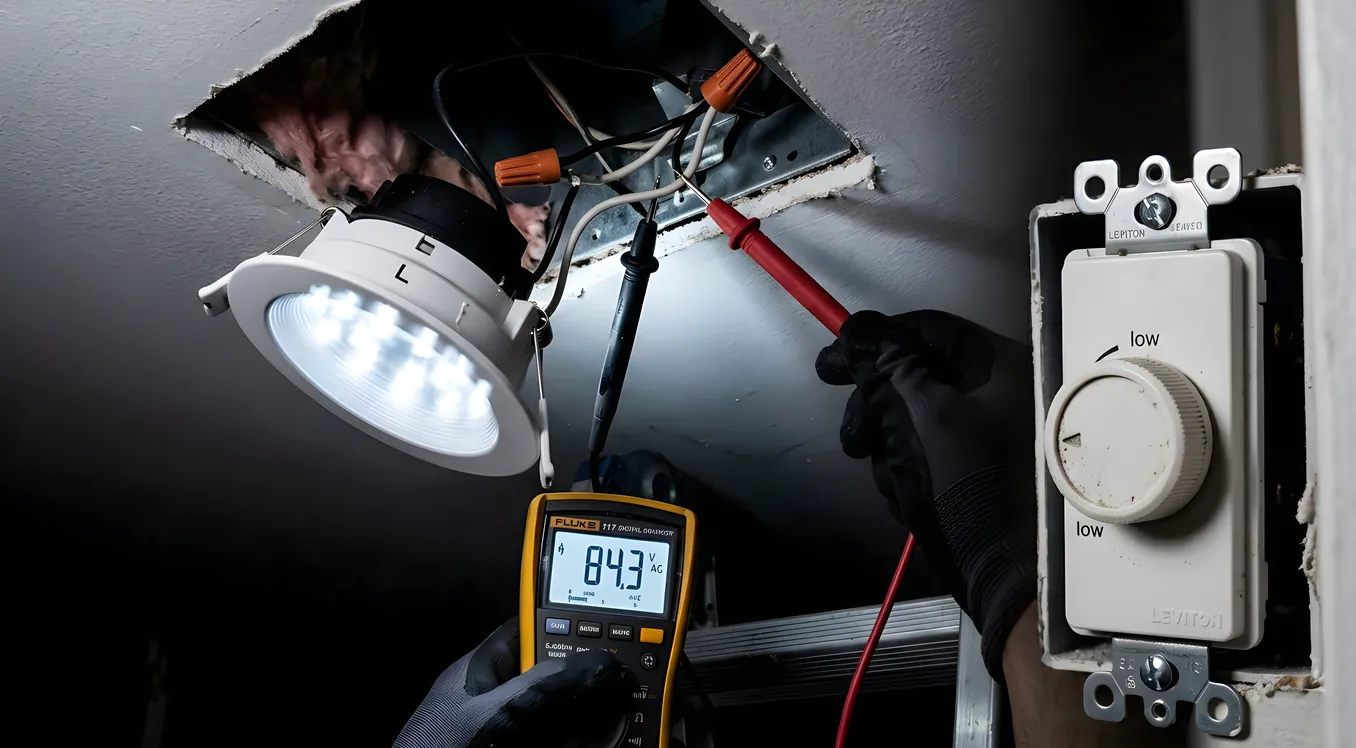
You installed a new smart dimmer, swapped in LED bulbs, and now the lights flicker at 30 percent. Or they buzz. Or they turn off at 40 percent and won’t go lower no matter what you do. Or they work fine in one room and fail in another using the exact same dimmer model.
This is one of the most common frustrations homeowners run into when upgrading to smart lighting, and it has nothing to do with your dimmer being defective. The problem is compatibility: a mismatch between how the dimmer controls power and how the LED driver inside the bulb responds to that control.
Understanding why this happens will save you a lot of money and a lot of returns. It will also help you make smarter decisions if you are planning a larger lighting upgrade or working with a professional integrator to install a system from Lutron, Control4, or a similar platform.
How Dimmers Actually Work (and Why LEDs Are Different)
Traditional incandescent bulbs were resistive loads. They worked by running electricity through a filament until it glowed. Dimming them was simple: reduce the voltage, the filament glows less brightly. The bulb did not care how the dimmer cut the power. It just got less of it and responded proportionally.
The dimming method that became universal is called TRIAC dimming, sometimes called phase-cut dimming. A TRIAC dimmer works by chopping the AC power waveform. It essentially turns the power on and off very rapidly within each cycle of the AC wave. At 100 percent brightness, it lets the full wave through. At 50 percent brightness, it cuts out half of each wave. At 10 percent, it only lets a small slice of each wave through. The bulb averages these pulses and glows at the corresponding brightness.
For incandescent bulbs, this was invisible and harmless. The filament’s thermal mass smoothed out the interruptions.
LED bulbs are not resistive loads. Inside every LED bulb is a driver circuit that converts the incoming AC power to the low-voltage DC that the actual LED chips need. That driver circuit is designed to work with a clean, consistent AC input. When a TRIAC dimmer starts chopping the wave, the LED driver has to figure out what to do with an irregular input. Different driver designs respond differently. Some interpret the chopped wave cleanly and dim smoothly. Others get confused, stutter, produce audible buzz from the magnetic components inside the driver, or simply shut off when the phase angle gets too extreme.
This is the fundamental mismatch. The dimmer was designed for incandescent. The bulb was designed for a clean AC line. The two speak different languages.
The Four Symptoms and What Each One Means
Knowing which symptom you have helps narrow down the cause.
Flickering at low levels is the most common complaint. The LED driver is losing regulation as the phase angle gets too steep. At higher power levels the driver has enough voltage headroom to stay stable; at lower levels the chopped waveform drops below what the driver needs to maintain steady output. Fix: either replace the bulb with one rated for leading-edge or trailing-edge dimming at your dimmer’s minimum load, or adjust the dimmer’s minimum trim setting (more on this below).
Buzzing or humming from the bulb usually means the driver’s inductor or capacitor is vibrating at the chopping frequency. Some cheaper LED bulbs are mechanically resonant at 60Hz or harmonics of it. Fix: replace the bulb with a higher-quality driver that has better vibration dampening. Cree, Sylvania Ultra LED, and GE Reveal LED bulbs have historically had better buzz rejection than no-name imports.
Buzzing or humming from the dimmer is a different problem. The dimmer’s own load compensation circuitry is oscillating. This often happens when the LED load is too small relative to what the dimmer expects. A 600-watt TRIAC dimmer designed for incandescent may need at least 40 to 50 watts of load to regulate properly. A single 9-watt LED bulb is nowhere near that. Fix: either add a resistive load (some installers add a single incandescent bulb to the circuit) or replace the dimmer with one designed for low-wattage LED loads.
Dead travel or drop-out is when the dimmer appears to go from full off to some minimum level with no adjustment range in between, or the lights go off before the slider reaches the bottom. The dimmer’s minimum trim is set too high for that LED driver, or the driver simply cannot operate below a certain phase angle. Fix: access the dimmer’s minimum trim adjustment (usually a small screw on the face plate or an option in the app for smart dimmers) and raise it until the off-point matches where the lights actually go dark. This will lose you some of the lower range, but it eliminates the abrupt drop-out.
Why Compatible Bulb Lists Exist
Every reputable dimmer manufacturer maintains a tested compatibility list. Lutron’s is called the Lutron LED Compatibility Tool, available on their website. Leviton has a similar database. The reason these lists exist is that “dimmable” on the LED bulb box is not a universal standard. A bulb can be technically dimmable (it uses a dimmable driver) while still producing flicker, buzz, or poor dimming range on many common dimmers.
The Lutron compatibility list currently includes several thousand tested bulb and fixture combinations. When a bulb is listed as Compatible (meaning smooth dimming with acceptable range), it has been physically tested in Lutron’s lab on that specific dimmer. When it is listed as Not Compatible or Not Tested, the results are unpredictable.
The practical implication: before buying LED bulbs for any circuit with a dimmer, check the dimmer manufacturer’s compatibility list with the specific bulb model you plan to use. This step is free and takes three minutes. Skipping it and returning bulbs costs more time and money.
Phase-Cut Direction: Leading-Edge vs Trailing-Edge
This is where it gets more specific. TRIAC dimmers can cut the power at the beginning of each AC cycle (leading-edge, also called forward-phase) or at the end (trailing-edge, also called reverse-phase).
Leading-edge dimmers were designed for incandescent and magnetic low-voltage transformers. They are the most common type in North American homes because they were cheap to manufacture and worked fine for decades. They tend to be harder on LED drivers.
Trailing-edge dimmers cut power at the end of the wave cycle. They produce a gentler voltage profile that LED drivers generally handle better. They are also better suited for electronic low-voltage (ELV) transformers. The tradeoff: trailing-edge dimmers are typically more expensive. A leading-edge TRIAC dimmer might cost $15 to $20. A trailing-edge ELV dimmer might run $40 to $80 for a conventional unit.
High-end smart lighting systems have largely moved to trailing-edge dimming specifically because of LED compatibility. Lutron’s Caseta and RadioRA 3 dimmers use a technology Lutron calls Clear Connect, combined with trailing-edge dimming profiles optimized for LED loads. This is part of why Lutron dimmers have a reputation for working well with LEDs when cheaper alternatives produce flicker on the same bulbs. If you are comparing systems, the Lutron Caseta vs RadioRA 3 breakdown covers the differences between those two lines, including which is appropriate for retrofit projects versus new construction.
Minimum Load Requirements and the Empty Slot Problem
Older TRIAC dimmers were designed for loads of 40 watts minimum and 600 watts maximum per circuit (typical residential specs). The minimum load requirement exists because the dimmer’s circuitry needs a certain amount of current draw to operate its own electronics. Below that threshold, the regulation breaks down.
With LED bulbs replacing incandescent, many homeowners are now running four 8-watt LED bulbs (32 watts total) through a dimmer that expects at least 40 watts. The dimmer is running below its design threshold, which causes flicker, buzz, and instability.
This is particularly common in fixtures with multiple sockets where the homeowner did not fill all of them. A chandelier with 12 candelabra sockets originally held 12 x 40-watt incandescent bulbs (480 watts). The same chandelier with 12 x 3-watt LED candelabra bulbs (36 watts total) is well below what the old dimmer expects.
Solutions:
- Replace the dimmer with one rated for LED minimum loads. Many modern LED dimmers specify a 0-watt minimum or 25-watt minimum.
- Use a resistive load-sharing module. Some manufacturers sell small resistor loads that mount in the junction box and add a known resistive component to keep the dimmer in range. Lutron’s LCRS-10 is one example, designed to add 10 watts of load for exactly this situation.
- Fill the fixture to its designed number of sockets, even with low-wattage LEDs.
Smart Dimmer-Specific Issues
Smart dimmers add another layer because they have their own electronics, wireless radios, and firmware. The power supply that runs the dimmer’s radio and processor also draws from the load circuit, which affects the effective load the bulb sees.
Some smart dimmers require a neutral wire at the switch box. In homes built before the 1980s, many switch boxes only have the hot wire and the switched hot, with the neutral returning directly to the light fixture. No-neutral smart dimmers use the load circuit to trickle-charge their internal power supply, which creates a small current through the light even when it appears off. With incandescent bulbs, this tiny current was invisible. With LED bulbs, that small current can cause the bulbs to glow dimly when they should be off, or cause flicker as the dimmer’s charging cycle interacts with the driver.
The Lutron Caseta dimmer line (specifically the PD-6WCL, the Wireless Smart Dimmer for LED+Incandescent) is designed to work without a neutral wire and includes internal compensation for this issue. Leviton’s Decora Smart Wi-Fi dimmers (the DW6HD model) similarly handle no-neutral installations with LED loads. Both have been well-tested with their respective compatibility lists.
If you do have a neutral available (most homes built after 1985 do), use a dimmer that requires it. The neutral-required design is inherently cleaner for LED operation because the dimmer does not have to trickle through the load.
Fixture Type Matters as Much as Bulb Type
The discussion so far has focused on screw-base LED bulbs, but LED compatibility issues extend to integrated fixtures and LED driver modules.
Recessed LED downlights: Many modern LED retrofit kits (like the Cree BR30 or Feit Electric downlight trims) have integrated drivers designed for specific dimmer types. The trim spec sheet will tell you which dimmers it was tested with. Mixing a downlight trim rated for ELV dimmers with a leading-edge TRIAC dimmer frequently produces flicker even when both components are individually “dimmable.”
LED strips and tape lighting: These always run off a separate driver or power supply. The driver specs determine dimming compatibility, not the strip itself. Look for drivers with a “0-10V” or “PWM” dimming input if you want precise control, especially for under-cabinet or cove lighting in a professional system. Control4 and Crestron integrate well with 0-10V LED drivers for architectural applications.
Line-voltage LED fixtures: Some pendant fixtures and surface-mount fixtures use integrated LED modules that are not field-replaceable. The fixture manufacturer specifies compatible dimmers. Follow that list closely. With integrated fixtures, you cannot simply swap the bulb if there is a compatibility problem.
When to Move Past Standard Dimmers
There is a point where the right answer is not a better dimmer or a different bulb. It is a system-level approach.
If you are managing lighting across more than eight to ten zones, dealing with multiple fixture types (some on 0-10V drivers, some on standard circuits, some LED strips), or wanting scenes and schedules tied to your thermostat, security system, or occupancy sensors, individual smart dimmers get unwieldy fast. Each one has its own app, its own compatibility constraints, and its own firmware update schedule.
Professional lighting control platforms solve the compatibility problem from the top down by designing the dimmer and the recommended fixtures together. Lutron’s RadioRA 3 system, for example, specifies both the dimmer hardware and the LED loads that have been tested to work, so you are not assembling a puzzle with mismatched pieces. The Lutron HomeWorks QSX platform takes this further for larger homes, using a centralized processor and Lutron’s own architectural dimmer modules to handle complex multi-zone lighting plans. At that level, flicker is essentially engineered out of the system rather than troubleshot after the fact.
For homeowners interested in going further with tunable white or full-color lighting (changing both brightness and color temperature throughout the day to support natural sleep cycles), Ketra is worth understanding. Ketra tunable lighting uses proprietary LED fixtures and drivers alongside a dedicated control system that bypasses TRIAC dimming entirely, using a direct PWM interface from the controller to the fixture. Compatibility headaches essentially do not exist because the entire stack is one system. The tradeoff is cost: Ketra fixtures start around $100 to $300 per can light, and the system requires professional installation.
Practical Checklist Before Buying a Smart Dimmer
If you are retrofitting existing circuits rather than planning a whole-home system, work through this list before purchasing:
-
Check if you have a neutral wire in the switch box. If not, narrow your options to dimmers explicitly rated for no-neutral LED use.
-
Count the actual wattage on the circuit. Multiply the number of bulbs by the LED bulb wattage. Compare to the dimmer’s minimum load specification (often 0W or 10W for modern LED dimmers, but verify).
-
Identify the dimmer type you need. Standard TRIAC for screw-base LED bulbs. ELV (trailing-edge) for electronic low-voltage transformers. 0-10V or PWM for commercial LED drivers.
-
Look up your specific bulb in the dimmer manufacturer’s compatibility database before buying either the dimmer or the bulbs. Lutron, Leviton, and Legrand all publish these.
-
Buy one dimmer and one package of bulbs first. Install and test. Live with it for a day to check for flicker at different times of day (flicker can vary with line voltage fluctuations that differ morning versus evening).
-
Adjust the minimum trim. After installation, set the minimum trim so the light is visibly on at its lowest setting and off only when you physically switch it off. This eliminates most drop-out and ghost-glow issues.
-
If you are putting the same dimmer on multiple circuits, test on the circuit with the highest number of LED bulbs first. That is your worst-case compatibility scenario.
The Cost Reality
A compatible smart dimmer runs $45 to $85 for quality options (Lutron Caseta PD-6WCL at around $55, Leviton DW6HD at around $50, Lutron RadioRA 3 RRD-6ND for more advanced installations at around $85). A no-name TRIAC dimmer from a hardware store might cost $12, but it is significantly more likely to flicker with modern LED loads, especially below 50 percent brightness.
Spending $55 on a dimmer that works correctly the first time costs less than spending $12 on one that requires three rounds of bulb returns and eventually a replacement dimmer anyway. This is especially true for hard-to-reach fixtures where you will be on a ladder to troubleshoot.
Getting Flickering Right the First Time
The homeowners who solve this problem cleanly tend to do two things differently from those who spend weeks swapping bulbs: they check compatibility lists before buying anything, and they match their dimmer type to their actual load type.
If your home has multiple fixture types across many rooms, and you want the convenience of scenes, schedules, and integration with other systems (thermostat, security, audio from platforms like Sonos), the Lighting section of this site covers the full range of approaches from individual smart dimmers through professional systems. The smart switches vs smart bulbs comparison is also worth reading before committing to either approach, since the architecture you choose affects dimming compatibility across the whole home.
LED dimmer compatibility is a solvable problem. The flicker is not bad luck. It is a mismatch with a known cause and a known fix, and most of the time, the fix is available at any electrical supply house for under $60.