Lutron HomeWorks QSX: The Top-Tier Lighting System
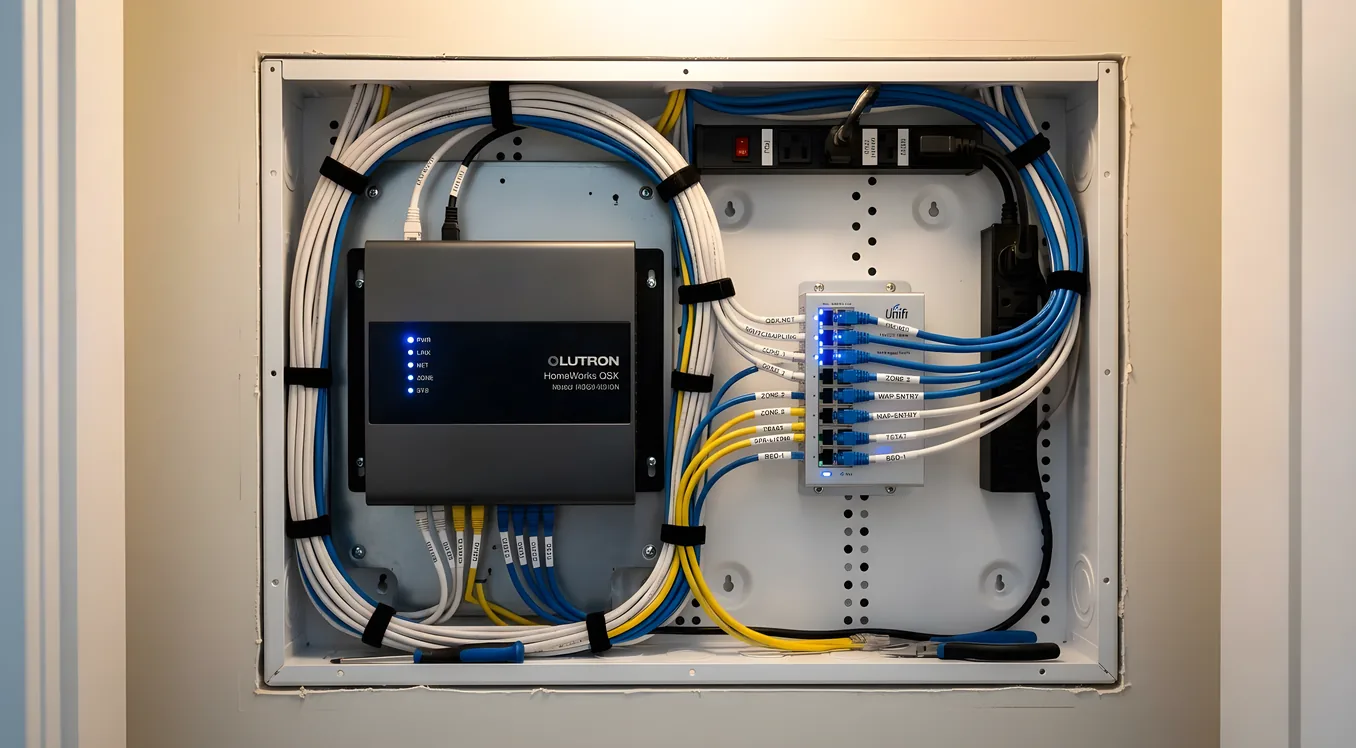
Lutron HomeWorks QSX: The Top-Tier Lighting System
If you’ve spent any time talking to a high-end AV integrator or custom home builder, you’ve heard one recommendation repeated across almost every serious lighting conversation: Lutron HomeWorks. Specifically, HomeWorks QSX, the current flagship in Lutron’s professional line.
This isn’t a coincidence, and it isn’t marketing. Lutron built the first solid-state dimmer in 1961, and sixty-plus years of lighting-specific R&D has produced a system that professionals trust for a simple reason: it works, every time, for decades. Understanding what that actually means, and whether you need it, is what this guide is for.
What HomeWorks QSX Actually Is
HomeWorks QSX is a centralized, processor-based lighting control system. The distinction between “centralized” and “decentralized” matters more than it might sound.
In a decentralized system like Lutron Caseta or even Lutron RadioRA 3, intelligence lives in each individual dimmer or switch. Devices talk to each other over a wireless mesh or directly to a smart home hub. It’s flexible, easy to expand, and you can install it one room at a time.
HomeWorks QSX works differently. A central processor, the HQP7 (the current-generation HomeWorks QSX Processor), sits in your equipment rack and runs the entire lighting system. Every fixture, every keypad, every occupancy sensor reports to and receives commands from that processor. The wiring runs back to the rack rather than device-to-device.
This architecture has real consequences. Centralized processing means you get precise, coordinated control across every zone simultaneously. Scene changes happen instantly. Diagnostics run from a single point. Firmware updates apply system-wide. The tradeoff is that it requires structured cabling, rack space, and professional design before a single switch is installed.
HomeWorks QSX supports up to 100 processors networked together, handling systems with thousands of loads across estate properties, hotels, and large commercial installations. For a residential project, a single HQP7 processor handles up to 100 controllable devices (dimmers, switches, shades, and output devices each count toward that limit), with expansion via additional processors.
The Hardware Lineup
Understanding HomeWorks QSX means knowing the main hardware categories. This is a system you design from components, not a kit you buy off a shelf.
The HQP7 Processor: The brain of the system. List price runs approximately $3,000 to $4,500 depending on configuration. It communicates with devices over Lutron’s proprietary Clear Connect RF protocol (for wireless keypads and sensors) and over hardwired connections back to dimmers. The processor connects to your home network via Ethernet and is what the Lutron app, integrations, and programming interfaces talk to.
Dimmers and Switches: HomeWorks QSX dimmers are wired, typically installed in a central load center (structured wiring panel) rather than at each box location. The HQRD-10A is a 10-amp LED dimmer, retailing around $180 to $250 per unit. For high-wattage loads, the HQRD-20A handles 20 amps. Lutron also makes phase-selectable dimmers for use with both forward-phase (leading-edge) and reverse-phase (trailing-edge) loads, which matters when you’re dealing with mixed fixture types across a large home.
Keypads: The Palladiom keypad series is the flagship for HomeWorks QSX. These are architectural-grade in-wall keypads with engraved, backlit buttons, available in over 25 finishes including Palladium, Champagne, Black, and custom paint-to-match options. A typical 5-button Palladiom keypad retails for $350 to $600 depending on finish. Satin Nickel and Polished Nickel finishes run higher. For a home with 20 keypads, hardware alone at the keypad level represents $7,000 to $12,000 before installation.
There’s also the Palladiom Tabletop keypad and the HomeWorks QSX Handheld Remote (HQWR) for portable scene control without a fixed installation point.
Occupancy and Vacancy Sensors: Lutron’s Radio Powr Savr sensors integrate directly with HomeWorks QSX. Ceiling-mounted sensors cover areas up to 1,400 square feet for occupancy detection or 900 square feet for vacancy detection. These run $80 to $180 each depending on coverage pattern and whether they include daylight sensing.
Motorized Shades: HomeWorks QSX integrates natively with Lutron’s Sivoia QS shade system, which is where the system truly earns its reputation for whole-home coordination. Motorized shades controlled by HomeWorks QSX respond to the same scenes as your lighting, meaning a “Good Morning” scene raises the shades, brings the kitchen lights to 80%, dims the bedroom to 20%, and plays morning audio through your Sonos system, all triggered by one keypad press or a scheduled time.
Real Project Costs
Budgeting for HomeWorks QSX requires accepting that the hardware price is only part of the story. Programming, commissioning, and ongoing support are significant cost centers.
Hardware costs for a mid-size residential project (4,000 to 6,000 sq ft, 40-60 controlled loads):
- HQP7 processor: $3,500 to $4,500
- Dimmers and switches (40-60 units at $180 to $250 each): $7,200 to $15,000
- Keypads (15-25 units at $350 to $600 each): $5,250 to $15,000
- Occupancy sensors (10-20 units): $1,000 to $3,600
- Load center and associated wiring hardware: $1,500 to $3,000
- Hardware subtotal: $18,450 to $41,100
Labor and programming:
HomeWorks QSX programming is done by Lutron-certified installers using Lutron’s HomeWorks Design Software. This isn’t plug-and-play configuration. The programmer maps every load, assigns every button function, builds every scene, and tests every combination. A typical mid-size residential project takes 20 to 50 hours of programming time at $125 to $200 per hour, plus installation labor for wiring, mounting, and commissioning.
Total installed cost for a serious residential HomeWorks QSX system starts around $30,000 and commonly runs $50,000 to $100,000 for larger, more complex projects. Estate homes with full shade integration, hundreds of loads, and deep third-party integration can exceed $250,000.
These numbers aren’t meant to be discouraging. They’re meant to help you qualify whether HomeWorks QSX is the right answer for your situation or whether a well-designed RadioRA 3 system, which can do a lot for a lot less, is actually what you need. That’s a question worth answering before you’re committed to a processor-based design.
Where HomeWorks QSX Outperforms Everything Else
Price comparisons with Control4 lighting, Savant’s EX Controller lighting scenes, or even RadioRA 3 miss the point of what HomeWorks QSX does best. The system earns its position at the top of the market in four specific areas.
Dimming quality. Lutron’s dimming performance is technically in a different category from most competitors. HomeWorks QSX supports dimming curves calibrated to specific fixture types, handles phase-selectable loads without buzz or flicker, and sustains smooth performance at low end (5% to 10% brightness) where most systems introduce visible stutter or audible hum. If you’re pairing this system with high-quality fixtures, the lighting result will look better.
Scale and reliability. A 10-room Caseta system and a 200-load HomeWorks QSX system present very different reliability profiles. The centralized processor architecture means there’s no dependency chain of wireless mesh hops, no risk of a mid-chain device being offline affecting zones downstream. Lutron quotes a 25-plus year lifespan for HomeWorks hardware, and that’s not marketing fiction. Commercial installations from the early 2000s are still running current-generation firmware.
Shade integration. The native integration with Sivoia QS shades is genuinely seamless in a way that third-party shade integrations through Control4 or Crestron simply aren’t. When Lutron controls both the lights and the shades, scene transitions look like they were choreographed. The shade motor positions are tracked in real-time by the processor, so the system always knows where each shade is without guessing or recalibration.
Ketra integration. Lutron acquired Ketra in 2018, and the integration result is exceptional. Ketra tunable lighting adds full-spectrum color control across the visible range plus deep dimming to near-zero lumen levels. When combined with HomeWorks QSX, you get circadian lighting scenes that automatically shift the color temperature and intensity of every fixture throughout the day based on time of day and occupancy. The combination of HomeWorks QSX and Ketra N3 fixtures represents the highest-quality automated lighting environment available in a residential context.
Integration With Major Smart Home Platforms
HomeWorks QSX doesn’t try to be a whole-home automation platform. It’s a lighting platform, and it integrates with the systems that do handle broader automation.
Control4: The most common pairing in high-end residential installations. Control4’s HomeWorks QSX driver (maintained by Control4 and Lutron) provides bidirectional integration. Control4 scenes can trigger HomeWorks lighting scenes, and HomeWorks occupancy events can trigger Control4 events. The integration is reliable and deep.
Crestron: Crestron offers a certified module for HomeWorks QSX that provides full load control, scene recall, and status feedback. In large commercial or estate installations where Crestron is the primary control platform, HomeWorks handles lighting while Crestron handles everything else.
Savant: Savant’s integration with HomeWorks QSX works through a similar driver model. Given that both Savant and Lutron target the same high-end residential market, this pairing is common in Savant-primary installations.
Apple HomeKit: HomeWorks QSX supports HomeKit integration through the Lutron Bridge Pro (LBHWQS-PRO) accessory, which communicates between the HomeWorks processor and Apple’s HomeKit ecosystem. Individual loads appear in the Home app and respond to Siri commands. The integration is functional for basic control but doesn’t expose the full scene depth of the HomeWorks system.
Amazon Alexa and Google Home: Both platforms can control HomeWorks QSX through the Lutron Caedra bridge or direct cloud integration. Voice commands for scene recall and individual load dimming work reliably, but these integrations are generally used for convenience layering on top of a professionally configured system, not as primary interfaces.
HVAC and Other Systems: HomeWorks QSX has open API access through the HomeWorks LEAP Protocol, which allows third-party systems to query load status, trigger scenes, and monitor occupancy. This is what makes it usable with almost any serious automation platform.
Who HomeWorks QSX Is For
The honest answer is that HomeWorks QSX is the right choice in a specific set of circumstances, and it’s the wrong choice in others.
HomeWorks QSX makes sense when:
You’re building new construction or doing a complete renovation where structured cabling is part of the scope. The system’s performance is partly enabled by the wiring infrastructure, and retrofitting it into an existing home is expensive and disruptive compared to RadioRA 3 wireless.
You have 50 or more controlled loads and want them to behave as a coordinated system rather than a collection of individually smart devices. This is where the centralized processor earns its cost.
You’re pairing with Lutron Sivoia shades across a significant number of windows. The native coordination is a material quality difference versus third-party shade integration through another platform.
You want Ketra tunable white or full-color fixtures and the full benefits of dynamic, circadian-aware lighting. HomeWorks QSX is the only platform that gives Ketra its full capability set.
Your integrator is Lutron-certified and you’re in a long-term relationship with them. HomeWorks QSX requires an integrator for ongoing support, reprogramming, and modifications. This isn’t a system you can meaningfully self-administer.
HomeWorks QSX is overkill when:
You’re in an existing home without plans for major rewiring. For retrofit projects, Lutron’s RadioRA 3 is wireless, installs without a structured wiring overhaul, and delivers excellent scene performance. For most homeowners, RadioRA 3 is actually the right answer.
You’re managing under 30 loads in a straightforward floor plan without shade integration requirements. The cost-per-load math doesn’t favor HomeWorks QSX at smaller scales.
Your smart home is voice-and-app-first rather than physically keypad-driven. If you’re primarily running things through Alexa or your phone, the architectural keypad quality of HomeWorks isn’t something you’re paying for in a meaningful way.
Choosing the Right Installer
HomeWorks QSX requires a Lutron HomeWorks QSX certified dealer. Lutron maintains this certification program specifically because poor installation and programming can make even the best hardware underperform.
When evaluating integrators, ask specifically how many HomeWorks QSX projects they’ve completed and whether they have a dedicated lighting designer or programmer on staff. Ask for project references from clients with similar home sizes and scope. Ask how they handle programming changes after installation: this is where homeowners often get frustrated, because modifying a scene or adding a new button requires the integrator to update and re-upload the program.
Also ask about commissioning documentation. A well-run HomeWorks QSX installation produces a complete system record: every load, every keypad assignment, every scene definition. This record is what protects you if you ever need to work with a different integrator in the future.
The Long View on HomeWorks QSX
The lighting market is full of systems that promise to be “future-proof” and then require replacement or significant upgrade within five years. HomeWorks QSX has a stronger claim than most. Lutron’s processor upgrades are backward-compatible with existing load controllers and keypads; owners of HomeWorks QS (the predecessor) have been able to migrate to QSX architecture without replacing all their hardware. Lutron actively supports systems 15 to 20 years old with firmware and replacement parts.
For the homeowner who wants lighting that works without thinking about it, scenes that set the right mood reliably every time, shade control that actually syncs with what the lights are doing, and hardware that won’t need replacement before the mortgage is paid off, HomeWorks QSX delivers a level of confidence that few systems can match.
Whether that confidence is worth the investment depends on your project scope, your home’s wiring infrastructure, and whether you’re committed to a long-term relationship with a professional integrator. For the right home and the right owner, HomeWorks QSX isn’t an extravagance. It’s the logical endpoint of taking lighting seriously.
Getting the Right Fit for Your Home
Before committing to HomeWorks QSX, it’s worth mapping exactly what you need controlled, how many loads that represents, and what your integration priorities are. If smart switches at a fraction of the cost will accomplish what you’re actually after, that’s worth knowing before you’re three months into a design process.
For homeowners who do land on HomeWorks QSX as the right answer, the system rewards a disciplined installation and design process. Start with a clear load list. Define your scenes before programming begins. Choose keypads that complement your finishes before construction locks anything in. And work with an integrator who treats system documentation as a deliverable, not an afterthought.
That combination, great hardware, a clear design, and an accountable installer, is what separates a HomeWorks QSX installation that earns its cost from one that ends in frustration. The system is capable of the former. Getting there is a matter of doing the work upfront.