Lutron Caseta vs RadioRA 3: Which Lutron System You Need
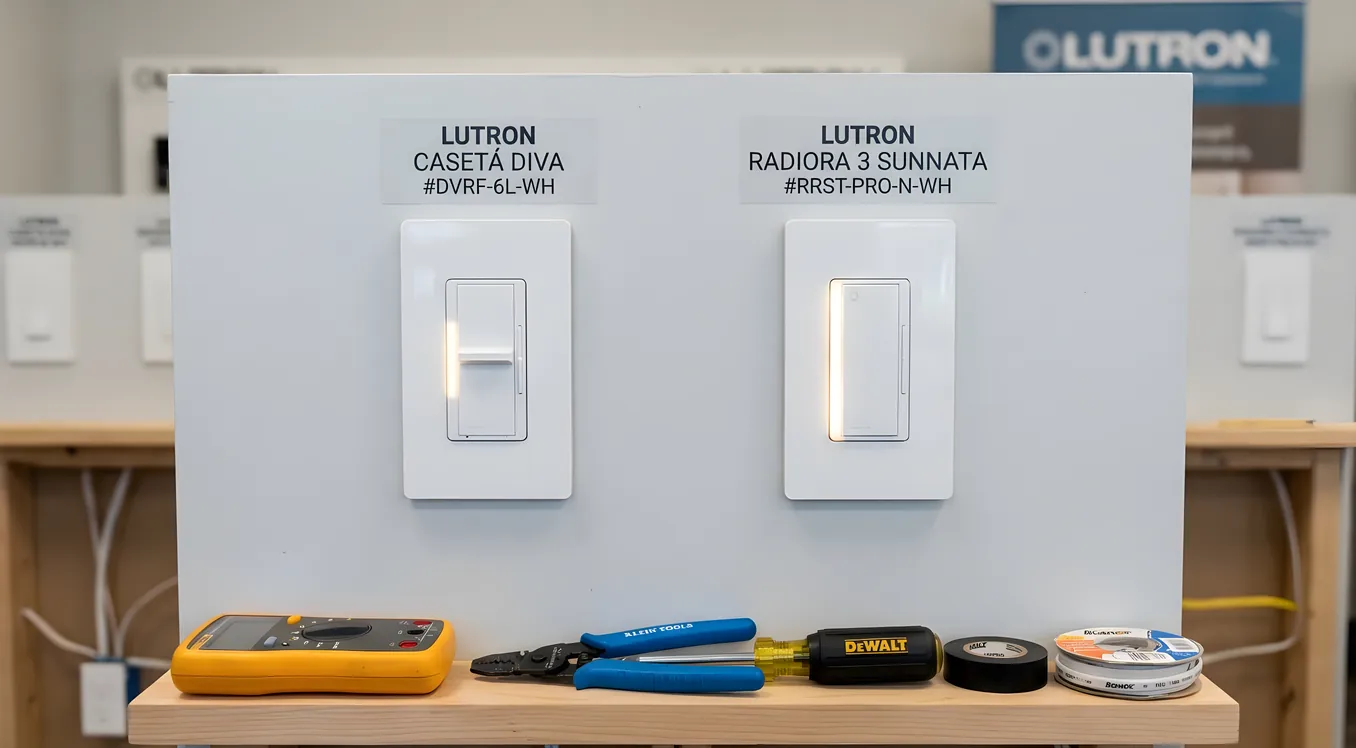
Lutron makes the most respected lighting control products in the smart home industry, and if you’ve spent any time researching smart switches, you’ve run into both Caseta and RadioRA. They use the same basic technology concept, both carry the Lutron name, and both work with a wide range of smart home platforms. So why is there so much confusion about which one to buy?
Because they’re not aimed at the same customer. Caseta is built for a homeowner who wants reliable smart switches they can install themselves and connect to Alexa, Apple HomeKit, or Google Home. RadioRA 3 (often called RA3 or RadioRA 3) is designed for professional installation in homes where lighting control is a whole-home infrastructure project, not a switch-by-switch upgrade.
The wrong system in either direction is a real problem. Buying Caseta when you need RadioRA 3 means hitting hard limits as your project grows. Buying RadioRA 3 when Caseta would do the job means paying for an integrator and a system complexity you don’t need.
This comparison focuses on what actually matters when making the decision: compatibility, coverage range, total cost, integration with other systems, and when each one makes sense.
What Caseta Actually Is
Lutron Caseta Wireless launched in 2012 and is Lutron’s consumer-grade smart lighting line. It’s sold at Home Depot, Best Buy, Amazon, and Costco. A single Caseta dimmer switch (the PD-6ANS model, which is the most common) retails around $60 to $65. The required Caseta Smart Bridge Pro (the L-BDGPRO2-WH) runs about $100 and supports up to 75 devices per hub. For most single-family homes with 20 to 40 switches, one bridge is plenty.
Caseta uses Lutron’s Clear Connect RF technology, which operates on the 434 MHz frequency band. This is a dedicated frequency specifically chosen because it doesn’t compete with Wi-Fi (2.4 GHz or 5 GHz), Zigbee, or Z-Wave signals. In practice, Caseta switches have very reliable RF communication, which is one of the main reasons electricians and installers recommend Caseta over many Wi-Fi-based competitors. The range is about 30 feet per device, and Caseta devices can repeat signals to each other, extending coverage through larger homes.
Caseta’s product line includes dimmers (for incandescent, LED, and dimmable CFL loads), on/off switches, fan speed controls, plug-in lamp dimmers, and the Pico remote, which is a small battery-powered wireless remote that mounts to a wall plate or sits on a tabletop. Pico remotes are one of Caseta’s best features: they cost around $17 each and solve the problem of a lamp or fan without a wall switch.
For a homeowner considering the broader smart switches vs smart bulbs decision, Caseta falls firmly in the smart switch camp. You replace the switch, not the bulb, which means any light fixture works with any LED bulb without worrying about compatibility.
What RadioRA 3 Actually Is
RadioRA 3 is Lutron’s mid-tier professional lighting control platform, released in 2021 as the successor to RadioRA 2 (launched in 2012). RadioRA 2 is still being installed and supported but is a mature product no longer receiving major development. RadioRA 3 represents the current-generation platform.
RadioRA 3 is sold exclusively through Lutron’s dealer network. You cannot buy it at a hardware store. An authorized Lutron dealer (usually a smart home integrator or electrical contractor with Lutron training) designs the system, programs it, and installs it. The hardware itself is priced above Caseta: a RadioRA 3 dimmer typically costs $90 to $130 per switch depending on the model, and the system requires a RadioRA 3 Main Repeater (the RR3-MAIN-REP) which runs about $400 to $500. Each Main Repeater supports up to 200 devices.
RadioRA 3 also uses Clear Connect RF, but the protocol is more capable than Caseta’s implementation. RadioRA 3 operates on both the 434 MHz and 2.4 GHz Clear Connect Type X channels, giving it better performance in RF-dense environments (metal-framed homes, homes with heavy interference). Range per device is roughly 60 feet, compared to Caseta’s 30 feet, and RF coverage is extended through a mesh of auxiliaries and repeaters.
The product line is also broader. RadioRA 3 includes dimmers, switches, fan controls, occupancy/vacancy sensors, daylight sensors, temperature sensors, motorized shade controls, and keypads in multiple form factors: Sunnata (a sleek capacitive-touch design) and Palladiom (a premium architectural keypad available in custom colors). The keypads are a meaningful difference from Caseta, where button customization is limited to the Pico remote. A RadioRA 3 Sunnata keypad can control scenes, trigger macros, or set a specific dim level, all programmable by the integrator.
Range, Scale, and Whole-Home Coverage
This is the clearest practical difference between the two systems.
Caseta caps at 75 devices per hub. For a 1,500 to 2,500 square foot home with 25 to 40 light switches, that’s not a constraint. But if you have a 4,000 square foot home with 60 switches plus Pico remotes plus plug-in devices, you may be approaching or exceeding a single hub’s capacity. Lutron does not officially support multiple Caseta bridges on the same network with linked devices, which is a real limitation for large homes.
RadioRA 3 supports 200 devices per Main Repeater, and you can link multiple Main Repeaters for very large projects. The system supports up to 400 devices across two linked repeaters. For a 6,000 square foot home with multiple floors, motorized shades on every window, and occupancy sensors throughout, RadioRA 3 is designed for that scale where Caseta starts to strain.
There’s also a range consideration in specific home types. Homes with concrete construction, metal framing, or multiple floors with concrete slabs between them can challenge any RF system. RadioRA 3’s additional 2.4 GHz channel and higher-output hardware tends to perform more reliably in these environments.
Integration with Smart Home Platforms
Both systems work with the major consumer platforms, but differently.
Caseta integrates natively with Apple HomeKit, Amazon Alexa, Google Home, SmartThings, Ring, and several others through the Smart Bridge Pro. The Apple HomeKit integration is particularly solid: Caseta was one of the first third-party switches certified for HomeKit, and the pairing process is reliable. If you’re building an Apple-centric home with HomePod speakers, Apple TV as a hub, and HomeKit Secure Video cameras, Caseta fits that ecosystem naturally.
Caseta also integrates with professional systems including Control4, Crestron, and Savant, through direct IP or serial connections to the Smart Bridge Pro. However, this integration is less flexible than RadioRA 3’s integration with those same platforms. Caseta can tell Control4 what switches are in what state, and Control4 can turn them on or off, but complex scene coordination and status feedback is more limited.
RadioRA 3 offers deeper integration with professional platforms. Control4, Crestron, Savant, and Josh.ai all have native RadioRA 3 drivers that provide granular control: specific dimmer levels, occupancy sensor feedback, shade position data, and keypad button events that can trigger automation sequences. If you’re building a system where the lighting is coordinating with motorized shades, HVAC, audio zones, and security all under one platform, RadioRA 3’s integration depth matters. This is why integrators who specify Control4 or Crestron for a whole-home project almost always pair it with RadioRA 3 (or, on larger budgets, Lutron HomeWorks QSX, which is Lutron’s top-tier commercial-grade residential system).
For readers considering where RadioRA 3 fits in the larger Lutron lineup, the Lutron HomeWorks QSX guide covers what the step up to the flagship system gets you in terms of processor-based control, additional dimming curve customization, and commercial-grade infrastructure.
Motorized Shades
This is a capability gap worth knowing about before you start planning.
Caseta supports motorized shades through Lutron’s own Serena shades (fabric roller and cellular options at $200 to $400 per shade), which are consumer-grade and designed for the Caseta ecosystem. They’re good shades, but the fabric and hardware options are limited compared to professional shade lines.
RadioRA 3 supports Lutron’s Sivoia QS Triathlon shades, which are professional-grade motorized shades compatible with hundreds of fabric options, solar screen densities, and hardware configurations. More importantly, RadioRA 3 integrates natively with third-party shade manufacturers including Somfy, Hunter Douglas (PowerView), and others through professional-grade driver integrations. For a home where the architecture calls for specific shade hardware or fabric types that Serena doesn’t offer, RadioRA 3 opens the door to the full range.
A dedicated comparison of motorized shades and blinds brands and costs covers the full landscape of what professional shade systems look like and how they price out when paired with lighting control.
The Cost Comparison: Real Numbers
Caseta is much cheaper, and the gap is larger than most people expect.
A typical Caseta installation for a 2,000 square foot home might look like this: 20 dimmer switches at $60 each ($1,200), 5 fan controls at $65 each ($325), 10 Pico remotes at $17 each ($170), one Smart Bridge Pro at $100. Total hardware: roughly $1,795. If you install it yourself, that’s your cost. If you hire an electrician to swap the switches, add $40 to $80 per switch in labor, bringing the installed cost to around $2,600 to $3,400.
A RadioRA 3 installation for the same size home starts higher. Those 20 dimmers at $100 each ($2,000), 5 fan controls at $120 each ($600), a Main Repeater at $450, programming labor (usually 4 to 8 hours at $150 to $250 per hour for an integrator), plus installation labor for the switches themselves. A reasonable RadioRA 3 project for 2,000 square feet runs $5,000 to $9,000 installed, depending on the integrator’s rates and the complexity of the programming.
At the 4,000 to 6,000 square foot scale with shades, sensors, and custom keypads, RadioRA 3 projects commonly run $15,000 to $40,000. HomeWorks QSX, which serves homes in that same range at the higher end of budgets, is often comparable in scope to what a lighting control company might spec for a full new-construction project.
Expandability and Future-Proofing
Caseta’s ceiling is real. Once you’re at 75 devices on a hub, adding another hub doesn’t elegantly extend the system. If you move or renovate and want to scale, Caseta doesn’t have a native path to RadioRA 3 or HomeWorks compatibility. The switches themselves are not cross-compatible, meaning a Caseta dimmer does not pair with a RadioRA 3 Main Repeater.
This is a meaningful consideration if you’re doing a phased project: installing lighting now with plans to add motorized shades, a home theater, and whole-home audio in a few years. If that full vision involves a Control4 or Crestron backbone, starting with RadioRA 3 instead of Caseta means all your lighting hardware is already on the professional platform when the rest of the system comes together.
Conversely, if your home is 2,500 square feet or under, you’re not planning a major automation expansion, and you want to be able to DIY install and troubleshoot your own switches, Caseta is a fully mature platform that Lutron has been developing for over a decade. It’s not going anywhere.
Circadian Lighting and Tunable White
One category where RadioRA 3 starts to show a significant edge is when lighting quality itself matters beyond on/off and dim level.
Standard Caseta dimmers control brightness but not color temperature. If you want lighting that shifts from a cool white in the morning to a warm amber in the evening to support your body’s natural light response, Caseta alone can’t do that. You’d need smart bulbs that support tunable white, which reintroduces the smart bulb vs smart switch complexity and compatibility issues.
RadioRA 3 integrates with Ketra, Lutron’s high-end tunable lighting system. Ketra luminaires can produce any color temperature from 1400K (very warm amber) to 10000K (cool daylight) and can gradually shift throughout the day in coordination with occupancy sensors and astronomical clock data. This is a meaningful wellness application that’s well documented in circadian lighting and how smart homes sync light to your body.
Ketra hardware is expensive. A single Ketra fixture typically costs $150 to $400 depending on the type, and the system requires RadioRA 3 or HomeWorks QSX as the control backbone. It’s not a product line most homeowners will use throughout their entire home, but for spaces like master bedrooms, home offices, or primary living areas where lighting quality has a measurable effect on how people feel, the combination of RadioRA 3 and Ketra tunable lighting represents the most sophisticated residential lighting implementation available without moving into full commercial lighting control.
When to Choose Caseta
Caseta is the right answer when most of these apply to your situation:
Your home is under 3,000 square feet with fewer than 60 to 70 devices total. You want to self-install and troubleshoot without depending on an integrator. Your smart home plan centers on Apple HomeKit, Amazon Alexa, or Google Home with no plans for a Control4, Crestron, or Savant backbone. Your budget for lighting control is under $3,000. You’re a renter or in a home you might sell in a few years, where a lower hardware investment makes sense.
Caseta also makes sense as a starting point for homeowners who want to add a few smart switches in a kitchen or bedroom without committing to a whole-home project. The system works well at small scale, and the Pico remotes give you flexibility for lamps and ceiling fans without adding a smart bulb.
When to Choose RadioRA 3
RadioRA 3 is worth the additional cost and complexity when most of these apply:
Your home is over 3,500 square feet or has more than 60 lighting devices. You’re working with a smart home integrator who is building out Control4, Crestron, Savant, or a similar platform as the system backbone. You want motorized shades integrated with your lighting control at a professional level. You plan to add occupancy sensors, daylight sensors, or Ketra tunable lighting. You’re building or doing a full renovation and want to pull the wiring and install the infrastructure correctly the first time. Custom Sunnata or Palladiom keypads matter to your interior design.
The professional installation requirement is sometimes framed as a downside, but for this category of home it’s actually an advantage. A trained Lutron dealer programs RadioRA 3 through Lutron’s software, which means scenes, timing, sensor behavior, and integration events are configured properly from the start, not cobbled together through app settings. When something breaks or needs adjustment, there’s a professional on the hook for the fix.
The Decision in Plain Terms
If you’re standing in Home Depot reading switch boxes, buy Caseta. If you’re sitting across from a smart home integrator reviewing a bid for your renovation, ask whether RadioRA 3 is specified and why or why not.
The two systems serve genuinely different buyers. Caseta is excellent for what it is: a consumer-grade wireless lighting system with remarkable reliability and broad platform compatibility. RadioRA 3 is professional lighting infrastructure designed to anchor a whole-home automation system for the next decade. Trying to use Caseta for a project that needs RadioRA 3 will frustrate you when you hit its limits. Specifying RadioRA 3 for a project that just needs basic smart switches is an unnecessary cost and complexity.
Lutron has been solving residential lighting control longer than most companies in this space have existed. Both products reflect that expertise. The question is which one is sized correctly for what you’re actually building.