Smart Switches vs Smart Bulbs: Which Approach Works Better
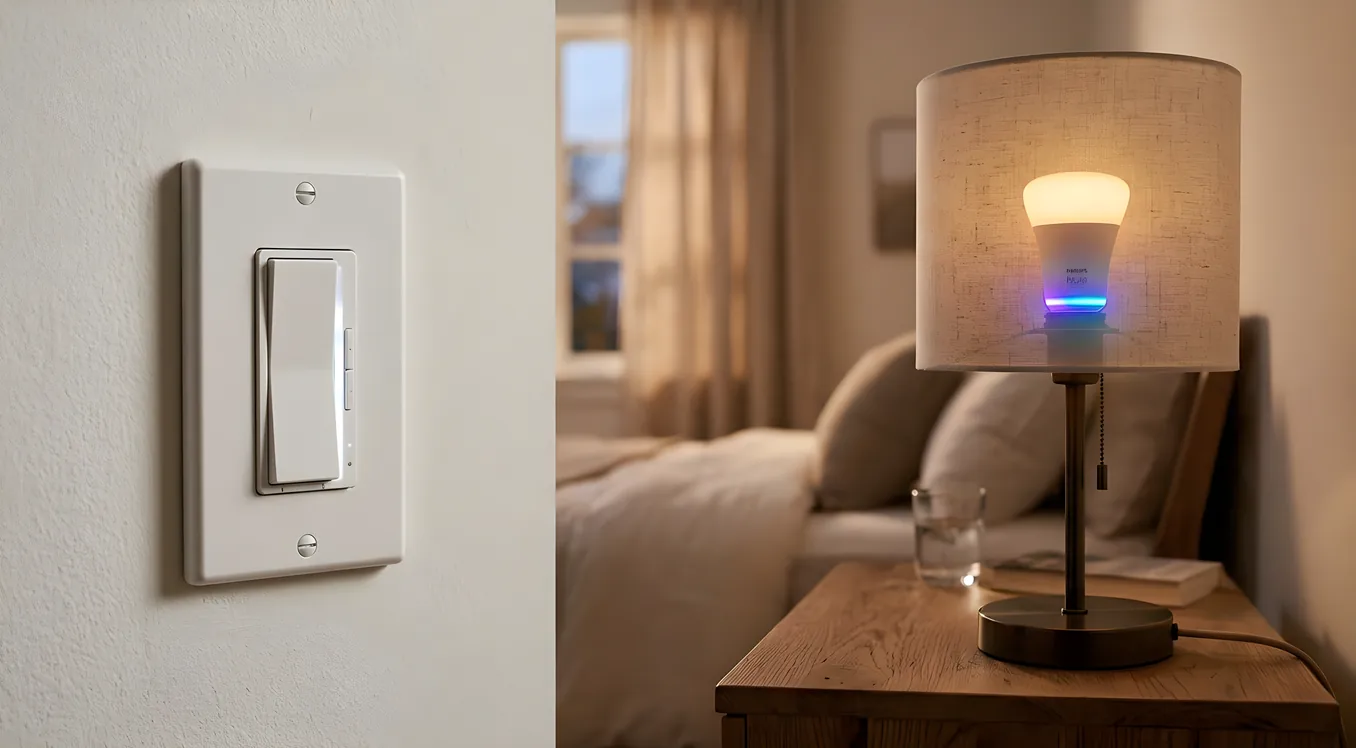
The smart lighting debate always sounds simple until you start buying things. Smart bulbs are cheaper per unit and you can order them from Amazon tonight. Smart switches require more installation work and cost more upfront. But by the time most homeowners have spent a year with one or the other, they have strong opinions about which they wish they had chosen from the start.
This is not a listicle of bullet points. It is the information you actually need to make this decision correctly for your home, with specific products, real costs, and the failure modes that manufacturers do not put in their marketing copy.
How Each Approach Actually Works
Smart bulbs contain the control electronics inside the bulb itself. The bulb connects directly to your Wi-Fi network (or a Zigbee/Z-Wave hub), and you send commands to the bulb. The wall switch remains a dumb mechanical device that interrupts power to the fixture. Philips Hue A19 bulbs (around $15 each for white ambiance, $25 to $50 for color), LIFX A19 ($35 to $50 each), and Sengled Element bulbs ($8 to $12 each for basic white) are typical examples across the price range.
Smart switches replace the wall switch itself. The switch connects to your network and controls power to the fixture. The bulbs stay ordinary. Lutron Caseta dimmers run $60 to $80 per switch. GE Cync smart switches are around $25 to $35. Leviton Decora Smart Z-Wave dimmers run $45 to $65. Lutron RadioRA 3 keypads, used in professional installations, start around $150 per switch and go higher. The bulbs in those fixtures can be any standard LED you prefer.
Both approaches can be controlled by voice, app, schedule, or automation. That part works roughly the same. The differences are in reliability, household compatibility, cost at scale, and what happens when someone flips the wall switch.
The Wall Switch Problem
This is the central issue with smart bulbs that almost every review undersells.
Smart bulbs need continuous power to stay connected to your network. The moment someone flips the physical wall switch off, the bulb loses power, loses its network connection, and cannot receive commands. It becomes a very expensive regular bulb.
In a single-person household where you control the habit, this is manageable. In a home with a spouse, kids, or guests, you will spend time explaining “please do not use the wall switch, use the app.” This instruction fails constantly. Someone turns off the kitchen light on the way out, and now Alexa cannot turn it back on from the bedroom. Someone turns off the switch before a party scene starts. The habit enforcement required to make smart bulbs work reliably in a shared home is genuinely exhausting.
There are partial workarounds. Philips Hue sells a Dimmer Switch (around $25) that mounts over existing switches and sends commands to the bridge rather than cutting power. IKEA Tradfri wireless dimmers work similarly. These solve the habit problem but add cost and look slightly awkward to most homeowners. Lutron sells the Aurora ($40), a dial that snaps over a standard rocker switch and sends Zigbee commands to Philips Hue bulbs directly. It works well but requires the switch to always stay physically in the on position underneath.
Smart switches have no wall switch problem because the switch IS the smart device. The wall switch experience is identical to what your family already knows. Press up to turn on, press down to turn off, hold for dim. No behavior change required. Guests can use your lights normally. This single factor is why most professional integrators default to smart switches for whole-home projects.
Cost Comparison at Scale
Individual unit cost comparisons are misleading. The real comparison happens when you calculate what it costs to make an entire room or entire home smart.
Take a living room with six recessed cans and a ceiling fan, controlled by two wall switches. With smart bulbs, you need six smart bulbs at roughly $20 to $50 each (depending on whether you want color or just white dimming), plus the hub if you are using Philips Hue ($60 for the Hue Bridge), plus a workaround for the wall switches. Budget $200 to $350 for the room.
With a smart switch, you replace the two existing switches with smart dimmers at $60 to $80 each (Lutron Caseta), leave the six cans with standard LED bulbs at $5 to $10 each, and you are done. Budget $180 to $220 for the room, with no hub required if you add the Lutron Smart Bridge ($80) to control the whole home from one place.
At the room level, the numbers are close. Across a 30-switch home, the math shifts noticeably toward smart switches. You are replacing 30 switches at $60 to $80 each (Lutron Caseta scale, roughly $1,800 to $2,400) versus potentially 80 to 150 smart bulbs at $15 to $40 each, plus hubs, plus workaround hardware. The smart bulb approach at whole-home scale can easily exceed $3,000 to $5,000 and still not work as reliably.
Professional systems like Lutron Caseta and RadioRA 3 change the calculation further. RadioRA 3 switches are $120 to $180 each but operate on a dedicated RF mesh that does not touch your Wi-Fi at all, making the system dramatically more reliable in large homes with hundreds of devices.
What Smart Bulbs Do That Switches Cannot
There are two areas where smart bulbs genuinely win, and it is important to be honest about them rather than dismissing the category.
Color and tunable white. A smart switch dims the lights but cannot change their color temperature or hue. A Philips Hue color bulb ($50) can produce 16 million colors and any color temperature from 2,000K to 6,500K. This matters for a few specific use cases: home theaters where you want red bias lighting, kids’ rooms where color is a delight, and circadian lighting setups where you shift from warm 2,700K in the evening to cool 5,000K during work hours.
That said, there is a professional alternative. Ketra tunable LED systems, made by Lutron, deliver full-spectrum tunable white and color through standard-looking fixtures using smart switches as the control layer. A Ketra installation costs significantly more than Hue bulbs but operates through Lutron’s reliable RF system, works with standard wall switches and keypads, and produces lighting quality that Hue cannot match in terms of color accuracy and spectral output. For a serious whole-home circadian lighting approach, the comparison between a Ketra system and Philips Hue is not really a comparison at all. For a single room experiment, Hue is perfectly reasonable.
Retrofit simplicity in apartments and rentals. Smart bulbs require zero electrical work. Screw them in and connect them to the app. If you rent, you take the bulbs when you leave. If you are not comfortable with electrical work and do not want to hire an electrician, smart bulbs are the only practical choice. Smart switch installation requires turning off the breaker, removing the existing switch, connecting new wires, and restoring power. Most homeowners can do this in 20 minutes with a voltage tester and a screwdriver, but some are not comfortable doing it, and not all wiring configurations are straightforward (three-way switches, four-way switches, and boxes without neutral wires each add complications).
The Reliability Gap
Reliability is the argument that moves most experienced smart home owners toward switches, even if they started with bulbs.
Wi-Fi-connected smart bulbs add load to your router. A home with 80 Hue bulbs on Zigbee through a Hue Bridge is relatively stable because Zigbee forms its own mesh network. A home with 80 Wi-Fi bulbs (common with LIFX, Kasa, or Wyze brands) can strain residential routers and create connectivity issues that are difficult to diagnose.
Smart bulbs also fail more often than switches, partly because the electronics inside a lightbulb experience more thermal stress than electronics in a wall switch. The radio module runs every time the bulb is powered, the chip gets warm, and over time failure rates climb. The Philips Hue ecosystem is generally better than average here, but even Hue bulbs die at higher rates than a quality dimmer switch.
Smart switches from Lutron, Leviton, and GE use dedicated RF protocols (Clear Connect for Lutron, Z-Wave for Leviton, Zigbee for many GE Cync devices) rather than relying on home Wi-Fi. Lutron’s Clear Connect RF operates at 434 MHz, a frequency with better wall penetration than the 2.4 GHz band most smart bulbs use. This makes Lutron systems notably more reliable in large homes and homes with thick walls, concrete, or brick construction.
For homeowners looking at professional-grade reliability, Lutron HomeWorks QSX represents the ceiling of what is available residentially, operating on a hardwired and wireless hybrid system with redundancy built in. At that level, you are not troubleshooting connectivity; you are just using your lights.
Three-Way and Multi-Switch Complications
If you have a light controlled by two switches (a staircase, a hallway, a room with doors at both ends), three-way switch wiring complicates both approaches.
With smart bulbs in a three-way setup, you need to keep both existing switches always in one physical position so power is never cut. Then you replace the physical switches with Lutron Pico wireless remotes or Hue Dimmer Switches that send commands to the bulbs rather than controlling power. This works, but it is a workaround requiring you to explain the system to every visitor who tries to use the switch normally.
With smart switches in a three-way setup, you replace the primary switch with a smart dimmer and the secondary switch with an auxiliary or remote switch. Lutron Caseta handles this with a Pico remote ($23) that pairs wirelessly to the Caseta dimmer, requiring no additional wiring between the two switch locations. This is the cleanest three-way solution available for retrofit installs. Traditional smart switch brands that require a wired auxiliary switch (like Leviton’s DSL06 or GE Enbrighten’s auxiliary) require a traveler wire between the two switch boxes, which some older homes lack.
Which Rooms Favor Smart Bulbs
Smart bulbs make the most sense in specific situations:
Bedside lamps and floor lamps that plug into wall outlets are prime candidates. There is no wall switch controlling them (or the switch is inconvenient), they have a single socket, and tunable color temperature genuinely improves the experience. A Hue bulb or a LIFX Mini ($25) in a bedside lamp that shifts from 5,000K at 7am to 2,200K at 9pm is a genuinely useful circadian tool that costs almost nothing to implement. See how smart homes use circadian lighting for the science behind why this matters.
Accent lighting in entertainment centers, bookshelves, or under-cabinet strips is another area where smart bulbs (specifically smart LED strips like Philips Hue Gradient Lightstrip at $80 to $180 for 2 to 3 meters) deliver effects that switches cannot replicate.
Rentals and apartments where electrical modification is prohibited or where you expect to move within a few years are obvious candidates.
Which Rooms Favor Smart Switches
Almost every room that is switch-controlled in a home that is owned, shared with others, or part of a larger automation project favors smart switches.
Recessed ceiling lighting in living rooms, kitchens, dining rooms, and bedrooms is the clearest case. The fixtures are fed by a single circuit through one or two switches. There is no reason to spend $30 to $50 per bulb on smart bulbs when a $60 to $80 Lutron Caseta dimmer can control the entire circuit and work perfectly with any standard LED bulb.
Outdoor lighting is another strong case for smart switches. Smart bulbs designed for outdoor use in exposed fixtures face moisture, temperature swings, and UV degradation. They also typically require outdoor-rated fixtures with accessible sockets, which limits installation options. A smart switch controlling outdoor floods or path lighting works with any fixture configuration and is dramatically more weatherproof.
Garages, laundry rooms, and utility spaces where color temperature and color have no value belong on smart switches. These are pure on/off or dim situations. Spending smart bulb money there is waste.
The Hybrid Approach (and When It Makes Sense)
Many homeowners end up with both, and that is not a failure of planning. It is an appropriate response to different room requirements.
A practical split for a typical 2,500 square foot home might look like: Lutron Caseta switches and dimmers throughout (living room, kitchen, dining room, all bedrooms, hallways, bathrooms, outdoor), paired with Philips Hue bulbs in bedside lamps, a home office desk lamp, and an entertainment center accent strip. The Caseta and Hue ecosystems both integrate with Apple HomeKit, Amazon Alexa, Google Home, and most professional platforms, so they work together without friction.
The important principle is to use switches as the default and add smart bulbs only where they deliver something switches genuinely cannot: plug-in lamps, color accent applications, or situations where electrical work is not possible.
If your home has motorized shades and a larger lighting control system, the case for uniformity around smart switches gets stronger. Mixing smart bulb ecosystems into a Lutron or Control4 environment adds integration complexity that professional integrators generally advise against.
Common Decision Mistakes
People frequently buy smart bulbs for their kitchen can lights because the per-unit price looks reasonable, then discover that three-way switches, habit enforcement with family members, and the visible latency when Alexa processes a command make the experience frustrating. They end up replacing everything with switches six months later, having spent money twice.
People also underestimate installation time for smart switches in older homes. A 1970s home may have no neutral wire in many switch boxes (neutral wires were not required until recently). Lutron Caseta dimmers do not require a neutral wire, which makes them the most retrofit-friendly professional-grade option. Many competing brands do require neutral wires, and adding them means running wire from the ceiling fixture box back down to the switch box, which is a real electrician job at $75 to $150 per switch location.
Another mistake is buying cheap Wi-Fi smart switches (some $15 to $20 no-name brands on Amazon) expecting reliability. Budget Wi-Fi switches often use Tuya firmware, which routes commands through a Chinese cloud server. If that server is down, your switches stop responding. Lutron’s Clear Connect is local. Z-Wave devices can run locally through a SmartThings or Home Assistant hub. Investing $60 in a Lutron Caseta dimmer versus $20 in a Tuya-based switch is not a 3x cost difference in practice; it is the difference between a light switch that works and one that becomes unreliable within 18 months.
Making the Final Call
If you are starting from scratch and you own your home: start with smart switches. Cover the entire home in Lutron Caseta or a comparable system. Then add smart bulbs in specific locations where color or tunable white genuinely adds value.
If you are in a rental: smart bulbs are the only practical option. Choose Philips Hue for the most reliable ecosystem with the widest integration support. Buy the Hue Bridge (v2, around $60) rather than using Bluetooth-only mode, which limits multi-room control.
If you are mid-project with a mix of both: do not rip out what works. Add smart switches for new rooms and switch-controlled circuits going forward. Keep the Hue bulbs in lamps and accent applications where they are performing well.
If you are working with a professional integrator on a larger project: the conversation is almost certainly about smart switches integrated into a control4, Savant, or Lutron ecosystem, with smart bulbs appearing only in specific circumstances where color rendering or tunable output is part of the design goal. Professional systems treat smart bulbs as specialty devices, not the default.
The Lighting section of this site covers the specific switch brands and ecosystems in detail. If Lutron is on your radar, the comparison between Caseta and RadioRA 3 is the right next read: they are both excellent, serve different project scales, and the choice between them affects how your whole lighting system gets designed.