Smart Home for Aging in Place: Independence Through Automation
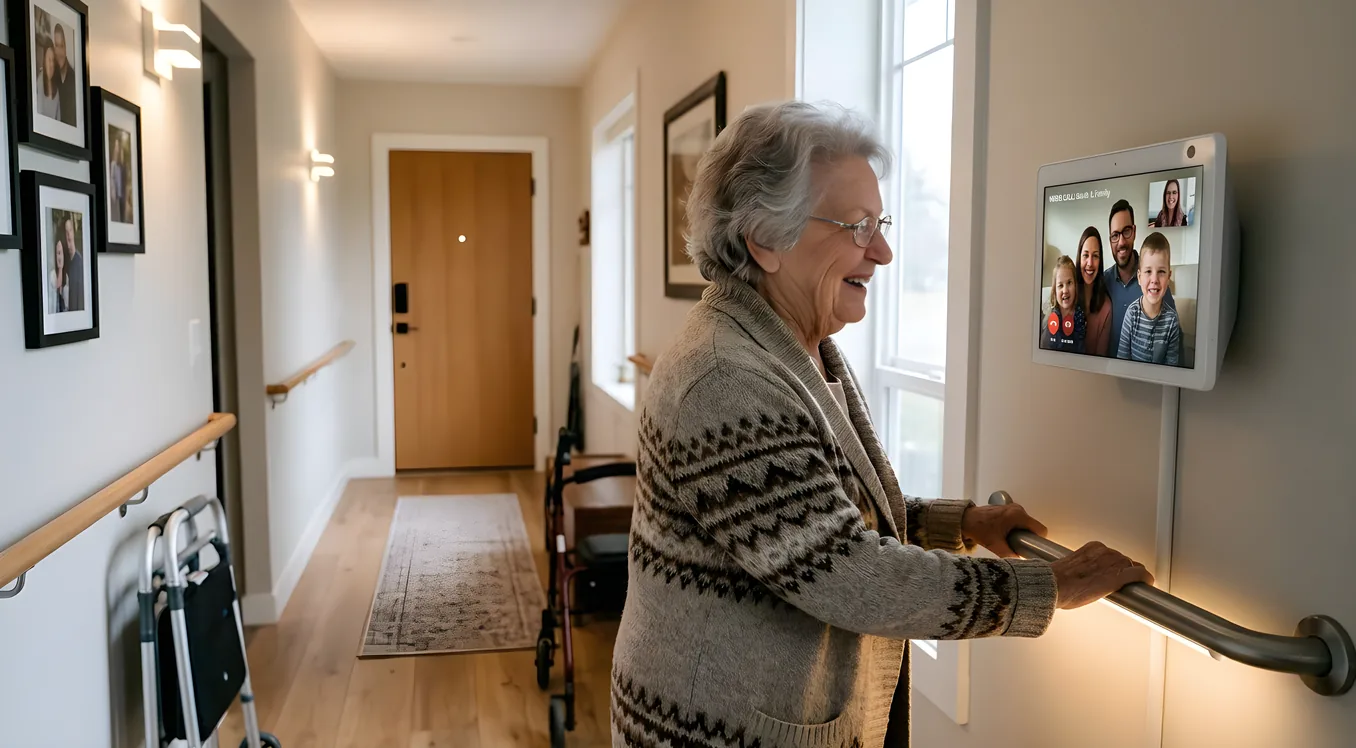
Roughly 90 percent of adults over 65 say they want to stay in their own homes as they age. The gap between wanting that and actually making it work safely is often a question of whether the home can adapt faster than mobility and cognition decline. Smart home automation is one of the most practical tools for closing that gap, but only if you approach it with the right priorities.
This is not about voice assistants or entertainment. It is about reducing the physical demands of daily life, creating safety nets that work without human intervention, and keeping older adults connected without making them feel monitored. Done right, a smart home for aging in place gives the person living in it more control, not less.
What “Aging in Place” Actually Requires From a Smart Home
Before you start specifying systems, it helps to think about which physical and cognitive tasks become harder over time and which ones automation can realistically take over.
Mobility decline shows up in the difficulty of walking to the thermostat, reaching for light switches at night, turning knobs and handles, climbing stairs to check on something, or getting to the door quickly enough to catch someone knocking. Falls are the leading cause of injury death in adults over 65. Lighting that comes on automatically, door systems that eliminate sprinting to answer the door, and staircases that are well-lit at night are not luxuries. They are risk reduction.
Cognitive changes affect things like remembering to lock the door, turn off the stove, take medications, or respond to utility alerts. A smart home can offload these reminders and, in some cases, take action automatically when a person forgets.
Sensory changes, particularly in hearing and vision, affect whether someone can hear a doorbell, smoke alarm, or phone call from another room. Smart home systems can add visual alerts, vibration notifications, and multiple simultaneous signals that reach someone regardless of where they are in the house.
Finally, social isolation is a serious health risk for older adults living alone. Smart home technology can simplify video calling, make it easier to stay in touch with family, and help caregivers check in without requiring a physical visit every day.
Lighting: The Highest-Impact System
Automated lighting is where the return on investment is clearest for aging in place. Falls often happen at night when someone gets up for water or the bathroom and the path is dark. Lights that turn on automatically when motion is detected eliminate the need to find a switch in the dark.
Lutron Caseta is the most practical starting point for most retrofits. The Caseta wireless system requires no neutral wire, which matters in homes built before the 1990s where neutral wires at switch boxes were not standard. Individual dimmers run $60 to $80 each, and the Caseta Smart Bridge (required for app control and integration) costs around $80. A whole-house retrofit covering eight to twelve switches typically runs $700 to $1,200 in hardware, plus installation if you hire an electrician.
For a more comprehensive system with better integration into a whole-home control platform, Lutron RadioRA 3 is the professional upgrade. RadioRA 3 supports up to 200 devices per system, integrates with Control4, Crestron, and Savant platforms, and handles larger homes where Caseta’s range can become a limitation. The cost is higher, with keypads running $150 to $300 each and programming requiring a certified Lutron dealer.
The specific automation patterns that matter most for aging in place:
Pathway lighting: Motion sensors in bedrooms, hallways, and bathrooms trigger lights at 20 to 30 percent brightness when someone moves at night. This is enough light to navigate safely without being so bright it disrupts sleep. Lutron and Leviton both make occupancy-sensing switches that handle this without a hub. The Lutron Maestro Occupancy Sensor Switch ($45) is reliable and does not require any additional controller.
Dusk-to-dawn exterior lighting: Outdoor lights that turn on at sunset and off at sunrise remove one daily task entirely. Exterior steps and pathways that are dark at night are a fall risk, and this solves it automatically.
Leave-home and arrive-home scenes: When someone leaves the house, a single tap or a geofence trigger can turn off all interior lights, set the thermostat back, and lock the doors. When they return, the entry lights come on, the thermostat goes back to comfort level, and the front door unlocks. This kind of scene is available through any major platform: Control4, Apple HomeKit, Amazon Alexa, or Google Home.
Voice Control: Real Benefits and Real Limitations
Voice control is the feature most people associate with smart homes for seniors, but it deserves a realistic assessment. The benefits are real: someone who has difficulty walking to a thermostat or light switch, or whose hands make it hard to operate small buttons, can control most things in the house by speaking. Amazon Echo Show and Google Nest Hub Max are the two products most commonly deployed in this context. The Echo Show (8-inch or 10-inch screen) costs $130 to $230 and adds video calling, which simplifies staying in touch with family.
The limitations are also real. Voice control requires remembering the right phrasing, which can be inconsistent between platforms. It requires the person to be in the same room as a speaker, at a reasonable distance, and in a quiet enough environment for the microphone to pick up clearly. Hearing aids can interfere with how someone speaks and how they hear the device’s responses. And for someone with dementia or significant cognitive decline, voice control can become more confusing than helpful rather than less.
The practical approach: deploy voice control as one option among several, not as the primary interface. Physical keypads, large-button wall controls, and tablet interfaces that are always visible on a stand give options that do not depend on remembering phrasing or speaking clearly. Lutron makes keypads with large, clearly labeled buttons that can trigger scenes with a single press. These work even if every other system in the house is down.
Thermostats and Climate: Comfort Without Daily Adjustment
Older adults are more sensitive to temperature than younger ones, and both heat exhaustion and hypothermia are genuine risks. A smart thermostat removes the need to manually adjust the temperature throughout the day and can alert a family member if indoor temperature goes outside a safe range.
The ecobee SmartThermostat Premium ($250) includes remote room sensors ($80 each) that measure temperature and occupancy in specific rooms. This matters in a two-story home where the bedroom may be significantly cooler or warmer than where the thermostat is mounted. The ecobee will adjust heating and cooling to maintain comfort where the person actually is.
Nest’s Learning Thermostat ($130) is simpler and learns patterns over time, which can reduce the need for manual programming. Both integrate with Alexa and Google Assistant, and both have app-based remote access that lets a family member check and adjust the temperature from anywhere.
For more serious climate control in a larger home, a HVAC system tied into a Control4 or Crestron platform can incorporate multiple zones, air quality monitoring, and humidification control. The smart home cost breakdown article covers what these systems run at different scales.
Security and Access: Independence at the Front Door
The doorbell and front door are high-friction points for older adults. Walking quickly to the door, reaching locks, and managing keys when hands are less dexterous are all real challenges. Smart locks and video doorbells reduce these frictions substantially.
The Ring Video Doorbell Pro 2 ($250) and Nest Doorbell (wired, $180) both provide video calling at the door. Someone can answer the door from anywhere in the house using a tablet or phone without walking to the entrance. This is particularly valuable for people with mobility limitations or who need time to get to the door.
For smart locks, the Schlage Encode Plus (BE489WB, $300 to $350) is a Grade 2 certified Wi-Fi deadbolt with built-in keypad and Apple Home Key support. No hub required. Family members can be given their own PIN codes, and every entry is logged with a timestamp. The keypad eliminates keys entirely, which matters when arthritis makes inserting and turning a key difficult.
For a more integrated solution, Yale locks in the 226 or 256 series integrate with Z-Wave hubs and professional platforms. A Control4 system can be programmed to unlock the door when a family caregiver arrives, arm or disarm the alarm based on who enters, and send a notification to a family member when the door is opened at an unusual time.
The Ring Alarm Pro ($300 for the 14-piece kit) includes professional monitoring starting at $10/month and can trigger voice alerts throughout the house if a sensor is triggered. This is valuable for someone who may not hear a traditional alarm from another part of the house.
Fall Detection and Emergency Response
Fall detection is the piece that distinguishes a genuine aging-in-place system from a collection of smart gadgets. The most reliable approach combines passive monitoring with a personal emergency response device (PERS).
Wearable PERS devices like the Apple Watch Series 10 (which has built-in fall detection and Emergency SOS) or Medical Guardian MGMove provide fall detection that travels with the person. Apple Watch fall detection, when Fall Detection is enabled in the Watch app, calls emergency services and sends an alert to family contacts if it detects a hard fall and the wearer does not respond within 30 seconds. It also works outdoors, which stationary home sensors cannot.
Home-based passive monitoring systems like Amazon Alexa Together ($20/month) provide activity monitoring without requiring the person to wear anything. The system learns normal activity patterns and can alert family members if no activity has been detected for an unusual period. This is less specific than fall detection but more practical for someone who will not reliably wear a device.
Radar-based fall detection systems like Vayyar Home use 4D imaging radar mounted on a wall to detect falls without cameras. There is no image captured (privacy is preserved) and nothing to wear. The Vayyar Home device costs around $100 with a subscription plan. It covers a room with roughly 700 square feet of detection area and can distinguish between sitting, standing, and lying down.
For high-risk situations, combining a wearable with a room-based system provides redundancy. If the wearable is not on or has a dead battery, the room sensor is still active.
Stove and Kitchen Safety
Leaving the stove on is one of the most common kitchen hazards for older adults with memory concerns. There are several layers of protection available.
The Wallflower Smart Plug ($50) monitors your existing electric stove by plugging between the stove and the outlet. It detects when the stove is on, can be set to automatically turn it off after a specified time, and alerts family members via app. It works with any standard electric stove without modification.
For a more complete solution, the iGuardStove is a battery-powered device that clips to the stove knobs and turns them off automatically if it detects an unusual pattern. The monitoring subscription is around $10/month.
Gas stoves are more complicated because they cannot simply have power cut. A natural gas detector (Kidde or First Alert, $30 to $50) is essential in any home with gas appliances, and smart models with Wi-Fi can send alerts to a phone if gas is detected. Connecting a gas detector to a smart home system allows it to trigger other actions: shut off HVAC to prevent circulation, send alerts to multiple family members, and unlock the front door for responders.
Remote Monitoring and Family Coordination
A smart home for aging in place is not just about the person living there. It is also about giving family members reliable ways to check in without constant phone calls.
Most major platforms offer family account features. Apple Home allows multiple users on a single account, so a daughter in another city can see whether lights have been on or off, whether the door has been opened, and whether the thermostat is at a reasonable temperature. This is passive monitoring: no cameras, no privacy invasion, just sensor data.
For families that want more structured monitoring, platforms like CaringBridge or specialized tools like Nobi (a smart light that includes fall detection) are designed specifically for this context.
One approach worth knowing about: a tablet mounted permanently in the kitchen on a stand with a simplified interface. Control4 and Crestron both offer in-wall touchscreen panels that show the key controls (lights, thermostat, locks, TV, intercom) in a large-format display. These cost $800 to $2,500 installed and are the most reliable interface option because they do not require picking up a phone, unlocking a screen, or finding the right app. For a family working with a professional integrator, this is often the right anchor for the system. If you are evaluating integrators, the guide to choosing a smart home integrator covers the questions to ask and the warning signs.
What a Practical Build Looks Like: Three Budget Tiers
Basic DIY system ($2,000 to $4,000): Lutron Caseta lighting with occupancy sensors on bedroom, hallway, and bathroom switches. Ring Video Doorbell and Ring Alarm Pro. Schlage Encode Plus on the front door. ecobee SmartThermostat with two remote sensors. Amazon Echo Show 10 in the kitchen. This covers the core safety and convenience use cases without professional installation. See the budget smart home guide for more on DIY-first approaches.
Mid-range professionally installed system ($8,000 to $18,000): Lutron RadioRA 3 lighting with keypads throughout. Control4 EA-1 controller with 7-inch touchscreen. Nest cameras on exterior and a Ring Video Doorbell for the front door. Yale Z-Wave lock integrated with the Control4 system. ecobee with full zoning. A Vayyar Home unit in the bedroom. This tier gives you a unified system with professional programming and a single app or keypad for everything.
Comprehensive system ($25,000 and up): Control4 CA-10 or Crestron MC4 controller handling lighting (Lutron RadioRA 3 or Ketra), HVAC zoning, motorized shades, security, cameras, intercom, and whole-home audio via Sonos or a Sonance distributed audio system. In-wall touchscreen panels in key rooms. Full Vayyar or similar passive fall detection. Professional ongoing support contract. This tier is appropriate for a larger home or a homeowner who wants the system to work with minimal technical involvement from anyone.
For homes that are being built new or going through a major renovation, this is the ideal time to get the wiring right. The pre-wire guide for new construction covers what to run in the walls before drywall goes up, which is far cheaper than doing it afterward. For existing homes, the retrofit guide covers what can and cannot be done without opening walls.
Starting Points That Actually Move the Needle
The most common mistake in aging-in-place smart home projects is starting with entertainment or convenience features when safety should come first. The sequence that makes sense for most families:
First, address lighting. Night-time pathway lighting and exterior step lighting eliminate the highest-risk daily hazard. This is also the easiest thing to retrofit and the most immediate visual result.
Second, address access. A video doorbell and a keypad smart lock reduce two daily friction points. These can be installed in an afternoon.
Third, address climate. A smart thermostat removes the daily management burden and provides remote visibility if something goes wrong.
Fourth, add emergency response. A wearable or passive fall detection system provides the safety net that the other technology cannot replace.
Fifth, add monitoring and communication tools. Tablets, voice interfaces, and family monitoring apps extend the system’s value once the safety foundation is in place.
A professional integrator can scope and install all of this in one project, which is usually more cost-effective than piecemeal additions over time. But even a DIY approach starting with lighting and access control delivers real safety benefits from day one.
Building a Home That Grows With You
The best aging-in-place smart home is one designed to adapt. Platforms like Control4 and Crestron are built to add devices over time without replacing the core system. Lutron Caseta can scale from two switches to 75 before you need to upgrade to RadioRA 3. The systems that serve someone well at 68 can be expanded with more monitoring and less physical interaction required at 78 or 88.
The goal is not a home optimized for frailty. It is a home that removes unnecessary friction, creates reliable safety nets, and keeps the person living in it in charge of their own daily life for as long as possible. That is what good automation does, at any age.