Amazon Alexa Smart Home: The Mass-Market Platform
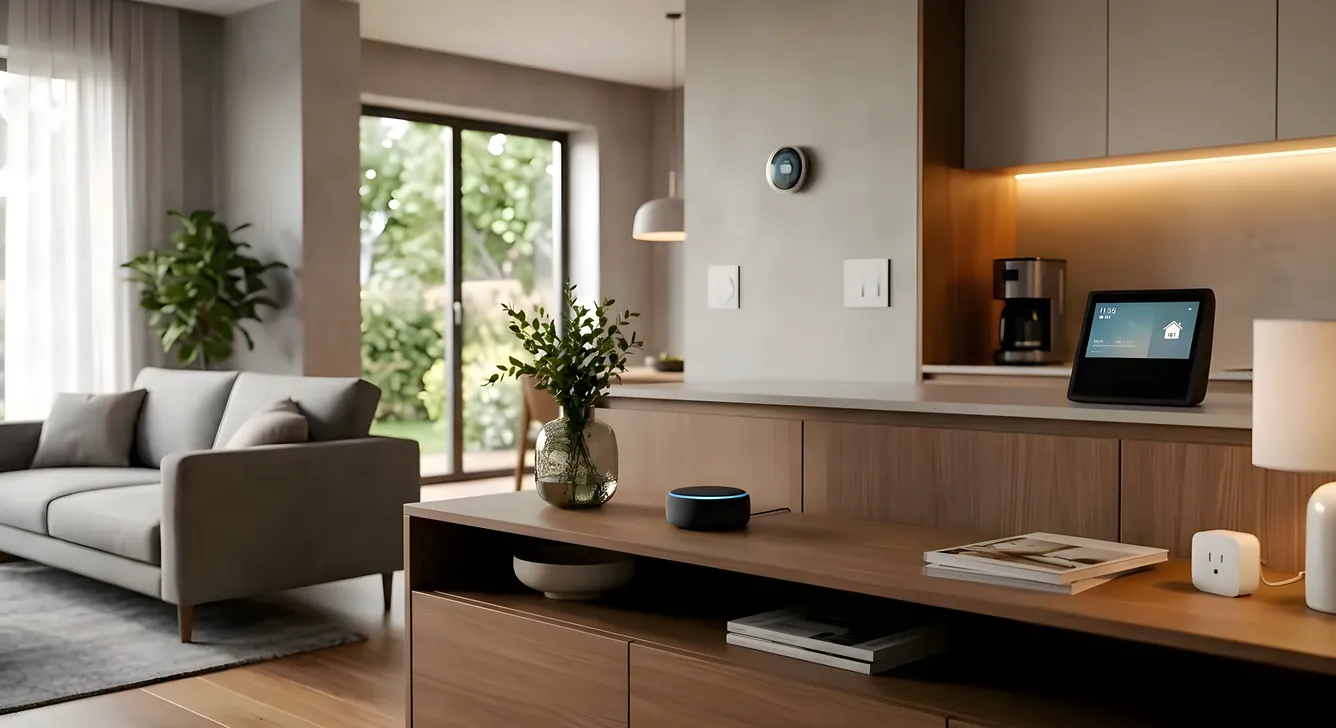
Somewhere around 500 million devices now run Alexa. That number, from Amazon’s own disclosures, makes it the largest deployed voice-assistant ecosystem on the planet. For a homeowner researching smart home options, that scale matters in ways that aren’t immediately obvious. It means near-universal device compatibility. It means abundant support documentation. It means integrators, electricians, and tech-savvy neighbors who have probably worked with it. It also means you’re building on a platform tied to a retailer whose primary interest is selling you more products.
That context shapes everything worth knowing about the Alexa smart home ecosystem: what it does exceptionally well, where it has real limitations, and who it’s actually the right choice for.
What the Alexa Ecosystem Actually Is
Alexa is Amazon’s cloud-based voice assistant, but calling it a voice assistant undersells its role in smart home architecture. It functions as a hub-layer: a common command interface and automation engine that connects devices from thousands of manufacturers under a single control surface.
The hardware anchor is the Echo product line. The Echo Dot (4th and 5th generation, $49.99) handles audio in smaller rooms. The Echo (4th generation, $99.99) delivers noticeably better sound. The Echo Show 10 ($249.99) adds a 10.1-inch rotating display with a built-in camera and Zigbee hub, which changes the calculus significantly for device connectivity. The Echo Plus and the earlier Echo (3rd gen) had built-in Zigbee radios; Amazon has now folded that functionality into the Show 10 and selected other devices.
The Zigbee integration is important. Zigbee is a mesh protocol that lets devices communicate directly on a local network rather than routing everything through Wi-Fi. A home with 30 smart bulbs doesn’t need 30 Wi-Fi connections eating router bandwidth. The Echo Show 10 functioning as a Zigbee coordinator lets you run Philips Hue, IKEA Tradfri, Sengled, and dozens of other Zigbee-native devices without a separate hub.
Alexa also supports Z-Wave through third-party hubs (SmartThings, Hubitat, Wink) and Matter, the cross-platform smart home standard that Amazon, Apple, Google, and the Connectivity Standards Alliance co-developed. Matter support arrived via software update in late 2022 and has expanded since. It’s the closest the industry has come to genuine interoperability across ecosystems.
The Device Compatibility Advantage
The practical benefit of Alexa’s market position: if you’re buying a smart home device in 2024, it almost certainly says “Works with Alexa” on the box. Ring doorbells and cameras (Amazon owns Ring). Nest thermostats from Google. ecobee thermostats with their own built-in Alexa microphone. Lutron Caseta switches. Sonos speakers. August smart locks. Schlage, Yale, and Kwikset lock lines. Chamberlain and LiftMaster garage systems via the myQ bridge. Virtually the entire Philips Hue catalog.
That breadth creates a genuine advantage for piecemeal expansion. You can start with an Echo Dot and two smart plugs, add smart lighting over several months, layer in a video doorbell, and eventually connect a smart thermostat. Nothing forces you into a single purchase commitment upfront. For renters or homeowners who want to test smart home features before committing to a larger system, this matters.
The flip side: “Works with Alexa” certification requires manufacturers to meet basic connectivity requirements but doesn’t guarantee deep integration. Some devices expose only basic on/off or volume control through Alexa while their native apps offer far more granular control. A Sonos system, for example, supports Alexa voice commands for play/pause and volume, but Sonos’ own app gives you room grouping, EQ adjustment, and queue management that Alexa can’t touch.
Alexa Routines: Where the Automation Lives
Alexa Routines are the automation engine, and they’ve improved considerably from the early days of simple “if this then that” logic. A Routine can trigger from a voice command, a schedule, a sensor event (motion, door open, temperature threshold), a location (geofencing via your phone), or another Routine completing.
Actions within a Routine can include voice responses, smart home device control, music playback, news briefings, IFTTT calls, and notifications to the Alexa app. You can chain delays: turn on the porch light at dusk, wait 30 minutes, then also turn on the entryway lamp.
The limitation that experienced users hit quickly: Routines don’t support conditional branching. There’s no “if the motion sensor fires AND it’s after 10pm AND the front door is unlocked, then…” logic. You get linear sequences, not decision trees. Workarounds exist through IFTTT (with its own latency and reliability issues) or through bridging to a dedicated home automation controller. Hubitat, in particular, has built a following among Alexa users who want rule-engine depth while keeping voice control.
For households that primarily want scheduling, basic automations, and voice-triggered scenes, Routines cover most of what they’ll actually use. For anyone wanting complex multi-condition logic, the native tool runs out of road.
Where Alexa Falls Short
Privacy deserves direct discussion, not footnote treatment. Every Alexa voice command routes through Amazon’s cloud servers. The device is always listening for the wake word, and Amazon retains recordings unless you proactively delete them and disable that data storage. Amazon has previously shared Alexa recordings with law enforcement in response to court orders. For homeowners who value privacy, this is not a minor caveat.
The contrast with something like Josh.ai: The Privacy-First Voice Control System is meaningful here. Josh.ai processes voice locally on-device with no cloud routing for standard commands. That’s a fundamentally different architecture, at a fundamentally different price point, but worth understanding when evaluating what you’re trading for Alexa’s convenience.
Local processing is a related limitation. Most Alexa features require active internet. A router outage means voice control goes down, automations that trigger through the cloud fail, and the Echo reverts to a Bluetooth speaker. Some devices maintain last-commanded state or have local fallbacks (Lutron Caseta’s hub operates locally even when cloud is unreachable), but the Alexa layer itself needs internet. Professional platforms from Control4 Smart Home System: Complete Buyer’s Guide and Crestron run automation logic locally, which means a power cycle or ISP outage doesn’t break your ability to control your own home.
Reliability in multi-step automations can be inconsistent. Users who run extensive Alexa ecosystems learn to expect occasional failed routines, devices that drop off Wi-Fi, and the “I found several devices with that name” disambiguation problems that come from organic system growth without naming conventions.
The audio quality ceiling on Echo hardware is also a real consideration. The Echo (4th gen) at $99.99 is adequate background audio. It’s not a replacement for a properly configured whole-home audio system using Sonos, Denon HEOS, or a distributed audio setup from an integrator. Amazon’s own Echo Studio ($199.99) with Dolby Atmos support is the best-sounding Echo, but it still competes with entry-level smart speakers rather than serious audio equipment.
Alexa vs. Apple HomeKit
The two most common consumer platforms get compared constantly, and the comparison is genuine rather than manufactured. Apple HomeKit: What It Does Well and Where It Falls Short prioritizes local processing (via the Apple TV or HomePod as home hub), tighter privacy controls, and deep integration with iOS devices. Alexa prioritizes device breadth, Android compatibility, and lower hardware cost.
If your household runs entirely on iPhone, iPad, and Mac, HomeKit’s native integration with the Apple ecosystem is hard to match. Siri suggestions in Control Center, the Home app on iPhone, and HomeKit scenes that trigger from Focus modes all work because Apple controls both the smart home layer and the device layer.
If your household has a mix of iOS and Android devices, or if you want maximum device selection (HomeKit’s certified device list is notably smaller than Alexa’s), Alexa wins on practical compatibility. Android users have no native HomeKit app.
The two platforms also increasingly coexist via Matter. A Matter-certified device can pair with both Alexa and HomeKit simultaneously, letting households with mixed device preferences share control without forcing a single platform.
Alexa in Professional Installations
Most professional smart home integrators don’t build Alexa-primary systems. The platforms they use, including Crestron Home Automation: Enterprise-Grade for Residential, Control4, and Savant, have their own robust control layers and native apps. Alexa gets added as a voice control option on top of these systems rather than as the core infrastructure.
This is actually a sensible architecture. The integration usually works through a custom skill or the manufacturer’s Alexa integration (Control4 has one; Crestron has one). You ask Alexa to trigger a scene, Alexa sends that command to the control system, and the control system executes it locally. Voice goes to the cloud; execution stays on the local network. It captures the voice convenience without making cloud reliability a single point of failure for your automation.
Where professional integration gets complicated: Alexa’s naming and grouping conventions don’t map cleanly onto how professional systems organize rooms, zones, and scenes. A Crestron project with 12 lighting zones has descriptive scene names chosen by the programmer. Getting those to respond naturally to voice requires thoughtful naming that works in both the Alexa interface and the native app. Installers who do this regularly know the patterns; first-time DIY attempts can produce frustrating results.
What a Realistic Alexa Smart Home Costs
The entry point is genuinely low. An Echo Dot at $49.99, a couple of Kasa smart plugs at $12-15 each, and a Philips Hue starter kit (two bulbs plus hub) at $79.99 builds a functional starting system for under $200. That’s the real-world cost that drove mass adoption.
Scaling up adds cost non-linearly. Smart switches to replace dumb switches run $40-80 each (Lutron Caseta PD-6ANS at $59.95 is a common recommendation for reliability). A full house of 20 switches lands you at $1,200-1,600 in hardware alone, before installation labor. A smart thermostat like the ecobee SmartThermostat Premium adds $249.99. Smart locks from Schlage (the Schlage Encode Plus at $299.99) or August (Smart Lock Pro at $249.99) add entry-point automation.
A realistically outfitted 2,000-square-foot home with Alexa voice control, smart lighting throughout, one thermostat, a video doorbell, and a couple of smart locks runs $3,000-6,000 in hardware. DIY installation keeps labor costs minimal. Hiring an electrician to install smart switches adds $50-100 per switch depending on your market.
This is meaningfully less than professional platforms. Savant Smart Home: What It Costs and What You Get typically runs $30,000-100,000+ for whole-home installations. The delta is real, and it’s worth asking what you get for it: reliability guarantees, local processing, dedicated programming labor, professional support, and hardware-level quality that Amazon’s consumer hardware doesn’t attempt to match.
The Amazon Ecosystem Lock-In Question
A reasonable concern when building around any platform: what happens if Amazon changes direction? Amazon has discontinued products (the Echo Look, the Echo Connect, the Dash Wand) and has sunset integrations without meaningful notice. The broader Alexa investment direction under pressure from voice assistant economics has raised questions about long-term commitment.
This isn’t hypothetical paranoia. Homeowners who invested significantly in Wink hub infrastructure learned that lesson when Wink abruptly moved to a subscription model and the company’s future became uncertain. Platform risk is real.
The Alexa-specific mitigation: most smart home hardware isn’t exclusively Alexa-dependent. A Lutron Caseta switch works with Alexa, HomeKit, Google Home, and SmartThings. Philips Hue bulbs can connect to any Matter-capable controller. Building with interoperable hardware reduces the cost of switching voice platforms if the need arises. The Echo hardware itself is easily replaced; it’s the time investment in naming conventions, routines, and group configurations that’s harder to migrate.
Who the Alexa Smart Home Is Right For
Renters who want smart home features without rewiring: the plug-in device ecosystem (smart plugs, portable sensors, small Echo speakers) is perfect. No electrician required, nothing attached to the building that can’t move.
Homeowners who want incremental upgrades over time: Alexa’s breadth means each addition is likely to be compatible. You’re not locked into a single manufacturer’s ecosystem for expansion.
Households on a defined budget who want broad smart home coverage at consumer prices: a $3,000-5,000 DIY Alexa system covers most comfort and convenience automation that homeowners actually use day-to-day.
Tech-comfortable users who don’t mind occasional troubleshooting: Alexa rewards people who can name devices systematically, manage Routines, and occasionally restart a hub when something stops responding.
It’s less appropriate for homeowners who prioritize privacy, who want enterprise-grade reliability without internet dependency, who expect professional support with service-level guarantees, or whose primary goal is serious whole-home audio and video control. Those use cases point toward professional platforms with dedicated integrators.
Getting the Most from an Alexa System
Naming conventions matter more than almost any setup decision. Devices named consistently (“Kitchen Lights” not “The Lights Under the Cabinets Over the Island”) save hours of frustration over time. Groups in the Alexa app that match room names you’d actually use in conversation make voice control feel natural rather than mechanical.
The Alexa Guard feature, which uses Echo microphones to listen for smoke alarms, CO alarms, and breaking glass, is worth enabling if you rely on Echo hardware in occupied rooms. It’s a useful safety layer at zero additional cost.
Matter-certified devices are worth prioritizing for new purchases. The extra upfront investment in Matter hardware buys flexibility: if you later add Apple TV 4K as a HomeKit hub, or switch to a Google Home primary interface, Matter devices follow.
Local control redundancy matters more than most reviews emphasize. Identify the critical automations you’d lose during an internet outage and make sure they have fallbacks. A Lutron Caseta hub maintains lighting control locally. An August smart lock can be operated manually or by the Bluetooth-connected app. Building in those fallbacks prevents the most frustrating outage scenarios.
The Honest Bottom Line
Alexa succeeded because it lowered the barrier to smart home adoption to the point where tens of millions of households could reasonably participate. That’s a genuine contribution to the category. The Echo hardware is affordable, the device ecosystem is enormous, and the setup experience for basic functionality is as simple as it’s ever been in smart home history.
The honest limitation: Alexa is a consumer platform designed around Amazon’s retail interests, built on cloud infrastructure, and optimized for broad appeal rather than deep control or privacy assurance. For homeowners whose smart home ambitions grow beyond scheduling lights and checking the weather, Alexa works better as a voice layer on top of a more capable system than as the primary infrastructure.
Understanding that positioning early saves money and frustration. Buy the Echo hardware for what it genuinely does well. Pick device brands with broad compatibility rather than Alexa-exclusive products. And if your requirements eventually outgrow consumer automation, the transition to professional infrastructure is easier when your hardware choices were interoperable from the start.