Crestron Home Automation: Enterprise-Grade for Residential
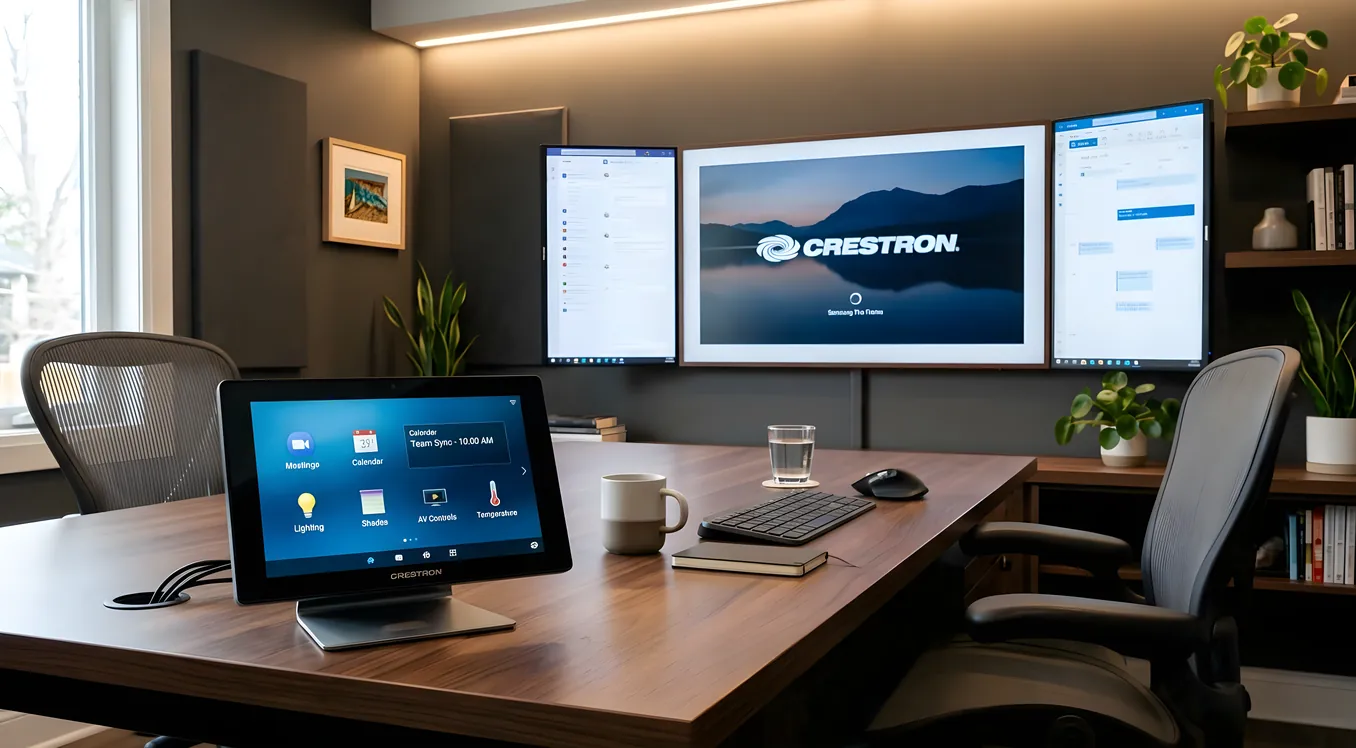
Crestron Home Automation: Enterprise-Grade for Residential
Crestron has been wiring boardrooms, auditoriums, and government facilities since 1971. The same processor sitting inside a Pentagon briefing room or a Fortune 500 conference center can run your lights, HVAC, shades, security, and AV from a single touchscreen. That heritage shapes everything about the residential experience: the depth of capability, the installation complexity, and the price.
If you’re researching Crestron for a home project, you’re probably not looking for a weekend DIY setup. You’re likely building or renovating something significant, or replacing an aging system that can’t keep up. This guide covers what Crestron residential actually delivers, what it realistically costs, how it compares to Control4 and Savant, and when its enterprise DNA is an advantage versus an expensive mismatch.
What Makes Crestron Different From Consumer-Grade Systems
Most smart home platforms are built outward from a consumer product. A thermostat, a light switch, a voice assistant. Crestron started from the opposite direction: industrial control logic designed to handle the most demanding commercial environments, then adapted for residential use.
The practical result is a platform built around processors, not apps. The brain of a Crestron system is a dedicated control processor, such as the CP4 (four-series) or the newer CP4-N with built-in network switch. These run SIMPL or C# programming, not a point-and-click interface. When an integrator programs your system, they’re writing actual control logic. A “good morning” scene that raises shades to 40%, sets HVAC to 70 degrees, turns on specific lights at 30% warm white, and starts a morning playlist on your Sonos system is not a preset button: it’s a program that executes sequentially with conditions, error checking, and fallback behavior.
That matters because consumer platforms rely on cloud routing and app-layer logic. When the cloud is down, or the manufacturer discontinues the product, behavior changes unpredictably. Crestron runs locally, on your hardware. The programming lives on the processor. Nothing changes unless an integrator reprograms it.
The Crestron Residential Product Line
Crestron sells residential-specific hardware alongside its commercial lineup. The distinction matters for buyers because residential-oriented gear is designed for aesthetics and simplified install paths, even if the underlying processor is the same class.
Crestron Home OS is the residential-focused software layer, introduced in 2018 and updated continuously since. It runs on the MC3 or PYNG-HUB processors and provides a more consumer-friendly setup tool compared to programming SIMPL from scratch. Crestron Home OS handles lighting, climate, shades, security, and AV without requiring a certified programmer for every scene change. An integrator can deploy it faster than a fully custom SIMPL program. The tradeoff is less flexibility compared to fully custom programming.
Crestron Home OS 4 (the current generation) added Apple Home and Google Home integration, voice control support, improved app responsiveness, and a redesigned mobile interface. It runs on dedicated hardware rather than a shared computer, which means updates don’t break your control system the way a Windows update might disrupt a PC-based controller.
Touchscreens and interfaces: Crestron’s TSW-770, TSW-1070, and TSW-1060 are wall-mounted touchscreens ranging from 7 to 10.1 inches. The TSW-770 lists around $1,200 to $1,500 at MSRP; integrators typically add markup. These screens run fast because they connect directly to the processor over the network, not through a cloud relay. Keypads include the Cameo series, which offers a physical button experience that aging-in-place homeowners often prefer to touchscreens.
Shading: Crestron’s own motorized shading line (CSM-QD series for quiet-drive motors) integrates natively. The advantage is tight synchronization: shades, HVAC, and lighting can coordinate based on time of day, occupancy, and sun position without the delay that comes from bridging third-party protocols. Many integrators also pair Crestron with Lutron shading given Lutron’s shade motor quality, which works well via native integration.
Lighting control: Crestron makes its own dimmer and switch modules (CLW-DIM8-E for 8-channel dimmer, for example) that mount in a standard rack or structured wiring panel. Unlike Lutron Caseta or RadioRA3, which use dedicated wireless protocols, Crestron wired lighting requires each fixture location to be home-run back to a central panel. That’s a planning requirement for new construction or major renovation, not something easily retrofitted.
For retrofit situations, Crestron supports integration with Lutron RadioRA3 and Lutron GRAFIK Eye QS, letting you put Lutron’s wireless keypads and dimmers on the wall while Crestron handles the overall logic.
Integration Depth: What Crestron Actually Controls
Crestron’s commercial roots mean its device driver library is enormous. The company maintains over 25,000 device drivers, covering AV receivers, projectors, matrix switchers, IP cameras, HVAC systems, access control panels, and more. For a homeowner building a serious home theater with a 4K laser projector, a 17-channel Trinnov audio processor, and a 165-inch screen, Crestron can control all of it from a single interface with reliable, low-latency command handling.
That integration depth extends to security. Crestron integrates with DSC, Honeywell, and Elk panel systems. It can arm and disarm zones, display camera feeds, and trigger automation based on alarm states. When the alarm goes off at 2 AM, a Crestron program can turn on every exterior light at 100%, send you a push notification, and unlock a specific door for emergency responders, all in sequence and without requiring manual intervention.
HVAC integration goes beyond basic thermostat control. Crestron can communicate directly with Daikin, Mitsubishi, and LG VRF systems via native drivers, controlling individual zone temperatures, fan speeds, and modes from the same interface controlling everything else. For homes with hydronic radiant heat or multi-zone forced air, this unified control matters.
Josh.ai integrates with Crestron for voice control and is worth considering alongside Crestron’s native voice options. Josh.ai’s local processing approach aligns with Crestron’s preference for keeping control on-premises rather than routing commands through third-party clouds.
What Crestron Home Automation Costs
Direct pricing is intentionally absent from Crestron’s website. Everything goes through authorized integrators, and integrators price according to project scope, local labor rates, and hardware combinations.
Realistic ranges based on industry conversations and project data:
Entry-level Crestron Home OS project: A modest installation covering lighting control for 10 to 15 zones, HVAC, basic AV control, and a couple of touchscreens runs approximately $15,000 to $25,000 installed. This assumes a Home OS deployment, not custom SIMPL programming, and modest hardware scope.
Mid-range whole-home project: 20 to 40 zones of lighting, full AV control with a home theater component, motorized shades, and integration with security typically runs $40,000 to $80,000 installed. Hardware costs alone at this scale can reach $20,000 to $35,000 before labor.
High-end and custom projects: Large custom homes with 60+ lighting zones, multiple AV rooms, full-custom SIMPL programming, and advanced integration (elevator control, pool automation, wine cellar climate) routinely exceed $100,000. Some projects reach $250,000 to $500,000 for ultra-luxury estates.
These numbers assume a licensed Crestron integrator. Unlike consumer systems, Crestron requires authorized dealer status for sales and programming certification for complex deployments. You cannot buy a CP4 processor on Amazon and program it yourself without Crestron’s dealer toolkit.
Annual service contracts are standard in the Crestron world. Expect to budget $1,500 to $5,000 per year for a service agreement covering updates, troubleshooting, and minor programming changes. This is not optional for most homeowners: the system is complex enough that changes require a programmer.
Crestron vs. Control4 vs. Savant
These three dominate the professional residential market, and they’re often compared directly. The differences are meaningful.
Control4 positions between consumer smart home and Crestron in price and complexity. Control4 uses its own programming environment (Composer Pro for dealers, Composer HE for homeowners) and supports a broad device ecosystem. It’s generally less expensive than Crestron for comparable functionality, and more integrators are certified on it, which can mean more competitive bids. The tradeoff is processing power: Control4’s EA-series controllers are capable, but for extremely complex multi-room AV installations or elaborate conditional logic, Crestron’s processors handle larger programs more reliably.
Savant has positioned itself as the luxury alternative with emphasis on design and user experience. Savant’s app interface is consistently praised as more polished than Crestron’s residential app, and Savant’s Apple Home integration is deep given Savant’s long history with Apple. Savant tends to attract integrators focused on aesthetic experience and client-facing simplicity. Where Savant falls short compared to Crestron is in commercial-crossover capability: Savant doesn’t have the 25,000-driver library or the SIMPL programming depth for truly exotic integrations.
Crestron’s advantages are processing power, programming flexibility, driver depth, and long-term reliability. Crestron hardware is built to run 24/7 for a decade or more. Processors have extensive input/output options for hardwired connections, which matters for reliability. If you’re building a system expected to outlast multiple generations of consumer products, Crestron’s commercial-grade hardware is appropriate.
Crestron’s disadvantages are cost, programming dependency, and update frequency. Consumer-facing polish is not Crestron’s strong suit: the mobile app has historically lagged behind Savant’s. Adding or changing functionality requires a programmer. And Crestron Home OS, while improved, is newer and less battle-tested at scale compared to the company’s custom SIMPL programming environment.
Who Should Choose Crestron
Crestron makes the most sense in specific situations:
New construction with complex AV requirements. If you’re building a home with a dedicated home theater, a serious music room, multiple TV zones, and video distribution to 8 or more rooms, Crestron’s processor power and AV driver library handle the complexity reliably.
Commercial-residential hybrid projects. Wineries with tasting rooms, bed-and-breakfasts, large event properties where a home doubles as an entertainment venue. Crestron’s commercial background means it handles the scale and the reliability requirements.
Enterprise or government employees who need network-level security. Crestron’s commercial roots mean its network stack is designed for managed IT environments. It supports enterprise authentication, VLANs, 802.1X port authentication, and detailed logging in ways consumer platforms don’t approach.
Clients replacing an aging Crestron system. Crestron’s architecture allows substantial backward compatibility. A system running older SIMPL code can often be updated rather than replaced entirely, protecting previous hardware investments.
Crestron is likely the wrong choice for: apartment retrofits, smaller single-family homes where the complexity-to-value ratio is unfavorable, or buyers who want to manage their own system without dealer involvement. For those situations, Apple HomeKit or Google Home ecosystems offer far more accessible entry points, and Control4 sits in the middle for professionally installed but more cost-accessible systems.
Programming and Dealer Dependency
The single biggest adjustment for Crestron owners compared to consumer smart home systems is the dealer relationship. Nearly every change requires a dealer visit or remote session.
Want to add a new scene to an existing button? That’s a programming change. Want to integrate a new Sonos speaker that you added? Programming update. Want to rename a room because your kids renamed it something embarrassing? Programming change.
Crestron has made progress here. Crestron Home OS allows some end-user configuration through the app, including scene editing, schedule adjustments, and thermostat setpoints. But anything structural in the logic requires a certified programmer.
This dependency is why dealer selection matters as much as product selection. A Crestron system is only as good as the integrator who programmed it, and only as supportable as the relationship you maintain with that integrator. Before committing, ask specifically: who will support this system long term? What happens if your integrating company closes? Larger dealers typically retain programming files and can transfer them to another certified firm. Smaller shops sometimes don’t.
Reliability and Long-Term Ownership
Crestron hardware is genuinely built for continuous operation. Processors have no moving parts (no fans on the CP4-N), wide temperature tolerance, and extensive self-monitoring. A well-programmed Crestron system installed by a competent integrator and running on a properly designed network routinely operates for 10 to 15 years with minimal intervention.
Network infrastructure matters disproportionately. Crestron is more sensitive to network instability than consumer systems. A properly segmented network with managed switches, VLANs separating AV control from general household traffic, and a reliable router is not optional: it’s required for the system to perform as designed. Many integrators handle network design as part of the project. If yours doesn’t, that’s a gap worth addressing before signing a contract.
Firmware updates for Crestron processors go through the integrator, not automatic consumer-style push updates. This is intentional: it prevents an automatic update from breaking custom programming. It also means your integrator needs to actively maintain the system. A good service agreement covers this.
What Honest Expectations Look Like
A Crestron system done right is genuinely impressive. Scenes execute in under 200 milliseconds. AV switching is instantaneous. The touchscreen interface feels fast because it’s talking to a local processor, not waiting for a cloud round-trip. Reliability over years is excellent when the programming is solid and the network is managed.
A Crestron system done poorly is expensive and frustrating. Custom programming with bugs, an integrator who doesn’t respond, or a network that drops packets intermittently creates a system that’s harder to live with than no automation at all.
The questions worth asking before committing: Can you visit a reference installation the integrator completed 3 or 4 years ago and talk to that homeowner? Does the integrator provide programming files in escrow? What is the response time guarantee on your service contract? Is the integrator a Crestron Authorized Residential Dealer (not just a commercial dealer who occasionally does residential work)?
Making the Investment Decision
Crestron home automation is not a product you buy. It’s a system you commission. The hardware is a vehicle for the programming, and the programming is what you’re really paying for. That reframe helps when evaluating bids: two bids with similar hardware lists but different prices usually reflect different levels of programming thoroughness, not identical systems.
For the right project, Crestron is the appropriate answer. No other residential platform offers its combination of processing power, integration depth, network-grade reliability, and long-term hardware support. If you’re building a serious home at a scale where cutting corners on the control system would be false economy, Crestron belongs on your shortlist alongside Control4 and Savant.
For buyers still evaluating where to start, the smart home platforms overview covers the full landscape, from consumer systems to professional-grade options, with honest trade-off comparisons for each tier.