Apple HomeKit: What It Does Well and Where It Falls Short
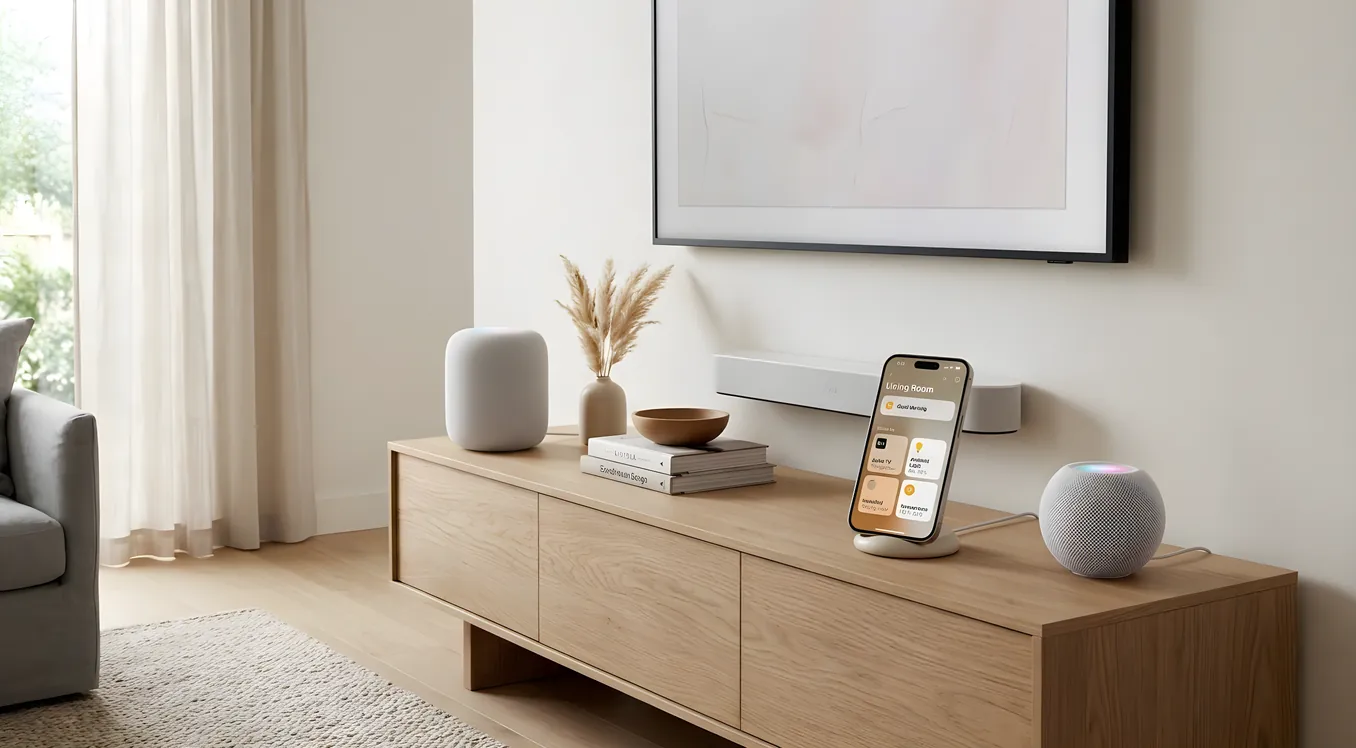
Apple HomeKit is the easiest smart home system to oversell and the easiest to be disappointed by. The promise is simple: buy devices with the HomeKit logo, they show up in the Home app, you control everything from your iPhone. For a meaningful slice of homeowners, that promise delivers. For others, especially those expecting the depth of a professionally installed system, HomeKit runs into real walls fast.
This article breaks down exactly what HomeKit does and does not do, with enough specificity that you can make an honest decision about whether it belongs in your home.
How HomeKit Actually Works
HomeKit is Apple’s smart home framework, introduced in 2014 and continuously updated through iOS and macOS releases. It runs on a hub model: an Apple TV 4K, HomePod mini, or iPad (set to home mode) acts as the home hub, handling automations and remote access when you leave the house. Without one of those devices at home, your automations stop running the moment you leave the Wi-Fi network.
The protocol underneath HomeKit has shifted over time. Apple now uses Matter as the underlying communication standard for new devices, which means a HomeKit-compatible Matter device can also work with Google Home or Amazon Alexa. The older HomeKit Accessory Protocol (HAP) still handles legacy devices, so you may encounter both in practice.
Device categories supported include lights, switches, thermostats, locks, cameras, sensors, garage door openers, irrigation controllers, air purifiers, fans, blinds, and speakers. That covers the most common categories homeowners care about.
What HomeKit Gets Right
Privacy and Local Processing
HomeKit’s security model is meaningfully stronger than most competing platforms. Communication between devices and your hub is encrypted end-to-end, and Apple does not use your home data to serve ads or profile you. Video from HomeKit Secure Video cameras (supported by Logitech Circle View, Eufy, and others) is analyzed locally on your hub before being uploaded to iCloud in encrypted form. Apple explicitly states it cannot access that footage.
For comparison, a Ring or Nest camera sends video to Amazon or Google servers by default, where it may be accessible to law enforcement under certain circumstances. If privacy is a genuine concern rather than a talking point, the HomeKit architecture is one of the legitimate reasons to choose this ecosystem.
Siri Integration and Shortcuts
“Hey Siri, I’m heading to bed” triggering your goodnight scene across lights, locks, thermostat, and TV is the kind of friction-free interaction that HomeKit does well. Siri Shortcuts let you build more complex automations that chain HomeKit actions with other iPhone functions.
The practical limit is Siri’s reliability. Voice recognition has improved significantly in recent iOS versions, but Siri still occasionally misinterprets device names, especially when rooms share similar names or when you have multiple devices in the same category. If your home has a “Family Room” and a “Living Room,” Siri will get it wrong often enough to be irritating.
The Home App User Experience
Apple has rebuilt the Home app significantly since iOS 16, and the current version (iOS 17 and 18) handles up to several dozen devices without feeling overwhelming. Rooms organize devices logically, favorites surfaces the things you use most, and scenes let you set states across multiple devices simultaneously.
For a homeowner who is not technically inclined, the setup experience is genuinely better than most competitors. Scan the QR code on a new device, name it, assign it to a room, done. The onboarding is as close to frictionless as smart home setup gets in the DIY segment.
Automation Logic
HomeKit automations can trigger on time, location (geofencing), device state changes, and sensor readings. You can set a motion sensor to turn on lights only between sunset and sunrise. You can have the thermostat adjust when the last person leaves the house. You can set a door lock to send a notification when it unlocks while you are away.
The logic is not as deep as a Control4 or Crestron system, where you can write conditional logic with multiple variables and fallbacks. But for common scenarios, it covers a lot of ground without requiring any programming.
Where HomeKit Comes Up Short
Device Selection Is Smaller Than It Looks
HomeKit certification is expensive and time-consuming for device manufacturers to obtain. As a result, many popular smart home devices do not support HomeKit natively. Nest thermostats do not work with HomeKit. The original Ring Video Doorbell lineup lacks HomeKit support. Sonos speakers are not natively compatible with HomeKit (you can control them via third-party workarounds, but not through the Home app directly).
The gap is most pronounced in the pro AV and lighting control segment. Lutron’s Caseta line does integrate with HomeKit through a bridge, which is one of the better integrations available. But if you want Lutron’s higher-end RadioRA 3 system, you are entering territory where a professional installation makes more sense, and those systems may or may not support HomeKit depending on how they are configured.
For anything approaching a whole-home automation system, HomeKit’s device catalog falls well short of what a pro integrator can access. Systems like Control4 Smart Home or Savant Smart Home have dealer-only access to hundreds of device drivers covering nearly every manufacturer in the market.
Interoperability Has Real Limits
Matter was supposed to fix the interoperability problem, and it has helped at the margins. But Matter 1.0 does not cover every device category, and not every manufacturer has released Matter-compatible firmware for existing devices. Thread, the networking protocol Matter uses for battery-powered devices, requires a Thread border router. The Apple TV 4K (3rd generation, $129) and HomePod mini ($99) both serve as Thread border routers, but you may need to think about placement to get reliable coverage in a larger home.
The promise of Matter is that your devices are not locked to any single ecosystem. The reality in 2024 and 2025 is that Matter devices sometimes behave differently depending on which ecosystem controls them, and debugging cross-platform issues is not for the faint-hearted.
No Professional Integration Path
This is the most significant structural limit of HomeKit for homeowners who want a high-functioning whole-home system. There is no Apple HomeKit dealer program, no professional certification, no support tier for integrators. If you want a custom automation system with dedicated technical support, a commissioning process, and ongoing monitoring, HomeKit is not the product for that job.
That is not a knock on HomeKit for what it is. It is a $0 platform with no monthly fees (iCloud charges for Secure Video storage at $2.99/month for 5 cameras with the 50GB plan, or bundled with iCloud+). For a simple apartment or a smaller home where the homeowner is comfortable managing devices themselves, it punches well above its price.
But for a 4,000+ square foot home with multiple AV zones, a complex lighting scheme, motorized window treatments, and a desire for a unified interface with professional support, HomeKit is a starting point at best. Compare what’s possible at the high end in the Control4 vs. professional installation segment and the gap becomes clear quickly.
Scenes and Automations Cannot Cover Edge Cases
HomeKit automations do not support “if-then-else” branching logic. You cannot say: “If the motion sensor in the front yard fires, and the time is between 9 PM and 6 AM, and the front door lock is engaged, then turn on the porch light and send a notification; otherwise ignore it.” You can build approximations of this with multiple automations and careful timing, but you cannot write true conditional logic.
For most homeowners, this is fine. For anyone who has spent time with a real building automation system or a pro platform like Crestron Home Automation, the absence of real programming is a hard ceiling.
Siri vs. Dedicated Voice Control
Siri handles HomeKit commands adequately, but it is not specialized for home control. If you ask Siri something that sounds like a home control command but is slightly ambiguous, it may answer you with web search results instead of controlling your home. Dedicated voice control platforms like Josh.ai are built specifically for home automation, with better handling of room context, follow-up commands, and multi-zone audio control. If voice control is central to how you plan to use your smart home, the comparison is relevant.
Compatible Devices Worth Knowing
For homeowners actively building a HomeKit setup, these are the devices that work reliably and have strong reputations:
Lighting and Switches: Lutron Caseta (model PD-6WCL-WH dimmer, $59.95 street price) with the Smart Bridge Pro 2 ($79.95) is the most reliable HomeKit lighting integration available. Philips Hue bulbs with the Hue Bridge work well for color lighting. LIFX bulbs skip the bridge entirely (Wi-Fi native), with individual bulb prices around $34-$49.
Thermostats: Ecobee SmartThermostat Premium ($249) supports HomeKit natively and includes a room sensor for temperature balancing. This is the most capable HomeKit-compatible thermostat on the market. Third Reality and Mysa make HomeKit-compatible electric baseboard controllers if you have that heating type.
Locks: Schlage Encode Plus (Z-Wave, ~$289) and the Level Lock+ ($329) both integrate with HomeKit. The Level Lock installs inside your existing lock hardware, so the exterior appearance does not change.
Cameras: Logitech Circle View ($99.99) is designed specifically for HomeKit Secure Video, with a wide 180-degree field of view. Eufy’s HomeKit cameras offer local storage options in addition to iCloud.
Garage Doors: Meross and Chamberlain (via myQ) have HomeKit-compatible controllers. The myQ integration has been somewhat rocky historically, so verify current compatibility before purchasing.
Sensors: Eve Door and Window sensors ($39.95) and Eve Motion sensors ($39.95) are Thread-native and work entirely locally, with no cloud dependency.
The Hub Question
Your HomeKit hub determines a lot about reliability and capability. Here is the practical breakdown:
Apple TV 4K (3rd gen, $129): Best hub option. Supports Thread, handles camera processing, rarely sleeps or disconnects. If you already have one for streaming, it doubles as your hub automatically.
HomePod mini ($99): Excellent hub. Thread border router, always-on, great room sensor for temperature automations. Two of these in a larger home provide better coverage than one.
HomePod 2nd gen ($299): Same hub capability as the mini with better audio. If you want a smart speaker that also serves as a hub, this is the option, but you are paying a significant premium over the mini for audio quality.
iPad (home hub mode): Works but not recommended as the primary hub. iPads sleep, get used for other things, and leave the network unexpectedly.
For a home with three or more rooms where you want automations to run reliably, two HomePod minis ($198 total) is a reasonable infrastructure investment.
HomeKit vs. Google Home
The two ecosystems overlap significantly at the consumer level. Both support Matter, both have voice assistants, both have mobile apps, and both are free. Google Home has a larger compatible device library and better integration with Google’s own products (Nest thermostat, Nest cameras, Nest Hub displays). HomeKit has stronger privacy guarantees and tighter integration with iPhone and Mac.
If your household is split between Android and iPhone users, HomeKit is a harder sell because the Home app is not available on Android (you can use Siri via an Apple TV or HomePod, but your Android users have no app-based control). Google Home works on both platforms.
If everyone in your home uses Apple devices, HomeKit wins the daily experience comparison.
What It Actually Costs to Build a HomeKit Home
A realistic HomeKit setup for a 2,000 square foot home with meaningful coverage:
- Hub: HomePod mini x2: $198
- Lighting: Lutron Caseta Smart Bridge Pro 2 ($79.95) + 8 Caseta dimmers (~$60 each): approximately $560
- Thermostat: Ecobee SmartThermostat Premium: $249
- Lock: Level Lock+: $329
- Cameras: Logitech Circle View x2: $200
- Sensors: 4x Eve Door/Window: $160
- iCloud+ 50GB (for HomeKit Secure Video): $0.99-$2.99/month
All-in hardware: roughly $1,700 to $2,000. That is a legitimate smart home, not a novelty.
Compare this to a professionally installed system at the entry level (Control4 or Savant), where hardware and installation costs typically start around $15,000 to $25,000 for a whole-home project. The performance ceiling is much higher on the pro side, but the DIY HomeKit path is not a compromise product for smaller homes and budget-conscious buyers.
Who Should Actually Use HomeKit
HomeKit is the right choice when:
- Everyone in the household uses iPhone or Apple devices
- Privacy is a genuine priority, not just a preference
- You want to manage and expand the system yourself without an integrator
- Your home is under 3,000 square feet and does not have complex AV or lighting requirements
- You are not willing to pay for professional installation and ongoing support
It is not the right choice when:
- You have Android users in the household who need full app access
- You need device categories that lack HomeKit support (certain motorized shades, whole-home audio, video distribution)
- You want professional installation, commissioning, and ongoing technical support
- Your project budget and requirements point toward a high-end integrated system
For homeowners in that second category, reviewing what professional-grade platforms actually offer, including systems reviewed across the smart home platforms section here, is worth doing before committing.
The Realistic Picture
HomeKit is a capable, privacy-respecting, genuinely well-designed consumer smart home platform. It has real constraints: a smaller device library than the competition, no professional support path, automation logic that lacks depth, and voice control that occasionally misfires.
For the homeowner it was designed for, those constraints do not matter. A family in a mid-size home, all on iPhones, who wants responsive automation and clean app experience gets a lot from HomeKit at a reasonable cost.
The mistake is expecting it to be something it was not designed to be. HomeKit is not a Crestron or a Control4 at 10 percent of the price. It is a different product category altogether, and the most useful thing a homeowner can do is understand that distinction before buying any hardware.