Control4 Smart Home System: Complete Buyer's Guide
Control4 Smart Home System: Complete Buyer’s Guide
If you’ve been researching smart home systems for more than a few hours, Control4 has almost certainly come up. It’s the name integrators drop when a client wants more than Alexa and a few Philips Hue bulbs. But the pitch you get from a dealer and the reality of owning a Control4 system can differ enough to matter.
This guide covers what Control4 actually is, what it costs to install and maintain, which homes it’s built for, and where you might do better with a different platform. No fluff, just what you need to make a real buying decision.
What Control4 Actually Is
Control4 is a whole-home automation platform built around a central controller that ties together lighting, audio/video, security, climate, networking, and just about any other system in your home. The company, founded in 2003 and acquired by SnapAV in 2019, targets the professional installation market. You cannot buy it at Best Buy or set it up yourself. Every Control4 system requires a certified dealer.
That dealer requirement is central to understanding the platform. Control4 isn’t trying to compete with Google Home or Apple HomeKit on accessibility. It’s engineered for professional system design, and the programming layer is deep enough that it genuinely needs an expert to implement well.
The platform runs on proprietary hardware controllers, the most common being the EA (Entertainment and Automation) series. The EA-1 handles smaller residential projects; the EA-3 and EA-5 step up for larger homes or more complex automation. These sit on your network and communicate with drivers (software modules) that integrate with hundreds of third-party devices and brands.
The Cost Reality
Control4 is not cheap. A realistic entry point for a meaningful whole-home system runs $15,000 to $30,000 installed. Mid-range projects for 4,000 to 6,000 square foot homes with lighting, AV, climate, and security integration commonly land between $40,000 and $80,000. Large estate projects exceed $150,000.
Here’s how the cost breaks down:
Hardware: The EA-5 controller retails around $1,500 to $2,000. Touchscreens (the T4 Series, for example) run $500 to $1,200 each. In-wall keypads, dimmers, and switches are $100 to $400 per device. A whole-home audio system built on Control4’s TRIAD Audio amplifiers adds another $1,000 to $8,000 depending on zones. The hardware costs add up fast in larger homes.
Programming: This is where Control4 projects get expensive and where dealer quality matters enormously. Programming fees cover the initial setup, device integration, scene creation, and commissioning. Expect to pay $75 to $200 per hour, and a typical installation involves 20 to 60 hours of programming work.
Annual Support: Control4 dealers typically offer service plans. Without one, a service call averages $150 to $300 per visit. Many homeowners budget $500 to $2,000 annually for ongoing support, updates, and tweaks.
OS Upgrades: Control4 releases major OS updates every one to two years. OS 3, released in 2019, introduced significant improvements to the user interface and added support for newer drivers. OS upgrades are generally included in service plans but can cost separately if you’re not under contract.
For comparison, if you’re also evaluating Savant Smart Home: What It Costs and What You Get, you’ll find similar pricing tiers. The differences show up in ecosystem breadth and the dealer experience, not the budget category.
What Control4 Integrates With
This is where Control4 earns its reputation. The platform supports over 14,000 third-party devices through its driver ecosystem. Here’s what that looks like in practice:
Lighting: Control4 has its own lighting line (Panelized Lighting and in-wall dimmers/switches), but it also integrates cleanly with Lutron RadioRA 3, Lutron Homeworks QSX, and the Ketra tunable white systems for those who want Lutron’s proven reliability. The integration is bidirectional, meaning Control4 scenes can command Lutron loads and Lutron occupancy sensors can trigger Control4 events.
Audio/Video: Native integration with Sonos, Apple TV, Roku, Amazon Fire TV, HDMI matrix switches, and virtually every major AV receiver on the market. A well-programmed Control4 system turns your TV into a one-touch experience: press “Watch Netflix” and the system powers on the TV, sets the receiver input, dims the lights, closes the blinds, and starts playing.
Climate: ecobee and Honeywell thermostats integrate via drivers. Control4 also supports native HVAC integration for systems using BACnet or Modbus, which becomes relevant in larger homes with commercial-grade mechanical equipment.
Security: Ring, Alarm.com, DSC, Honeywell Vista, and Qolsys all have Control4 drivers. Camera feeds from Axis, Hikvision, and Luma cameras can display on Control4 touchscreens. That said, security integration depth varies by driver quality; some third-party integrations show camera feeds but lack arm/disarm control.
Voice Control: Amazon Alexa and Google Assistant both integrate with Control4. For a more privacy-conscious approach, Josh.ai: The Privacy-First Voice Control System is purpose-built for Control4 environments and handles natural language commands far better than Alexa in a complex AV setup.
Networking: Since SnapAV’s acquisition, Control4 and Araknis networking have been developed as a unified stack. Araknis switches, access points, and routers are the standard recommendation for Control4 installations because the Networking module gives visibility into connected devices directly from the Control4 app.
The User Experience
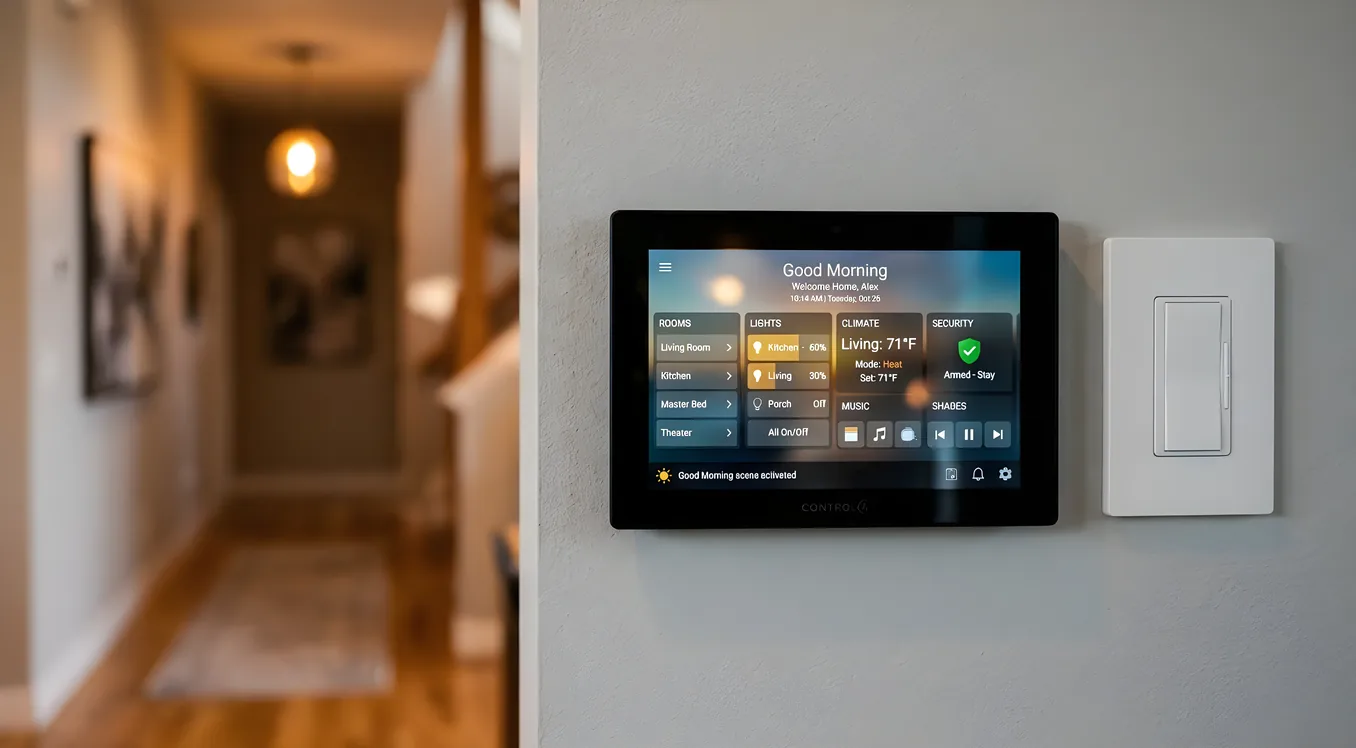
Control4’s primary interface is the Control4 app, available on iOS and Android. The updated OS 3 interface is cleaner than earlier versions, with customizable dashboards that show lighting, climate, AV, and security at a glance. In-home control happens through the app, in-wall touchscreens, keypads, and handheld remotes.
The experience is highly dependent on programming quality. A well-programmed Control4 system feels almost invisible: you walk in, things happen, you don’t think about it. A poorly programmed one requires navigating menus to do basic things, which defeats the purpose.
The 4Sight subscription is worth understanding. At $10 per month (billed annually as $100), it enables remote access via the Control4 app, app notifications, and Alexa/Google integration. Without 4Sight, remote access is unavailable. This is a perpetual cost to factor in.
One practical note: Control4 does not currently support local-only voice control without a cloud connection for 4Sight features. If you’re exploring what Apple’s local-processing approach looks like by comparison, Apple HomeKit: What It Does Well and Where It Falls Short covers the privacy and reliability tradeoffs in detail.
Control4 vs. Competitors
Control4 vs. Crestron: Crestron is the platform that appears most often alongside Control4 in the high end of the market. Crestron Home Automation: Enterprise-Grade for Residential goes deep on the differences, but the short version is this: Crestron is historically more expensive, requires more specialized programming expertise, and has been the standard in commercial AV for decades. Control4 has gained significant ground in the residential market by being more accessible to dealers and supporting a broader device ecosystem. For most residential projects under $200,000 in scope, Control4 or its closest peer Savant is the stronger choice.
Control4 vs. Savant: Both are professional platforms in the same price tier. Savant is heavier on Apple integration and has a more polished UI that many homeowners prefer. Control4’s driver ecosystem is larger. The dealer matters as much as the platform here; a skilled Control4 dealer will outperform an average Savant dealer.
Control4 vs. Google Home / Amazon Alexa: These are not the same category of product. Google Home and Amazon Alexa ecosystems are consumer DIY platforms. For comparison of what Google’s platform covers, Google Home Ecosystem: Capabilities, Limits, and Integration is a useful read. Control4 is a professionally programmed system. The difference shows up most clearly in reliability, customization depth, and the ability to run complex conditional logic (if the garage door is open after sunset and no one is home, turn off all lights and arm the system).
Who Control4 Is Right For
Control4 makes sense if several of these describe your situation:
You’re building new construction or doing a major renovation. Running Ethernet cable for touchscreens and keypads, installing structured wiring, and integrating with new lighting and HVAC equipment is vastly cheaper when walls are open. Retrofitting Control4 into a finished home is possible but adds significant labor cost.
You want whole-home integration, not just one category. If you only want smart lighting, Lutron alone does it better and cheaper. If you want everything connected and talking to each other, Control4’s integration depth earns its cost.
You have a dedicated dealer relationship. The quality of your installer determines your experience more than the platform itself. Before committing, ask potential dealers for references, ask how many OS updates they’ve handled for existing clients, and ask about their response time for service calls.
You have 3,000+ square feet. Smaller homes can use Control4, but the cost per square foot makes it harder to justify. A 1,200 square foot condo is usually better served by a well-configured HomeKit or Google Home setup with Lutron Caseta lighting.
Your budget supports ongoing maintenance. Budget at least $500 to $1,000 annually for service calls, driver updates, and app-related tweaks. Control4 systems require professional attention when devices are added, replaced, or updated.
Who Should Look Elsewhere
Control4 is not the right fit for every homeowner, and the honest integrators will tell you that.
DIY-focused buyers will find Control4 frustrating. You cannot program it yourself. You cannot add devices without a dealer. If you want to tinker and self-maintain, look at Home Assistant (open-source, hardware-agnostic) or a consumer platform like Google Home.
Budget-conscious projects under $10,000: At this spend level, a professionally installed Lutron RadioRA 3 system with Sonos audio and ecobee thermostats will outperform a bare-minimum Control4 installation. Get the Lutron right and add Control4 later if your needs grow.
Short-term homeowners: Control4 adds resale value in the luxury segment, but only if the next buyer values it and the system is documented and supported. An unsupported Control4 system is harder to sell than a house with no automation at all.
The Dealer Selection Process
Since the dealer relationship is so critical, here is what to ask when evaluating Control4 dealers:
Certification level: Control4 has three dealer tiers: Preferred, Premier, and Elite. Elite dealers commit to more training, higher install volumes, and better support standards. It’s not a guarantee of quality, but it’s a reasonable filter.
Their installed base: How many active Control4 systems are they currently supporting? Dealers with 200-plus active clients have more pressure to build efficient service processes than dealers with 20.
Programming backup: Ask whether your programming file is backed up and what happens if the dealer goes out of business. The programming file is your system. Reputable dealers provide clients with a copy or store it in a documented location.
Service response time: What’s the SLA for service calls? Emergency (AV system down before a big event) vs. routine (adding a new device). Some dealers guarantee 24 to 48 hour response; others are weeks out.
Hardware warranty handling: Control4 offers a three-year warranty on most hardware. Ask how the dealer handles warranty claims and whether you’re paying a diagnostic fee even when the fix is covered.
Common Pitfalls After Installation
Adding devices without a programmer: Every time you add a Sonos speaker, a new streaming device, or replace a thermostat, the system likely needs to be updated. Homeowners who add devices expecting them to auto-discover often end up with broken scenes. Budget for a programming call when your AV setup changes.
OS update lag: Dealers need to test OS updates before pushing them to client systems, which means you may be running an older version for months after a major release. This is intentional and appropriate, but set expectations accordingly.
Driver deprecation: When a third-party manufacturer updates their product’s API, the Control4 driver may break until it’s updated. Ring and Nest have historically caused headaches here. Your dealer should be monitoring this, but ask about their process.
4Sight expiration: If you let the 4Sight subscription lapse, remote access stops working. It’s $100 a year and easy to set to auto-renew. Don’t skip it.
Making the Investment Work Long-Term
The homeowners who get the most out of Control4 treat it as a living system, not a set-and-forget installation. That means:
Documenting your system. Get a network diagram, a list of every device and its IP address, and a written record of your scenes and keypads. This is especially critical if you move or change dealers.
Establishing a dealer relationship before you need it urgently. Service calls go faster when the dealer already has your system on file.
Planning for technology cycles. AV equipment changes every five to seven years. Budget for integration updates when you replace a TV, streaming player, or receiver.
Understanding what the system can do that you’re not using. Most Control4 owners use 30 to 40 percent of the platform’s capabilities in year one. A good dealer will run a walkthrough annually to surface features you’ve ignored.
Is Control4 Worth It?
For the right home and the right buyer, yes. A well-implemented Control4 system is genuinely impressive and functionally useful in ways that consumer platforms are not. The integration depth, the ability to run complex automation logic, and the single-app experience across all home systems creates something that’s hard to replicate with piecemeal DIY solutions.
The risk is real too. An overpriced installation with mediocre programming and poor dealer support produces a complicated, expensive system that family members avoid using. The gap between the best and worst Control4 installations is larger than any other platform in this category.
Invest in your dealer selection as much as your system design. The hardware and software are proven. The execution is what separates a great Control4 home from a cautionary tale.