Google Home Ecosystem: Capabilities, Limits, and Integration
Google Home Ecosystem: Capabilities, Limits, and Integration
If you’ve searched “google home automation” in the past year, you’ve probably noticed the ecosystem looks very different than it did in 2021. Matter support changed the compatibility picture. Thread networking arrived. Nest hardware got consolidated. And the Google Home app went through a near-complete redesign.
Some of that change is genuinely good for homeowners. Some of it is still catching up. This article covers what the platform actually does, where it runs into real limits, and how it fits (or doesn’t fit) into a larger smart home.
What the Google Home Platform Actually Is
Google Home is not just a speaker with a microphone. It’s a platform made up of three overlapping layers:
Hardware: Nest speakers (Nest Audio, $99.99), Nest Hub displays ($99.99 for the 7-inch, $229.99 for the Nest Hub Max with its 10-inch screen), and Nest Hub mini ($49.99). These are the primary voice-control endpoints.
Software: The Google Home app (iOS and Android), which is the control hub for devices, automations, and household member management. The companion layer is Google Assistant, the voice AI that runs on all Nest hardware and on Android phones.
Protocol support: Google Home natively supports Wi-Fi devices, Zigbee (via the Nest Hub 2nd gen, which has a built-in Zigbee hub), Thread (via the same hub and Nest devices acting as Border Routers), and Matter. Bluetooth is used for device setup and some local sensors.
The Nest Hub 2nd generation ($99.99) is the closest thing Google sells to a hub. It has a Zigbee radio, a Thread Border Router, and a local processing chip (called the Ambient IQ chip) for sleep tracking. That’s important because many Google Home automations still require an internet connection to run, unlike more capable hub-based systems.
Google Home Automation: Where It Actually Performs Well
Voice Control and Routines
This is Google’s genuine strength. Assistant has the most natural language processing in consumer smart home voice control. You can say “Hey Google, dim the kitchen to 40 percent and turn on the under-cabinet lights” and it understands both commands as one request. That’s not trivial.
Routines are the automation backbone. The Google Home app lets you trigger routines by:
- Voice command
- Time of day
- Sunrise/sunset offset
- Device state (a sensor opens, a lock locks, a light turns off)
- Location (when you leave or arrive home via phone geofencing)
A “Good Morning” routine can simultaneously adjust the thermostat, turn on specific lights, start a coffee maker, and read you a weather forecast. Setup takes about five minutes once your devices are linked.
The limitation is complexity. You can stack multiple actions in one routine, but conditional logic (“if it’s raining, skip the blinds, but open them if it’s sunny”) doesn’t exist natively. For straightforward time-and-trigger automations, Google Home is genuinely capable. For branching logic, it falls short.
Thermostat Control
The Nest Learning Thermostat (4th generation, released late 2024, $279.99) and Nest Thermostat ($129.99) are among the best-integrated smart thermostats available. The Learning Thermostat builds a schedule based on observed patterns over the first week. It integrates with utility Time-of-Use pricing in supported regions to shift your HVAC usage toward cheaper hours.
ecobee thermostats (starting at $189.99 for the ecobee3 lite) also integrate with Google Home via Google Assistant, though the depth of control is shallower than Nest native integration. You can adjust temperature and switch modes by voice. You cannot access ecobee’s own occupancy sensor logic or room sensors through the Google Home app directly.
For a homeowner who wants basic thermostat control through voice, Google Home handles Nest very well. For multi-zone HVAC control or complex scheduling across several ecobee units, a dedicated automation controller from a platform like Control4 gives you more programming depth.
Security Cameras and Video Doorbells
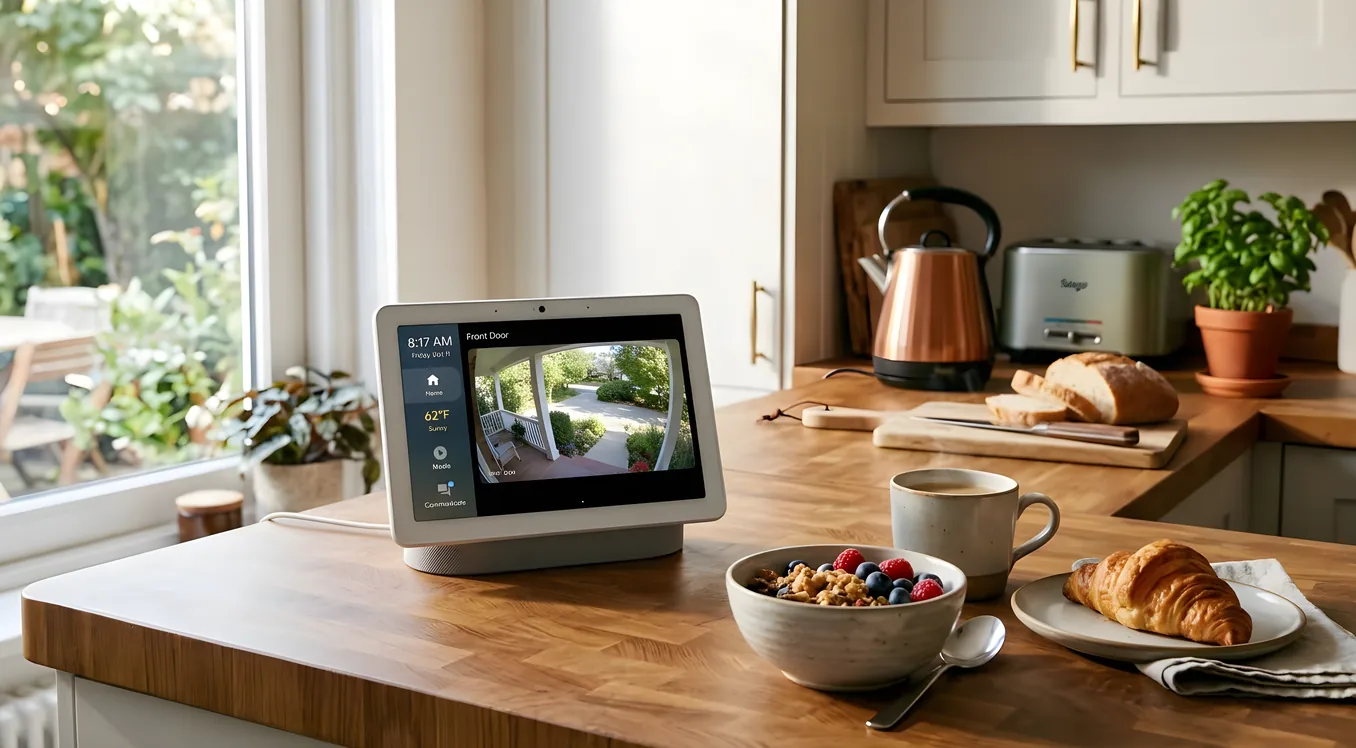
Google sells the Nest Cam (wired, $99.99; battery, $179.99) and Nest Doorbell (wired, $179.99; battery, $179.99). These integrate cleanly with Nest Hub Max’s 10-inch display, which can show a live feed when someone rings the doorbell without any manual interaction.
Ring video doorbells and cameras also work with Google Home via the Ring skill, though the integration is less tight. You can ask Google to show a camera feed, but Ring’s motion alert logic and Alexa Guard equivalents don’t translate to Google’s ecosystem natively.
Nest cameras require a Google Home or Nest Aware subscription ($6/month for 30 days of event history on one camera, $12/month for 60 days across unlimited cameras) to access recorded clips beyond the 3-hour event window on battery cameras.
Smart Lighting
Philips Hue (Zigbee), LIFX (Wi-Fi), Govee, Sengled, and most major smart lighting brands support Google Home. Lutron Caseta dimmers integrate via the Lutron skill, making them voice-controllable. However, native Lutron Caseta integration doesn’t expose advanced features like Pico remote programming or fine-grained scene management through the Google Home app.
For whole-home lighting control with Lutron RadioRA 3 or RA2 Select, you’d be using the Lutron system as the actual controller and Google Home as a voice layer. That works reasonably well for simple commands but misses the precision scheduling and daylight harvesting that Lutron’s own app provides.
Where Google Home Hits Real Limits
Local Processing and Internet Dependence
This is the most significant practical limitation. Most Google Home automations route through Google’s cloud servers. If your internet goes down, many automations stop working. The Nest Hub 2nd gen has local processing for some routines, and Matter devices on a local Thread network can sometimes operate locally, but the overall platform is heavily cloud-dependent.
Compare this to Apple HomeKit, where the Home hub (an Apple TV 4K or HomePod) runs automations locally, or to a dedicated hub-based system where local control is the default. If reliability matters more than convenience, this distinction matters.
Multi-Controller Environments
If you have a home where multiple people use different voice assistants (an Echo in the garage, Nest speakers in the living room, Siri on everyone’s iPhones), Google Home doesn’t coordinate well with those other platforms. You can use Matter to share devices across platforms, but automations stay siloed. A routine in Google Home doesn’t run on Alexa, and vice versa.
For a home with serious automation needs across zones, a whole-home control system like Crestron Home Automation or a mid-tier platform like Control4 treats voice assistants as input devices, not the brain, which solves the multi-controller problem cleanly.
Advanced Scenes and Sequencing
Google Home can run basic scenes (preset device states grouped together). What it can’t do: time-delayed sequences, conditional scenes based on multiple simultaneous device states, or variable-based logic. You can’t build a “Movie Mode” that waits three seconds, dims the lights to 15 percent, closes motorized shades, sets the thermostat to 70, and then pauses if the doorbell rings.
Professional systems handle this with event-based programming. For homeowners who want that level of control without a professional integrator, Josh.ai is worth comparing. It handles complex multi-step automation through natural language commands and has better local processing than Google Home.
Matter Compatibility: The Reality Check
Matter (the cross-platform smart home standard) promised to fix the fragmentation problem. In practice, it’s helped, but there are specific limits. Google Home supports Matter 1.0 controllers, and the Nest Hub 2nd gen can act as a Matter controller hub.
The catch: Matter shares a device’s basic controls but not advanced features. A Matter-compatible robot vacuum might appear in Google Home for start/stop commands, but room selection and mapping stay in the manufacturer’s app. A Matter lock can lock and unlock by voice but won’t expose its access code management to Google Home. Matter is useful for interoperability at a basic level. It’s not a substitute for deep native integration.
What Google Home Integrates With (Practically)
Here’s where the ecosystem lands as of 2025-2026:
Strong native integration: Nest thermostat, Nest cameras, Nest doorbell, Nest Protect smoke detectors, Chromecast streaming devices, Philips Hue (with Hub), LIFX, TP-Link Kasa, Wemo switches, Yale and Schlage smart locks (via Matter or direct integrations), Chamberlain MyQ garage doors (though this integration has had reliability issues).
Good third-party integration: August smart locks, Ecobee thermostats (voice control only), Ring cameras (live view via voice), Lutron Caseta (basic voice control), Sonos speakers (casting and basic playback via Google Cast), Logitech Harmony (discontinued but still working for existing users).
Limited integration: Insteon (legacy protocol, limited support), Z-Wave devices (need a third-party hub like SmartThings or Hubitat that then bridges to Google Home), proprietary systems like Savant or Control4 (they can expose limited device control to Google Assistant but don’t integrate deeply with Google Home automations).
For high-end systems, Google Home serves as a voice control layer, not the system brain. A homeowner with Savant Smart Home controls can connect a Google Home speaker to the Savant system, which then executes the commands through Savant’s own automation engine. The voice input is Google’s; the actual execution logic is Savant’s.
Thread and Zigbee: The Networking Layer That Matters
Most homeowners don’t think about smart home networking protocols, but they affect how reliably devices respond and whether your system works during an internet outage.
Zigbee is a mesh protocol that runs on 2.4 GHz. The Nest Hub 2nd gen has a built-in Zigbee coordinator, which means compatible Zigbee bulbs and sensors can communicate directly with the hub without a separate bridge. Philips Hue bulbs use Zigbee (though Philips requires their own Hue Bridge for full feature access). Sengled bulbs can connect directly to the Nest Hub’s Zigbee radio.
Thread is a newer mesh protocol designed for low-power devices like sensors and locks. It runs on 802.15.4 (same radio frequency as Zigbee but different protocol). Nest Hub 2nd gen, Nest Wifi Pro routers, and several Nest devices act as Thread Border Routers, creating a Thread network in your home. Thread devices can, in theory, operate locally when configured correctly with Matter over Thread.
In practice: Thread and Matter together give Google Home a path toward local control for supported devices. But the device ecosystem is still catching up. As of mid-2025, relatively few mainstream devices support Thread plus Matter in a way that fully delivers on local processing promises. It’s the right architecture. The hardware availability is improving but not there yet.
Google Home vs. Professional Automation Platforms
The honest comparison: Google Home is a consumer ecosystem. Professional platforms are a different category.
At the consumer level, Google Home competes with Amazon Alexa and Apple HomeKit. It wins on voice processing, has the most Android integration, and has a solid hardware lineup through Nest. It loses on local reliability (HomeKit is better here), on privacy perception (HomeKit leads), and on multi-platform consistency (Alexa has broader third-party device support).
At the professional level, it’s not really competition. Systems like Control4, Crestron, and Savant are sold through certified integrators, require professional programming, and cost significantly more (Control4 projects typically start around $3,000-5,000 for basic installs and can run $50,000+ for full custom work). They handle things Google Home won’t: whole-home audio distribution, AV matrix switching, motorized window treatment sequencing tied to sun position, lighting control integrated with HVAC setpoints.
Google Home can operate as a voice control layer on top of some professional systems. Many integrators use a Nest speaker for Google Assistant access while the actual automation logic runs on Control4 or Crestron hardware.
Who Google Home Automation Actually Makes Sense For
Good fit:
- Renters or homeowners who want solid voice control without professional installation
- Nest device owners who want deeper integration (thermostats, cameras, doorbells)
- Android households where Google Assistant is already the daily driver
- People who want to automate a handful of devices (lights, thermostat, a few plugs) without paying for professional installation
- Homes where the budget for smart home is under $2,000 total
Not a good fit:
- Anyone who needs reliable automations during internet outages
- Homes with whole-home audio systems (Sonos, Nuvo, Russound) that need centralized control
- Homeowners with complex AV setups requiring matrix switching or custom scenes
- Anyone who wants fine-grained multi-condition automation logic
- New construction where a professional system is being spec’d from scratch
Setting Up Google Home the Right Way
If you’re building a Google Home setup, a few practical notes from real-world use:
Use a wired Nest Hub as the hub. The Nest Hub 2nd gen ($99.99) is the only Google consumer device with a Zigbee radio and serves as a Thread Border Router. Place it centrally if you’re running Zigbee devices directly paired to it.
Group devices into rooms. Google Home’s room structure is how you target voice commands. “Turn off the bedroom lights” only works if the bedroom lights are in a room called “Bedroom.” It sounds obvious, but inconsistent room labeling is the most common source of voice command failures.
Use Routines for time-based automation. The Home app’s Routines tab is where you build schedules. Good Morning, Good Night, Leaving Home, and Arriving Home are pre-built starter templates. Customize them rather than building from scratch.
Check Matter compatibility before buying. The Works with Google Home listing at home.google.com/intl/en_us/more/compatible is not always up to date. For new devices, check both the Google listing and the manufacturer’s current compatibility page.
Budget for subscriptions. Nest Aware at $6-12/month is functionally required if you’re using Nest cameras for anything beyond live view. Without it, recorded clips beyond a few hours disappear.
Building a Hybrid System That Actually Works
Many homeowners end up with a hybrid: Google Home as the voice and consumer device layer, combined with a more capable hub for reliability and advanced logic.
SmartThings (free hub software) or Hubitat (local processing, $89.95 for the hub) can run Z-Wave and Zigbee devices locally, then expose them to Google Home for voice control. This gives you local reliability plus Google Assistant convenience.
For higher-end work, a professional integrator who uses both native platforms and professional systems can build a Google Home-accessible front end on top of a Control4 backbone. The result: your family uses Nest speakers to control the home by voice, and the actual automation reliability comes from Control4’s local processing.
Understanding that boundary, what Google Home is actually doing versus what a more capable platform handles, is the key insight for anyone building more than a basic system. The platforms page on this site covers the full range of platforms from consumer to enterprise, which is worth reviewing before committing to an architecture.
Where the Platform Is Headed
Google killed Stadia. It discontinued Nest Secure. Chromecast got folded into Google TV. There’s a legitimate question about long-term platform continuity.
That said, Google Home is central to Google’s hardware business in a way those products weren’t. Nest thermostats and cameras are among Google’s highest-volume hardware sales. The Matter standard work Google has contributed to (alongside Apple, Amazon, and Samsung) suggests ongoing commitment. Thread networking support in newer Nest Wifi Pro routers points toward local processing investment.
The practical risk isn’t platform death. It’s iteration pace. Google redesigns the Home app periodically in ways that break existing automations, changes API access that third-party developers depend on, and shifts hardware lineups. The homeowner who set up a Google Home system in 2019 has seen multiple significant changes since then.
If you’re buying into Google Home in 2025 or 2026, go in expecting the consumer product cycle: firmware updates, app redesigns, hardware refreshes every 18-24 months. The core functionality (voice control, Nest device management, basic automations) has been stable. The edges are messier.
Getting the Most Out of Google Home Without Overreaching It
Google Home automation works well within a defined scope: voice control, basic scheduling, Nest device management, and simple multi-device scenes. It’s a genuinely capable consumer platform with strong hardware, natural voice processing, and improving Matter support.
It runs into problems when homeowners expect it to do what professional automation systems do: local processing under any conditions, complex conditional logic, deep AV integration, or reliable multi-zone control. Those expectations don’t fail because of bad design. They fail because that’s a different category of system entirely.
Know what you’re buying. If the scope fits, Google Home delivers real value at consumer prices. If the scope doesn’t fit, that’s not a problem to solve with more Google hardware. It’s a signal that a professional consultation is worth the conversation.