DIY Smart Home vs Professional Systems: The Real Tradeoffs
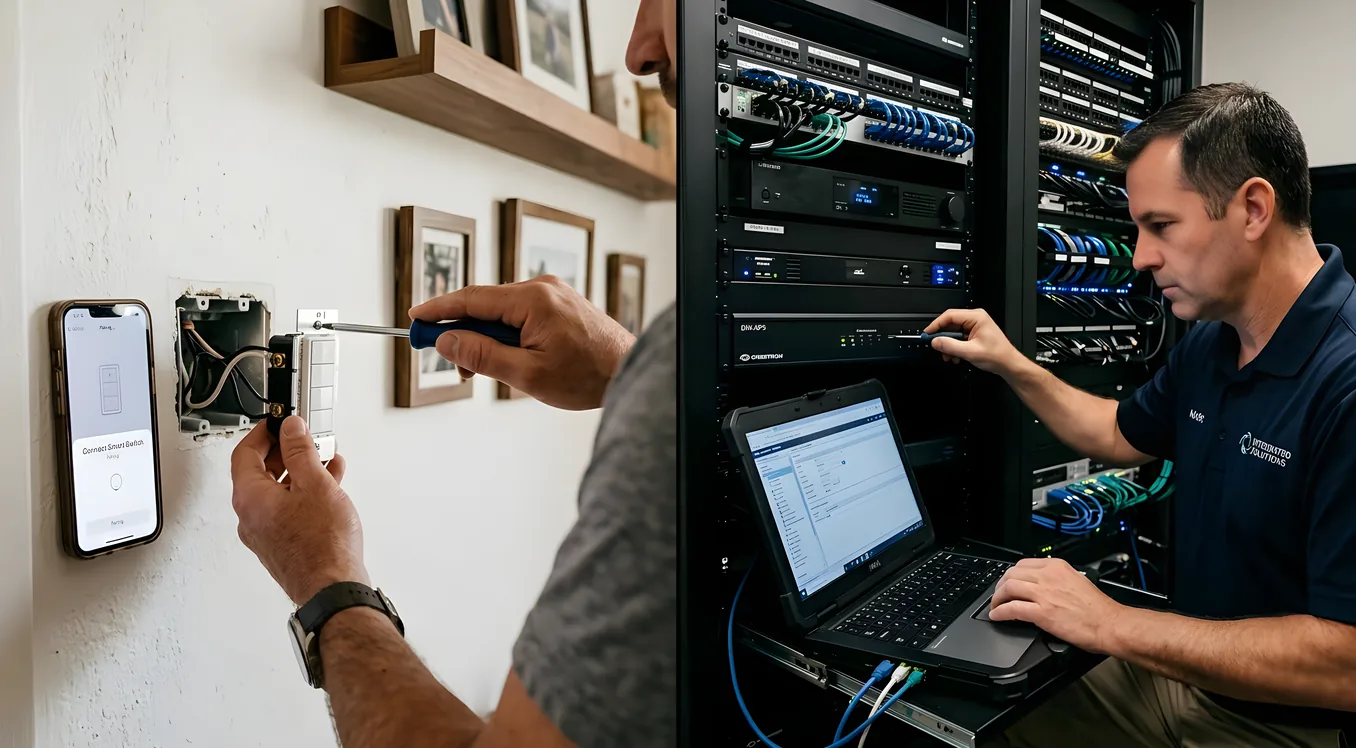
DIY Smart Home vs Professional Systems: The Real Tradeoffs
The pitch for DIY smart home gear is hard to argue with on paper: a Wyze cam costs $35, an Ecobee thermostat runs $189, and you can pick up a Lutron Caseta starter kit for under $100. Compare that to a professionally installed Control4 or Savant system that starts around $10,000 and routinely reaches $50,000 to $150,000 for a whole-home build, and the DIY path looks like a no-brainer.
Except it isn’t always. The honest answer depends on what you’re actually trying to accomplish, how much time you’re willing to invest, and what failure looks like in your situation. Both paths have real advantages and genuine drawbacks that most comparison articles gloss over. This one won’t.
What “DIY Smart Home” Actually Means in Practice
DIY doesn’t mean you’re soldering circuit boards. In 2024, it means buying consumer-grade devices from brands like Ring, Nest, Sonos, Philips Hue, TP-Link Kasa, or Amazon and connecting them yourself using an app or a hub like Samsung SmartThings or Home Assistant.
The ecosystem is mature. Google Home and Amazon Alexa handle millions of devices. The Matter protocol (launched in 2022 by the Connectivity Standards Alliance) was supposed to make cross-brand compatibility seamless. It’s helped, but it hasn’t eliminated the compatibility headaches that have plagued DIY setups for a decade.
Here’s what a typical DIY smart home looks like for someone who’s put real effort into it:
- 15 to 40 individual devices across multiple apps
- 2 to 4 voice assistants or hubs mediating communication
- A mix of Z-Wave, Zigbee, Wi-Fi, and Bluetooth protocols running simultaneously
- Routine troubleshooting when a firmware update breaks an automation
Some people love this. They genuinely enjoy tinkering. If that describes you, the DIY path is probably right, and the savings are real.
But if you’re imagining a smart home that your spouse, kids, and house guests can use without a tutorial, the calculation changes.
What Professional Systems Actually Deliver
Professional smart home systems from companies like Control4, Savant, and Crestron are built on a fundamentally different premise: the homeowner should never need to understand how any of it works.
Everything runs on a dedicated controller (not your home Wi-Fi router). Devices communicate over a mesh network designed for reliability, not consumer convenience. A single app, a touchscreen, or a remote controls everything: lighting, climate, audio, video, security, shading, locks, cameras, irrigation.
When a guest wants to watch a movie in a Control4 home, they press “Watch Movie” on a 7-inch touchscreen. The lights dim, the shades drop, the projector descends from the ceiling, the receiver switches to the correct input, and the streaming service opens. They don’t need to know what protocol the lights use or why the Sonos speaker is in a different zone.
That experience has a price. Not just in dollars, but in commitment. Professional systems require:
- A licensed dealer/integrator for installation
- Programming time measured in hours or days, not minutes
- Ongoing service agreements for updates and support (typically $500 to $2,000 per year)
- A relationship with that integrator for future changes
If your integrator goes out of business, you may find yourself with a system that no one locally can support. This happens more often than the industry admits.
The Real Cost Comparison
Let’s get specific, because vague ranges don’t help anyone make a decision.
DIY cost ranges (materials only, no labor):
- Smart lighting (10 rooms, Lutron Caseta): $800 to $1,500
- Smart thermostat (2-zone, Ecobee Premium): $400
- Video doorbell and 4 cameras (Ring Pro): $600 to $900
- Smart locks (2 doors, Schlage Encode Plus): $500
- Multi-room audio (3 rooms, Sonos Era 100): $900
- Smart TV control (2 rooms, universal remotes): $200 to $400
- Hub/controller (Home Assistant Green or Aeotec SmartThings Hub): $100 to $200
- Total: $3,500 to $4,900
Add your time. A realistic DIY whole-home setup takes 40 to 80 hours across installation, configuration, and troubleshooting. Add ongoing maintenance at 2 to 5 hours per month when things break, update, or conflict.
Professional system cost ranges (materials + labor + programming):
- Entry-level Control4 system (4 rooms, basic automation): $10,000 to $18,000
- Mid-range (whole home, 8 to 12 rooms, AV integration): $35,000 to $65,000
- High-end Savant or Crestron (custom programming, full integration): $80,000 to $200,000+
The spread is enormous because professional systems are genuinely custom. A 3,000 square foot suburban home and a 10,000 square foot custom build are completely different projects.
Annual support contracts run $750 to $2,500 depending on the dealer and system size. These aren’t optional if you want firmware updates applied correctly or expect someone to answer the phone when something breaks.
Where DIY Falls Short
Reliability under stress. Consumer Wi-Fi devices were designed for normal household internet. When your router restarts, when the ISP has an outage, when a firmware update rolls out overnight, devices drop offline. A professionally installed system with a dedicated controller and local processing keeps working even when the internet is down.
The WAF problem. This acronym (Wife Approval Factor, though it applies to any family member who didn’t choose the system) is real. If the porch light automation fails three times in a month, or if using the living room TV requires opening two apps and asking Alexa twice, you’ve lost the household. DIY systems require someone to stay on top of maintenance, and that person is usually the one who set it all up.
Scaling gets messy. Adding the 20th smart bulb to a home feels different than adding the first five. Protocols conflict. Hub limits get hit. Apps multiply. Some homeowners who started with Philips Hue lighting and a Nest thermostat end up five years later with three hubs, four apps, and automations that half-work.
Audio/video integration is genuinely hard. Getting a multi-zone audio system, a home theater, and a whole-home lighting system to talk to each other through DIY tools is doable but painful. This is where professional systems earn their money most clearly. Proper AV integration in a DIY setup can take a weekend to configure and still feel fragile.
Where DIY Wins
Incremental commitment. You can start with a $35 smart plug and a Nest thermostat and grow from there. No commitment, no contract, no dealer relationship required.
Product choice. Professional systems are proprietary. Control4 works with Control4-certified products. Savant has its own ecosystem. DIY lets you pick best-in-class hardware for each category: ecobee for thermostats, Ring or Arlo for cameras, Sonos for audio, Lutron Caseta for lighting (which is genuinely excellent and compatible with most platforms).
Community support. The Home Assistant community forums have solved nearly every problem you’ll encounter. r/homeautomation on Reddit has 450,000 members. YouTube tutorials exist for virtually every device. Professional system support requires calling your dealer during business hours.
Adaptability. When Nest releases a better thermostat or Ring adds a feature you want, you update the app and you’re done. When Control4 adds support for a new device category, your dealer needs to visit and reprogram the system.
Voice control privacy. It’s worth mentioning that some homeowners doing serious research land on Josh.ai as a middle path: a professional-grade voice control system with on-device processing and no cloud dependency, but without the full integrator commitment that Crestron or Savant require.
The Hybrid Approach: More Common Than You’d Think
Most homes that end up with professional-grade results didn’t start there. A realistic path for many homeowners looks like this:
Year 1-2 (DIY phase): Install Lutron Caseta switches throughout the house (they’re compatible with almost everything), add an ecobee thermostat, put Ring cameras on the exterior. Use Apple HomeKit or Google Home to tie it together. Total cost: $2,000 to $4,000. Time invested: 20 to 40 hours.
Year 3-5 (transition phase): Add a professional integrator for the home theater and whole-home audio. Many integrators will work with existing Lutron Caseta or Lutron RadioRA 3 infrastructure rather than replacing it. Cost: $8,000 to $20,000 for the AV component.
Year 5+ (optional professional layer): If budget and interest align, upgrade the controller layer to Control4 or similar to unify everything under a single interface. The Lutron and Sonos equipment you already own integrates cleanly with Control4.
This path captures most of the savings from DIY while leaving the door open for professional integration where it matters most.
Which Systems Are Actually Worth Considering
For pure DIY: Home Assistant (free, open source, runs on a $100 Raspberry Pi 4 or the $99 Home Assistant Green) is the most powerful option. It integrates with 3,000+ devices natively. The setup curve is steeper than Google Home or Apple HomeKit, but the payoff in flexibility and local processing is substantial.
For simpler households, Apple HomeKit is genuinely good if you’re already in the Apple ecosystem. It’s not the most powerful platform, but it’s reliable, private by default (most processing happens on-device), and the HomeKit Secure Video protocol for cameras keeps footage on iCloud without going through a third-party server.
For professional systems: Control4 is the volume leader in the mid-market ($15,000 to $75,000 range). It has the widest dealer network and the most integrations. If your integrator works with Control4, you’ll find documentation and support resources more readily than with other platforms.
Savant positions itself above Control4 in the luxury tier, with a stronger emphasis on audio/video and a cleaner app interface. Crestron is enterprise-grade: it’s what hospitals, hotels, and corporate boardrooms use. Residential Crestron projects start around $50,000 and rarely have a ceiling.
What to Ask Before Choosing
Before committing to either path, work through these questions honestly:
Who will maintain this system? If you’re the only person in the household who understands how automations work, what happens if you travel for two weeks and a firmware update breaks the front door lock?
What’s the real budget? Include the time cost of DIY. If your time is worth $75 to $150 per hour professionally, 60 hours of DIY setup and ongoing maintenance has a real cost.
What must work every time? Security systems, front door locks, and garage doors don’t get the same tolerance for failure as smart lights. If those devices are on your list, weigh reliability heavily.
Are you building or renovating? New construction is the best time to go professional, because running wires and installing in-wall controllers is far cheaper before drywall. Retrofitting a professional system in a finished home is more expensive than the same system in new construction by 20 to 40%.
What’s your exit strategy? DIY devices from mainstream brands will be supported for years and are easy to sell or repurpose if you move. A custom-programmed Control4 system is specific to your home’s layout, your device inventory, and your preferences. It doesn’t transfer cleanly to a new owner without reprogramming.
The Decision Framework
Here’s how to read your own situation:
Go DIY if: You enjoy tinkering, you have one or two primary users who can manage occasional hiccups, your budget is under $5,000, or you’re in a rental or starter home where you don’t want to commit significant capital.
Go professional if: You’re building or doing a major renovation, your household includes people who won’t tolerate a system that requires troubleshooting, you want whole-home AV integration that actually works, or your budget can absorb $15,000 or more for the initial install.
Go hybrid if: You want the reliability of a professional system for the parts that matter most (security, AV, primary lighting) without paying for professional installation everywhere, or if you’re not sure yet what you actually want and you want to learn the space before committing.
Making the Investment Count
Whether you go DIY or professional, the biggest mistakes homeowners make are the same: buying devices before understanding protocols, not planning for network infrastructure first (a good Wi-Fi mesh system is foundational for any smart home), and underestimating how much the user experience matters relative to the feature list.
A Lutron Caseta switch that works every time is worth more than a smart switch with ten extra features that drops offline twice a month. A $10,000 professionally installed system that everyone in the household uses comfortably delivers more value than a $4,000 DIY setup that only one person understands.
The technology in this category has matured significantly in the past five years. Both DIY and professional systems are more reliable, more capable, and better integrated than they were in 2018. The question is no longer whether smart home technology works. It’s which version of it matches how you actually live.