Home Assistant: The Open-Source Smart Home Platform
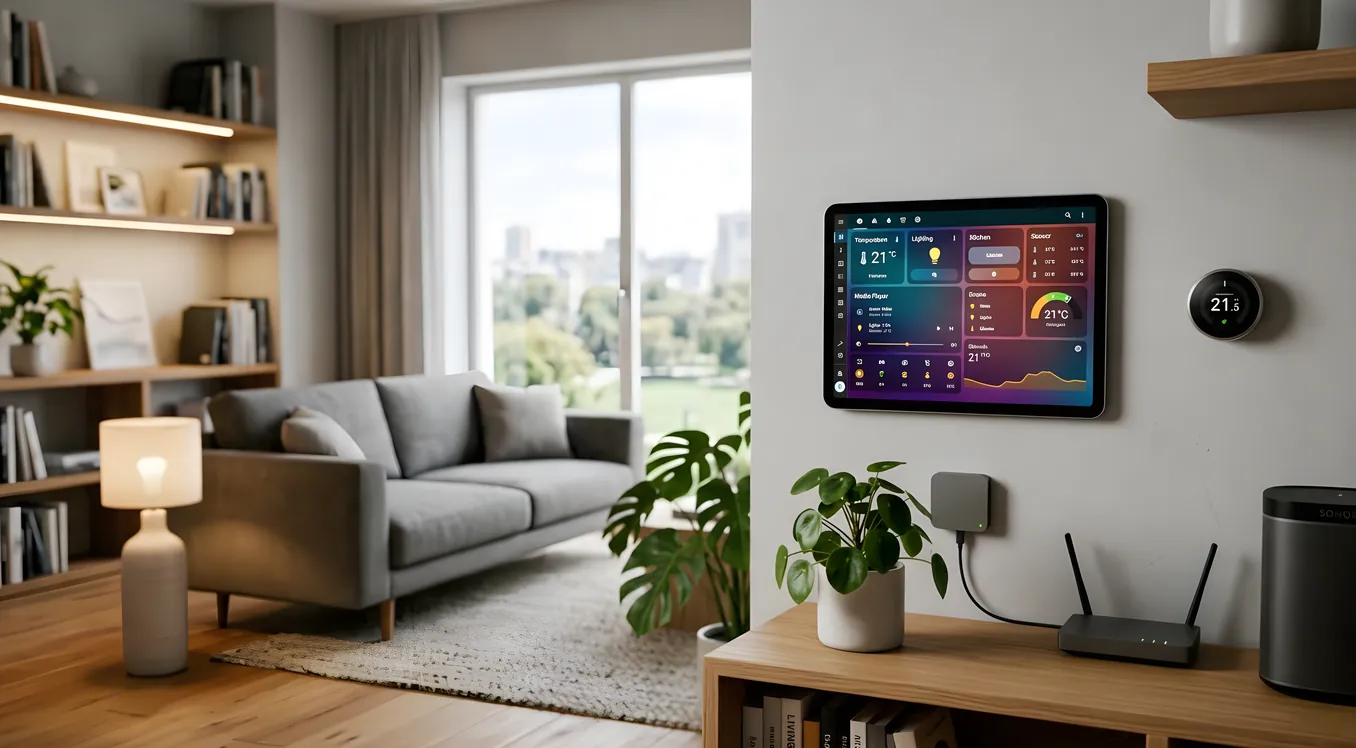
Home Assistant has quietly become the most capable smart home software on the planet. Not because a well-funded company built it that way, but because a global community of engineers, tinkerers, and frustrated homeowners kept adding to it for over a decade. The result is a platform that can control more devices than anything else on the market, runs entirely on hardware you own, and costs nothing in monthly subscription fees.
But that description also glosses over the real picture. Home Assistant is powerful and free, and it is also genuinely complex in ways that can stop a motivated homeowner cold. Getting the most out of it requires time, patience, and a willingness to read documentation. It is not a plug-and-play system.
This guide is for homeowners who are doing serious research. You want to know what Home Assistant actually does, what hardware runs it, where it fits compared to platforms like Control4 or Savant, and whether the learning curve is worth it for your situation.
What Home Assistant Actually Is
Home Assistant is an open-source home automation platform. The core software (called Home Assistant OS, or HAOS) is free and runs locally on your own hardware. “Locally” is the key word. Your automations, device states, and routines live on a computer in your home, not on a cloud server in another state. That distinction matters practically: your lights still work when the internet goes down.
The project is maintained by Nabu Casa, a company founded in 2018 by the original Home Assistant developers. Nabu Casa generates revenue by selling Home Assistant Cloud subscriptions at $6.50 per month (or $65 per year), which add remote access, voice assistant integration, and a handful of other conveniences. The subscription is optional. The core platform is free whether you pay or not.
As of mid-2026, Home Assistant supports over 3,500 integrations. That number is not marketing language. It means there are 3,500-plus specific device brands, protocols, and services that Home Assistant can natively communicate with: Lutron Caseta dimmers, Ring doorbells, ecobee thermostats, Sonos speakers, Philips Hue bulbs, IKEA Tradfri lights, Tesla vehicles, Roomba vacuums, pool controllers from Pentair and Hayward, and on and on. If a device exists in the smart home space, there is a very high probability Home Assistant has an official or community integration for it.
The Hardware You Need to Run It
Home Assistant runs on several hardware configurations, and the choice matters for reliability and performance.
Home Assistant Green is the official plug-and-play appliance. It costs $99, measures roughly 3.6 inches square, and requires nothing else to get started. Processing is handled by a quad-core ARM Cortex-A55 at 1.8 GHz with 4GB of RAM. For a household with under 200 devices, this handles everything without issue. It ships with 32GB of internal storage, expandable with a microSD card.
Home Assistant Yellow ($125 to $160 depending on configuration) is a more capable option designed around a Raspberry Pi Compute Module 4. It includes built-in Zigbee and Matter/Thread radio hardware, which matters if you run Zigbee devices. The Yellow needs a CM4 module purchased separately ($25 to $75 depending on RAM and storage). Total cost runs $150 to $235.
Raspberry Pi 4 or 5 (DIY route): Many users run Home Assistant on a Pi they already own. A Raspberry Pi 4 with 4GB RAM (around $55 new, when available) paired with a 32GB microSD or a USB SSD runs Home Assistant reliably. The Raspberry Pi 5 offers meaningful performance headroom for larger installations. This approach is cheaper but requires more setup steps.
Intel NUC or mini PC (power user route): For installations with 500-plus devices, extensive history logging, or local AI features, a used Intel NUC with an i5 processor and 8GB RAM delivers serious headroom. Expect to spend $100 to $200 on a used unit. This is also the hardware class that supports running local large language models for voice control without cloud dependencies.
For most homeowners, the $99 Home Assistant Green is the right starting point. It is purpose-built, runs cool and silent, and handles everything most households need.
What It Can Actually Control
The 3,500-plus integration count is easier to understand when you look at specific categories.
Lighting: Home Assistant works with every major lighting ecosystem. Lutron Caseta and RadioRA 3 integrate via the Lutron Smart Bridge Pro ($80 to $100), giving you local control of Caseta dimmers, switches, and Serena shades. Philips Hue connects via the Hue Bridge. IKEA Dirigera and Tradfri hubs integrate directly. Zigbee bulbs from any manufacturer connect if you add a Zigbee coordinator (the ConBee II USB stick, $35, is a common choice). Insteon users can still use Home Assistant after Insteon’s 2022 shutdown, via third-party hubs.
Climate: ecobee thermostats integrate natively via the cloud API. Nest thermostats connect through Google’s Smart Device Management API (which requires a $5 one-time registration fee from Google). Honeywell and Resideo thermostats have local API integrations. Sensibo and Cielo controllers for mini-split systems integrate with Home Assistant for full control of systems that otherwise have no smart home compatibility.
Security: Ring doorbells and cameras integrate via Ring’s cloud API. Unifi Protect cameras connect locally via a robust community integration. Reolink cameras with ONVIF support work locally without cloud. Yale, Schlage, and August smart locks all have integrations. Alarm.com, DSC, Elk M1, and Paradox alarm panels have integrations for those who want to tie their security system into the broader home automation platform.
Audio/Video: Sonos speakers integrate natively and well. Home Assistant can control Sonos speaker groups, pause music when you leave the house, and restore specific playlists based on time of day. Apple TV, Plex Media Server, Kodi, and most major streaming devices integrate cleanly. For whole-home audio enthusiasts, Snapcast (an open-source audio server) pairs with Home Assistant for synchronized multi-room audio without subscription costs.
Energy monitoring: Emporia Vue, Sense, and Shelly EM clamp meters all integrate with Home Assistant’s Energy Dashboard, which displays real-time and historical power consumption by circuit or device. This is one of Home Assistant’s standout features: the ability to see exactly how much power your HVAC, EV charger, pool pump, and dryer are using and build automations that respond to energy pricing signals.
Voice control: Home Assistant’s built-in voice assistant is called Assist. It can run locally using Whisper for speech-to-text and Piper for text-to-speech, with no cloud dependency at all. Response times on a Raspberry Pi 5 or NUC run 1 to 3 seconds for local processing. Alternatively, Home Assistant Cloud routes voice commands through Nabu Casa’s infrastructure for faster response. The platform also integrates with Amazon Alexa and Google Assistant for households that prefer those ecosystems.
How Automations Actually Work
Automations are where Home Assistant earns its reputation. The automation engine lets you build conditional logic that would be impossible or extremely expensive on locked platforms.
A simple example: turn on the porch light at sunset, but only if a motion sensor on the porch is triggered, and only if nobody in the household is set to a “Do Not Disturb” state. The automation checks three conditions simultaneously before acting. Building this in Home Assistant takes about five minutes through the visual automation editor.
A more complex example: when the last person leaves home (detected by phone GPS), set the thermostat to 76 degrees, lock all exterior doors, arm the alarm, turn off all lights, and send a push notification confirming it happened. When anyone returns, run the reverse. This kind of multi-step presence-based automation is straightforward in Home Assistant and would require custom programming on platforms like Crestron or significant integrator time on Control4.
The automation editor has two modes. The visual (YAML-less) editor handles most use cases and requires no coding. The YAML editor gives full access to the automation engine’s capabilities for complex conditional logic. Templates, which use Jinja2 syntax, let you build dynamic automations that calculate values, pull in sensor data, and make decisions based on real-time state.
Scripts in Home Assistant are saved sequences of actions you can trigger from automations, dashboards, or voice commands. Think of a “movie mode” script that dims the living room lights to 15%, turns off the kitchen overhead, sets the TV to the right input, and adjusts the thermostat. One button runs the whole sequence.
Scenes capture specific device states and let you restore them instantly. You can create a scene called “dinner party” that sets every light in the main living areas to a specific color temperature and brightness level, then restore it with one tap from your phone.
The Dashboard and Mobile App
Home Assistant’s user interface is built around customizable dashboards called Lovelace. You can build a dashboard that shows exactly what you want: camera feeds, energy usage, a floor plan of your house with device states overlaid on it, weather data, family presence indicators, and one-tap controls for your most-used automations.
The Lovelace dashboard system supports drag-and-drop layout editing. Card types include buttons, sliders, gauges, media players, thermostat controls, map views, and conditional cards that only appear when certain conditions are met. Third-party card libraries (installed through HACS, the Home Assistant Community Store) expand this further with custom visualizations and controls.
The Home Assistant Companion App runs on iOS and Android and provides a mobile dashboard, push notifications, and location sharing for presence detection. The iOS app is notably well-built, pulling in phone sensors like battery level, activity type, and WiFi network and exposing them as sensors in Home Assistant. You can build an automation that charges your car only when your phone battery is above 20% and you are connected to your home WiFi. That level of contextual logic is genuinely useful, and it is free.
Where Home Assistant Falls Short
Honest assessment requires saying where the platform struggles.
The learning curve is real. Setting up Home Assistant and connecting a few smart bulbs takes an afternoon. Building a polished, reliable system that a non-technical family member can use without frustration takes weeks of iterative work. Documentation is extensive but uneven. Community forums (r/homeassistant with over 700,000 members) are helpful but assume some baseline technical comfort.
Z-Wave integration has been rocky. Home Assistant’s Z-Wave integration (via the Z-Wave JS integration and a USB stick like the Nortek HUSBZB-1, around $40) works, but Z-Wave device pairing and network troubleshooting are more painful than on dedicated Z-Wave hubs like SmartThings or Hubitat.
No professional support path. If something breaks, you are reading documentation and forum posts. There is no phone number to call, no integrator to dispatch. For homeowners who want someone else to handle this, Home Assistant is not the answer. Platforms like Savant or Control4 exist precisely because some people want professional design, installation, and ongoing support.
Reliability requires attention. Home Assistant requires occasional maintenance: software updates, integration adjustments when cloud APIs change, database optimization for long-running installations. It is not set-and-forget in the way a well-programmed Control4 system can be after integrator setup.
Voice control is still catching up. The local Assist pipeline is impressive for what it is, but it does not yet match the natural language comprehension of Amazon Alexa or Google Assistant for conversational queries. Josh.ai, built specifically for residential voice control with a privacy-first architecture, is a more capable voice system than Home Assistant’s current Assist for households where voice is a primary interface.
Home Assistant vs. Commercial Platforms
The honest comparison to platforms like Control4, Savant, and Crestron comes down to who does the work and what that work costs.
Control4 requires a Control4 dealer for purchase and installation. A whole-home Control4 system typically starts at $15,000 to $20,000 installed and scales well past $100,000 for large homes. You get a polished, reliable system that a dealer maintains, a well-designed interface, and professional support. You also have ongoing dealer fees for programming changes.
Savant is positioned above Control4 in the luxury segment. An entry Savant installation runs $20,000 to $30,000 and up. You get exceptional audio-video integration, beautiful hardware, and a system that integrators describe as genuinely reliable.
Home Assistant sits at the other end of that spectrum. Hardware costs $100 to $300. Software costs $0 to $78 per year. The trade is your time and technical competence in place of the integrator’s expertise.
There is a meaningful middle ground for tech-savvy homeowners: use Home Assistant as the backbone (handling integrations, automations, and energy monitoring) while keeping certain subsystems on dedicated platforms. Lutron Caseta for lighting is a common pairing because the Caseta system handles basic lighting reliably even if Home Assistant has an issue. Sonos for audio because Sonos works natively whether or not Home Assistant is running. The strategy is to use Home Assistant for intelligence and automation while leaning on reliable subsystem controllers for the devices you depend on most.
Apple HomeKit is another reference point worth understanding. HomeKit offers a curated, privacy-first ecosystem with native integration across Apple devices. Its automation capabilities are more limited than Home Assistant but it requires zero configuration complexity and works reliably for HomeKit-certified devices. The two platforms are not mutually exclusive: Home Assistant can expose its devices to HomeKit through the HomeKit Bridge integration, letting you use the Apple Home app as a secondary interface.
The Matter and Thread Factor
Matter is a cross-platform smart home standard supported by Apple, Google, Amazon, and the Home Assistant project. Devices certified for Matter can connect to any Matter-compatible hub without proprietary bridges. Thread is the networking protocol that Matter runs over for battery-powered devices, offering better range and reliability than Zigbee in dense RF environments.
Home Assistant added native Matter and Thread support with Home Assistant 2023.x. The Home Assistant Yellow includes a Silicon Labs EFR32MG24 chip that serves as a Thread border router out of the box. The Green requires a separate Thread border router (an Apple TV 4K, HomePod mini, or a third-party Thread border router stick).
What this means practically: new Matter-certified devices from brands like Eve, Nanoleaf, and an increasing number of Aqara products can connect directly to Home Assistant without any additional bridge hardware. Thread-based sensors and switches pair more reliably and maintain connectivity more consistently than older Zigbee devices on crowded networks. The ecosystem is still maturing, but Matter/Thread represents a significant improvement in how devices connect and communicate.
Getting Started Realistically
If you decide to try Home Assistant, a realistic starting path looks like this.
Buy a Home Assistant Green ($99). Install it using the onboarding wizard, which takes about 15 minutes. Connect your existing devices using the integration search (most major devices are detected automatically on your network). Spend a week just observing device states in the dashboard before building any automations.
Your first automations should be single-condition, single-action: turn on the back porch light at sunset. Turn off all lights when everyone leaves. These build familiarity with the automation editor without the complexity of multi-condition logic.
After a month of basic use, explore the Energy Dashboard if you have a supported power monitor. Set up push notifications for important events: door left open, garage door status, water leak sensor triggered. These high-value use cases deliver real utility without requiring advanced configuration.
The HACS (Home Assistant Community Store) is where the platform’s depth becomes clear. It adds hundreds of custom integrations, dashboard cards, and themes that are not in the official release. Installing HACS takes about 10 minutes following the documentation, and it unlocks a substantially larger ecosystem.
Who Home Assistant Is Right For
Home Assistant fits a specific type of homeowner well: someone who finds the idea of building their own system genuinely interesting, has enough technical comfort to read documentation and troubleshoot basic issues, and wants maximum flexibility and zero lock-in.
It is also an excellent second layer for homes that already have some smart devices but no central platform. If you have Lutron Caseta switches, a Ring doorbell, an ecobee thermostat, and Sonos speakers all running in separate apps, Home Assistant can pull all of them together into unified automations and a single dashboard. That consolidation alone is worth the $99 hardware investment for the right homeowner.
It is not the right fit if you want a professionally designed and supported system, if other family members need to use the home controls reliably without your involvement, or if the idea of occasional technical maintenance sounds unappealing. In those situations, the investment in a Control4 or Savant system buys exactly what Home Assistant cannot: someone else’s expertise and accountability.
Building Long-Term on Home Assistant
The platform’s longevity case is strong. Home Assistant has been in active development since 2013, releases major updates monthly, and has a community large enough that integrations for new devices typically appear within weeks of launch. The open-source nature means no single company can shut it down or change its terms of service in ways that strand existing users.
For homeowners who value independence from proprietary ecosystems, this matters a lot. Every device you connect to Home Assistant remains under your control. You can export your automation configuration, run it on different hardware, and move your entire setup without losing anything.
That independence is what makes Home Assistant worth the learning curve for the right person. The work you put in is yours to keep.