Voice Control for Smart Homes: Alexa vs Google vs Siri vs Josh
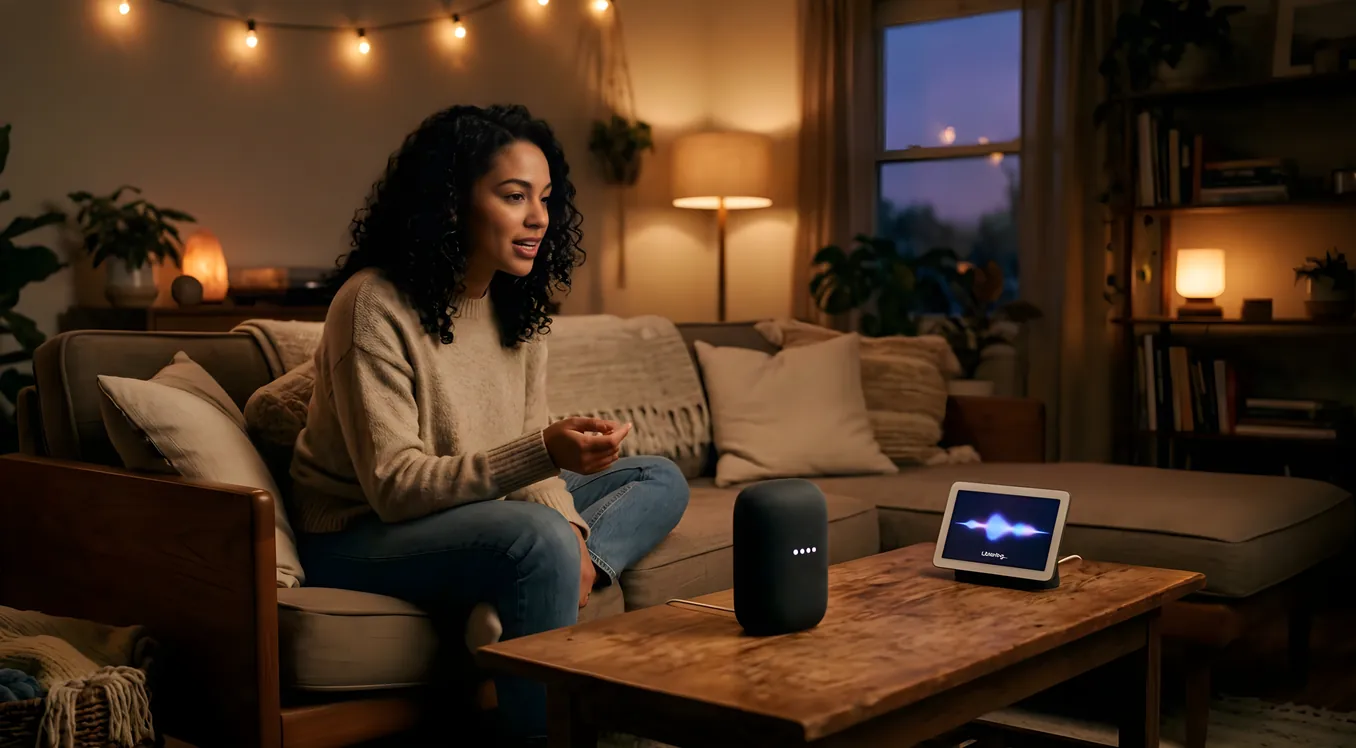
Pick the wrong voice platform and you’ll spend the next three years shouting corrections at a speaker that keeps turning on your kitchen lights when you asked it to lock the front door. The four major smart home voice control options sit at very different points on the spectrum of convenience, ecosystem lock-in, reliability, and privacy. They also carry different price tags, from zero (Alexa and Google come bundled with speakers you may already own) to several thousand dollars for a professionally integrated system.
This guide covers what matters for a homeowner doing real research: which devices each platform controls natively, what happens when the internet goes down, how each handles multi-room commands, and where each one quietly falls apart.
Why Your Voice Platform Choice Matters More Than You Think
Voice control feels like a nice-to-have until you’ve lived with it for six months. Then it becomes the interface your household defaults to for everything: lights, locks, thermostats, garage doors, music zones, security cameras. At that point, switching platforms means re-pairing dozens of devices, replacing hardware, and re-training everyone in the house on new wake words.
The platform you choose also determines which automation logic lives where. Alexa Routines and Google Home scripts run in the cloud. Siri Automations run through your iPhone or a HomeKit hub (HomePod, Apple TV, iPad). Josh.ai runs a local AI processor in your equipment rack. These aren’t just technical distinctions. They define how your home behaves when the internet is out, how much of your conversation Amazon or Google processes on its servers, and how granular your control actually gets.
The other thing that trips up buyers: price. Alexa and Google Assistant are free to use if you have the speakers. But the smart devices those assistants control are not. A Lutron Caseta starter kit with a Pico remote runs about $65 per switch. A full-house Control4 Smart Home System installation using a professional integrator can run $20,000 to $100,000 or more. Voice is just the front end. The hardware behind it is where budgets get real.
Amazon Alexa: The Broadest Ecosystem, the Busiest Platform
Alexa works with more smart home devices than any other voice platform. The Works with Alexa certification program covers over 140,000 products from roughly 9,500 brands, including Lutron, Ecobee, Ring, Sonos, Chamberlain, Yale, August, Schlage, Philips Hue, LIFX, Nest, and virtually every mid-market smart home product on the market.
That breadth is genuinely useful. If a contractor installs a random smart thermostat or doorbell, it probably works with Alexa without any adapter or hub in between.
What Alexa does well:
Alexa Routines are surprisingly capable for a free platform. You can chain actions: “When motion is detected on the Ring Doorbell, turn on the porch lights and announce ‘Someone is at the front door’ on Echo devices in the kitchen and living room.” Alexa Guard (free tier) listens for smoke alarms and breaking glass when you say “Alexa, I’m leaving” and sends alerts to your phone. Guard Plus ($4.99/month) adds a 24/7 monitoring connection and simulated occupancy sounds.
The Echo lineup itself covers useful ground. The Echo Show 15 (released 2021, still current) is a 15.6-inch wall-mountable display that works as a home dashboard, showing camera feeds, calendar events, and sticky notes for household members. It runs about $250. The Echo Hub (released 2023) is a dedicated smart home controller display at $180 that mounts flush to a wall and shows device status at a glance without needing to be a full Echo speaker.
Where Alexa falls short:
Alexa’s natural language processing lags behind Google’s. Ask Google “what temperature is my thermostat set to?” and it answers. Ask Alexa the same question with some thermostats and you get a generic response about checking the app. This gap narrows constantly, but it still shows up on edge-case queries.
Alexa also has a commercial agenda. The platform regularly interrupts with suggestions to buy products on Amazon or subscribe to services. These can be suppressed in settings, but they default on. Privacy-focused households find this grating.
Cloud dependency is a real concern. Alexa does not work without an internet connection. If your ISP goes down for an hour, your voice control goes with it. Local control workarounds exist (Alexa for Smart Home skill developers can build local execution paths), but most consumer devices don’t implement this.
Device compatibility highlights: Ring Alarm (native), Ecobee thermostats, Lutron Caseta and RadioRA, Sonos (via Alexa skill), Philips Hue, August Smart Lock Pro, Chamberlain MyQ, Nest thermostats and cameras.
Alexa works best for: Homeowners who want maximum device compatibility and are comfortable with a cloud-based system. Good starting point for houses where voice control is supplemental, not the primary interface.
Google Assistant / Google Home: The Best Natural Language, the Shakiest Foundation
Google’s voice AI has the most natural conversation flow of the mass-market platforms. It understands context and follow-up questions better than Alexa, and it integrates deeply with Google’s own ecosystem: Gmail, Google Calendar, Google Nest cameras, and Chromecast audio/video.
The Google Home app (redesigned in 2023) finally organizes devices into rooms and structures the dashboard in a way that makes sense for a house with more than ten devices. The Matter standard, which Google helped develop alongside Apple, Amazon, and the Connectivity Standards Alliance, is gradually making cross-platform device pairing faster and more reliable.
What Google does well:
Natural language understanding is Google’s real differentiator. You can say “Hey Google, make the living room warmer” instead of specifying the exact thermostat name and target temperature. Google infers context from your location history, calendar, and prior commands in ways that feel genuinely useful rather than gimmicky.
Nest device integration is tight. The Nest Learning Thermostat (4th generation, released 2024, $280) reports temperature, humidity, and energy history to the Google Home app and accepts voice commands without any third-party skill or adapter. Nest Cam, Nest Doorbell, and Nest Protect smoke/CO detectors all appear natively in the Home app with live video feeds on compatible Nest Hub displays.
The Nest Hub Max (10-inch, $230) uses built-in camera to track whether you’re in the room and dims the display when you leave. It supports local processing for a limited set of commands when offline, though full functionality requires cloud connectivity.
Where Google falls short:
Google has a history of discontinuing products and services that homeowners have built around. Google Stadia, Google+, Google Glass, Nest Secure (discontinued 2020), Nest Guard (discontinued 2021). This track record is not trivial when you’re deciding what voice platform to build your home around for the next decade. Google Home as a platform has remained, but the ecosystem requires some trust that Google will stay committed.
The Google Home skill ecosystem is also less mature than Alexa’s. Some devices that work with Alexa don’t have a Google equivalent, and Google’s smart home certification program is smaller. For integrations with professional AV and automation gear like Crestron or Savant, Google connectivity often requires workarounds or custom driver development.
Device compatibility highlights: Google Nest lineup (native), Philips Hue, LIFX, Ecobee, August Smart Lock, Schlage Encode, Lutron Caseta, Sonos, Chromecast built-in devices.
Google works best for: Households already using Google Workspace and Android, with Nest thermostats and cameras. Strong choice if natural language matters and you’re comfortable with Google’s data practices.
Apple HomeKit and Siri: The Privacy Play with Ecosystem Trade-offs
HomeKit processes most commands locally, on your iPhone, HomePod, or Apple TV, rather than sending audio to Apple’s servers. Apple’s privacy posture is meaningfully different from Amazon’s and Google’s. Siri requests for HomeKit commands are processed on-device or on your local hub, not logged to a profile and used for ad targeting.
The trade-off is a smaller device ecosystem. HomeKit certification requires devices to meet Apple’s security and performance standards, which means lower-volume manufacturers often skip it. The catalog has grown substantially since the Matter standard launched (Matter devices can appear in HomeKit automatically), but it still doesn’t match Alexa’s breadth.
For more detail on what HomeKit gets right and where it hits limits, see Apple HomeKit: What It Does Well and Where It Falls Short.
What HomeKit does well:
HomeKit Automations run locally when a HomePod mini ($99) or Apple TV 4K ($129) is on your network. If your internet goes out, your automations still fire: motion-triggered lights come on, scheduled scenes run, geofencing works. This is a meaningful reliability advantage for homeowners who’ve experienced ISP outages.
The Home app organization by room and floor feels intuitive, and the Adaptive Lighting feature (which shifts bulb color temperature throughout the day for supported bulbs like Philips Hue and Nanoleaf) works without any third-party app. Control Center integration on iPhone lets you tap a device tile directly from the lock screen.
The Home Key feature in iOS 16 and later turns your iPhone into a tap-to-unlock credential for compatible door locks (Schlage Encode Plus, Yale Assure Lock 2) using NFC. No app needed at the door.
Where HomeKit falls short:
Siri’s smart home command accuracy is inconsistent. “Hey Siri, lock the front door” works reliably. “Hey Siri, set a scene for movie night” can misfire or route to Siri on the wrong device if you have multiple Apple devices nearby. The multi-speaker wake word competition problem is worse in Apple households than in Alexa or Google households, partly because HomePods, iPhones, iPads, and Apple Watches all listen and can conflict.
HomeKit also lacks the routine-building depth of Alexa. You can create Automations based on time, location, sunrise/sunset, and accessory state, but chaining complex sequences requires Shortcuts, which has a steeper learning curve. Multi-home management (vacation properties, parent’s house) works but feels clunky.
Device compatibility highlights: Philips Hue (native), Lutron Caseta and RadioRA 3 (native), Ecobee SmartThermostat Premium, Yale Assure Lock 2, Schlage Encode Plus, Nanoleaf, Eve Energy, Aqara, Sonos (HomeKit compatible).
HomeKit works best for: iPhone-primary households with strong privacy preferences, who have or will buy a HomePod mini as a hub. Particularly strong for people who also use Apple Watch and want wrist-based home control without unlocking their phone.
Josh.ai: Professional-Grade Voice with Real Privacy
Josh.ai is in a different category from the three platforms above. It’s not a consumer product sold at Best Buy. It’s a professionally installed system designed for custom smart home integrations, sold exclusively through custom installers and integrators. The hardware is a Josh Micro ($399 per room, typically installed in four to twelve rooms in a custom home), and the software requires a subscription ($9.99/month or $99/year per home after the first year).
For a full breakdown of Josh.ai’s capabilities, installation requirements, and pricing, the Josh.ai: The Privacy-First Voice Control System guide covers it in depth.
What Josh does well:
Josh.ai processes voice commands locally on the Josh Micro hardware. Nothing is sent to a cloud server for processing. This isn’t marketing language. Josh’s system architecture genuinely does on-device natural language processing using custom AI models, which means your voice is not being logged or analyzed externally.
The integration with professional control systems is what sets Josh apart from consumer platforms. Josh natively integrates with Control4, Savant Smart Home, Crestron, Lutron RadioRA 2 and 3, Lutron HomeWorks QS and QSX, Sonos, and most commercial-grade AV systems. A Josh command “play jazz in the master suite at 25 percent volume” executes across a properly configured Savant or Control4 system with no workaround or skill required.
Josh also handles conversation. You can say “Josh, goodnight” and it dims the lights, locks the doors, arms the security system, and adjusts the thermostat based on a scene you’ve configured. If you say “actually, leave the porch light on,” Josh understands the context and modifies the command rather than treating it as a separate new instruction.
Where Josh falls short:
Cost and complexity. Josh.ai is not a DIY product. Installation requires a certified Josh dealer, and most homeowners encounter Josh through an integrator selling a full custom automation package. Adding Josh to an existing non-integrated home requires either bringing in a professional integrator or being comfortable with some technical self-setup, which Josh’s dealer network does not particularly support.
The per-room hardware cost adds up. A six-room installation with Josh Micros, installation labor, and the subscription runs $3,000 to $6,000 before accounting for the underlying smart home system. If you’re already investing in a Crestron Home Automation or Control4 system, Josh represents a meaningful but justifiable addition. For a home with basic smart switches and a Nest thermostat, it’s overkill.
Device compatibility highlights: Control4, Crestron, Savant, Lutron (RadioRA 2, RadioRA 3, HomeWorks QS, HomeWorks QSX, Caseta), Sonos, Spotify, Apple Music, Tidal, Ring, Nest, Ecobee, Yale, Schlage, most IP-addressable AV equipment.
Josh works best for: New construction or full custom integration projects. Households with existing Control4, Crestron, or Savant systems looking to add natural voice control. Privacy-focused buyers who can’t accept cloud-processed voice data.
How the Four Platforms Compare on Key Criteria
Internet outage behavior:
- Alexa: Non-functional
- Google: Limited local processing on select Nest devices
- HomeKit: Full local processing with HomePod or Apple TV hub
- Josh.ai: Full local processing on Josh Micro hardware
Device ecosystem size:
- Alexa: Largest (140,000+ products)
- Google: Large, especially Nest-native
- HomeKit: Growing via Matter; smaller than Alexa/Google for legacy devices
- Josh.ai: Curated; focused on professional integration brands
Monthly cost:
- Alexa: Free (hardware ranges from $30 Echo Dot to $250 Echo Show 15)
- Google: Free (hardware ranges from $50 Nest Mini to $230 Nest Hub Max)
- HomeKit: Free (hub hardware $99-$129; Shortcuts app free)
- Josh.ai: $9.99/month or $99/year after first year (hardware $399/room)
Privacy stance:
- Alexa: Cloud-processed; Amazon data policies apply
- Google: Cloud-processed; Google data policies apply
- HomeKit: Mostly on-device; Apple’s privacy stance is strongest of the consumer options
- Josh.ai: Fully local; no external voice processing
Professional integration support:
- Alexa: Moderate (drivers available but community-maintained)
- Google: Limited for high-end AV systems
- HomeKit: Moderate (Matter bridging helps; Control4 and Crestron drivers exist)
- Josh.ai: Native; built specifically for professional integrators
Mixing Platforms: What Actually Works
Many homeowners end up with more than one voice platform running simultaneously, which is more manageable than it sounds. Philips Hue works with Alexa, Google, and HomeKit at the same time. Ecobee thermostats support all four. Sonos works with Alexa, Google, Siri, and Josh.ai simultaneously through different integrations.
The practical approach for most households: pick one primary platform and use others for device access only. Alexa as the primary with HomeKit as a local backup is a common configuration. The Alexa app handles most voice commands and routines. HomeKit handles automations that need to work during internet outages and integrates with Apple Watch on the wrist.
For homeowners considering a full custom smart home build, the platform decision becomes simpler. Professional integrators building on Control4 or Crestron typically recommend Josh.ai for voice because the native integration is far cleaner than consumer platform workarounds. The added cost is real, but the experience of saying “Josh, start the morning scene” and having lights, thermostat, shades, and music all respond correctly and quickly is the kind of reliability that justifies the premium.
Making the Call
The default recommendation for most homeowners starting fresh: Alexa if you want maximum device compatibility and don’t mind cloud processing, HomeKit if you’re iPhone-first and value local control, Google if you’re already deep in the Nest ecosystem.
The recommendation changes materially if you’re doing a new custom home build or hiring an integrator for a significant retrofit. In that scenario, the voice platform is only one part of the conversation. The integrator will recommend a control system platform (Control4, Crestron, Savant, Lutron HomeWorks) and then the voice options follow from that selection. A Savant-based home has excellent Josh integration. A Control4 home can use Josh, Alexa, or Google depending on the dealer’s configuration.
Ask your integrator specifically: what voice platform do they most commonly install, what integrations have they actually tested end-to-end in a customer’s home, and what happens to your voice commands when the internet goes down. The answers tell you more than any spec sheet.
The right voice platform is the one that stays out of the way while doing exactly what you said. Everything else is marketing.