Smart Locks: Keyless Entry Systems for Modern Homes
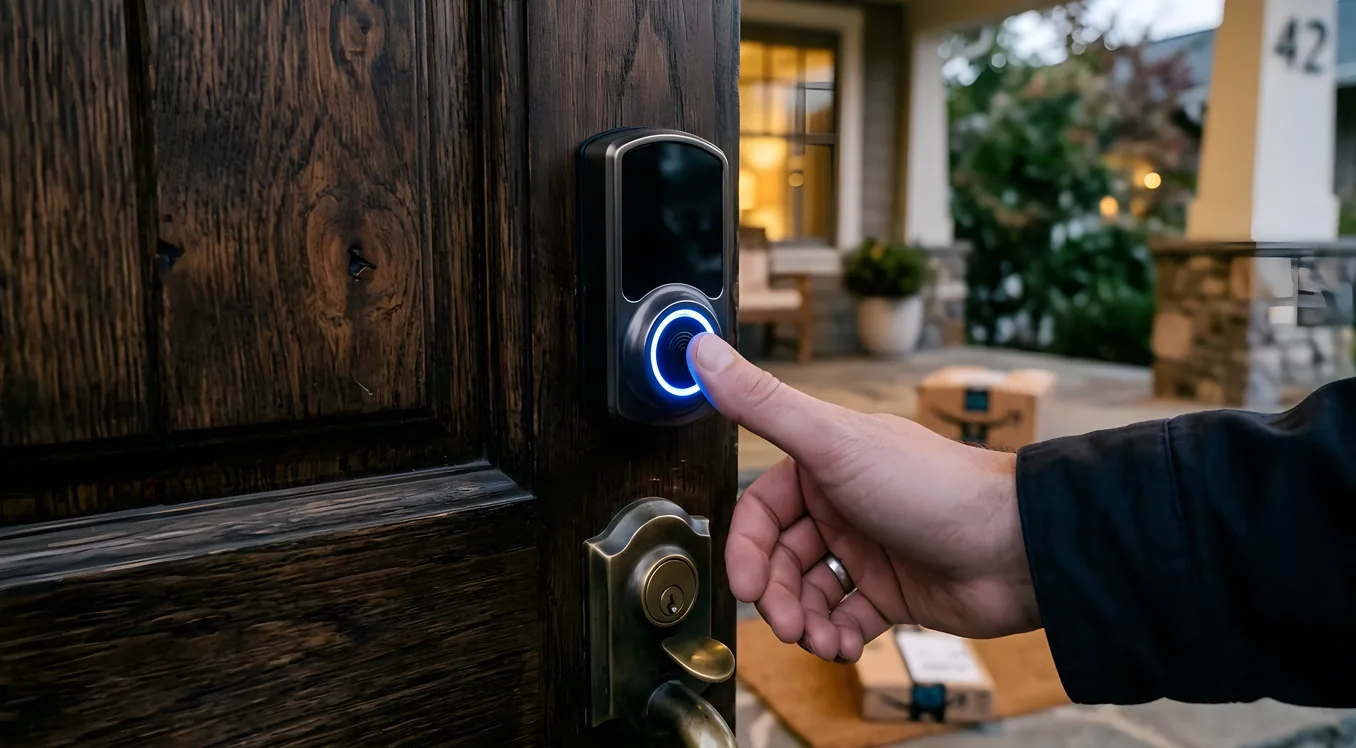
Replacing a deadbolt is normally a 15-minute job. Add a smart lock and you gain the ability to let in a contractor from your phone, know exactly when your kids arrived home, never hand out a key again, and tie your front door into the rest of your smart home. You also introduce a new attack surface, a dependency on battery life, and, if you pick the wrong product, a lock that refuses to work with your alarm system.
The decision is not complicated once you know what actually matters. This guide covers the real differences between smart lock categories, the brands worth considering, what integration with a broader smart home system actually looks like, and the things that tend to go wrong.
Why Deadbolt Replacement vs Retrofit Matters First
Before you get into brand comparisons or features, the most important question is whether you want to replace your existing deadbolt or retrofit it.
Full replacement smart locks come with a new deadbolt mechanism, a new exterior keypad or reader, and an interior smart component. Schlage Encode, Yale Assure, and Kwikset Halo all fall into this category. You remove your existing deadbolt entirely and install new hardware from scratch. The advantage is that you get the manufacturer’s complete, purpose-built product with no compromises. The disadvantage is that if your door is non-standard (thick door, narrow backset, unusual prep), you may need to modify the door or find a compatible model.
Retrofit smart locks attach to your existing deadbolt and replace only the interior thumb turn with a motorized component. August Smart Lock Pro and Wyze Lock are the most common examples. You keep your existing key cylinder, which means your locksmith, your landlord, and your existing key copies all remain valid. The exterior of your door looks exactly the same, which matters in rental units or HOA-governed properties. The tradeoff is that a retrofit is only as good as the underlying deadbolt it attaches to, and some deadbolts (particularly older single-cylinder units with unusual spindle geometry) are not compatible.
Neither approach is universally better. For a homeowner doing a renovation or starting fresh, full replacement gives you a cleaner, more integrated product. For renters, people in condos with exterior appearance restrictions, or anyone who wants to preserve an existing high-security deadbolt, retrofit makes more sense.
The Lock Grades That Actually Predict Reliability
Residential deadbolts are graded by ANSI/BHMA standards. Grade 1 is the highest (commercial-grade), Grade 2 is medium-duty residential, and Grade 3 is light-duty. Most smart locks sit at Grade 2, which is fine for a typical residential front door. A Grade 2 deadbolt withstands 250,000 cycles and a 10-strike forced entry test.
Schlage’s products consistently earn Grade 1 or Grade 2 BHMA ratings. The Schlage Encode Plus (Model BE489WB) is a Grade 2 Alarm.com-certified smart lock with a built-in Wi-Fi chip (2.4 GHz) and Apple Home Key support, retailing around $300 to $350. Yale locks sit mostly at Grade 2. Kwikset products are more variable, with some Grade 2 and some Grade 3 depending on the line.
If you are installing a smart lock on a back door, a gate, or a secondary entry that sees light use, Grade 2 or even Grade 3 is fine. For your primary front door, hold out for Grade 1 or strong Grade 2 hardware.
Wi-Fi vs Bluetooth vs Z-Wave vs Zigbee
The wireless protocol your smart lock uses determines what hub it needs, how reliably it connects, and whether it works with your existing smart home system. This is the most misunderstood spec in the category.
Wi-Fi locks (Schlage Encode, Kwikset Halo, Ultraloq U-Bolt Pro WiFi) connect directly to your home network without a hub. You get remote access out of the box, set up with an app, and do not need any additional hardware. The downside is battery drain: Wi-Fi draws more power than Bluetooth or mesh protocols, so expect batteries to last 3 to 6 months instead of 6 to 12 months. Wi-Fi locks also depend on your router’s uptime, which is usually fine but becomes an issue during internet or power outages.
Bluetooth locks (August Smart Lock Pro in Bluetooth-only mode, Wyze Lock) require you to be physically nearby (within roughly 100 feet) to operate the lock unless you add a hub or bridge. The August Connect bridge ($29) plugs into a wall outlet and gives the August Pro remote access. Bluetooth is extremely efficient on batteries, so a Bluetooth lock can run 6 to 12 months on 4 AA batteries with normal use.
Z-Wave locks (Yale YRD256, Schlage BE469ZP, Kwikset 914) integrate into a Z-Wave hub like SmartThings, Wink, or a professional control system. Z-Wave locks are the preferred choice for anyone building a serious smart alarm system that needs the lock to trigger automations: lock the door when the alarm arms, unlock when you disarm, log every entry and exit to the security panel’s event log. Z-Wave operates at 908.42 MHz in North America, which means it does not compete with Wi-Fi or Bluetooth for airspace. Range is typically 100 feet per hop, extendable through Z-Wave mesh.
Zigbee locks are less common in residential applications but exist in the Samsung ecosystem and some commercial applications. SmartThings supports Zigbee locks natively.
Thread/Matter locks are beginning to appear. The August WiFi Smart Lock (4th gen) gained Matter support via a firmware update, and Yale’s Assure Lock 2 with Matter (Model YRD420) is available at around $200 to $250 and works with Apple Home, Google Home, and Amazon Alexa natively. Matter is the open standard backed by Apple, Google, Amazon, and the Connectivity Standards Alliance. For most homeowners buying today, a Matter-compatible lock is a reasonable choice if you are uncertain which ecosystem you will end up in long-term.
Brand-by-Brand: What Each Actually Delivers
Schlage
Schlage is the most consistently recommended brand by locksmiths and security professionals for residential smart locks. Their build quality is genuinely high: solid brass and steel construction, Grade 1 ratings on their commercial-crossover products, and keypad buttons that hold up to several years of daily use.
The Schlage Encode Plus (BE489WB) is the flagship consumer product at around $300. Wi-Fi built-in, works with Apple Home Key (NFC tap to unlock using iPhone or Apple Watch), Amazon Alexa, and Google Home. Keypad has auto-lock, up to 100 access codes, built-in alarm technology (detects door attacks, incorrect code attempts, and door movement).
The Schlage Encode (BE489ZP/B60N depending on configuration) is the non-Plus version at around $200 to $230, without Apple Home Key. Still excellent.
The Schlage BE469ZP is the Z-Wave version for integration with SmartThings, Control4, or other hubs. This is the one to specify if you are tying into a whole-home system. Dealers installing Control4 or Crestron typically use Schlage Z-Wave locks because the driver libraries for these are mature and reliable.
Yale
Yale (manufactured by ASSA ABLOY, the same parent company as many lock brands) produces the Assure Lock series, which is well-regarded for its clean, keypad-forward design with no visible key cylinder on the exterior.
The Yale Assure Lock 2 (YRD420) supports Matter, Z-Wave, and Wi-Fi depending on the module you select. The modular approach is clever: the lock body is the same, but you swap the wireless module for Z-Wave, Zigbee, Wi-Fi, or a combination. Module prices run $30 to $60 on top of the base lock ($150 to $200). The Assure Lock 2 supports up to 250 access codes.
Yale’s Real Living series is their higher-end offering with a push-button touchpad rather than a keypad, available in August-integrated versions for Control4 and Crestron integration.
August
August (now owned by ASSA ABLOY alongside Yale) makes the most popular retrofit smart lock in the US. The August WiFi Smart Lock (4th generation, model ASL-05) retails around $200 and attaches to your existing deadbolt interior in about 10 minutes. It requires 2 AA batteries (rated 6+ months) and connects via Wi-Fi directly without a hub.
The August app shows a live entry log, supports auto-lock and auto-unlock (using your phone’s geofence), and integrates with Apple Home, Google Home, Alexa, SmartThings, and Ring.
The auto-unlock feature deserves a specific note. When your phone detects that you have returned home (crossed the geofence), the lock unlocks as you approach the door. This works well when it works, but geofence-based unlocking can fire prematurely if your commute passes near your house, if your phone’s GPS is imprecise, or if multiple family members share an account. Most people who use auto-unlock treat it as a convenience feature with occasional quirks rather than a reliable always-on behavior.
Kwikset
Kwikset is the most widely distributed smart lock brand in North America, sold at every home improvement store. Their Halo Touch line ($150 to $200) adds fingerprint recognition to a Wi-Fi lock, which is genuinely useful for family members who do not want to enter a code (especially children). Fingerprint reader performance is acceptable but slower than a PIN in cold weather or wet conditions.
The Kwikset SmartCode 914 is the Z-Wave variant designed for hub integration, available around $130. It is the budget Z-Wave lock and is a common choice when integrators need to outfit many doors cost-effectively. Build quality is Grade 2 but noticeably lighter than Schlage.
Ultraloq
Ultraloq (made by U-tec Group) competes in the mid-range with aggressive feature sets. The Ultraloq U-Bolt Pro WiFi ($150 to $180) offers fingerprint, keypad, phone tap, voice unlock (via Alexa/Google), and key cylinder, all on one lock. It is one of the few locks in its price range that works as a full replacement with Wi-Fi built in and no hub required. The app quality has historically been inconsistent, with some users reporting connection reliability issues. Worth considering if the feature set matches your needs, but Schlage or Yale will serve you better if reliability is the top priority.
Integration With Professional Smart Home Systems
If your home uses Control4, Crestron, Savant, or Lutron’s caseta-level products, the smart lock integration story changes considerably.
Professional systems manage smart locks through secure, local drivers rather than cloud connections. This means your lock state is tracked in real time by the controller, automations execute without internet dependency, and the lock integrates into whole-home security logic rather than running in a separate app.
A typical Control4 lock integration might look like: alarm arms in “Away” mode, Control4 verifies all door locks are engaged, sends a push notification if any are not, and optionally auto-locks them after a 60-second delay. The event log in the Control4 app shows every lock/unlock event with timestamp and which code or method was used. If you want to see which specific person entered (by code assignment), Control4 populates that in the access log.
The preferred locks for professional integration are Z-Wave variants from Schlage (BE469ZP) and Yale (YRD226/YRD256 Z-Wave Plus). Crestron and Control4 both have mature, stable Z-Wave lock drivers for these models. Some integrators also use IP-connected locks from SALTO or Allegion for commercial-grade access control in larger homes, tying into the same residential access control framework they use for gate and garage management.
Lutron’s smart home products do not directly control door locks, but Lutron Homeworks QS or Radio RA3 installations often coexist with a separate Z-Wave hub that handles the lock tier.
Battery Life and the Practical Reality
Every smart lock runs on batteries. This is simple but generates more complaints than nearly any other aspect of smart lock ownership.
A Wi-Fi lock (Schlage Encode, Kwikset Halo) running on 4 AA batteries will typically last 3 to 6 months with normal use (10 to 20 lock/unlock cycles per day). Z-Wave and Bluetooth locks stretch to 6 to 12 months under similar conditions. Retrofit locks like August tend to run closer to 6 months on 4 AA batteries.
The failure mode that matters most: dead batteries mean you cannot use the electronic function of the lock. If your lock model has a key cylinder backup, you can use a physical key. If you bought a key-free model (some Yale Assure variants come without a key cylinder), you need either a 9-volt battery applied to the external terminals to wake the lock long enough to enter your code (a genuine emergency feature, not a comfortable situation) or the lock must have an external USB power input.
Most professional-grade installations set up low-battery alerts through the control system: when any lock reports under 20% battery, the homeowner gets a push notification. This eliminates the problem of being surprised by a dead lock.
How Smart Locks Fit Into a Broader Security System
A smart lock alone is not a security system. It is an access management tool. The security comes from how it integrates with cameras, alarms, and monitoring.
For practical home security, the most effective configuration pairs a smart lock with a video doorbell on the same entry point and a connected alarm panel. When someone rings the doorbell, you can see them on your phone and, if appropriate, unlock the door remotely without a separate lock app. When you arm your security system in Away mode, the lock state is confirmed and logged.
Ring’s security ecosystem handles this natively: Ring Video Doorbell cameras talk to Ring Alarm through the Ring app, and supported smart locks (Yale Assure with Ring module, Schlage Encode with Ring Alarm integration) appear in the same Ring app dashboard. This is a coherent system for homeowners who want one brand across their security devices.
For homeowners with more complex setups, a combination of home security cameras for surveillance, a Z-Wave hub for lock integration, and a monitoring service creates a layered approach that is more difficult to defeat and more useful day to day than any single product can be.
What Installation Actually Involves
Most smart locks install in 20 to 30 minutes with a screwdriver and the included instructions. The standard residential door prep (2-1/8 inch bore, 1-inch backset or 2-3/8 inch backset, standard door thickness of 1-3/8 to 1-3/4 inches) fits all major smart lock brands.
Where people run into trouble:
Door alignment issues are the most common installation problem. If your door has to be lifted, forced, or positioned precisely for the existing deadbolt to engage cleanly, a smart lock’s motorized bolt will struggle. The motor can drive the bolt but cannot compensate for a misaligned strike plate. Fix the door alignment first.
Non-standard door thickness affects retrofit locks more than full replacement locks. August Smart Lock Pro accommodates doors from 1-3/8 to 2 inches thick. Beyond that range, you need the optional extension kit.
Backset measurement matters for full replacement locks. Measure from the edge of the door to the center of the bolt bore. 2-3/8 inches and 2-3/4 inches are the two standard backsets; most smart locks accommodate both with an adjustable latch. Some older homes have non-standard backsets that require a different lock body.
For Z-Wave or hub-integrated locks, the installation also involves pairing the lock to the hub (a process that varies by platform but generally involves putting the hub in inclusion mode and then performing a button sequence on the lock). If you are installing into an existing Control4, Crestron, or SmartThings system, the pairing process takes 5 to 15 minutes. Do this before you close up the installation, while you still have access to the back of the lock.
Access Code Management
One of the underrated advantages of smart locks over traditional keys: you can grant and revoke access without physically recovering a key.
Common use cases:
Contractors and service workers: Create a one-time-use or time-limited code valid only during the scheduled window. After the HVAC appointment ends, the code expires automatically. No key to recover, no locksmith call if they made a copy.
Regular house cleaners: Assign a recurring code valid only on the specific day and hours they are scheduled. Revoke or change it without any coordination if the relationship ends.
Dog walkers: Same principle. Recurring limited-window code, tracked in the access log.
Extended family: Assign permanent codes to parents, siblings, or family members who might need access occasionally. No physical key required, no hiding a key under a mat.
The access log tells you the time and date of every entry, which code was used (or that the physical key was used, or the app was used), and whether the door was locked after. For families with teenagers, this is considerably more actionable than wondering whether everyone made it home.
What Smart Locks Cannot Do
Honest assessment: a smart lock does not make your door more secure against physical attack than a quality traditional deadbolt. The limiting factor in forced entry is usually the door frame, not the deadbolt. A standard residential door frame fails under a kick at 150 to 200 pounds of force regardless of what deadbolt is installed. Door reinforcement hardware (security strike plates with 3-inch screws, door frame reinforcement kits from brands like Door Armor) addresses this more effectively than any lock upgrade.
Smart locks are access management tools. They make it easier to control who has access, when, and to know what actually happened. They do not replace the alarm system, the cameras, or the decision to secure your home properly.
The vulnerabilities that are specific to smart locks: low battery failure (solved with monitoring), relay attacks on Bluetooth (rare in residential context, mitigated by requiring both NFC and PIN), and software vulnerabilities (buy locks with an active firmware update history from established brands like Schlage and Yale rather than no-name imports).
Pricing Summary
| Product | Category | Protocol | Price Range |
|---|---|---|---|
| Schlage Encode Plus (BE489WB) | Full replacement | Wi-Fi | $300-$350 |
| Schlage Encode (BE489) | Full replacement | Wi-Fi | $200-$230 |
| Schlage BE469ZP | Full replacement | Z-Wave | $140-$180 |
| Yale Assure Lock 2 (YRD420) | Full replacement | Matter/Z-Wave/Wi-Fi (modular) | $200-$260 |
| Yale YRD256 Z-Wave Plus | Full replacement | Z-Wave | $150-$190 |
| August WiFi Smart Lock (4th gen) | Retrofit | Wi-Fi/Matter | $180-$210 |
| Kwikset Halo Touch | Full replacement | Wi-Fi + fingerprint | $150-$200 |
| Kwikset SmartCode 914 | Full replacement | Z-Wave | $110-$140 |
| Ultraloq U-Bolt Pro WiFi | Full replacement | Wi-Fi | $150-$180 |
Choosing the Right Lock for Your Situation
For a homeowner without any existing smart home platform, who wants the simplest possible setup with reliable remote access: Schlage Encode Plus. Wi-Fi, no hub needed, works with Apple Home Key if you use an iPhone, solid build quality, and a manufacturer with a long track record.
For a renter or anyone who wants to keep the existing key cylinder: August WiFi Smart Lock (4th gen). Installs in 10 minutes, retrofits to virtually any deadbolt, looks stock from the outside.
For anyone building into a whole-home system with Control4, Crestron, or SmartThings: Schlage BE469ZP or Yale YRD256 Z-Wave Plus. These are the established workhorses of professional integrations, with mature drivers, reliable mesh behavior, and predictable performance.
For a multi-door installation where cost matters: Kwikset SmartCode 914 at each secondary door (garage entry, back door, basement door) paired with a better lock at the front. This approach keeps total cost down without compromising on the primary entry point.
Whatever you buy, plan for battery replacements twice a year, set up low-battery notifications through your hub or app, and test the key cylinder backup on every lock annually so you know it works when you need it.