Smart Alarm Systems: Monitored vs Self-Monitored vs Hybrid
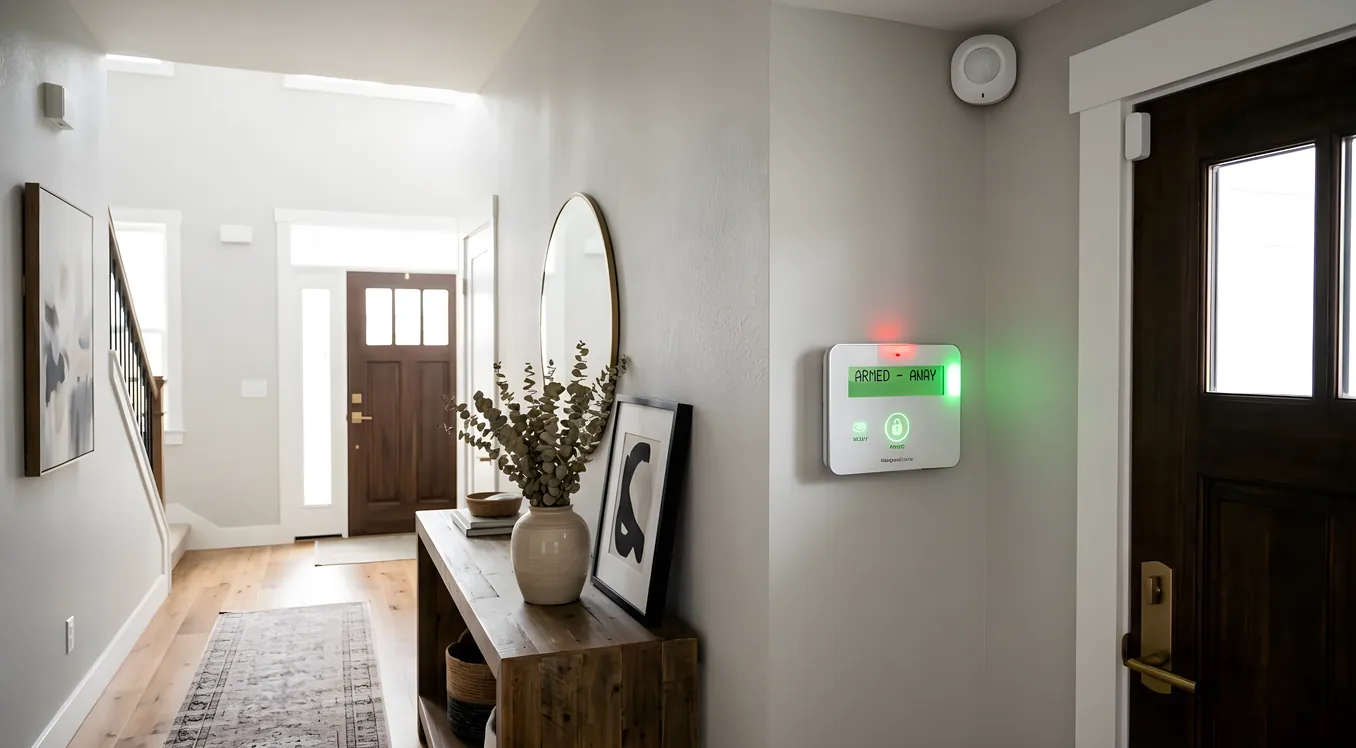
The sign outside a hardware store used to be the entire security conversation: motion sensor, siren, sticker on the window. Today a smart alarm system touches your phone, your doorbell, your thermostat, your smoke detectors, and sometimes the local police dispatch, all without you touching anything. The question most homeowners hit early is not whether to get an alarm, but how hands-on they want to be with it.
Monitored, self-monitored, and hybrid systems are not just billing tiers. They represent fundamentally different assumptions about how quickly threats escalate, how often you’re reachable, and how much you trust a third party to make calls on your behalf. Getting this wrong means either paying for a service you don’t need or trusting a system that fails the one time it matters. This article works through each model in enough detail to make a real decision.
What a Smart Alarm System Actually Does (Versus a Traditional One)
A traditional alarm system is a closed loop: sensors trigger a siren, and you call a monitoring center, or the monitoring center calls you. A smart alarm system adds a data layer on top of that loop. Every sensor, every door contact, every motion detector is networked and reporting back to a hub that you can interrogate from anywhere.
The practical difference shows up in scenarios like this: you’re 300 miles away for the weekend, and the system detects a door open at 2 AM. A traditional system either calls a monitoring center that calls you, or it just sounds a siren on its own property. A smart alarm system can push an instant notification to your phone with a camera clip of the entry point already loaded. You see who opened the door before you decide whether to call anyone.
That capability changes the monitoring calculus significantly. When you have eyes and ears in real time, the value of professional monitoring is different than when you’re flying blind and need someone else to make the call.
Integration with other smart home layers matters here too. A well-configured smart alarm system can trigger exterior lights when a motion zone is breached, lock specific doors, cut the HVAC to prevent smoke spread, and send different alerts to different family members based on the time of day. The alarm is the backbone; everything else connects to it. If you’re evaluating how this fits into a broader entry control picture, residential access control systems for gates, garages, and entries covers the perimeter layer that feeds into the same ecosystem.
Professional Monitoring: What You’re Actually Paying For
Professional monitoring means a third-party central station receives your alarm signal and takes action on your behalf, typically dispatching police, fire, or medical services when certain thresholds are met. Monthly costs in 2026 run from around $15 per month at the low end (ADT, SimpliSafe) to $60 or more per month for systems with video verification, faster response SLAs, and dedicated account management.
The core value proposition is simple: someone acts even when you can’t. If your phone is dead, you’re in a meeting, you’re traveling internationally with poor cell service, or the alarm triggers while you’re unconscious from a CO leak, professional monitoring means the response happens without you as the intermediary.
The practical reality is more complicated. False alarm rates in residential monitoring are high. Police departments in major metro areas report that 94 to 98 percent of alarm calls are false alarms. Many jurisdictions now require a permit for monitored systems ($25 to $100 annually in most cities) and levy fines after the second or third false response in a calendar year. Los Angeles charges $267 for the third false alarm in a year. In Chicago, it’s $100 for the second, $200 for the third. This is not a minor footnote. If you have pets, you have toddlers, or your household creates frequent accidental triggers, the math on professional monitoring changes.
Video verification has emerged as the most significant upgrade in professional monitoring over the past few years. Standard monitoring relies on sensor trips alone. Video-verified monitoring means a monitoring agent can actually view camera footage before dispatching. The practical result: faster police response times (video-verified alarms get priority dispatch in many jurisdictions), fewer false alarms reaching police, and a higher confidence level that a real event is occurring. Systems like Alarm.com, which powers Vivint, ADT’s newest tier, and many local integrators, offer video verification as a standard feature. Expect to pay $40 to $55 per month for this tier versus $15 to $25 for sensor-only monitoring.
Response time is the other variable that rarely gets scrutinized. Monitoring centers have average response SLAs (service level agreements) that typically range from 30 seconds to 90 seconds from signal receipt to dispatch. During high-volume periods (thunderstorms triggering glass break sensors across a region, New Year’s Eve, etc.) that SLA can slip. Some premium monitoring providers, including those used by high-end integrators working with Control4 and Crestron platforms, publish 20-second or better SLAs with redundant monitoring centers in multiple states. That matters if response speed is a genuine priority.
Self-Monitoring: When You Are the Dispatch
Self-monitored systems send every alert directly to you, and you decide what to do. There’s no central station, no monthly fee for monitoring (though many platforms charge a fee for cloud storage or advanced features), and no third party making judgment calls about your property.
The appeal is real. You get instant notifications, full control over what you respond to, and no false alarm fines because you’re filtering before any dispatch happens. For homeowners who are reliably reachable and travel infrequently, self-monitoring can be genuinely sufficient.
The failure mode is obvious: what happens when you’re not reachable? A self-monitored system without a backup is a system that depends entirely on your availability in what may be the worst moments of your life. Families who choose self-monitoring need to be honest about this. If you’re a heavy sleeper who silences your phone at night, self-monitoring is providing less actual protection than it appears.
Ring Alarm is the dominant consumer entry point for self-monitored systems. A Ring Alarm 8-piece kit (one base station, one keypad, two contact sensors, one motion detector, one range extender, one smoke/CO listener, one panic button) retails for around $200 to $250. The system works without any subscription, pushing notifications to your Ring app. Ring Protect Basic adds cloud video storage for $5 per month per device; Ring Protect Plus ($10 per month) adds 24/7 professional monitoring, which moves Ring into hybrid territory. Ring integrates cleanly with Alexa devices and connects to the Amazon ecosystem, but its integration depth with professional smart home platforms like Control4 or Crestron is limited without third-party drivers.
Google Nest Secure has been discontinued as a standalone product, but Nest cameras and sensors now integrate with ADT monitoring and with Google Home for self-monitoring. The Nest Cam (battery, wired, or floodlight versions) starts at $89 for the basic indoor battery model and $199 for the floodlight cam. Nest’s integration with Nest Protect smoke detectors ($129 per unit) creates a coherent safety layer that self-monitoring homeowners can manage through a single app. The home security camera comparison covering local vs cloud and wired vs wireless storage goes deeper on which Nest camera configurations make sense in each monitoring context.
For homeowners who want self-monitoring with more capability, platforms like Alarm.com and Elk Products sell through professional integrators and offer self-monitoring modes alongside professional monitoring enrollment. An Elk M1 Gold controller, which is common in high-end residential installations, can run self-monitored with full smart home integration and then add professional monitoring through an Alarm.com takeover module without replacing hardware. That kind of flexibility is what separates installer-grade equipment from consumer systems.
Hybrid Models: The Most Practical Choice for Most Homes
A hybrid monitoring model combines self-monitoring for routine management with professional monitoring as a fallback. Most modern platforms have moved toward this by default because it addresses the core weakness of pure self-monitoring (unavailability) without the full cost and false alarm exposure of professional-only reliance.
The mechanics vary by platform. In some systems, you receive the first alert with a grace period (typically 30 to 60 seconds) to cancel before the monitoring center is notified. If you don’t cancel, monitoring takes over. This is sometimes called “owner verification” and it essentially eliminates false alarm dispatches that the homeowner could have caught. Alarm.com’s hybrid model works this way. Ring’s Protect Plus tier works similarly.
Vivint’s system, which uses Alarm.com as its platform backend, offers a well-regarded hybrid model with professional installation, 24/7 monitoring at around $40 to $55 per month (depending on contract length), and real-time mobile access. Vivint packages typically include a SkyControl panel (a 7-inch touchscreen hub), a smart doorbell camera, a couple of door/window sensors, and a motion sensor for an equipment cost of $600 to $1,200 after bundling, with 60-month contracts that have generated consumer complaints about early termination fees. This is worth understanding before signing. The monitoring is solid; the contract structure requires careful reading.
SimpliSafe represents a different hybrid approach: no long-term contract, month-to-month monitoring at $20 to $30 per month (or $60 per month for Fast Protect with video verification), and equipment sold outright. A SimpliSafe foundation kit (one base station, one keypad, one entry sensor, one motion sensor) starts around $250 to $300. You add sensors and cameras a la carte. SimpliSafe’s monitoring SLA has been cited by third-party testing at around 42 seconds average response time, which is competitive for consumer-grade systems. No professional installation is required, which cuts costs but means no warranty on labor and no expert configuration of sensor placement.
For homeowners with existing smart home infrastructure on platforms like Control4, Savant, or Crestron, the hybrid question gets answered differently. These platforms typically integrate with professional-grade alarm panels (DSC, Honeywell Vista, Elk) through their security modules, giving the homeowner full mobile access and self-monitoring capability while the alarm panel itself can be monitored by any UL-listed monitoring center. The advantage here is separating the alarm hardware from the monitoring service, so you can switch monitoring companies without replacing equipment. A Crestron home with a DSC PowerSeries Neo panel can self-monitor through the Crestron app, then add Alarm.com monitoring through a compatible communicator module for $35 to $50 per month without touching the underlying hardware.
False Alarm Management: The Operational Reality Nobody Talks About Enough
False alarms are not a minor inconvenience in the monitoring conversation. They affect your relationship with local police, your permit standing, and your monitoring costs.
The industry standard for reducing false alarms is a “two-call verification” protocol, where the monitoring center calls you before dispatching police. Enhanced call verification (ECV) is the more specific CSAA (Central Station Alarm Association) standard, where the monitoring center calls the premises, then an alternate contact, before dispatch. Most monitoring centers use ECV by default.
Video verification, mentioned earlier, goes further. If a camera near the triggered sensor shows a figure attempting entry, dispatch happens fast. If the camera shows nothing unusual, the monitoring agent can delay or skip dispatch. This dramatically reduces false alarm rates. Alarm.com reports that video-verified alarms result in police dispatch in about 23 minutes on average versus 45 minutes for non-verified alarms, reflecting how police jurisdictions prioritize verified calls.
Your sensor placement and hardware quality matter more than most installation guides acknowledge. Passive infrared (PIR) motion sensors are the most common residential motion detection technology. They respond to thermal changes across the detection field. Pet-immune PIR sensors (most quality sensors over $40 per zone are now pet-immune to 40 or 80 lbs) use dual-element or quad-element detectors to reduce pet-triggered trips, but they are not foolproof. Pets near heat sources, near HVAC vents, or in combination with other movement can still trigger them. Camera-based motion detection using AI object classification (available in Nest Cam, Ring, Arlo Pro 4 and 5, and higher-end platforms) can distinguish people from animals and dramatically reduce notification fatigue, which is a secondary false alarm problem.
Glass break sensors are another common false alarm source. Acoustic glass break detectors listen for the specific frequency pattern of breaking glass. HVAC vibration, certain dog barks, and even some music frequencies can trigger them. Shock sensors mounted directly to glass are more reliable but require wired installation to each pane. For a critical entry point where reliability matters, a layered approach (door/window contact plus shock sensor plus camera covering the zone) provides redundancy without adding false alarm risk.
Smart Locks, Doorbells, and the Alarm Ecosystem
A smart alarm system operates best when it shares data with the other security layers in your home. The value compounds: a door contact sensor tells you a door opened; a smart lock on the same door tells you whether it was unlocked legitimately first or forced. Those two data points together tell a very different story than either one alone.
The same logic applies to the entry layer. A smart lock with keyless entry integrated into your alarm system can automatically lock all doors when the alarm is armed in away mode and unlock a specific door when the alarm is disarmed by a known code. This is not a gimmick feature. It closes the failure mode where someone leaves a door unlocked and arms only the motion-based zones.
Video doorbells contribute to the same ecosystem. If your alarm system generates a perimeter alert, having camera footage from the doorbell, a side-entry camera, and a floodlight cam gives you a complete picture of what triggered the alarm and from which direction. The comparison of Ring, Nest, and professional video doorbell options covers which doorbell platforms integrate most cleanly with each alarm category, which matters when you’re building a system rather than buying individual products.
For video storage, whether alarm-triggered clips go to the cloud, to a local NVR, or to a hybrid depends on what you prioritize: accessibility, cost, and vulnerability to hardware destruction during a break-in. A burglar who grabs a local NVR on the way out takes the evidence with them. Cloud storage avoids that problem but adds recurring cost and raises privacy considerations. The NVR vs cloud vs hybrid recording comparison for security cameras breaks down each architecture in detail and maps it to different monitoring configurations.
Choosing the Right Model for Your Home
The decision tree is actually simpler than the options make it appear.
If you travel more than a few weeks per year, have children at home who might trigger false alarms, or own a home where an intrusion or fire could escalate quickly (older construction, single entry point, remote location), professional monitoring is worth it. Video-verified monitoring at $40 to $55 per month removes most of the false alarm problem and provides genuine peace of mind when you’re not reachable. This is not a luxury tier; it’s the appropriate tool for the situation.
If you’re home most of the time, highly reachable via phone, and your primary concern is notification and deterrence rather than rapid dispatch, self-monitoring with a quality camera layer (Nest Cam, Arlo, or Ring) is a reasonable and cost-effective choice. Budget $200 to $500 for a basic sensor kit, $100 to $300 for a couple of cameras, and $0 to $10 per month for cloud storage. Understand that this system fails if you’re unavailable.
If neither extreme fits, a hybrid system from SimpliSafe, Ring Protect Plus, or an Alarm.com-powered installer gives you the best of both: mobile control and self-verification as the first layer, with professional monitoring as the safety net when you can’t respond. Month-to-month hybrid monitoring runs $20 to $55 per month depending on features.
For homes with existing smart home platforms, work with your integrator to choose alarm hardware that supports both native integration (so your Control4 or Crestron system sees alarm states directly) and monitoring flexibility (so you’re not locked into one monitoring company by proprietary hardware). Elk M1 Gold, DSC PowerSeries Neo, and Honeywell Vista panels are the standards that professional integrators work with because they’re platform-agnostic at the hardware level.
The alarm system you’ll actually trust is the one calibrated to your real life, not the one with the most impressive spec sheet. Start with how you live, pick the monitoring model that fits that reality, then build out the sensor and camera layer. In that order.
Building a Layered Security Plan
The most important shift in residential security thinking over the past decade is the move away from a single alarm system as “the security” and toward a layered model where the alarm is one piece of a coordinated whole.
Perimeter detection (video doorbells, driveway cameras, motion-activated lights) creates awareness before a threat reaches your door. Access control (smart locks, gate systems, keypad-entry garages) determines who gets through. The alarm system handles everything that makes it past those layers. Monitoring, whether professional, self, or hybrid, is what happens after the alarm triggers.
Each layer reinforces the others. Cameras give monitoring centers evidence. Smart locks prevent forced-entry events from happening. Motion lighting deters before any sensor is ever tripped. The full picture of how these layers work together under the home security hub brings all of this into a single architectural view. The alarm system is not the whole answer. But for most homes, it’s the right center of gravity to build outward from.