Video Doorbells Compared: Ring, Nest, and Professional Options
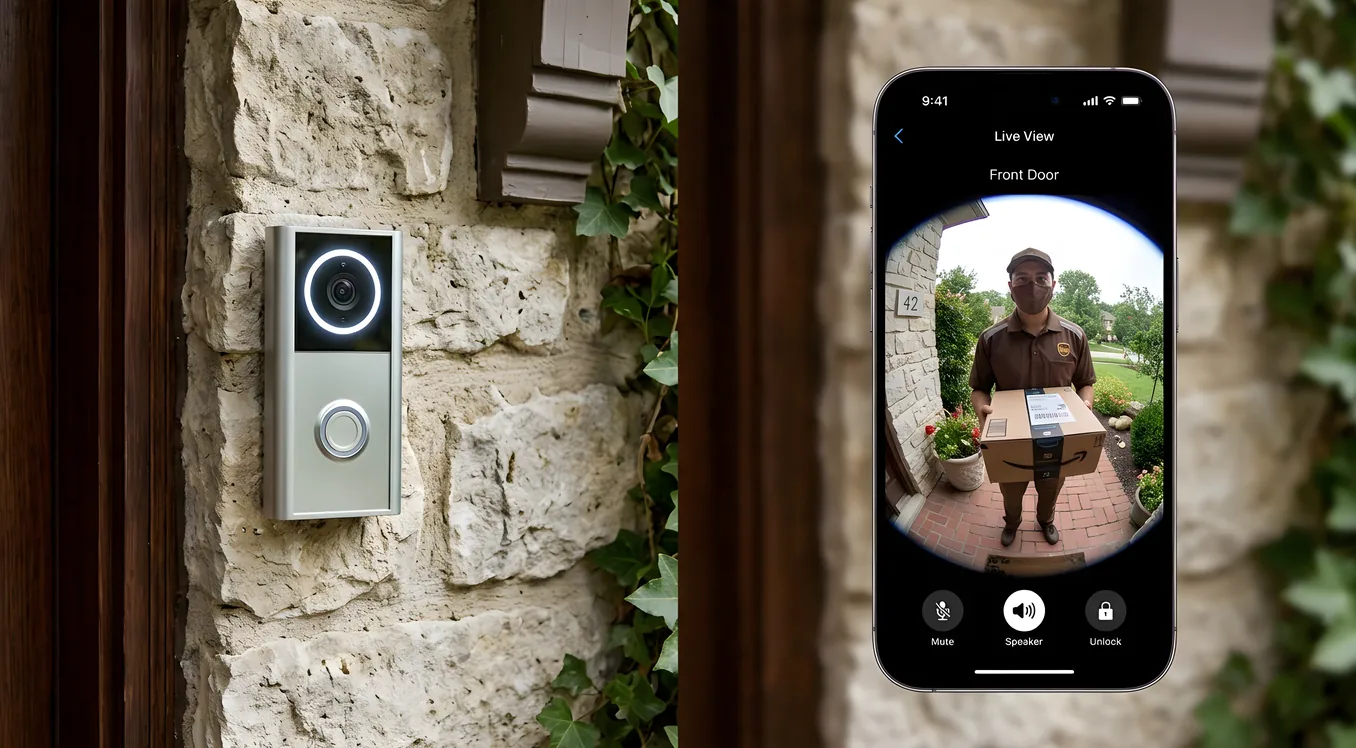
Most video doorbell purchases start the same way: someone had a porch pirate incident, or a neighbor’s camera caught something useful on the news, and suddenly the $99 Ring on Amazon looks like a pretty obvious fix. And for a lot of homeowners, that’s exactly the right call. But the range of video doorbells available today stretches from $60 battery-powered cameras to $600 professionally wired units with radar detection and local AI processing, and choosing wrong means either overpaying for features you’ll never use or installing something that fails the moment you actually need it.
This guide covers the three main tiers: Ring’s consumer lineup, Google’s Nest Hello series, and the professional-grade options integrators actually install. By the end, you’ll know which category fits your situation, what specifications actually matter, and where the hidden costs live.
Why Your Doorbell Camera Is Different From Other Security Cameras
Before comparing specific models, it helps to understand why home security cameras and video doorbells are different products solving slightly different problems.
A doorbell camera operates under one of the most demanding conditions in residential security: it needs to capture a clear image of whoever is at the door in full daylight (glare, backlight), at dusk, and at night, at a range of roughly two to six feet, while simultaneously capturing the wider porch area and driveway approach. The motion zone starts the second someone steps onto your property, not when they’re already ringing the bell.
It also needs to support two-way audio without the feedback loop that plagues cheap implementations, handle package detection separately from person detection, and in many cases operate on battery power without dropping offline every two weeks.
The compression of all these requirements into a single device at a competitive price point is why the quality gap between consumer and professional options is so pronounced here.
Ring Video Doorbells: The Consumer Standard
Ring, now owned by Amazon, dominates the consumer category through sheer market saturation and ecosystem integration. Their lineup runs from the Ring Video Doorbell (4th Gen) at $99.99 up to the Ring Video Doorbell Pro 2 at $249.99. Here’s what actually separates them.
Ring Video Doorbell (4th Gen) is battery-powered (removable Quick Release Battery), records at 1080p HD, includes color pre-roll (four seconds of video before motion is detected), and uses standard motion zones. Installation takes 15 to 30 minutes without any wiring required. This is the model that makes sense for renters, homes without existing doorbell wiring, or situations where you want a testable, returnable option before committing.
The catch: 1080p looks fine on a phone screen but struggles to capture plate numbers or facial details at any distance. The field of view is 155 degrees horizontal and 90 degrees vertical, which means you see the stoop but not the driveway unless someone walks into frame.
Ring Video Doorbell Pro 2 is the unit that justifies a real look. It’s hardwired (requires 16-24V AC transformer, minimum 40VA), records at 1536p HD with head-to-toe video (3:2 aspect ratio that captures packages at foot level, not just faces at chest level), and includes 3D Motion Detection using radar technology. The radar detection tracks speed and direction, which dramatically reduces false alerts from cars on the street. Field of view expands to 150 degrees horizontal and 150 degrees vertical.
At $249.99 plus a Ring Protect plan ($4.99/month for video history, $9.99/month for extended features), the Pro 2 is where Ring’s value proposition holds up best. The radar detection alone separates it from any battery-powered competitor.
What Ring gets right: Installation simplicity, Amazon Alexa integration (announcements through Echo devices, view on Fire TV), and the Ring Alarm ecosystem for homeowners who want a self-monitored alarm system without professional monitoring fees. Ring cameras also feed into a shared neighborhood network (Neighbors) that some users find valuable.
What Ring gets wrong: Cloud-only storage means a monthly subscription is mandatory for anything beyond live view. The 1080p base models compress too aggressively in low light, producing blocky artifacts precisely when image quality matters most. Ring’s AI package detection and person-vs-animal detection require the more expensive Protect Plus plan at $20/month.
Google Nest Doorbell: Better AI, Worse Installation Story
Google’s Nest Doorbell lineup splits into battery and wired versions, which sound like the same battery/wired distinction Ring makes but are actually meaningfully different products.
Nest Doorbell (battery) records at 960 x 1280 (1.3MP, portrait orientation), includes on-device processing for person, package, animal, and vehicle detection without a subscription, and stores three hours of event history free with a Google account. The portrait orientation captures packages without additional engineering.
The three-hour free storage limit is the main limitation. For meaningful event history, you need Google Home with Nest Aware at $8/month (30 days of event history) or Nest Aware Plus at $15/month (60 days, plus 10 days of 24/7 recording).
Nest Doorbell (wired) is the model that separated itself from the pack when Google released it. It records at 1080p HDR continuously (not just on motion events), supports 24/7 recording to Nest Aware Plus, and includes the same on-device AI detection. Continuous recording is a meaningful differentiator: if something happens between motion events, you still have footage.
Field of view is 145 degrees horizontal and 180 degrees vertical. That vertical spread is aggressive and captures most porches from roofline to lower step in a single frame.
Where Nest wins: The free on-device AI is genuinely useful. Package detection that works without a subscription removes a recurring cost that Ring buries in the fine print. Google Home integration is cleaner than Ring for households already on Nest Protect smoke detectors, Nest thermostats, or Google Assistant speakers.
Where Nest struggles: The wired version’s installation is finicky. It requires 16-24V AC at 1A minimum, and many older homes have transformer capacity that technically passes but performs poorly under load. Google’s support documentation for transformer upgrades is worse than Ring’s. More practically, Nest locks you into Google’s ecosystem, and Google has a documented history of discontinuing smart home products (Works with Nest shutdown, Nest Secure discontinuation). That’s not a dealbreaker, but it’s context for a long-term investment.
Head-to-Head: Ring Pro 2 vs Nest Wired
The honest comparison at the mid-level consumer tier:
| Feature | Ring Video Doorbell Pro 2 | Nest Doorbell (Wired) |
|---|---|---|
| Price | $249.99 | $179.99 |
| Resolution | 1536p (2048 x 1536) | 1080p HDR |
| Aspect Ratio | 3:2 (head to toe) | 9:16 (portrait) |
| Motion Detection | Radar + PIR | PIR + AI zones |
| 24/7 Recording | No (event-based) | Yes (with Aware Plus) |
| Free AI Detection | No (requires subscription) | Yes (local processing) |
| Subscription Cost | $4.99-$9.99/month | $8-$15/month |
| Local Storage | No | No |
| Apple HomeKit | No | No |
| Google Home | Limited | Full |
| Amazon Alexa | Full | Limited |
Neither unit supports Apple HomeKit, which is a genuine gap for households with HomePod or Apple TV at the center of their automation. For that, you need either a workaround (Homebridge, a third-party hub) or a professional-grade unit.
Eufy, Arlo, and the Mid-Tier Alternatives
Worth naming before moving to professional options: Eufy and Arlo occupy real space in the $100-$300 range with features that undercut both Ring and Nest on specific dimensions.
Eufy Video Doorbell E340 ($149.99) includes dual cameras: one standard view and one package-detection view, both without a subscription requirement. Eufy’s on-device AI stores footage locally on a home base station (16GB included), meaning no cloud storage fee. For homeowners who refuse subscription services on principle, Eufy is the strongest answer.
Arlo Essential Video Doorbell ($149.99) supports Apple HomeKit natively, which makes it the only sub-$200 option for Apple Home users. Video quality is competitive at 1080p with HDR and a 180-degree field of view. Arlo Secure subscription runs $4.99-$12.99/month for cloud storage but isn’t required for basic functionality.
Professional-Grade Video Doorbells: What Changes Above $300
Once you move into the professional tier, the product category shifts in important ways. These aren’t products sold at retail; they’re specified by integrators, installed with structured cabling, and configured alongside broader residential access control systems.
2N IP Verso is the most widely installed professional video doorbell in North American residential projects. It’s modular: a base unit plus an expansion slot for a camera module, card reader, or keypad. The standard camera module records at 2MP (1080p) with a 180-degree horizontal field of view and digital pan/tilt. Night vision is active IR, not the passive color night vision consumer units use, which performs better in true darkness.
The Verso integrates natively with Control4, Savant, Crestron, and virtually every professional automation platform via SIP (Session Initiation Protocol). This matters because when a visitor rings, the chime can route to an in-wall touchscreen, a television HDMI input, a speaker system, or a smart speaker, depending on what the homeowner prefers. Consumer units route to a phone app.
Pricing for 2N IP Verso: $300-$500 depending on modules, plus installation labor.
Doorbird D2101V ($349) sits at the upper edge of what a sophisticated homeowner might self-install. It’s IP-based, integrates with HomeKit, Alexa, Google Home, IFTTT, and most professional automation systems, and records locally to a microSD card while also supporting cloud recording. Video is 1080p at 25fps. The housing is rated IP65 and IK08, which covers both weather and vandal resistance.
Doorbird’s integration with smart lock systems is well-documented: you can configure the Doorbird to release an electronic strike plate or magnetic lock when you answer the call from the app, so the doorbell, intercom, and entry system become a single interface.
Verkada CD52 is enterprise hardware that appears in high-end residential projects, particularly multi-unit properties or estates where a building manager needs centralized video oversight. At roughly $500-$700 per unit plus licensing fees, it’s not a residential product for most homeowners, but it appears often enough in luxury home automation bids that it’s worth naming. Video quality and tamper detection are excellent; the subscription model is enterprise-priced.
Where professional options earn their cost: The quality difference between a $250 Ring Pro 2 and a $400 2N IP Verso is real but might not justify the gap on its own. What justifies the gap is integration. A 2N or Doorbird unit tied into a whole-home automation system means visitor announcements on every display in the house, automatic porch light triggering, video pulled up on the TV when someone rings, and entry release from the same interface. Consumer units approximate some of this through Alexa and Google routines, but the reliability and customization depth aren’t comparable.
The Subscription Cost Question
Any honest video doorbell comparison has to address the subscription issue directly, because the hardware price is often the smaller number over three to five years.
Ring Protect Basic: $4.99/month per camera or $9.99/month site-wide. To get person vs. package vs. vehicle detection, you need at least the Ring Protect Plus at $9.99/month.
Nest Aware: $8/month. Nest Aware Plus: $15/month. Free tier gives 3 hours of event clips.
Arlo Secure: $4.99/month for one camera, $12.99/month for unlimited.
Eufy, Doorbird, and 2N: Local storage with no mandatory subscription. Optional cloud storage available.
Over three years at $10/month: $360 in subscription costs on top of the hardware. That shifts the real cost comparison significantly. A $200 Nest Doorbell with Aware Plus is a $740 purchase over three years. A $350 Doorbird with local storage is a $350 purchase over three years. The subscription math doesn’t always favor the cheaper-looking consumer unit.
For homeowners who want to avoid subscription fees entirely, local storage matters. If you’re building out security camera storage using an NVR anyway, some of the professional units will feed into that system directly and eliminate cloud fees across your entire setup.
Installation Considerations That Affect Your Choice
Existing wiring: Homes built before 1990 often have 8-10V AC doorbell transformers, which are below the 16-24V minimum for Ring Pro 2 and Nest wired units. A transformer replacement runs $30-$80 in parts, plus labor if you’re not comfortable working in the electrical panel. Budget for this if your home is older.
Chime compatibility: Mechanical chimes (the ones with actual physical bells) require a compatibility check. Ring and Nest both include chime bypass kits, but digital chimes can behave unpredictably. Both Ring and Nest sell their own smart chime units ($29-$39) that eliminate compatibility issues entirely.
Wi-Fi coverage: The front door is often at the edge of router range. Verify signal strength at the doorbell location before buying. Consumer video doorbells with weak Wi-Fi signal produce dropped calls, failed motion alerts, and laggy live view, regardless of how expensive the unit is.
Housing orientation: Portrait-format cameras (Nest, Eufy) capture packages at the bottom of the frame but compress wide horizontal coverage. Landscape/square cameras (Ring Pro 2) capture wider horizontal but may miss packages unless the head-to-toe ratio is specifically engineered, as Ring’s is.
Multi-family or gated entry: If you’re covering a gate, a second entry point, or multiple units, consumer doorbells scale poorly. This is where a 2N IP Verso or similar system with a standalone intercom controller makes more sense. Ring and Nest don’t support multiple call forwarding destinations, station management, or access credential systems.
Which Category Is Right for Your Home?
Choose Ring if: You’re an Amazon Alexa household, you want the simplest installation experience, or you’re testing video doorbells before committing to a permanent setup. The Ring Video Doorbell Pro 2 is the model to consider, not the base unit.
Choose Nest if: You’re a Google Home household, you want 24/7 continuous recording, or you want AI-based detection without a subscription. The Nest Doorbell (wired) beats the Ring Pro 2 on continuous recording and free AI features, though it loses on radar-based motion detection.
Choose Arlo or Eufy if: Apple HomeKit compatibility is a requirement (Arlo), or you refuse cloud subscriptions entirely (Eufy). Both are legitimate choices with real tradeoffs.
Choose a professional unit (2N, Doorbird) if: You’re installing a home automation system that needs real integration, you want local storage without subscription fees, you need vandal-resistant hardware, or you’re covering a gated entry or multi-point access system.
Making the Installation Count
Whatever unit you choose, a few setup decisions have more impact than most people expect.
Motion zone calibration matters more than the unit itself. Spend 20 minutes adjusting zones to exclude the street and passing cars. This eliminates most false notifications and trains the AI detection on real events.
Privacy masking for neighbor areas is both courteous and legally relevant in some states. Most units allow you to mask zones that would otherwise capture neighboring driveways or windows.
Angle adjustment toward the approach path, not just the door, gives you five to ten seconds of additional lead time on visitor detection. Most professional installations angle the camera to see the approach path, not the door.
Night vision quality testing on installation night matters. Active IR cameras look very different from color night vision cameras in real conditions. Test before assuming the footage quality matches the sales material.
Video doorbells are the first part of a complete security system most homeowners actually use every day, which makes the choice more consequential than it looks on a product page. The right answer depends on your ecosystem, your wiring, your tolerance for subscription fees, and whether you need standalone functionality or part of an integrated whole-home system.
The Bottom Line on Video Doorbell Selection
For most homeowners, the Nest Doorbell (wired) or Ring Video Doorbell Pro 2 will cover the bases. The decision between them mostly comes down to whether you’re in a Google or Amazon household and whether you need 24/7 recording.
For homeowners building a real smart home system with professional integration, Doorbird and 2N IP Verso are the units worth specifying. The price premium over Ring and Nest disappears quickly when you factor in local storage and integration capabilities that consumer units can’t replicate.
The worst outcome is buying based on brand recognition and discovering on the first real security event that the image quality wasn’t there, the motion alert arrived two minutes late, or the footage lived in a cloud account you forgot to pay for.