Sonos vs Custom-Installed Audio: Convenience vs Performance
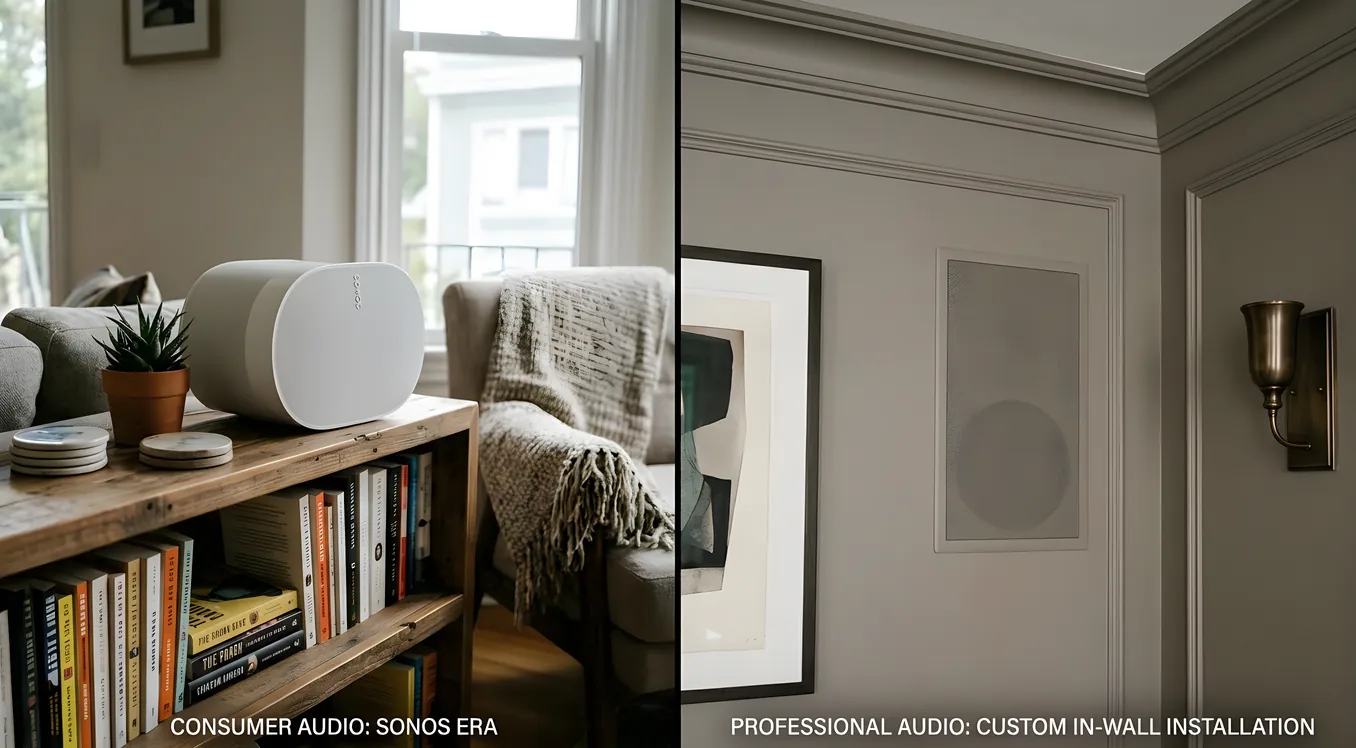
Walk into virtually any home improvement store and you’ll find Sonos prominently displayed. Walk into any serious home theater showroom and you’ll rarely see it on the demo floor. That gap tells you a lot about what this comparison is really about.
Sonos and custom-installed audio aren’t competing for the same customer in the same situation. They’re built around fundamentally different assumptions about what matters: how much you want to spend upfront, how deeply you want sound integrated into your home, whether you need a professional to manage the system, and what “good enough” means to your ears. Understanding those differences honestly is worth more than any feature matrix.
This article walks through both sides with specific numbers, real integration scenarios, and the tradeoffs that don’t show up in marketing materials.
What Sonos Actually Is (and Isn’t)
Sonos is a streaming audio platform built around self-contained wireless speakers that connect over your home Wi-Fi. Each speaker (or “player”) has its own amplifier, network connection, and processing built in. You set them up through the Sonos app, group them for synchronized playback, and control them from your phone.
The current Sonos lineup includes the Era 100 (around $249), the Era 300 (around $449, with spatial audio support), the Sonos Arc soundbar ($999), and the Sonos Amp ($699), which lets you drive passive (traditional) speakers rather than using Sonos’s own boxes. For a second source of audio in a smaller room, the Sonos Roam 2 portable runs around $179.
The Sonos ecosystem genuinely delivers on its core promise. Setup for a single room takes under 15 minutes. Multi-room sync is reliable. The app supports Spotify, Apple Music, Tidal, Amazon Music, and internet radio through a clean interface. For a homeowner who wants background music in the kitchen and living room without calling an electrician, this is hard to argue against.
Where Sonos hits its ceiling: it’s a streaming platform pretending to be a whole-house audio system. It has no native support for locally-stored audio in any meaningful professional sense. It has limited integration with serious control platforms. The speakers themselves, while good for their price category, are not what a trained ear would call audiophile-grade. And the Sonos Amp, while a useful bridge to passive speakers, doesn’t change the fundamental architecture.
What Custom-Installed Audio Actually Is
Custom audio, as installed by an integrator, means hardware, wiring, amplification, and control all specified and installed as a unified system for your specific home. This typically involves passive in-wall or in-ceiling speakers wired back to a central equipment rack, a dedicated multi-zone amplifier (from brands like Sonance, Triad, or Episode), and control through a platform like Control4, Crestron, or Savant.
The word “custom” gets used loosely, so it’s worth being specific. A genuine custom installation means:
Speakers are chosen for the room’s acoustics and use case, not from a single manufacturer’s catalog. A covered outdoor patio might get Polk Audio Atrium 8 SDI speakers ($299/pair) for weather resistance and throw distance. A formal living room might get Focal 300 IW6 in-walls ($595/pair) for soundstage and imaging. A home theater might incorporate a completely different speaker system from either.
Wiring runs during construction or renovation to a central distribution point. Speaker wire is typically 16-gauge or 14-gauge CL2-rated in-wall cable, run in home-run topology back to an equipment closet or rack. This is the part that requires planning and, ideally, rough-in during a construction phase when walls are open.
Amplification is centralized. A Triad Multi-Zone Amplifier, or a rack-mounted unit from Autonomic or AudioControl, powers multiple zones from one location. The Autonomic MMS-5A, for example, handles up to five stereo zones from a 1U rack unit, with streaming built in. Control4 integrators often use the Episode ES-AMP-6-100 (six zones, 100W per channel, around $1,200) or similar products.
Control integrates with everything else. When you press a “Movie Night” scene on a Control4 or Crestron keypad, the audio system responds alongside the lighting, shades, and display. This is the integration that Sonos simply cannot replicate in a meaningful way.
For a deeper look at how these distributed systems are designed, Whole-House Audio Systems: Distributed Sound Done Right covers zone planning, equipment selection, and the rough-in considerations that make or break a whole-home installation.
The Cost Comparison (With Actual Numbers)
This is where most comparisons go vague. Let’s be specific.
Sonos for a four-room setup:
- Living room: Sonos Era 300 pair + Sonos Sub (Gen 3) = $449 + $449 + $749 = $1,647
- Kitchen: Sonos Era 100 = $249
- Primary bedroom: Sonos Era 100 = $249
- Home office: Sonos Move 2 portable = $449
- Total hardware: approximately $2,594
- Installation: self-install, no labor cost
- Ongoing: Sonos app is free; streaming services billed separately
Custom audio for a comparable four-room setup (mid-tier):
- Four pairs of in-ceiling speakers (e.g., Polk Audio 80F/X-LS, $100 to $150/pair, installed): $400 to $600 in speakers
- Speaker wire, rough-in materials: $200 to $400
- Four-zone amplifier (e.g., Nuvo P3100, entry-level): $500 to $800
- Control4 EA-1 controller for basic integration: $800 to $1,200
- Labor for wire run, termination, configuration, programming: $1,500 to $3,000
- Total installed: $3,400 to $6,000
Step up to high-performance in-ceiling speakers (Sonance Magazine Series at $400 to $600/pair) and a proper Control4 EA-3 or Crestron processor, and that four-room system climbs to $8,000 to $15,000 installed. A full home theater added to the mix (see Media Room Automation: One-Button Movie Night for what that entails) can push a complete whole-home project to $30,000 or more.
The cost gap is real. But so is what you get for it.
Sound Quality: Where the Gap Shows Up
In a blind listening test between a Sonos Era 300 ($449) and a well-specified in-ceiling speaker driven by a quality amplifier (say, a Polk Audio 90-RT or Klipsch R-1650-C at similar price points plus an amplifier), the in-ceiling setup will generally win on soundstage, imaging, and dynamic range. The reasons are physics:
In-ceiling speakers fire downward into the room from a fixed position, providing more consistent coverage than a bookshelf speaker fighting room reflections from a counter or shelf. Separating the amplifier from the speaker allows better thermal management and cleaner signal paths. And passive speakers can be chosen specifically for a room’s dimensions in a way that no self-contained wireless speaker can be.
That said, the honest answer for most rooms used for background music is: the difference matters less than you think. Playing music at conversational levels in a kitchen while cooking, or in a bedroom as sleep aid, Sonos performs perfectly well. The gap becomes audible when you push volume, when you’re actually sitting down to listen critically, or when the room has acoustic challenges that require careful speaker placement.
Where the gap becomes significant: home theaters, formal listening rooms, and outdoor installations where weather-rated performance specs actually matter. For outdoor applications specifically, Outdoor Audio and Video: Weatherproof Entertainment Systems covers the IP ratings, materials, and installation considerations that make outdoor audio actually work long-term.
Integration Depth: The Argument for Custom
The most compelling reason to choose custom-installed audio over Sonos has nothing to do with sound quality. It’s about how audio fits into the rest of your home.
A Control4 or Crestron system treats audio as one subsystem among many. When your Lutron lighting scenes run, your Crestron audio follows. Press “Goodnight” on the keypad by your bed: lights dim to off, HVAC adjusts, locks confirm secured, and music fades to nothing. Or if you prefer, it keeps playing in the bedroom at reduced volume while the rest of the house goes quiet. None of this requires touching an app.
Sonos does have IFTTT connections and limited integration through some smart home platforms. Control4 and Crestron have certified Sonos drivers that allow basic control, including zone selection and volume, through a unified touchscreen. But “basic control” is the ceiling. You won’t get the sophisticated conditional logic, the reliable latency matching when a single audio source feeds multiple synchronized zones, or the system-level reliability that professional monitoring provides.
Savant, in particular, has built deep audio capabilities into its platform. Savant Music (RealControl-based, $500 to $1,500 licensing per project) integrates lossless local libraries, streaming services, and physical media in a single interface alongside all other Savant subsystems. For homeowners with serious music collections who also want whole-home integration, this combination is difficult to match with a DIY approach.
The integration argument also extends to In-Ceiling and In-Wall Speakers: Invisible Audio for Smart Homes, which covers how flush-mounted speaker placement feeds into both acoustic performance and aesthetic decisions in custom installations.
Where Sonos Makes Clear Sense
Sonos is the right choice for homeowners who:
Are renting or plan to move in the next few years. Sonos hardware is portable. A $2,000 Sonos investment moves with you. A $10,000 in-wall speaker and amplifier installation stays with the house.
Are in the planning stages and not yet doing construction. If you’re in a finished home with no plans for renovation, running speaker wire through walls without open access is expensive and disruptive. A wireless solution avoids drywall, fishing wire through attic spaces, and the associated mess.
Want music in two to four rooms without broader home automation. If sound integration with lighting, shades, climate, and security doesn’t matter to you, the Sonos app does multi-room audio well without the overhead of a programmed control system.
Have a tight timeline. A whole-home Sonos system can be operational the same day you unbox it. A custom-installed system requires site survey, design, permitting in some jurisdictions, scheduling, installation, and programming. Realistic timeline from contract to commissioning for a complete custom system: six to twelve weeks.
Prioritize specific streaming service features. Sonos’s integration with Spotify, Tidal, and Apple Music is native and polished. Spatial audio on the Era 300 from Apple Music and Tidal genuinely works. These are first-class implementations.
Where Custom Audio Makes Clear Sense
Custom installation is the right choice for homeowners who:
Are building new or doing major renovation. This is the crossover point. When walls are open, running CL2-rated speaker wire costs $2 to $4 per linear foot in labor, not the $15 to $30 per foot it costs to fish wire through finished walls. New construction is the moment to invest in infrastructure that would be prohibitively expensive later.
Want a home theater that performs. A proper 5.1 or 7.1.4 Dolby Atmos setup requires specific speaker placement, room acoustic treatment, calibration, and an AV receiver or processor designed for cinema-grade decoding. Sonos Arc plus Sub plus Era 100 surround configuration is a decent soundbar setup. It is not a home theater. The gap between those two things is considerable for anyone who cares about it.
Want all home systems under unified control. The operational simplicity of a single keypad or touchscreen that controls audio, video, lighting, climate, and security is difficult to quantify until you’ve experienced it. Control4 EA controllers, Crestron processors, or Savant Pro hosts tie all subsystems together in ways that app-based ecosystems fundamentally cannot match.
Have specific acoustic requirements. Large open floor plans, rooms with high ceilings, outdoor areas, and rooms with lots of glass or hard surfaces all benefit from speaker placement and system design that a specialist can optimize. Sonos offers some room calibration (Trueplay) for certain models, but it’s limited compared to professional acoustic design.
Are investing in resale value. A professionally designed and installed audio-visual system from a recognized control platform adds measurable value in the luxury home market. A collection of Sonos speakers generally does not.
The Hybrid Approach
A question that doesn’t get asked enough: does it have to be one or the other?
Many integrators design systems that use custom infrastructure (in-wall speakers, centralized amplification, professional control platforms) while incorporating Sonos players as streaming endpoints in certain zones. The Sonos Amp, at $699, drives two channels of passive speakers while remaining a Sonos streaming node on the network. A Control4 system can include certified Sonos drivers that expose volume and source control through the Control4 interface.
This lets you run quality passive speakers in primary rooms (living room, home theater, primary bedroom) while dropping a Sonos Era 100 in a laundry room or guest bath where running wire isn’t cost-effective. The Sonos zones appear in the Control4 app alongside everything else.
The hybrid approach is worth discussing with any integrator before committing to a full custom system in every room. It often yields better value: premium infrastructure where it matters most, convenience-priced wireless where it doesn’t.
Questions to Ask Before Deciding
Before committing to either path, work through these:
Is construction happening? If yes, custom installation with in-wall infrastructure is the right investment. If no, the calculus shifts significantly toward wireless.
What does “whole-home control” mean to you? If you want audio integrated with lighting scenes, climate schedules, and security events, you need a unified control platform. Sonos can’t deliver this natively.
How many zones are you planning for? Under four rooms, Sonos often wins on cost and simplicity. Over six to eight rooms, custom infrastructure typically comes out ahead on both cost-per-zone and performance.
What’s your 10-year view? Sonos hardware has a finite support lifecycle; the company has faced criticism for deprecating older hardware from the app ecosystem. Custom-installed infrastructure (speaker wire, in-ceiling speakers from established brands) doesn’t go obsolete. A set of Sonance in-ceiling speakers installed in 2010 still works today, driven by a modern streamer.
Who’s going to troubleshoot it? Custom systems with professional monitoring contracts mean you call an integrator when something goes wrong. Sonos means you’re on your own with the app and support forums.
What the Installation Conversation Should Cover
If you’re talking to an integrator about custom audio, the conversation should cover: zone count and use cases (background music vs. critical listening vs. theater), whether construction access exists or will exist, integration requirements with other home systems, and budget broken into hardware and labor separately.
If you’re evaluating Sonos, be honest about whether your home Wi-Fi can handle it. Sonos runs on 2.4GHz and 5GHz Wi-Fi, and a congested wireless environment, or a home with thick concrete walls and dead zones, will cause multi-room sync problems. The Sonos app’s network diagnostic tools help, but the real solution is a quality mesh Wi-Fi system (Eero Pro 6E, Ubiquiti UniFi, or similar) before adding wireless audio devices.
Both paths reward doing the homework before purchasing. The homeowner who understands what they’re optimizing for will make a better decision than one chasing the most attractive demo room or the most persuasive salesperson.
Making the Call
Sonos and custom audio aren’t in competition the way the marketing conversation sometimes frames them. They’re tools suited to different situations, budgets, and goals.
Sonos wins when portability, speed, and simplicity matter more than depth of integration or absolute sound quality. Custom audio wins when you’re building, renovating, or wanting your home’s systems to work together as a unified whole rather than a collection of apps.
The decision most worth getting right is the infrastructure decision: specifically, whether to run speaker wire while walls are open. That investment, made during construction, gives you the optionality to use any speakers or control platform you want in the future. Skipping it locks you into wireless solutions indefinitely. The wire itself isn’t expensive. The opportunity to run it only exists once.
For homeowners at the beginning of that planning process, Distributed Video: One Source, Every Screen in the House covers how the same infrastructure decisions apply to video distribution, often making the case for a coordinated approach to both audio and video wiring during a single construction phase.