Wiring for Lighting Control: Neutral Wire, Load, and What Your Electrician Needs to Know
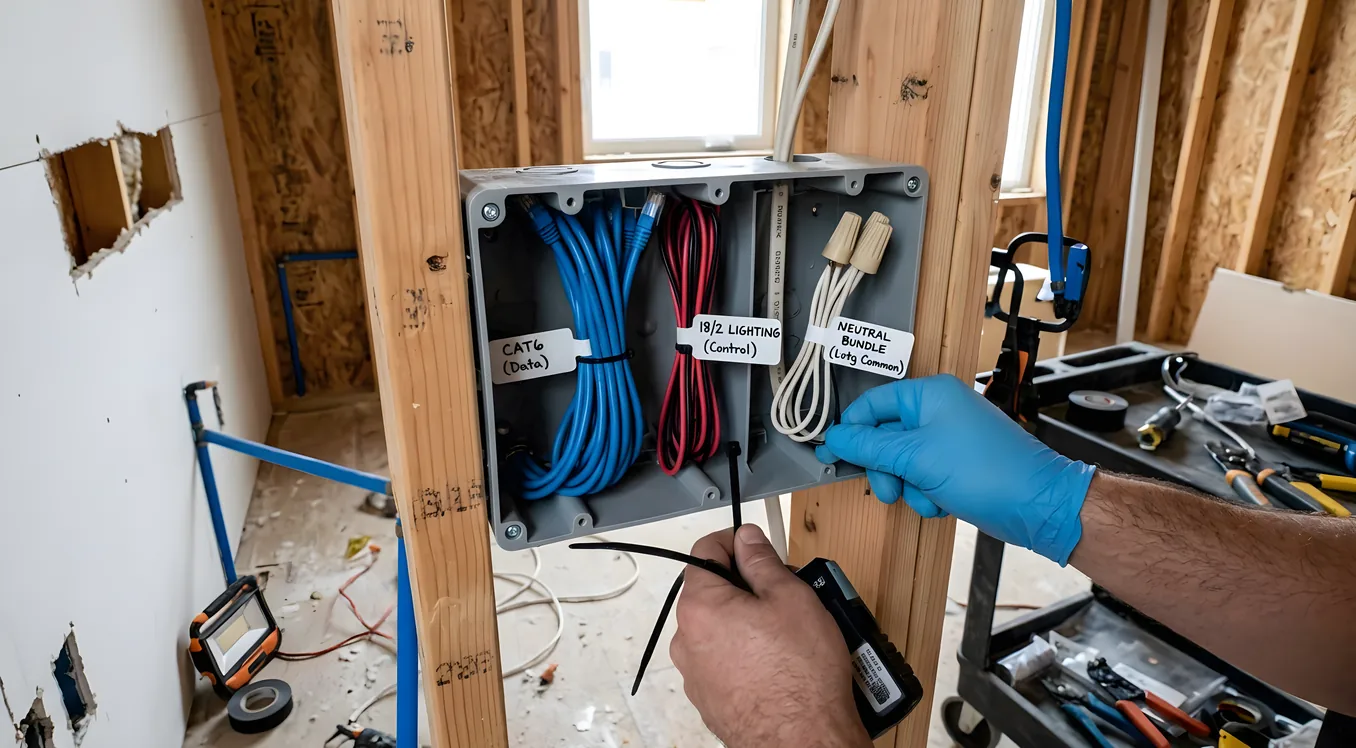
Most smart switch installations fail not because the hardware is defective or the app is buggy, but because the wiring in the wall was never set up for it. A homeowner buys a Lutron Caseta dimmer, opens the wall box, and finds two wires where there should be three. Or they install the switch, the lights flicker, and no one can explain why. Or an electrician wires everything correctly, but the dimmer keeps cycling off every 20 minutes because the load type is wrong.
Smart lighting wiring is not complicated once you understand what the devices actually need. But it is different from conventional switch wiring in ways that matter, and getting it wrong means callbacks, flickering, code violations, or equipment damage. This article explains what smart dimmers and switches require at the wiring level, what your electrician needs to know before they start pulling wire, and where professional lighting control systems like Lutron, Control4, and Crestron have specific requirements that go beyond a standard residential rough-in.
What Makes Smart Lighting Wiring Different
A conventional on/off switch is dead simple: it sits in series with the hot wire and either completes or breaks the circuit. No electricity flows through the switch itself. It just opens and closes a contact.
A smart switch or dimmer is an active device. It has a microprocessor, a radio (Z-Wave, Zigbee, Wi-Fi, or a proprietary protocol like Lutron’s Clear Connect), and often a small power supply that needs to stay energized even when the lights are off. That is why it needs a neutral wire.
The neutral wire provides the return path that completes the circuit for the switch’s own electronics. Without it, the switch has no way to power itself continuously. Some switches work around this with a “no-neutral” design that trickles a tiny amount of current through the load (the light fixture) to power themselves, but this causes problems with LED fixtures and requires careful load matching.
The three wires a smart switch typically needs:
- Hot (Line): The incoming live wire from the breaker. Standard black wire.
- Neutral: The return path, typically white, that completes the circuit for the switch’s internal electronics.
- Load: The wire that runs from the switch out to the fixture. Also often black, but distinct from the line.
Older homes (pre-1980s, sometimes later) frequently ran switch loops, where only the hot and switched-hot travel to the switch location without a neutral. The neutral stayed at the fixture. This was perfectly fine for mechanical switches. For smart switches, it is a problem in roughly 30 to 40 percent of existing residential installations.
The Neutral Wire Problem, Solved Three Ways
When you are retrofitting smart switches into a home without neutral wires at the switch locations, you have three realistic paths forward.
Option 1: Run new wire. Pull 14/3 or 12/3 cable to add a neutral conductor. This is the cleanest solution and costs roughly $150 to $350 per switch location depending on run complexity and wall material. Drywall patching, attic access, and finished walls drive cost up. In new construction or a remodel with open walls, this is a no-brainer. The electrician simply specs the right cable from the start.
Option 2: Use no-neutral compatible dimmers. Lutron’s Caseta line works without a neutral on most LED loads. Lutron’s engineering team spent considerable effort on their SmartBridge architecture to make this work reliably, and for most homeowners with modern LED fixtures, Caseta no-neutral dimmers perform well. The Lutron Caseta vs RadioRA 3 comparison covers where Caseta ends and where RadioRA 3 begins, including wiring differences between the two systems. The short version: Caseta tolerates no-neutral installations far more gracefully than most competing products, but it is not compatible with every fixture and it has limits on minimum load.
Option 3: Install a neutral wire workaround module. Products like the Aeotec Bypass (about $15) install at the fixture and help trickle-current switche operate without flickering. These work in specific scenarios but are not universally reliable, and most professional integrators avoid them as a long-term solution.
For whole-home professional systems from Control4, Savant, or Crestron, neutral wires are essentially mandatory. These systems use dimmers with their own internal processors and radio modules, and they draw enough quiescent power that the no-neutral workaround does not apply. If you are planning a whole-home professional system, the electrician’s rough-in spec should include 14/3 (or 12/3 for 20-amp circuits) to every switch location.
Load Types and Why They Matter More Than Most People Think
Not all lights are the same load, and not all dimmers work with all loads. Mismatching a dimmer to a load is one of the most common causes of flickering, buzzing, overheating, and premature lamp failure in smart lighting installs.
Incandescent and halogen: The original load type for dimmers. Resistive, predictable, and forgiving. If you have a 600W incandescent dimmer and you put it on a 400W incandescent load, it will work fine. These loads are increasingly uncommon in new construction.
Magnetic low-voltage (MLV): Used with some halogen systems and older landscape lighting transformers. MLV loads require a different dimmer topology than resistive loads. A dimmer rated for incandescent only will overheat or fail prematurely on MLV loads.
Electronic low-voltage (ELV): Common with LED drivers and some halogen transformers. ELV dimmers use trailing-edge phase cutting rather than the leading-edge approach of standard dimmers. Many modern LED-compatible dimmers use ELV topology, which is why they work better with LED drivers.
LED: The current dominant load type. LEDs are not resistive loads. They draw power through internal drivers, and those drivers do not behave the same way at every dimming level. The result is that some LED fixtures flicker at low dim levels, buzz, or shut off entirely with dimmers not designed for them. The fix involves matching the dimmer’s minimum load requirement, checking the LED driver’s dimming curve, and sometimes simply switching to a different fixture or different dimmer.
Lutron publishes a compatibility list at their website where you can enter a specific fixture and find which Lutron dimmer works with it. For Control4, Savant, and Crestron systems, the integrator typically handles compatibility verification, but it is worth asking for a written load compatibility check before the install if you have specific fixtures in mind.
Minimum load requirements are another consideration. Many dimmers require a minimum wattage to operate correctly. A dimmer rated 40W to 600W will not work properly on a single 5W LED candelabra. If you have low-wattage fixtures, you need a dimmer designed for low-minimum-load operation, or you need to group fixtures on the same circuit to meet the minimum.
What to Tell Your Electrician Before Rough-In
If you are in new construction or a major remodel, this is where you save significant money and headache. Communicating your smart lighting intentions before the electrician runs wire is worth several hours of conversation. Here is what that conversation should cover.
Specify switch-leg home runs. In conventional residential wiring, an electrician will often daisy-chain multiple switches together on a single circuit to save wire. This works for mechanical switches but causes problems for some smart switch configurations, particularly when mixing dimmer and on/off switches on the same circuit. Ask for individual home runs from the panel to each switch location, or at minimum discuss the topology with the electrician and verify it is compatible with the switch manufacturer’s wiring diagrams.
Request 14/3 to every switch location. Even if you are not sure you will install smart switches everywhere, pulling the neutral now costs almost nothing extra in new construction. Retrofitting it later costs $200 per location minimum. Spec 14/3 (or 12/3 on 20-amp circuits) as the standard and you will never have a neutral wire problem.
Identify three-way and four-way switch locations. Three-way switches (where a single fixture is controlled from two locations, like at the top and bottom of stairs) require a different wiring approach than single-pole switches. Smart three-way systems typically require either a smart dimmer at one location and an “accessory” switch at the other (not another full smart switch), or a full smart switch at each end with a traveler wire between them. Lutron Caseta uses a physical accessory switch (the Pico remote) that communicates via Clear Connect and does not require traveler wires at all. RadioRA 3 uses a slightly different approach. Make sure your electrician knows which system you are using before they wire three-way locations.
Plan for dedicated circuits in key areas. Kitchen and bathroom circuits are already on dedicated 20-amp circuits by code. But for home theaters, home offices with significant loads, or rooms with multiple large fixtures, consider whether a dedicated circuit makes sense. This is also relevant if you are adding a whole-home lighting control system: Lutron’s HomeWorks QSX and similar professional systems sometimes require dedicated circuits for their main processor and communication equipment.
Mark conduit runs if your budget allows. In new construction, running EMT conduit to switch locations instead of Romex costs more upfront but makes future changes trivial. If you plan to upgrade your system in five to seven years (a reasonable expectation in a fast-moving category), conduit lets you pull new wire without tearing open walls.
Dimmer Wiring: The Box-Fill Calculation Problem
Here is something that does not show up in most smart switch installation guides: smart dimmers are physically larger than mechanical switches, and electrical code requires that you calculate box fill to make sure everything fits.
A standard single-gang plastic box has 18 cubic inches of capacity. A mechanical switch counts as two conductors in the fill calculation. A smart dimmer, depending on design, may have a larger body, a wider faceplate footprint, and additional wire connections for the neutral. Add in the typical wires in a switch box (line, load, neutral, ground, and sometimes a traveler), and you can easily exceed box fill in a 1900-box or a 14-cubic-inch old-work box.
The practical implication: if your electrician is installing new boxes during a retrofit, specify deep single-gang boxes (at least 22 to 24 cubic inches) or two-gang boxes where you are installing a single switch. This gives clearance for the dimmer body and makes the install cleaner. Many smart dimmer problems that look like wiring issues are actually physical installation problems where the dimmer is being forced into too-small a space and putting stress on the wire connections.
Professional System Wiring: Lutron, Crestron, and the Structured Approach
Whole-home lighting control systems from Lutron, Crestron, and similar manufacturers add another layer of consideration beyond individual switch wiring.
Lutron’s RadioRA 3 and HomeWorks QSX use a combination of dimmer modules, load control devices, and a central processor. For projects using Lutron’s architectural dimmers, the electrician may be wiring dimmer module baseplates that separate from the dimmer insert, or specifying Lutron’s Architectural panel-mount dimmers that mount in a rack rather than individual wall boxes. The Ketra tunable lighting system (now owned by Lutron) adds additional wiring requirements for power-over-Ethernet or dedicated low-voltage cabling for its color-tunable fixtures, and integrating Ketra into a whole-home lighting system requires coordination between the electrician and the lighting control integrator.
Crestron’s lighting control systems (including the CLWI series dimmers and the DIN-rail mounted CDPS panels) often require home runs from a central panel to each dimmer location. This is fundamentally different from residential wiring topology and requires an electrician who has worked on commercial or high-end residential projects. The Crestron DIN-rail approach puts all the dimming electronics in a central rack location, with only low-voltage signal wires running to wall stations. This is more reliable and more scalable than individual smart switches at each location, but the rough-in is substantially more involved.
Control4’s lighting products, including the Element Series dimmers and switches, use Zigbee 3.0 and work within a standard residential wiring topology. But Control4 projects at the whole-home level often integrate with Lutron rather than relying solely on Control4’s own dimmers, specifically because Lutron’s reliability track record and fixture compatibility are hard to match. Your integrator will specify which devices go where, but understanding that Control4 and Lutron often coexist in the same project helps when you are explaining the scope to an electrician who is used to simpler residential work.
Circadian Lighting Wiring Considerations
If you are planning a circadian lighting system that adjusts color temperature and intensity throughout the day to support your natural sleep-wake cycle, the wiring implications go beyond standard dimming. Circadian lighting typically requires either:
- Tunable white fixtures with two separate LED channels (warm and cool), each on a separate dimmer circuit, or
- RGBW or RGB+CCT fixtures that require multi-conductor low-voltage wiring from a controller to the fixture
For residential applications, the most practical circadian approach is often a combination of Lutron dimmers on standard LED fixtures paired with Ketra or DMF Color Selectable fixtures. The Ketra fixtures use a standard line-voltage wiring connection but communicate via Lutron’s proprietary wireless protocol. This means the rough-in is standard, but the commissioning requires a Lutron-certified programmer.
For more basic circadian control through systems like Philips Hue, the wiring question is often moot because Hue uses smart bulbs rather than smart switches, which means no new wiring is required at all. The smart switches vs smart bulbs comparison covers when each approach makes more sense.
Budget Ranges for Wiring Upgrades
Putting real numbers to this:
New construction smart lighting rough-in (spec 14/3 to all switch locations, deep boxes, panel labeling): adds roughly $400 to $800 to a typical 2,500 square foot home’s electrical budget. This is the lowest-cost path because wire is cheap, labor is already on-site, and walls are open.
Retrofit neutral wire installation per location: $150 to $350 per switch depending on run difficulty. Expect the higher end for finished walls in older construction, the lower end for locations near accessible attic space.
Electrician consultation for whole-home lighting system rough-in: $150 to $300 for a walk-through and specification document before work begins. Worth every dollar if you are committing to a professional system.
Electrician labor for Crestron or Lutron panel-mount system rough-in: typically 30 to 50 percent more than standard residential electrical labor per square foot, because of the home-run topology and additional coordination with the integrator. On a 4,000 square foot home, that premium can easily be $2,000 to $5,000 in additional labor.
Professional integrator coordination fee: most integrators charge for the initial site survey and specification work even before installation begins. For full-home systems, expect $300 to $1,000 for this phase. It is how they verify that the electrician’s rough-in matches what the system actually needs.
Getting the Electrician and Integrator to Talk to Each Other
The most preventable source of smart lighting wiring problems is the handoff between the electrical contractor and the AV/automation integrator. Electricians know electrical code. Integrators know the system requirements. Neither one necessarily knows what the other has specified.
The fix is simple and almost never happens without someone pushing for it: get them on a call or a job site walk-through together before rough-in begins. A 45-minute conversation between the electrician and the Lutron or Control4 integrator at the design phase will surface conflicts (wrong box depths, insufficient conduit, missing neutrals) that would otherwise become $2,000 change orders after the walls are closed.
If you are managing the project yourself, draft a simple document that captures the switch locations, load types, switch topology (single-pole vs three-way), and any conduit or home-run requirements from the integrator. Hand it to the electrician before they pull the first wire. That single page of coordination is worth more than any smart switch on the market.
For those exploring how all of this fits into a broader home automation plan, the Lighting hub covers system selection, dimmer comparisons, and tunable lighting options in more depth.
Practical Checklist Before Your Electrician Starts
Before rough-in or any smart lighting retrofit, verify these items:
- Neutral wire available at every switch location (or confirmed plan for no-neutral devices)
- Box size adequate for smart dimmer body (22 cubic inches minimum for most smart dimmers)
- Load type identified and confirmed compatible with selected dimmer
- Three-way and four-way switch locations flagged with correct wiring topology for the chosen system
- Minimum load requirements checked against actual fixture wattage
- Integrator and electrician have reviewed the same spec sheet or had a direct conversation
- Panel labeling specifies which circuit feeds which switch location
None of this is exotic. Licensed electricians work with these requirements regularly on commercial and high-end residential projects. The key is communicating your specific system’s needs clearly, before work begins, so that what ends up in the wall matches what the smart switch or dimmer actually requires.