Lighting Scenes: Programming the Right Light for Every Moment
Lighting Scenes: Programming the Right Light for Every Moment
Most homeowners come into smart home planning focused on the obvious stuff: locks, cameras, thermostats. Lighting scenes almost always become the feature they end up caring about most once the system is running. Not because lighting is glamorous, but because it touches every room, every hour of the day, and every routine you have. Getting it right quietly improves how your home feels. Getting it wrong means you’re either fighting the system or ignoring it.
This guide covers how smart home lighting scenes actually work, what separates the basic implementations from the ones that feel seamless, and what it takes to set them up across different budgets and platforms.
What a Lighting Scene Actually Is
A lighting scene is a saved combination of light levels and colors across one or more fixtures that can be recalled with a single command, button press, or automation trigger. That’s it. The concept is simple. The execution is where most systems diverge.
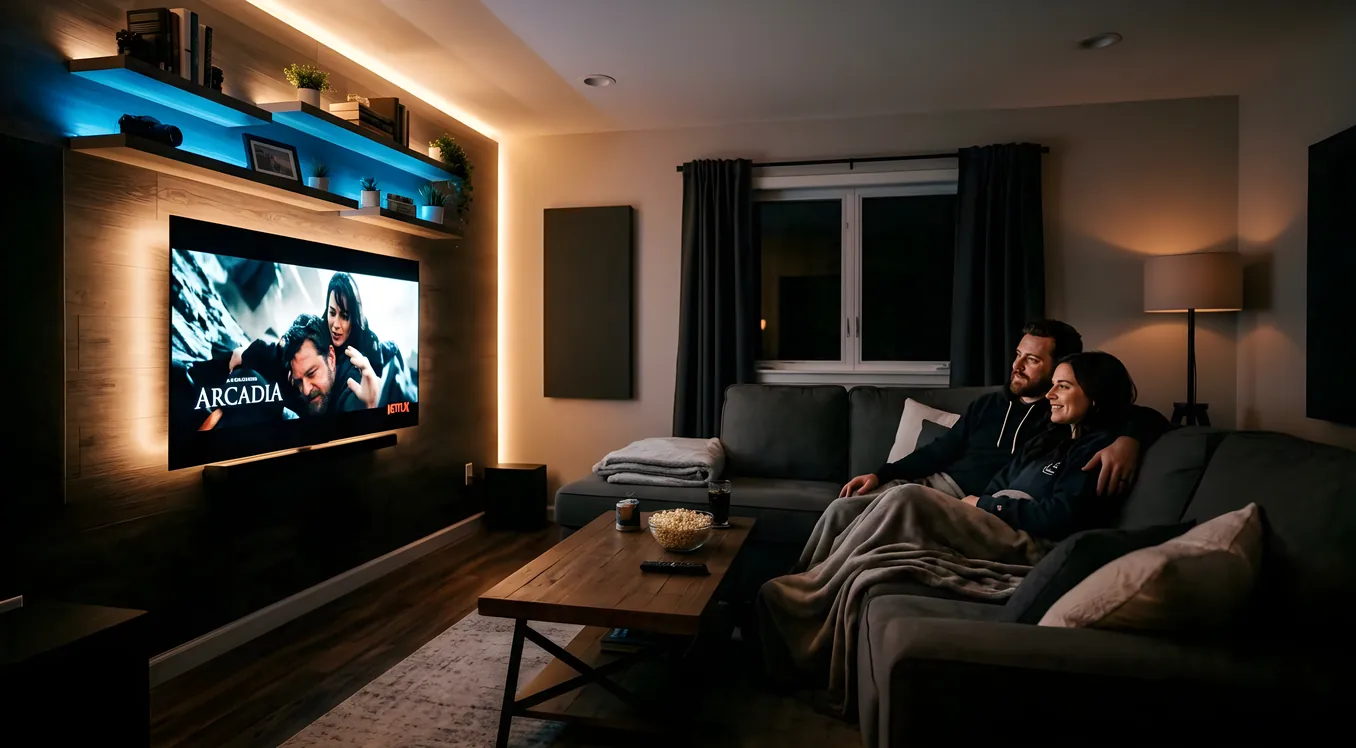
A basic scene might bring your living room down to 40% dimmed warm light for movie watching. A more sophisticated one does the same thing automatically when your Apple TV detects playback, dims the hallway to 20% so it’s navigable without blinding anyone, turns off the kitchen overheads, and leaves the bar area at a warm 25% for a drink refill. Same concept, very different implementation.
The platforms that handle scenes well treat them as living recipes: editable, stackable, triggered by multiple conditions, and overridable without breaking anything. The platforms that handle them poorly make scenes feel brittle. You activate one and something unexpected happens in a room you forgot was included.
The Hardware Foundation: Dimmers, Drivers, and Protocol
Before programming a single scene, you need the right hardware. This is where homeowners often get tripped up because the lighting hardware choice determines what scenes can actually do.
Dimmer switches vs. smart bulbs: Professional scene control almost always relies on smart dimmer switches controlling standard dimmable LEDs, not smart bulbs. Lutron Caseta dimmers (around $60 each retail), the RadioRA 3 line ($80 to $120 per switch), and Lutron’s HomeWorks QSX platform (installed cost typically $400 to $800 per device) all communicate over a dedicated RF protocol called Clear Connect. This matters because Clear Connect doesn’t compete with Wi-Fi for bandwidth, has virtually no latency, and doesn’t depend on your internet connection to work. A scene fires in under 80 milliseconds on a Lutron system. That’s the difference between a light change that feels instant and one that feels sluggish.
Smart bulbs (Philips Hue, Sylvania, LIFX) have a place in lighting design, particularly for color mixing in accent fixtures or table lamps. But running whole-room scene control through smart bulbs means every bulb needs network communication to execute, you lose physical switch control without workarounds, and response times are noticeably slower. The smart switches vs. smart bulbs question has a practical answer for anyone serious about scene control: switches for overhead fixtures, bulbs optionally for accent and decorative lamps.
Ketra and tunable white: One category of lighting hardware that changes scene design entirely is tunable white fixtures. Ketra (now a Lutron brand) makes LED fixtures that shift across the full spectrum from 1400K candlelight warmth to 6500K daylight. A Ketra-equipped room can run a morning scene at 5000K and 80% brightness, transition through the afternoon, and ease into a 2700K warm 30% for dinner without anyone touching a single button. The Ketra tunable lighting system was built specifically for this kind of automatic spectrum control, and it integrates natively into Lutron’s ecosystem. The hardware cost is significant, roughly $150 to $400 per fixture depending on type, but for spaces where light quality matters (kitchens, living rooms, home offices), the effect is substantial.
Scene Architecture: How to Think About It Before You Program
Professional integrators spend real time on what they call scene architecture before touching a controller. This is the planning layer that determines whether your finished system actually matches your life.
Room-by-room scene inventory: For each room, list the activities that happen there. A kitchen might have: morning coffee prep, cooking, casual meals, evening cleanup, and party mode. Each activity calls for different light. Morning prep might be 90% bright cool white. Cooking needs task lighting at counters plus general overhead, maybe 75%. Casual meals drop the overheads to 50% and bring pendant lights over the island to 60%. Evening cleanup might be 40% general plus under-cabinet strips. Each of these becomes a named scene.
Keypad layout logic: Lutron RadioRA 3 and HomeWorks keypads come in configurations from 2 to 7 buttons. A well-programmed 5-button kitchen keypad might have: All On, Cook, Dine, Clean, and All Off. A poorly programmed one has five scenes with cryptic names and no logical flow. The keypad should feel like a light switch, not a remote control. When a visitor walks into your kitchen, they shouldn’t need to ask how to turn the lights on.
Time-of-day awareness: The best scenes don’t run identically at 9 AM and 9 PM. Platforms like Control4, Savant, and Crestron can adjust scene values based on time of day. The same “Evening” scene might be 55% at 7 PM in winter and 35% at 9 PM, because the ambient light entering the room is different. Some integrators build this as a single adaptive scene with time-based offsets; others create named sub-scenes for each condition. Either approach works if it’s thought through during design.
Whole-home scene coordination: The scenes that feel most impressive aren’t single-room events. A “Good Night” scene that runs as you head to bed should do something logical in every occupied space: dim the master to 25% warm, confirm all the first floor lights are off, activate the exterior cameras’ sensitivity, and set the thermostat to sleep mode. Control4 and Savant handle this with what they call macros or agent programs. Lutron HomeWorks handles whole-home scenes through its timeclock and scene coordination tools. The Lutron HomeWorks QSX system was specifically designed for this kind of estate-level scene coordination.
Platform Comparison: What Each System Gives You
Not every smart home platform handles lighting scenes the same way. Here’s a practical breakdown across the systems homeowners most often encounter.
Lutron Caseta (DIY entry point): Caseta dimmers are reliable and genuinely well-made. The Pico remote ($20 to $25) is the scene activation device most Caseta owners use. You can configure up to four favorites on a Pico. Scene depth is shallow here, about four to eight scenes per room, and whole-home coordination requires Caseta to work through a third-party platform like Apple HomeKit, Amazon Alexa, or Google Home. For a budget-conscious homeowner who wants better scene control than stock smart bulbs, Caseta is a reasonable starting point. Expect to spend $500 to $1,500 in hardware for a four to six room installation.
Lutron RadioRA 3 (mid-tier professional): RadioRA 3 is the professional system most integrators specify for homes under 10,000 square feet with moderate complexity. The main controller (RR3-MAIN-REP) retails around $450, and the system supports up to 200 devices. Each keypad can hold up to 7 scenes, and the system supports time-based automation natively. Integration with Control4, Crestron, and Savant is well-documented through certified drivers. Hardware cost for a 4,000 square foot home with full coverage typically runs $8,000 to $20,000 installed. The Caseta vs. RadioRA 3 comparison covers when to step up from one to the other.
Lutron HomeWorks QSX (high-end residential): HomeWorks is the system Lutron built for estate homes and high-end commercial spaces. The HW-QSX-8 controller handles up to 100 loads per processor, and multi-processor configurations scale to hundreds of zones. Scene programming is done in the HomeWorks Design Software, and the depth of control is substantially greater than RadioRA 3. You can program fade rates to the tenth of a second, create sequences that run scenes in cascading order across rooms, and define independent scene behaviors for each keypad button. Full-home installation with HomeWorks QSX runs $25,000 to $100,000 or more depending on scope.
Control4 lighting integration: Control4 doesn’t make its own dimmers but integrates with Lutron, Leviton, and others through certified drivers. Where Control4 adds value is in the whole-home coordination layer. A single programming trigger in Control4 can fire a Lutron lighting scene, adjust the Nest thermostat, send a “Good Night” notification to your phone, and arm the Ring alarm in one step. This is the platform to reach for when scenes are part of a larger automation story, not just the lighting. Control4 also supports voice control through Amazon Alexa and Google Assistant natively, and increasingly through Josh.ai for higher-fidelity natural language commands.
Crestron Home: Crestron Home is Crestron’s residential-focused platform (distinct from their enterprise Crestron programming environment). It’s dealer-installed and priced similarly to Control4, with particular strengths in AV coordination. Scene activation from a Crestron touchscreen can simultaneously fire Lutron lighting scenes, pull down motorized shades, switch HDMI inputs on a display, and adjust room temperature. Crestron’s scene UI on their TSW-570 ($1,100 retail) and TSW-760 ($1,600 retail) touchscreens is clean and responsive.
Savant: Savant has positioned itself at the premium end of residential automation, with particular emphasis on aesthetic hardware (their keypads and remotes have a distinctive industrial design) and Apple ecosystem integration. Savant Pro handles scenes through the Smart Host processor. Programming is integrator-only, and scene depth is comparable to Control4. Where Savant stands out is the quality of the experience on their remote and app, which tends to feel more consumer-friendly than Control4’s interface.
Circadian-Aware Scenes: The Next Layer
The conversation about smart home lighting scenes has moved significantly in the past few years, driven by growing awareness of how light color temperature affects sleep and cognitive performance. The science here is reasonably established: exposure to high-correlated color temperature (CCT) light above 5000K in the evening suppresses melatonin production and disrupts sleep onset. Warm light in the 2000K to 2700K range has the opposite effect.
Circadian-aware scenes program this shift automatically. Instead of calling a static “Dinner” scene at 7 PM, a circadian-aware system adjusts your kitchen and dining room fixtures to gradually transition from the 4000K brightness of afternoon work lighting to a 2700K warm setting by 6 PM, then ease to 2200K by 8 PM. No one hits a button. The light changes with the day.
Ketra fixtures are built specifically for this because they can shift dynamically across the visible spectrum without sacrificing color rendering. Standard tunable white dimmers (like Lutron’s ELV+ dimmers with compatible LEDs) offer a narrower shift, typically 2700K to 5000K, which is still meaningful for circadian support but doesn’t reach the ultra-warm 1400K Ketra manages. The full picture on how this works in practice is covered in the circadian lighting article.
For homeowners not ready to invest in Ketra hardware, a practical approximation is time-based scene switching. Program a “Warm Evening” scene at 2700K and 40% that activates automatically at 7 PM through your Control4, Savant, or even Caseta + HomeKit setup. It’s not continuous, but it captures most of the biological benefit.
Programming It Right: What the Process Looks Like
If you’re working with a professional integrator (which is the right call for any system beyond Caseta), the scene programming process should involve you directly. Integrators who do it right will walk through each space with you during a “walk-through session” after rough installation, before final trim, and capture your preferences room by room.
What you should expect to cover with your integrator:
- Scene naming: Every scene should have a name you’ll recognize. “Bright,” “Movie,” “Low,” and “Off” beats “Scene 1,” “Scene 2,” etc.
- Fade rates: How quickly scenes transition matters. A 2-second fade to a “Movie” scene feels cinematic. A 0.1-second snap to the same level feels jarring. Most integrators default to 1 to 2 seconds for ambient scenes and 0.5 seconds or less for task scenes.
- Override behavior: What happens when someone manually adjusts a dimmer while a scene is active? Well-programmed systems allow a scene to “hold” after manual override so the next scene recall doesn’t fight with what was manually set.
- Sunrise and sunset offsets: Time-based scenes look more natural when tied to local sunrise and sunset rather than fixed clock times. A “Good Morning” scene that triggers 15 minutes before astronomical sunrise adjusts automatically through the year.
- Keypad button holds vs. presses: Many Lutron and Control4 keypads distinguish between a tap (activate scene) and a hold (brighten or dim from current level). Make sure this behavior is programmed how you expect.
After commissioning, expect to spend a few weeks using the system before requesting changes. The first week is adjustment. The second week reveals what actually needs tweaking. By week three, you’ll have a list. A good integrator expects this and builds a 30-day follow-up into the project scope. If yours doesn’t, ask for it.
Realistic Costs by Scope
Here’s a practical cost range for lighting scene installations, including hardware and labor:
DIY (Caseta + Apple HomeKit/Alexa): $500 to $2,000 for hardware across 4 to 8 rooms. Scene depth is limited, whole-home coordination is basic, and you’re doing the programming yourself. Good enough for renters or early adopters not ready to commit to a full system.
Mid-tier professional (RadioRA 3 + Control4): $15,000 to $40,000 installed for a 2,500 to 5,000 square foot home. Covers full room scene control, keypads throughout, whole-home automation coordination, and proper commissioning. This is the range where scenes start feeling genuinely polished.
High-end (HomeWorks QSX + Crestron or Savant): $40,000 to $150,000 and up for estate-level implementations. Includes Ketra or similar tunable white fixtures, shade coordination, circadian automation, and comprehensive keypad design throughout the home.
Retrofit vs. new construction: Retrofit projects cost more per zone because access to in-wall wiring is harder. Expect 20% to 40% premium on labor compared to new construction, where electricians and integrators can pre-wire during rough-in.
Making the Scenes Actually Work for You
The single most common reason lighting scenes go unused is that they require too many steps to activate. If reaching “Movie Mode” means opening an app, navigating to the correct room, finding the scene, and tapping it, most people will just reach for the dimmer. The scene has to be faster than the alternative.
Activation methods that work in practice: Lutron Pico remotes (battery-powered, stick anywhere, cost $20 to $25 each), voice commands through Alexa or Google Assistant for common scenes, presence-based triggers when you enter a room, time-of-day automation for predictable routines, and keypad buttons positioned where you’d naturally reach for a light switch.
Activation methods that don’t work for most households: app-only control for everyday scenes, scenes buried inside sub-menus on a touchscreen, and voice commands with multi-step phrases (“Alexa, set the living room to Movie Mode at 40% with the sconces at 25%”).
Program what you actually need first. Start with the scenes you know you’ll use every day: Morning, Cooking, Evening, Movie, and All Off. Resist the urge to build 12 scenes per room during initial programming. You can always add. You’ll wish you’d kept it simpler if you start complex.
The Part That Matters
Lighting scenes done well are invisible. That’s the point. When the light in your home shifts naturally through the day, when a single button before bed coordinates your whole house, when the kitchen adjusts before you start dinner without anyone thinking about it, you stop noticing the system and start noticing the space.
That’s the difference between a smart home feature and a smart home that actually changes how you live in it. For most homeowners, lighting scenes are where that difference shows up first.
If you’re still exploring which platform makes sense before committing to scene programming, the Lighting hub covers the full spectrum from entry-level switches to estate-grade systems.