Smart Home Cybersecurity: Protecting Your Connected House
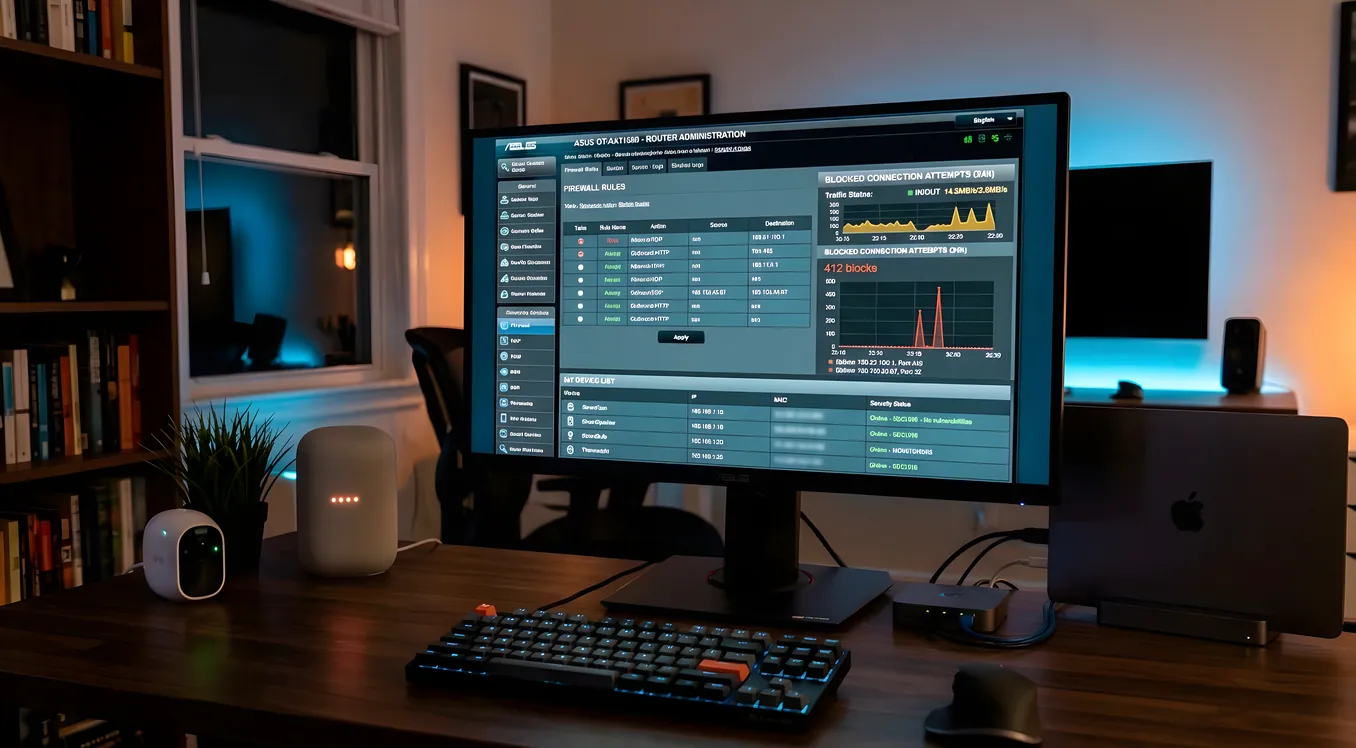
Every device you add to a smart home is a small computer running software, connected to the internet, and potentially accessible from anywhere in the world. A Ring doorbell, an ecobee thermostat, a Lutron Caseta hub, a Sonos system, a Control4 controller: each one runs firmware, communicates with cloud services, and sits on your home network with varying degrees of security built in. The question isn’t whether your smart home can be attacked. The question is whether an attacker would find anything useful when they try, and whether the damage is contained if they get in.
This article is for homeowners who’ve moved past the “just plug it in” phase and want to understand what they’re actually dealing with. Not paranoid prepper territory, not a quick tips listicle. Practical, specific, based on how home network attacks actually work and what a reasonable defense looks like.
What Are the Real Threats?
Before building a defense, it helps to understand what you’re defending against. The threat landscape for residential smart homes is different from enterprise environments, and conflating them leads to either over-engineering or under-engineering the response.
Opportunistic scanning is constant. Shodan and similar tools index internet-connected devices continuously. If you have a port forwarded to a camera, an NVR, or a home automation controller with a weak password, it will be discovered. Not because someone is targeting you specifically, but because automated scanners hit every IP address on the internet repeatedly. A 2023 analysis of honeypot data found that new internet-connected devices receive their first probe within minutes of connecting.
Credential stuffing is the most common path in. When data breaches expose email/password combinations, attackers run those combinations against smart home platforms at scale. If your Ring account, your Nest account, and your Control4 remote access all use the same password from a leaked database, one breach opens all three. This is not a theoretical attack. Ring addressed a wave of credential stuffing incidents in 2019 that resulted in attackers accessing customers’ indoor cameras.
Lateral movement after device compromise. If an attacker compromises a device that’s on the same flat network as your laptops, NAS, and other computers, they can use that foothold to probe and attack higher-value targets. A compromised IP camera running old firmware becomes a pivot point. This is the scenario that network segmentation is designed to contain.
Supply chain and firmware vulnerabilities. IoT manufacturers have a poor track record of security. Hardcoded credentials, unencrypted local API traffic, abandoned firmware update programs, and backdoors added during manufacturing have all been documented in devices sold at major retailers. The Mirai botnet, which caused significant internet outages in 2016, was built almost entirely from compromised consumer IP cameras and DVRs. The devices used in Mirai were compromised through default credentials that users never changed and that manufacturers never forced users to change.
What’s notably absent from most residential threat discussions: targeted attacks on specific homeowners. Unless you’re a high-value target (executive, politician, someone with known cryptocurrency holdings), an attacker is not specifically trying to break into your house. They’re running automated tools and collecting whatever’s easy. Your defense strategy should match that reality: make it not worth the automated effort, and contain the damage if something gets through.
Network Architecture Is Your First Line of Defense
The single highest-leverage change you can make to your smart home security posture is how your network is structured. A flat network where all devices share the same subnet is a liability. Proper segmentation limits what an attacker can reach from any given device.
The standard residential segmentation model uses VLANs to separate devices into categories based on trust level. A typical setup might look like this: a main network for laptops, phones, and trusted computers; an IoT VLAN for smart home devices that need internet access but shouldn’t talk to your computers; a camera VLAN for security cameras that only need to reach your NVR or cloud storage; and a guest VLAN for visitor devices. The article VLANs and IoT Network Segmentation: Securing Smart Devices covers this architecture in detail.
What this accomplishes in practice: a compromised Sonos speaker on your IoT VLAN cannot initiate connections to your NAS on the main network. A compromised IP camera on the camera VLAN cannot reach your ecobee thermostat or your home automation controller. The firewall rules between VLANs define exactly what traffic is allowed across boundaries, and the default is deny.
This architecture requires managed network hardware. Consumer all-in-one routers from Best Buy don’t support this configuration. You need a router with VLAN support and firewall rule capability (pfSense, OPNsense, and UniFi UDM Pro are common residential choices), managed switches that understand VLAN tagging (Cisco SG series, UniFi, Netgear ProSafe), and wireless access points that can broadcast separate SSIDs mapped to different VLANs. The total hardware cost for a capable setup starts around $400 to $600 for a small home, higher for larger footprints with multiple access points. The article Enterprise WiFi for Smart Homes: Why Consumer Routers Fail covers what hardware is actually required and why the router bundled with your ISP service won’t cut it.
Securing the Devices Themselves
Network architecture is necessary but not sufficient. The devices on each VLAN still need to be hardened individually.
Change default credentials on everything. This sounds basic because it is basic, and it’s still the most commonly skipped step. IP cameras, NVRs, routers, home automation controllers, and many other devices ship with default admin credentials that are publicly documented. The Hikvision cameras widely used in residential CCTV installations ship with a setup wizard that prompts you to change the admin password during initial configuration. Some older models, and many rebranded clones, do not. Check every device. Use your password manager to generate and store strong, unique credentials for each device’s local admin interface.
Separate local admin passwords from cloud account passwords. Many devices have both a local admin interface and a cloud account. Your Ring doorbell has a local device password and a Ring account. Your ecobee has a local setup password and an ecobee account. These should use different credentials. Your cloud accounts need two-factor authentication enabled. SMS 2FA is better than nothing; authenticator app 2FA (Google Authenticator, Authy) is better; hardware security keys are best. If Ring or Nest offers hardware key support, use it.
Update firmware. This is genuinely annoying to stay on top of, but it matters. Manufacturers patch known vulnerabilities in firmware updates, and devices that never update accumulate vulnerability debt over time. Some devices update automatically when connected to the internet. Others require manual intervention through their local admin interface or companion app. Control4 systems, for example, require a dealer to perform OS updates. Lutron RadioRA 3 systems handle firmware updates through the Caséta or RA3 app. Know how your devices update and check quarterly.
Disable features you don’t use. Universal Plug and Play (UPnP) is enabled by default on most consumer routers and many smart home devices. UPnP lets devices on your network automatically configure port forwarding rules on your router, creating internet-accessible entry points without your knowledge. Turn off UPnP on your router unless you have a specific application that requires it. Similarly, disable remote access on devices where you don’t actually use it. A Hikvision NVR with remote access disabled and no port forwarding to it is accessible only from inside your network. That’s a significant reduction in attack surface.
Cloud Services and What They Can Actually See
Most smart home devices operate through cloud platforms. Your Nest thermostat sends temperature data and schedule information to Google’s servers. Your Ring cameras send video to Amazon’s infrastructure. Your Lutron hub communicates with Lutron’s cloud for remote access. Your Control4 or Savant system may use a cloud relay service for dealer remote management access.
This is generally how these systems are designed to work, and the cloud services add real value (remote access, voice assistant integration, data backup). But understanding what each service can see matters, especially if you’re hosting home automation data you consider sensitive.
A few specific considerations:
Lutron’s RadioRA 2 and Caseta systems use a local processor (the Smart Bridge or Main Repeater) that functions without internet access. Schedules, scenes, and occupancy-based automations run locally. The cloud connection enables the Lutron app’s remote access and voice assistant integrations, but cutting internet access doesn’t break the system. This is a meaningful architecture advantage over devices that are non-functional without cloud connectivity.
Control4 and Savant systems are primarily local. The automation controller runs on your network, processes automations locally, and the cloud components are largely limited to dealer access, firmware updates, and optional remote access features. This is one reason professional integrators often recommend enterprise platforms over consumer devices for whole-home systems.
Ring and Nest are cloud-dependent. If Google or Amazon experiences an outage, features stop working. Video is stored in Amazon or Google infrastructure. You’re accepting a different kind of trust relationship with these platforms compared to local-first systems.
For homeowners who want to minimize cloud exposure, self-hosted home automation platforms like Home Assistant run entirely on local hardware (typically a Raspberry Pi 5 running around $80 to $100, or a dedicated mini PC) and connect to many devices through local protocols (Z-Wave, Zigbee, local API calls) without routing data through manufacturer cloud services. This is a more complex setup but keeps your automation data on hardware you control.
Physical Security Is Part of Cybersecurity
A locked network can still be attacked by someone with physical access to your network hardware. The Network Rack and Closet Design for Residential Systems article covers physical enclosure options, but from a security perspective the key points are:
Your main network switch and router should be in a locked enclosure. Most residential network racks use small wall-mount or freestanding cabinets. A 6U StarTech wall-mount cabinet (approximately $80 to $120) with a key lock keeps casual access out. Serious physical security requires more, but most residential threats don’t involve someone breaking in specifically to access your network hardware.
Ethernet ports in guest areas and common spaces present a risk. Anyone who can plug a laptop into a wall jack can potentially access whatever network that jack connects to. On a properly configured system, ports should be assigned to specific VLANs based on their location. A jack in a guest bedroom should be on the guest VLAN. A jack in your home office should be on the main network. Unassigned ports should default to an isolated VLAN with no meaningful access.
Power-over-Ethernet devices (cameras, access points, intercoms) that are mounted outdoors or in accessible locations can potentially be physically removed and replaced with rogue devices. Using cable locks and weather-resistant mounting hardware reduces this risk. The article Power over Ethernet in Smart Homes: Cameras, APs, and More covers PoE infrastructure in detail, including secure mounting considerations.
Monitoring What’s Actually Happening
A good network architecture and hardened devices reduce your attack surface, but they don’t give you visibility into what’s actually happening on your network. Monitoring closes that gap.
DNS logging is one of the most practical monitoring tools available. When a device on your network makes any internet connection, it first makes a DNS query to resolve the domain name. If you’re running your own DNS resolver (pfSense with Unbound, Pi-hole, or AdGuard Home are common choices), you can log every DNS query from every device on your network. This creates an audit trail and lets you spot unusual behavior. A thermostat that suddenly starts querying domains it’s never contacted before is worth investigating.
Anomaly detection at a more sophisticated level is available through network security appliances. The Firewalla Gold and Purple units ($179 to $469) plug into your network and provide flow analysis, intrusion detection, and alerting with a mobile app interface that doesn’t require network engineering expertise. They can alert you when a device starts making outbound connections to new destinations or scanning other devices on the network.
For larger or more complex smart home installations, a professional monitoring service may be worth considering. Some security integrators offer 24/7 network monitoring as part of their service contracts. This is more common in high-end Control4, Crestron, and Savant installations where the integrator maintains ongoing responsibility for the system.
At a minimum, set up email or SMS alerts for failed login attempts on your router’s admin interface, any configuration changes to firewall rules, and new devices appearing on your network. All of these are standard features in prosumer router software like pfSense, OPNsense, or UniFi Network.
The Ongoing Maintenance Reality
Smart home cybersecurity isn’t a project with a finish line. It’s a maintenance posture. Devices get updated, new vulnerabilities get disclosed, you add new devices that change the network topology. What this looks like in practice:
Set a quarterly reminder to check firmware on all your devices. NVRs, cameras, smart panels, hub devices, and network hardware all need separate checks. Create a simple spreadsheet listing each device, its current firmware version, and the last time you checked. Takes 20 minutes per quarter.
Subscribe to security disclosures for your major platforms. Ring, Nest, Lutron, and Control4 all have security disclosure channels. CISA (the Cybersecurity and Infrastructure Security Agency) publishes advisories for IoT vulnerabilities at cisa.gov. You don’t need to read everything, but knowing when a critical vulnerability hits your specific hardware lets you prioritize updates.
Audit your network quarterly for new devices. Unknown devices appearing on your network are a red flag. Most managed network software (UniFi, pfSense) shows a device list with connection history. If you see a device you don’t recognize, investigate before assuming it’s benign.
Review cloud account access annually. Check which third-party apps and services are connected to your Ring account, your Nest account, your Lutron account. Remove integrations you no longer use. Verify that two-factor authentication is enabled and that recovery phone numbers and email addresses are current.
Getting Professional Help When It Makes Sense
If you’re running a complex whole-home system from Control4, Savant, or Crestron, your integrator should be part of your security picture. These platforms are designed around ongoing dealer relationships partly because proper configuration and maintenance requires expertise. A well-configured Control4 system with proper network segmentation, restricted cloud access points, and regular firmware updates looks very different from one that was installed and never touched again.
For homeowners without a professional integration relationship, managed IT services that specialize in residential work are an emerging category. These aren’t the Geek Squad. They’re IT professionals who configure and maintain prosumer network hardware, implement proper segmentation, handle monitoring, and are available when something breaks. Pricing varies significantly by market, but $200 to $500 for an initial configuration engagement and $50 to $150 per month for ongoing monitoring is a reasonable range in larger markets.
The alternative is educating yourself well enough to do it yourself, which this article is one step toward. The networking content at Networking covers the infrastructure topics in detail, from Structured Wiring: The Backbone of Every Smart Home through the equipment and architecture decisions that determine what security options are even available to you.
A Secure Smart Home Is a Usable Smart Home
The goal of smart home cybersecurity isn’t to lock everything down until it stops working. It’s to build a system where security controls are invisible during normal operation, attacks are either deflected automatically or contained if they succeed, and you have enough visibility to know when something unusual is happening.
The homeowners who get this right aren’t the ones who are most paranoid. They’re the ones who made good architectural decisions early (proper network segmentation, managed hardware, strong credentials), built in monitoring, and treat maintenance as a recurring obligation rather than a one-time project. That combination handles the vast majority of threats that realistically target residential smart homes, without making the system difficult to live with.