Integrating Security with Your Smart Home Platform
Integrating Security with Your Smart Home Platform
Most security systems are designed to protect your home, not to work with it. A Ring doorbell notifies your phone. An ADT panel sounds an alarm. A Schlage lock keeps people out. Each one does its job in isolation, and for a lot of homeowners that’s fine.
But once you’ve moved into a more integrated smart home, that isolation starts to cost you in practical ways. Your alarm triggers and the lights don’t come on to meet you at the door. Your security camera captures something, but your lock doesn’t react. Your system treats security as a separate domain from everything else, and you end up managing five apps instead of one.
Smart home security integration means getting these systems talking to each other and to a central platform so they behave intelligently. It’s more involved than it sounds, and the path forward depends heavily on what you already own, what platform you’re building around, and how deep you want to go.
Why Integration Actually Matters
The case for integration isn’t just convenience. There are real security benefits to having your systems aware of each other.
When your front door unlocks, a properly integrated home can trigger a sequence: the entry lights come on at 50%, the alarm disarms automatically, the doorbell camera stops recording to local storage. When your alarm triggers in away mode, the exterior lights can flash, the cameras can switch to continuous recording, and a notification can fire immediately. When you leave, a single “away” command can arm the alarm, lock every door, lower the thermostat, and shut off any lights you forgot.
These aren’t party tricks. The lights-on-arrival scenario matters for elderly homeowners and families with kids. The alarm-plus-camera scenario matters for evidence capture. The all-away-mode scenario matters because most home security failures are human errors, things people forgot to do before driving off.
Integration also closes gaps. A standalone alarm protects entry points with sensors but has no visibility into what the cameras are seeing. Standalone cameras record but don’t trigger anything. Connecting them through a platform creates overlapping layers that respond to each other.
The Security section of this site covers the major component categories in depth. This article focuses on how those components connect at the platform level.
The Three Integration Tiers
Not all smart home security integration is the same. It’s useful to think in terms of three tiers, which differ in depth, cost, and complexity.
Tier 1: App-Level Aggregation
This is the most common approach for homeowners using consumer-grade systems. You connect your Ring doorbell, your Nest cameras, your Yale lock, and your ADT alarm to their respective apps, and you also add them to a smart home platform like Google Home, Amazon Alexa, or Apple HomeKit. Each device shows up in a single interface and you can build basic automations.
The limitation here is that you’re working with the lowest common denominator of each manufacturer’s integration. Google Home can tell your Nest doorbell to turn on a light when motion is detected, but you’re working within the boundaries of what each brand has published as accessible via that API. Deep automations, custom logic, and reliable local communication are largely out of reach.
Tier 2: Mid-Market Integration Platforms
This is where systems like SmartThings, Hubitat, Home Assistant, and in some cases Josh.ai live. These platforms act as a central brain with broader protocol support, local processing, and the ability to write custom automations that cross device brands.
A Hubitat hub can connect to your Z-Wave lock, your Zigbee door sensors, your IP-based cameras, and your Lutron lighting system and write rules that trigger across all of them. Home Assistant pushes this further with an open architecture that supports virtually every protocol and a huge library of community integrations.
This tier costs more in setup time and technical knowledge, but it gives you control that consumer platforms don’t.
Tier 3: Professional Control Systems
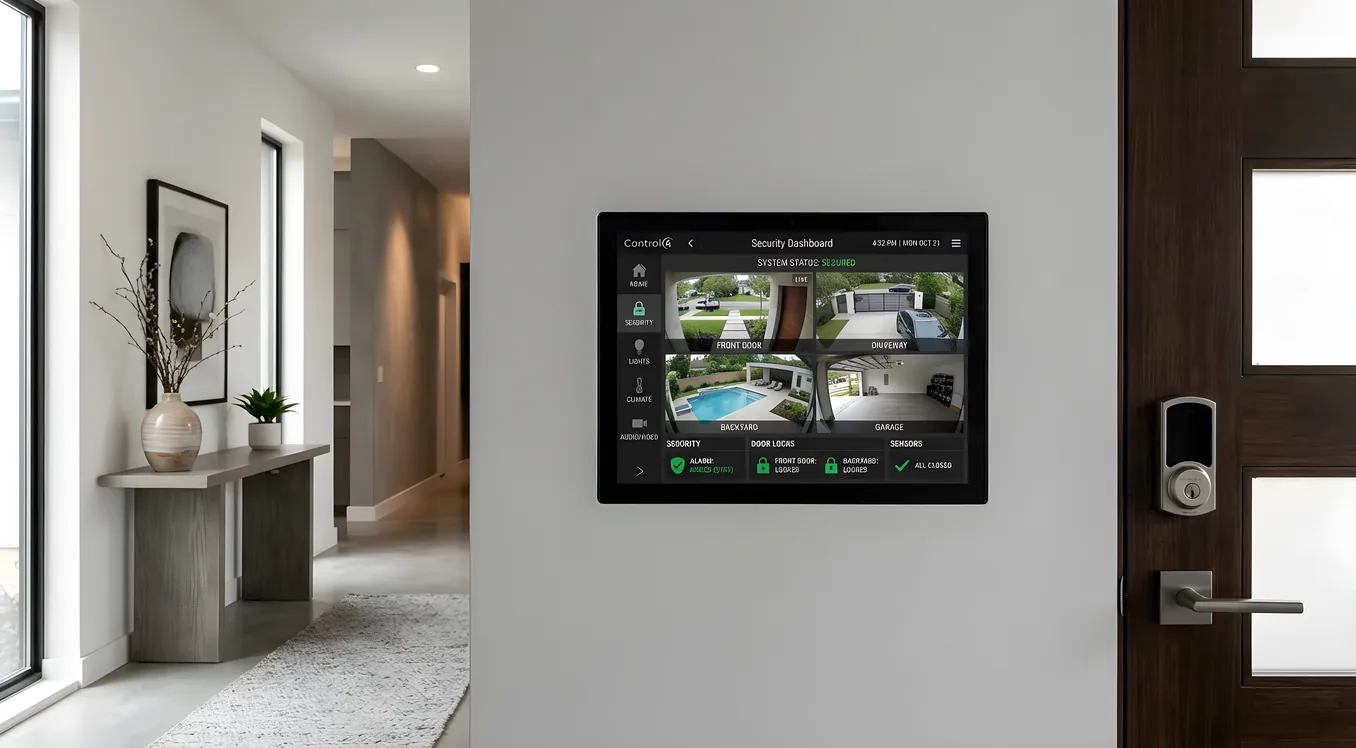
Control4, Crestron, and Savant are built from the ground up for deep integration. Security isn’t bolted on through an API; it’s wired in as a first-class subsystem alongside lighting, AV, HVAC, and networking. These platforms use certified hardware, professionally programmed logic, and in many cases local processing that doesn’t rely on cloud services.
At this tier, a security event can trigger a coordinated response across every system in the home, including scenes, thermostats, speaker announcements, and lock states, with millisecond-level reliability. The tradeoff is cost and the requirement for a professional integrator.
Choosing the Right Security Hardware for Integration
Security hardware that integrates well shares a few common characteristics: it communicates on a standard protocol, it has documented APIs, and it doesn’t lock critical functions behind a proprietary cloud that can be shut down or changed without notice.
Door and Window Sensors
For basic contact sensors, Z-Wave and Zigbee are the workhorses of home automation integration. Devices from Ecolink, Aeotec, and SmartThings use these protocols and connect natively to most integration hubs. They’re inexpensive, typically $20 to $40 per sensor, and reliable.
If you’re going the professional route, DSC, Honeywell (now Resideo), and 2GIG make alarm panels that integrate directly into Control4 and Crestron via IP connections. These panels manage dozens of hardwired zones and communicate with the control system as a single integration point rather than requiring the control system to talk to each sensor individually.
Locks
The smart locks and keyless entry category covers specific models in depth, but for integration purposes the key distinction is protocol support. Schlage Encode uses Z-Wave plus WiFi; the Z-Wave version connects to most hubs. Yale and Kwikset also offer Z-Wave variants. Locks from August use Bluetooth and WiFi with a proprietary cloud backend that integrates less cleanly into non-Apple platforms.
For professional installations, Allegion makes commercial-grade hardware that integrates into Crestron and Control4 for full keypad management through the control interface.
Video Doorbells and Cameras
This is where integration gets messy fastest. The video doorbell comparison covers Ring, Nest, and professional options in detail. The short version for integration purposes: Ring integrates best with Amazon Alexa and Control4 via a certified driver; Nest integrates cleanly with Google Home but has historically been difficult to connect to third-party platforms. Reolink, Amcrest, and Hikvision cameras use RTSP streams that any hub or NVR can consume, making them the most integration-friendly choice if you’re building around a non-cloud platform.
Axis, Hanwha, and Sony professional cameras support ONVIF, the standard protocol for IP camera interoperability. These show up in Control4 and Crestron as live video feeds accessible through any touchscreen in the home.
Alarm Systems
The choice between monitored, self-monitored, and hybrid alarm systems has real integration implications. SimpliSafe offers an API but it’s limited. Ring Alarm integrates tightly with Ring cameras and Alexa but poorly with other ecosystems. DSC and Honeywell Vista panels, which power most professionally installed systems, connect to platforms like Hubitat and Control4 through serial or IP bridges, giving you full arming state control and zone status in your automation logic.
For new installations aiming at deep integration, the Elk M1 panel has an unusually open integration architecture and drivers available for most major control platforms. It’s a $500 to $800 panel that takes more effort to install than consumer systems but gives integrators clean two-way communication.
Protocols That Power Smart Home Security Integration
Understanding the communication layer clarifies what will and won’t work together.
Z-Wave operates at 908.42 MHz (in North America), which means it doesn’t compete with WiFi and has good wall penetration. It’s a mesh network where each device also relays signals for other devices. Z-Wave Plus devices support up to 100 meters outdoor, 40 meters indoor in open space. Because it requires a Silicon Labs chip and certification, there’s a meaningful baseline of interoperability between brands.
Zigbee operates at 2.4 GHz and is similarly mesh-based. It’s faster and less expensive to implement than Z-Wave, which is why it’s common in larger sensor deployments. The Zigbee Alliance (now Connectivity Standards Alliance) maintains the standard. A single Zigbee coordinator can support hundreds of devices.
Matter is the newer protocol that Apple, Google, Amazon, and a growing number of manufacturers are adopting. It runs over WiFi and Thread, with Thread being a low-power mesh protocol designed for battery devices. Matter-certified devices should connect to any Matter controller without manufacturer-specific integrations. Adoption is accelerating, and it will eventually simplify the fragmentation problem significantly, though as of 2025 the device ecosystem is still catching up to the spec.
IP-Based Integration is what professional systems rely on for high-bandwidth components like cameras and alarm panels. Control4 connects to supported cameras via driver over IP; the camera’s feed renders on a touchscreen or is piped to a TV input. This requires structured networking infrastructure, including dedicated VLANs for security devices and a router that can handle inter-VLAN routing with appropriate firewall rules.
Serial and Contact Closure are older integration methods that still matter for legacy alarm panels and gate systems. An RS-232 or RS-485 connection from an alarm panel to a control processor gives the automation system full arming state and zone information. Contact closures from garage door openers and gate controllers can feed into the automation system’s logic even when those devices have no network connectivity.
Building a Layered Security Automation Scheme
Once you have hardware on compatible protocols and a platform to connect them, the design work begins. Good security automation is layered: each event can trigger multiple responses, and multiple inputs can confirm a state before action is taken.
Entry and Exit Logic
The most useful security automations center on arrival and departure. At the professional level, a Control4 or Crestron system can watch for:
- A specific lock code entered at the front door (each family member has their own code)
- The garage door opening and a car present in the garage (using a sensor or camera with vehicle detection)
- The alarm being disarmed from a known keypad
These trigger a “welcome home” sequence: lights at the entry and hallway ramp to 70%, the thermostat shifts from away mode to comfort mode, and the security cameras on the exterior shift to a lower motion sensitivity to avoid constant notifications while people are moving around outside.
The inverse runs on departure: all lights off, HVAC to setback, alarm armed to away, garage verified closed. If the garage doesn’t confirm closed within 90 seconds of the alarm arming, a notification fires.
Night Mode
Night mode is one of the most practically useful security scenes. When triggered (by a time schedule, by manually pressing a button at the bedside, or by detecting that all occupants’ phones are on the home WiFi at a late hour), the system can arm to “stay” mode with all perimeter sensors active, lock all exterior doors, shut off most lights, turn on exterior cameras to continuous recording, and activate a motion-triggered light in the driveway or garage at 100% rather than the usual 30%.
Intrusion Response
A well-programmed alarm response goes beyond the siren. When a contact sensor breaks in away mode, a properly integrated system can turn every interior light to full white at 100% (making the inside visible to anyone outside, which deters further entry), start continuous recording on every camera, push a notification with a camera snapshot to the homeowner’s phone, and announce the zone name through any speakers in the home if occupants are present in stay mode.
Access Control: The Integration Anchor Point
Gate systems, garage doors, and entry control are often where integration breaks down, because many of these systems are older analog equipment with no network connectivity. The residential access control guide covers this in detail, but the integration path usually involves one of three approaches.
For newer systems, LiftMaster and Chamberlain garage openers with myQ support connect to a cloud-based API. Control4 has a certified myQ driver. Home Assistant has a community integration. These work but depend on the cloud service remaining operational.
For older or commercial systems without any native connectivity, a dry contact relay module, like the Insteon I/O Linc or a dedicated Z-Wave relay module, connects to the existing button terminals on the opener or gate controller and translates a Z-Wave command into a contact closure that the existing equipment understands. This approach works with virtually any opener regardless of age.
For gate systems specifically, a two-input module can read the open/closed state of the gate via a magnetic contact and also provide the trigger signal, so the automation system has confirmed status rather than an assumed state based on when it last sent a command.
The Local vs. Cloud Question for Security
Security is the category where cloud dependency matters most. If your internet goes down, or if a manufacturer shuts down their server, your ability to respond to events should not go with it.
This argues for prioritizing local-processing platforms and hardware that doesn’t require cloud connectivity for basic functions. Hubitat processes all automation logic locally. Home Assistant is local by default (though cloud connectivity is optional). Control4 EA controllers run logic locally even if the internet is unavailable.
On the hardware side, local vs. cloud security cameras is a meaningful choice. Cameras that record locally to an NVR or local SD card continue to record during outages. Cameras that depend on cloud upload, like first-generation Arlo cameras, stop recording useful footage the moment your ISP has a hiccup.
For alarm systems, look for cellular backup. A system that only communicates over your home broadband is vulnerable to a power outage, a cut cable line, or a sophisticated intruder who kills your internet first. SimpliSafe, Ring Alarm, and professional DSC/Honeywell systems all offer cellular backup as an option. For monitored systems, the cellular path is how the signal reaches the monitoring center when your broadband is down.
Practical Cost Ranges
Consumer-tier integration (app-based, no hub): If you’re connecting Ring, Nest, and a Z-Wave lock to Google Home or Alexa, the integration itself is free. You’re paying for the hardware: a video doorbell runs $100 to $250, cameras $100 to $400 each, a smart lock $150 to $350. This level works but has limited automation depth.
Mid-market hub-based integration: A Hubitat Elevation hub costs $130. A Home Assistant Green costs $99. Adding a Z-Wave USB stick for a dedicated PC setup runs $30 to $50. The programming is DIY, but the capability is substantial. Budget for integration hardware at $200 to $500; the rest is device cost.
Professional control system integration with security: On a Control4 system, adding a DSC panel integration with full zone mapping and arming state automation typically runs $2,000 to $5,000 in labor and programming above the cost of the panel itself. Camera integration at $200 to $500 per camera in driver licensing and cabling. Access control for a gate or entry system at $1,500 to $4,000 depending on whether new hardware is needed.
Getting the Integration Right from the Start
The biggest integration mistakes happen at the hardware selection stage, not the programming stage. Buying cameras without RTSP or ONVIF support locks you out of most non-cloud integration paths. Choosing an alarm system that only communicates through a proprietary app limits your automation options permanently.
Before purchasing any security hardware with the intention of integrating it, verify the specific integration method for your intended platform. Not “does it work with SmartThings” but “does it have a native driver, a community integration, or an API that supports the specific functions I need,” including arming state, zone status, and event-triggered commands.
For homeowners working toward a full smart home build, security integration works best when it’s designed as part of the whole system from the beginning, not retrofitted afterward. The wiring, the network infrastructure, the alarm panel choice, and the camera selection all interact with the control platform you choose. Getting those decisions aligned early avoids the common pattern of a home that’s technically integrated but practically fragmented.
A well-integrated security system should be invisible most of the time and exactly right when it matters. That’s the goal worth engineering toward.